Solved

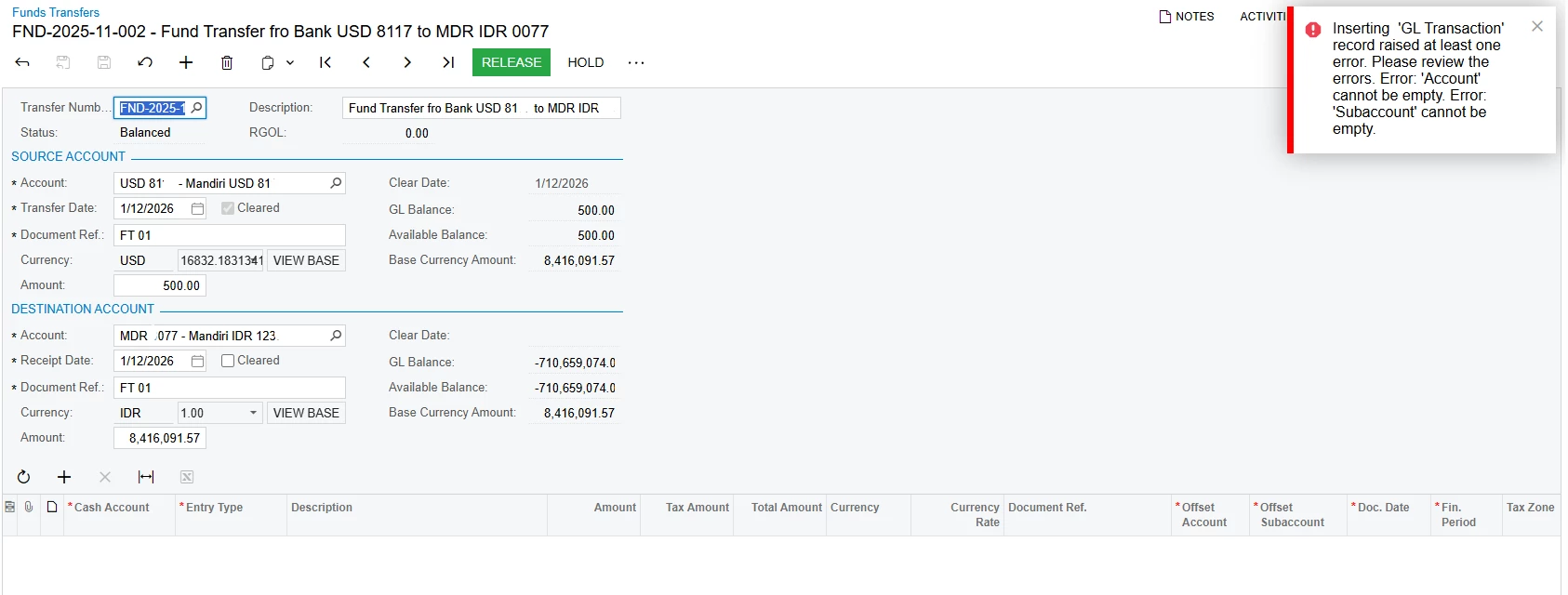
Fund Transfer Can Not be Released: Transactions Error, Account and Subaccount can not be empty.

  • February 11, 2026
  • 6 replies
  • 51 views

Forum|alt.badge.img

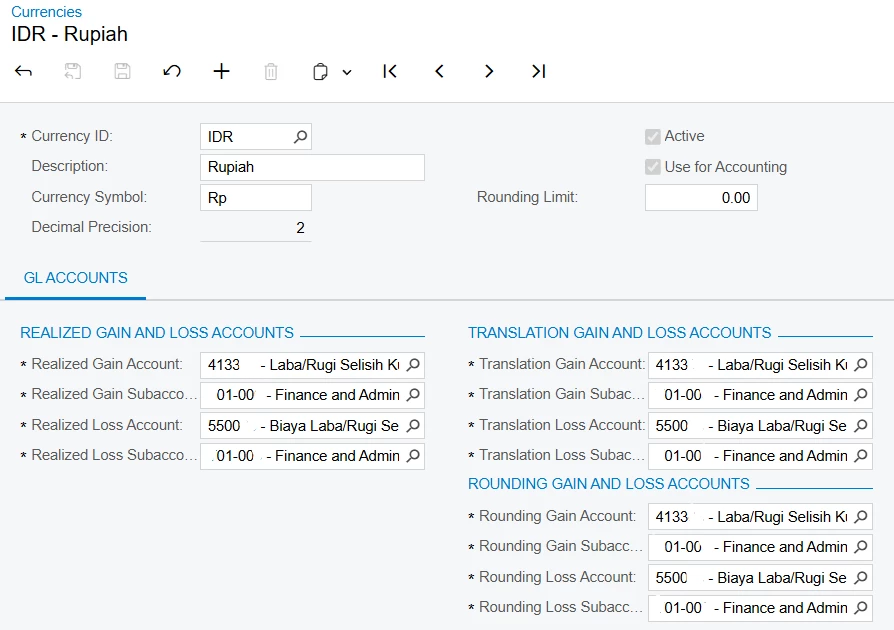
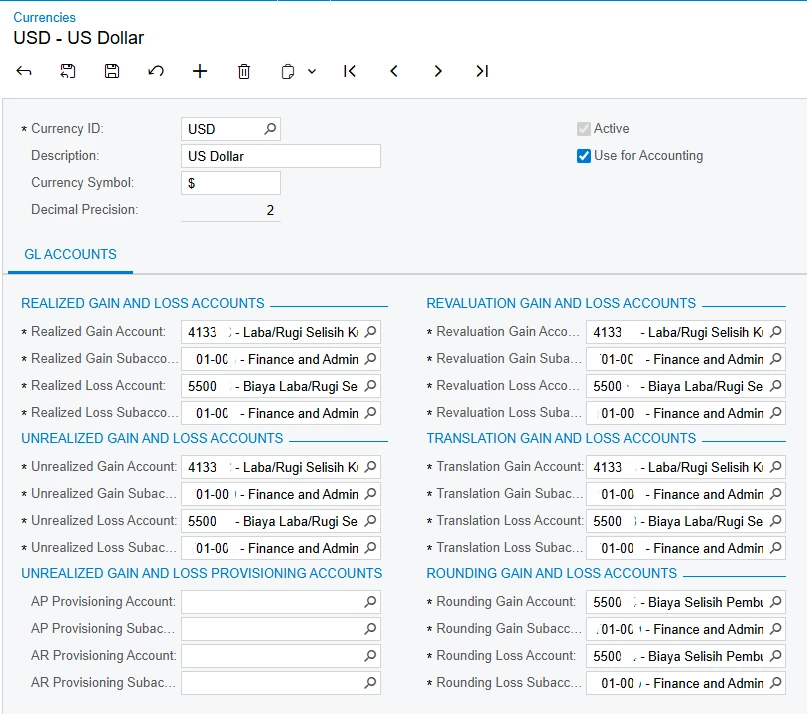
Haii, I want to have a Fund Transactions but when I try to Release the transaction there is an error: account and subaccount can not be empty. I also have check the Currencies and for the Account and Subaccount already fill it. Please to take a look and help me to solve about this?
Might be there is an error or a missing data that I set up. Thank you.

I put screenshoot bellow:
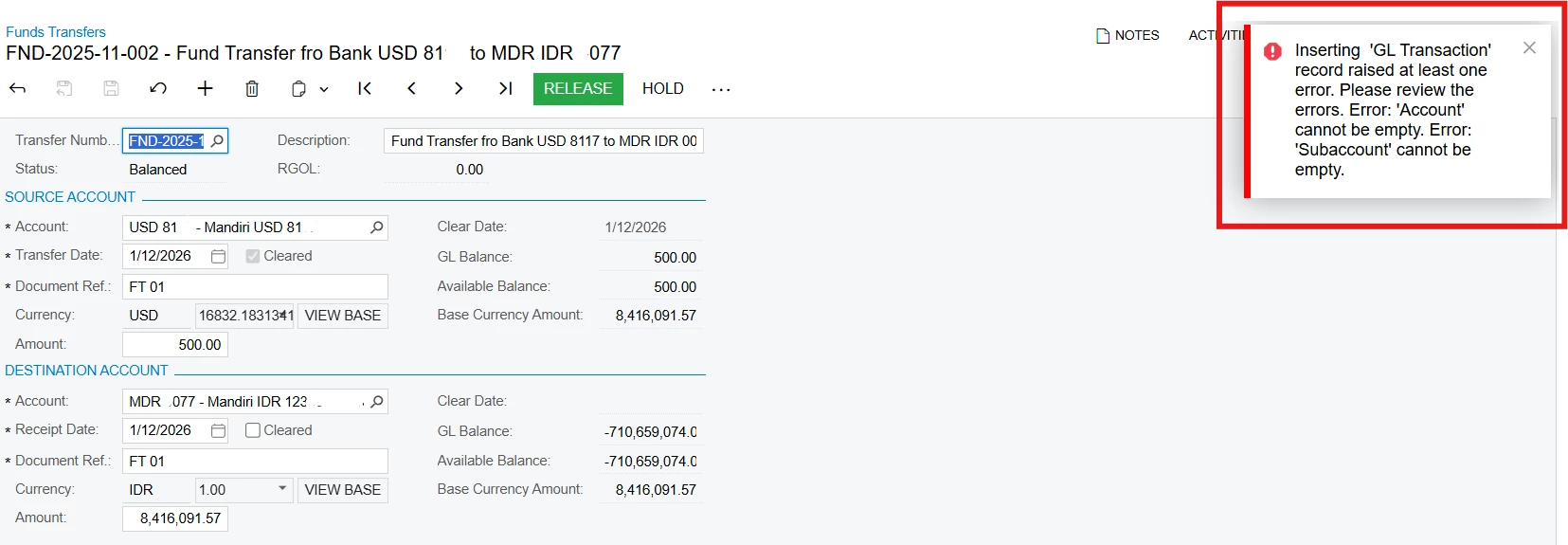


Best answer by Laura03

Hi ​@Laura03 no, there is no other transactions bellow, i only input the transactions in the source account part and destination account sections. Shall i added a new transaction in the bellow?
because i already try it and it’s still error.
Please help up me to solve about this, i really appreciate, thank you.


No need to add a transaction; I was ruling out whether the issue was with an Entry type; couldn’t see in the first screen shot. Thank you.

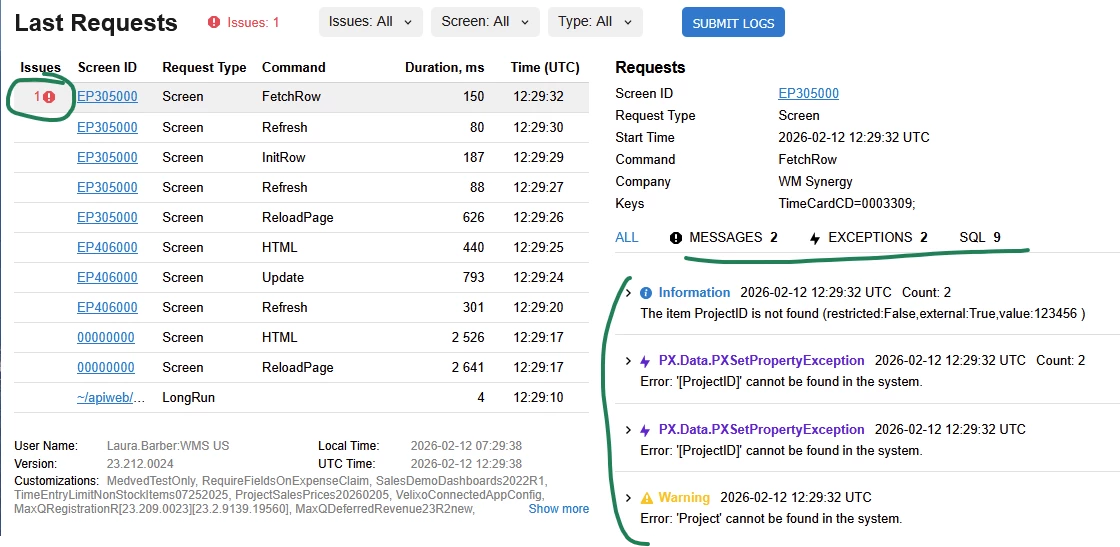
What did you find in Tools → trace?  An error typically produces more info in Red text. After you click on the row marked in red at the left, errors can be found on three tabs, like this:


6 replies

Laura03
Captain II
Forum|alt.badge.img+20
  • Captain II
  • February 11, 2026

Hello ​@dinda56 ,

Is there a more detailed error visible, if you click Tools → Trace after the error above appears?

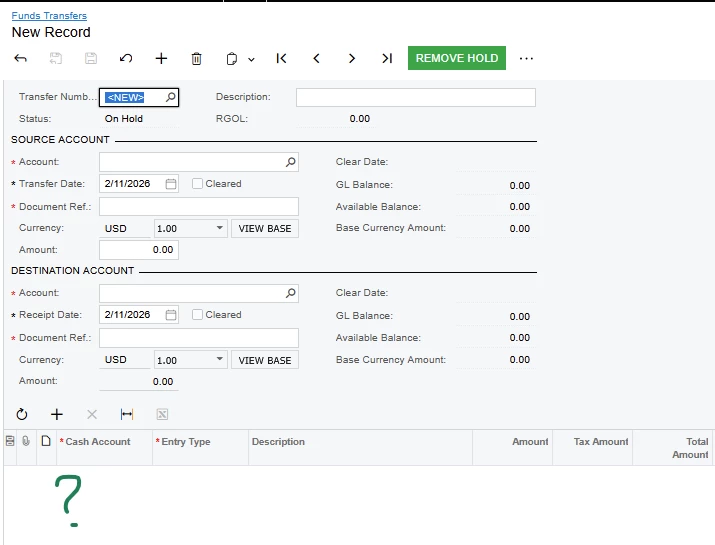
Is there any Bank Fee or related transaction entered in the lower portion of Funds Transfers screen?


Forum|alt.badge.img
  • Author
  • Varsity I
  • February 12, 2026

Hi ​@Laura03 no, there is no other transactions bellow, i only input the transactions in the source account part and destination account sections. Shall i added a new transaction in the bellow?
because i already try it and it’s still error.
Please help up me to solve about this, i really appreciate, thank you.


Forum|alt.badge.img+1

Hi ​@Laura03 no, there is no other transactions bellow, i only input the transactions in the source account part and destination account sections. Shall i added a new transaction in the bellow?
because i already try it and it’s still error.
Please help up me to solve about this, i really appreciate, thank you.


Hey ​@dinda56 , can you please share the trace also? if you could expand the trace error message would be helpful to better understand.


nhatnghetinh
Captain II
Forum|alt.badge.img+13
  • Captain II
  • February 12, 2026

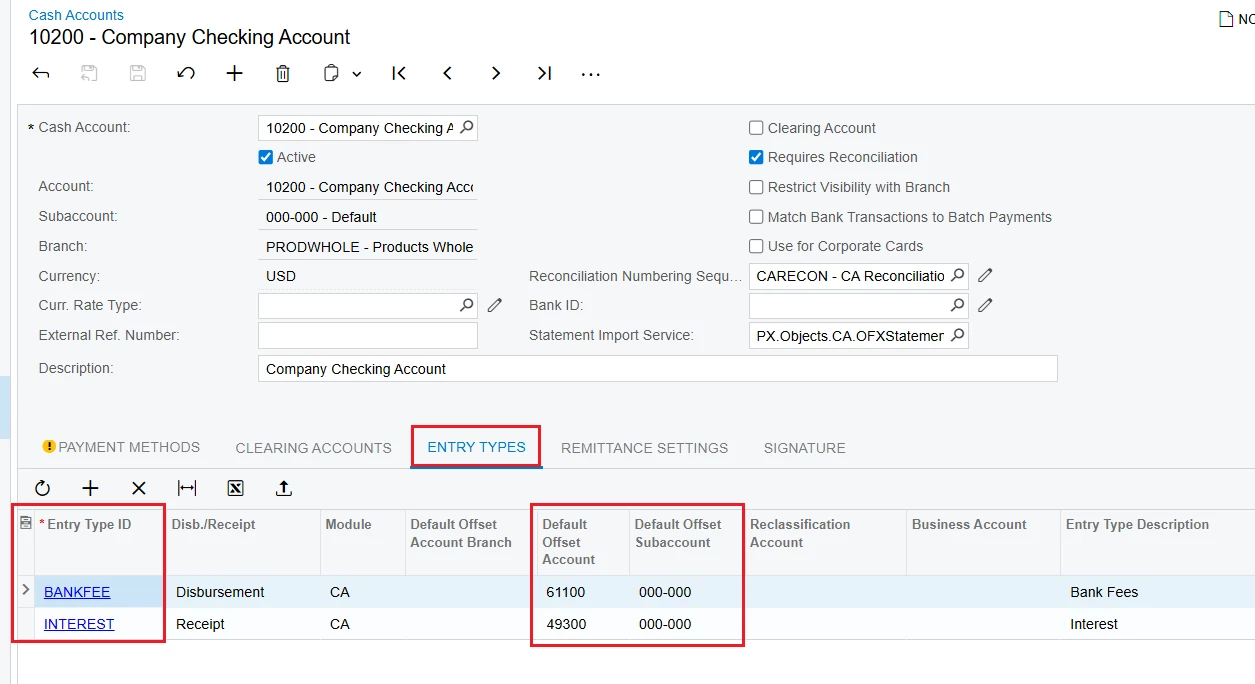
Hi ​@dinda56 

Please check your Cash Accounts -> ENTRY TYPES tab -> Ensure all information is present: Entry Type ID, Default Offset Account, Default Offset Subaccount as shown in the screenshot below.


Best Regards,

NNT


Laura03
Captain II
Forum|alt.badge.img+20
  • Captain II
  • Answer
  • February 12, 2026

Hi ​@Laura03 no, there is no other transactions bellow, i only input the transactions in the source account part and destination account sections. Shall i added a new transaction in the bellow?
because i already try it and it’s still error.
Please help up me to solve about this, i really appreciate, thank you.


No need to add a transaction; I was ruling out whether the issue was with an Entry type; couldn’t see in the first screen shot. Thank you.

What did you find in Tools → trace?  An error typically produces more info in Red text. After you click on the row marked in red at the left, errors can be found on three tabs, like this:


YasasWithanage76
Acumatica Employee
Forum|alt.badge.img+4

Hello ​@dinda56 ,

Please check the relevant two GL accounts (linked to the cash accounts) in the chart of accounts screen, whether the cash account check box is selected or not.

If not, please run the Recalculate Account Balances process.

And please check that the cash in transit account is correctly set up and active on the Cash Management Preferences screen