Answer

Fixed Assets Synchronize Error

  • June 22, 2025
  • 10 replies
  • 140 views

Forum|alt.badge.img

Hi,

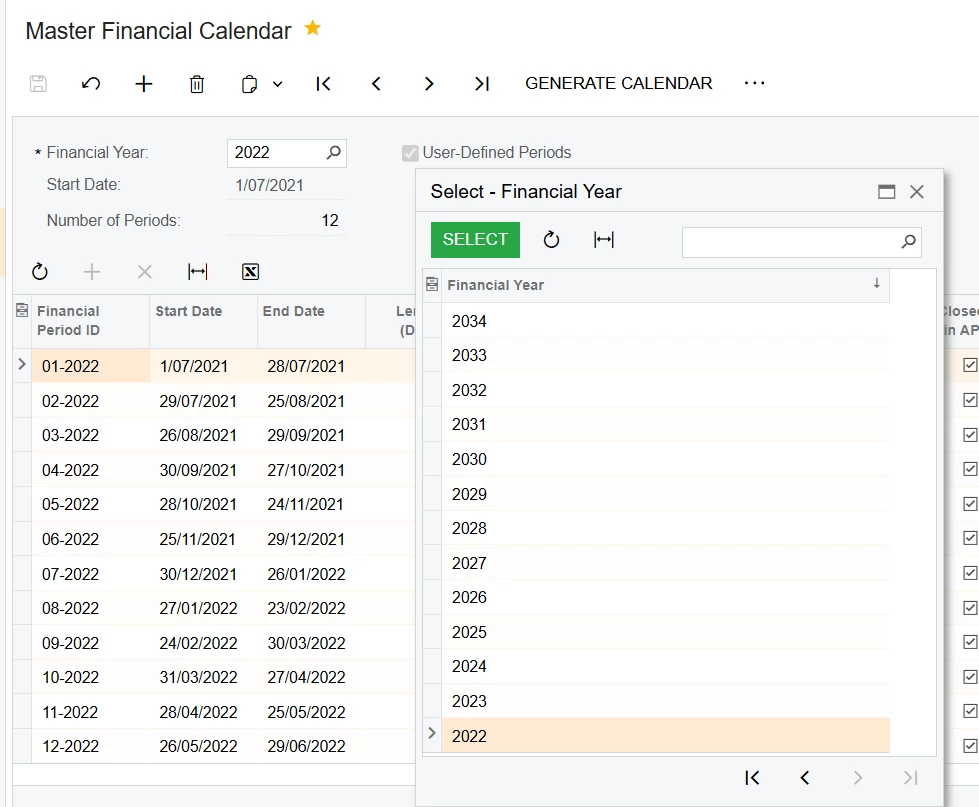
My mater financial calendar is designed in a way that start and end is not according to the general calendar. Example is as below. 
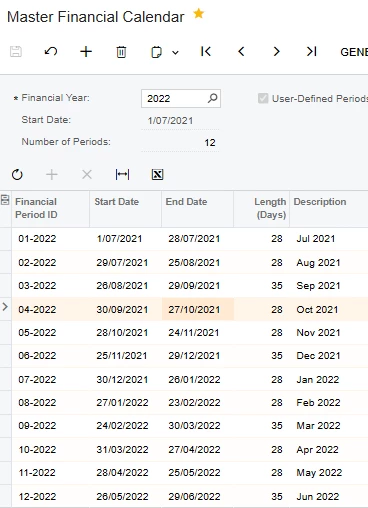
And I’m setting up fixed assets and when creating a fixed asset with acquisition date 27/10/2021  it gives me below error. 

“ FA Error: The document cannot be released, because the 05-2022 period in the posting book does not match the financial period in the general ledger for the SFT company. To amend the periods in the posting book based on the periods in the general ledger, on the Book Calendars (FA304000) form, click Synchronize FA Calendar with GL.” 

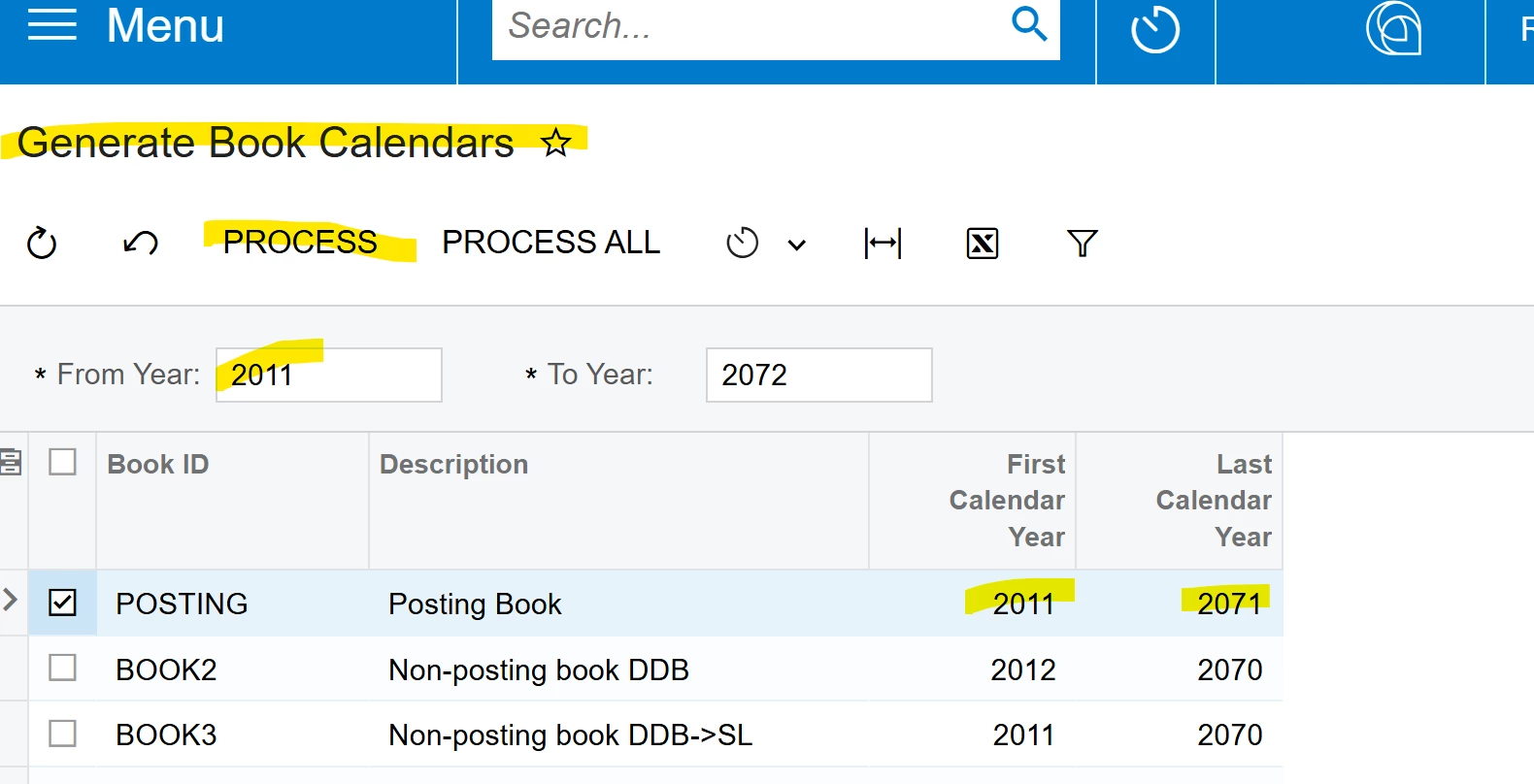
Then I tried the process but it gives me below error. 
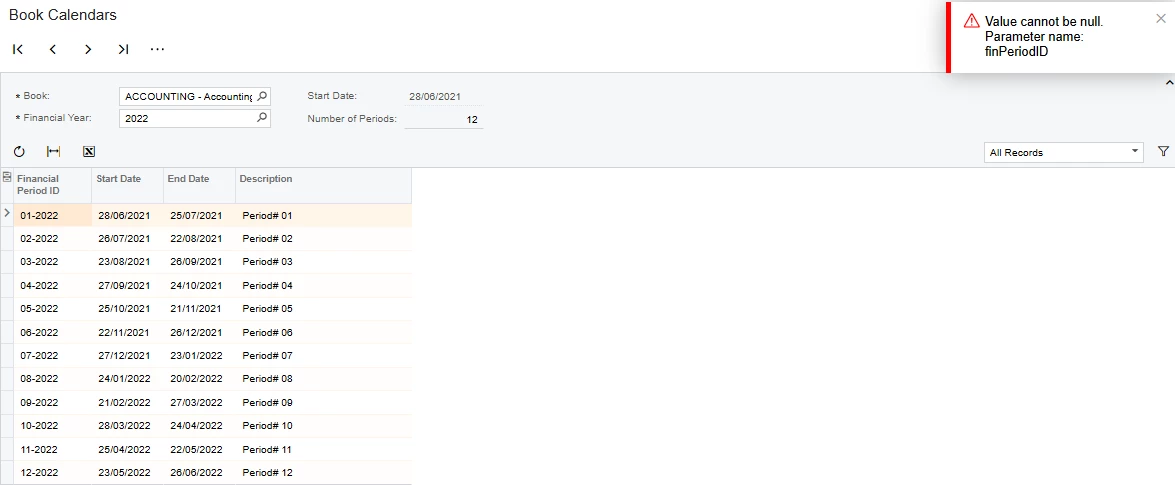
Can you please anyone help me with this?


Thank you,

Dulanjana

Best answer by dsenevirathne54

The issue reported to Acumatica and identified as a bug. Thanks.

10 replies

Forum|alt.badge.img+1
  • Jr Varsity I
  • June 24, 2025

The start date & end date of your book calendar do not match the financial calendar.

Period 01-2022 start date 1/07/2022 vs 6/28/2022 ( Finacial calendar vs book calendar, respectively).  They need match before you can synchronize calendar.


Forum|alt.badge.img

Hi ​@JohnMichels,

Thank you for your comment. Typically it should be, but the question is for the posting book we do not need to create a book calendar and it follows the same as master financial calendar. 

Here, the posting book starting and follows a different dates in start and end making accounting calendar and FA calendar are different. I did not find anywhere to make this correct. Do you see anyway to make this correct?

Thanks,

Dulanjana


Forum|alt.badge.img+1
  • Jr Varsity I
  • June 25, 2025

@dsenevirathne54 If you are just deploying the FA module, you need to use Generate Book Calendars back to the years/periods that include those years/periods when a Fixed Asset is acquired (if a FA is acquired in FY 2022, book calendars need to be created back to those periods).  The Financial Calendar does not need to be created back to those dates as unless journal transactions are required for periods.

Book calendars should also be created for those future periods representing the useful life of acquired FA. For example, if you are creating a FA with 10-year life, book calendars should be created till 2035.

Hope this helps


Forum|alt.badge.img

Hello ​@JohnMichels ,

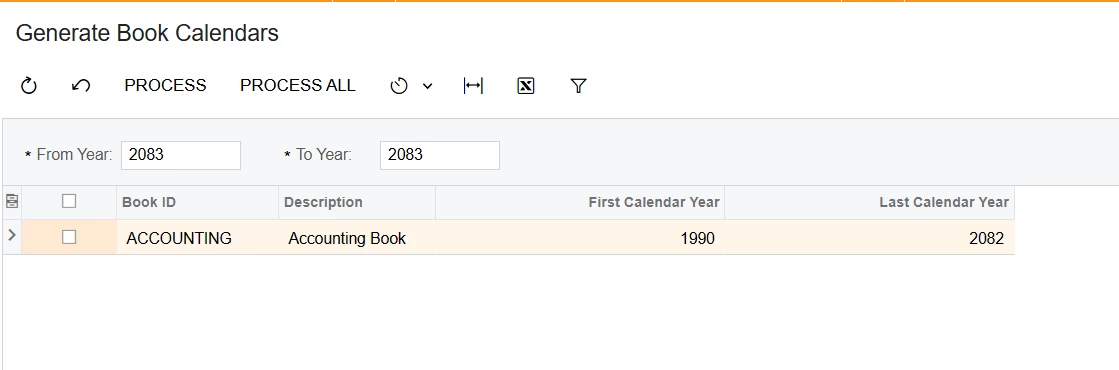
agree and already its done. The book calendar is available for 1990 to 2082.While master financial calendar is configured only from 2022.


Thanks,

Dulanjana


Forum|alt.badge.img+1
  • Jr Varsity I
  • June 26, 2025

@dsenevirathne54  The issue remains the start/end dates for the periods are not the same between book and financial calendar despite the fact that you synchronized them as standard practice.   Not sure where you are in your deployment, but you may want to consider creating a new posting book & making sure the start date is identical to your financial calendar which is NOT the case at this moment and the basis of your problem.  

This may be complicated by having posted transactions in the FA module.

Proceed with caution especially if you are in a production/live environment. 


Forum|alt.badge.img

Hi ​@JohnMichels , I completely understand the concern you are raising. I understand the accounting periods and book calendar period should follow the same start and end dates but in my case it is no. 

But here is the issue I'm facing. 

  1. I have only one book for depreciation which is the posting book.
  2. I have the master financial calendar customized which does not follow the standers calendar periods.
  3. When I created the FA book, and then I tick the posting book box which indicate to the system that the same financial calendar will be used for the created FA Book. I know the fact that if I created a non-posting book I can create a book calendar and make the calendar start and end dates as I wish. But the book I'm referring is the financial calendar. 
  4. The problem I see is that, The Book calendar does not follow the same calendar as financial calendar as you have mentioned couple of times as well.
  5. The question is why the posting book does not follow the same calendar period as it should follow automatically. As you aware we cant create and modify the calendar for the posting book. And how we can make this correct. 

And this is a fresh enviroment which I'm doing tastings. 

And I appreciate your comments for far helping me out. 

Thanks,

Dulanjana


Forum|alt.badge.img+1
  • Jr Varsity I
  • June 27, 2025

@dsenevirathne54  I don’t know how your periods’ start/end dates got out of synch, nor do I know how to fix this them.  ACU Support can assist.

Many of Acumatica’s setups/configurations are sensitive to the step & action sequences (configurations need to be done in a specific order).  This may have been a source of the error. Here is the link to the FA Configuration. 

Fixed Asset Configuration


Forum|alt.badge.img

Hi ​@JohnMichels ,

Thank you for your comments and attempt to help me out. 

Regards,

Dulanjana


Forum|alt.badge.img

The issue reported to Acumatica and identified as a bug. Thanks.


Chris Hackett
Community Manager
Forum|alt.badge.img
  • Acumatica Community Manager
  • July 9, 2025

Thank you for updating the community ​@dsenevirathne54!