Answer

Financial Report Definition - column matter

  • November 7, 2021
  • 4 replies
  • 205 views

Forum|alt.badge.img

Hi All

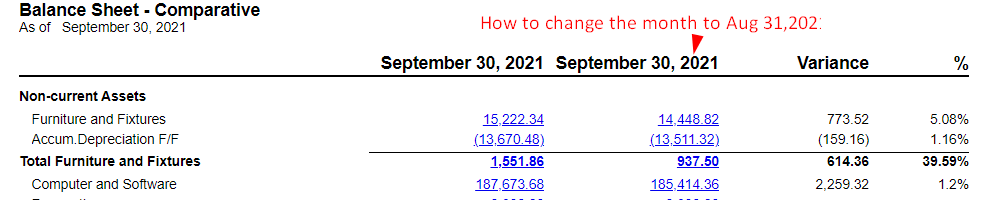
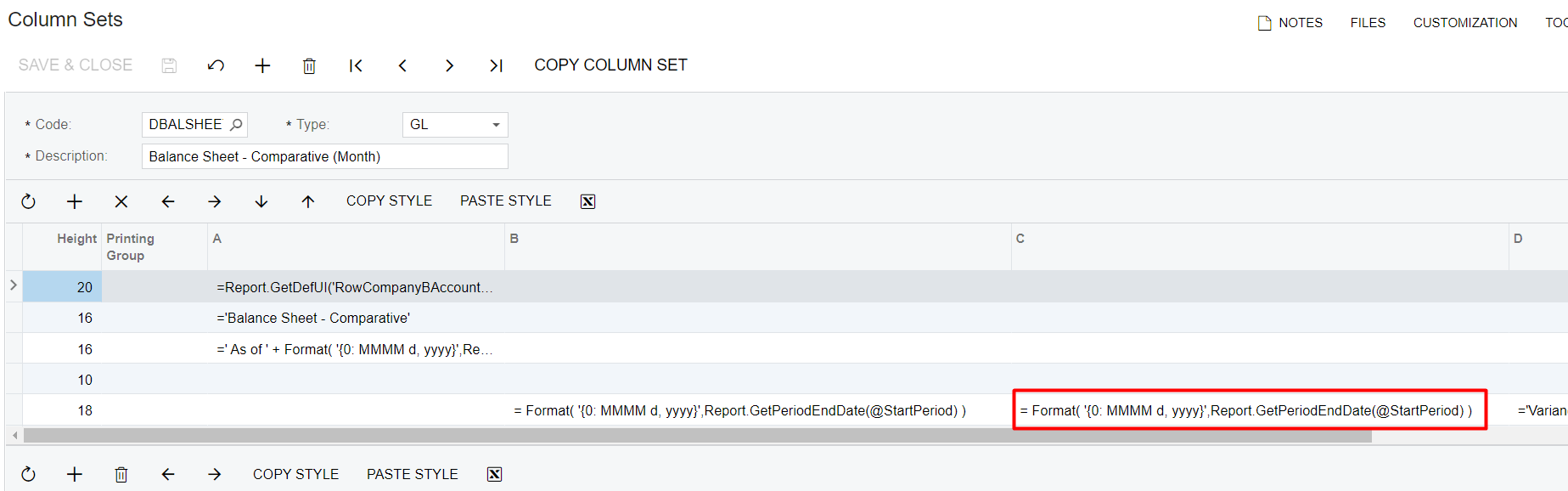
Not sure if anyone know how to define the column C below in RED BOX details

Currently , i would like to create a Balance sheet Report comparative month to month

Example: Balance Sheet Report Comparative  Sept 2021 and Aug 2021

I manage to set for Sept 2021 in column B  , however i am not sure how to set for Aug 2021 in column C , Refer to below in RED BOX highlighted

I tried the formula in  = Format( '{0: MMMM d, yyyy}',Report.GetPeriodEndDate(@StartPeriod,-1)) is not workable.

May i know who can help in this formula?


Best answer by ChandraM

Hi @erin  The formula to show the enddate for the next period is 

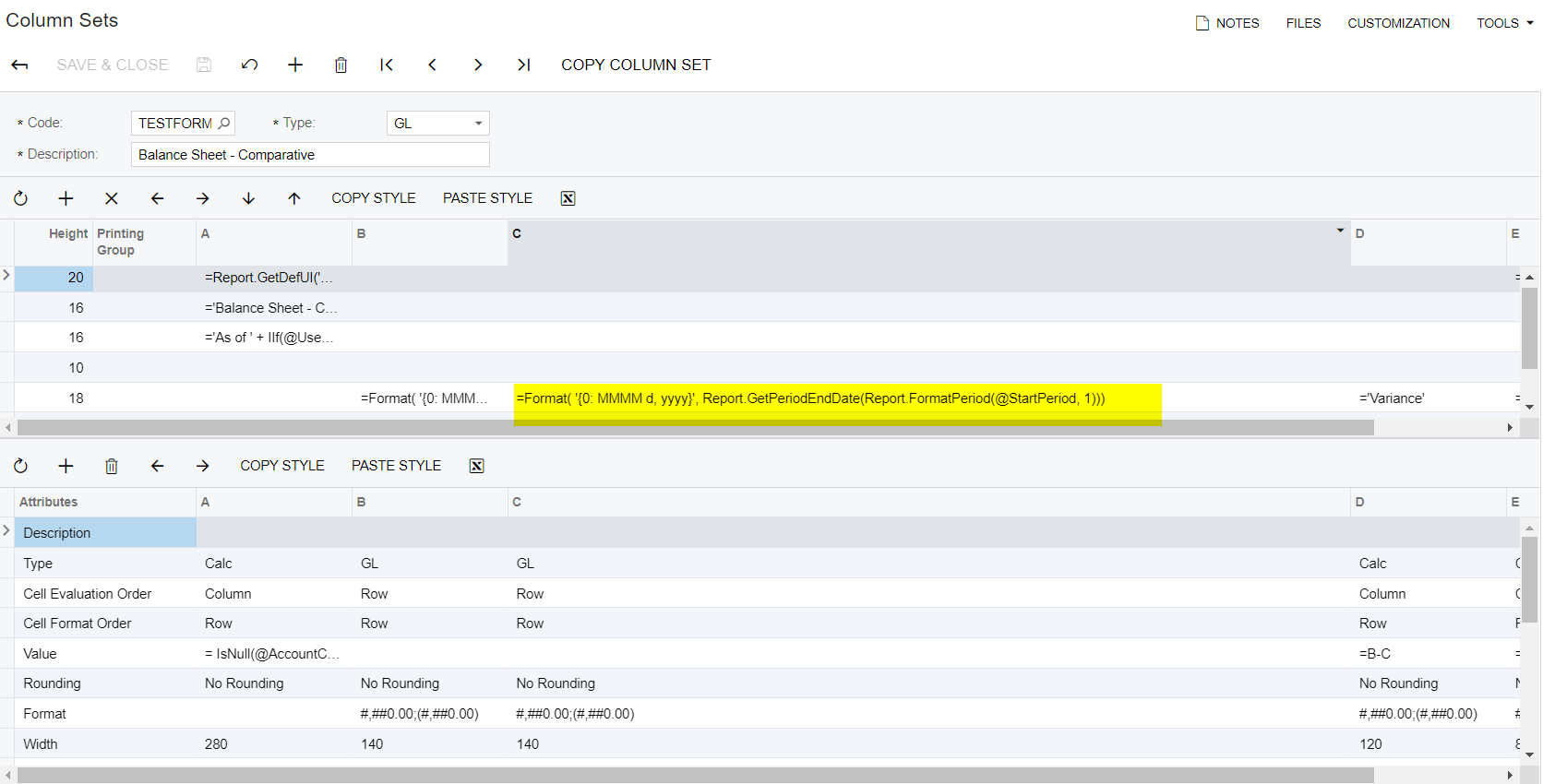
=Format( '{0: MMMM d, yyyy}', Report.GetPeriodEndDate(Report.FormatPeriod(@StartPeriod, 1)))

4 replies

Forum|alt.badge.img+8
  • Semi-Pro I
  • November 8, 2021

Hi @erin Please use the formula as shown in the below screenshot.

Thanks


Forum|alt.badge.img+8
  • Semi-Pro I
  • Answer
  • November 8, 2021

Hi @erin  The formula to show the enddate for the next period is 

=Format( '{0: MMMM d, yyyy}', Report.GetPeriodEndDate(Report.FormatPeriod(@StartPeriod, 1)))


Forum|alt.badge.img+8
  • Semi-Pro I
  • November 8, 2021

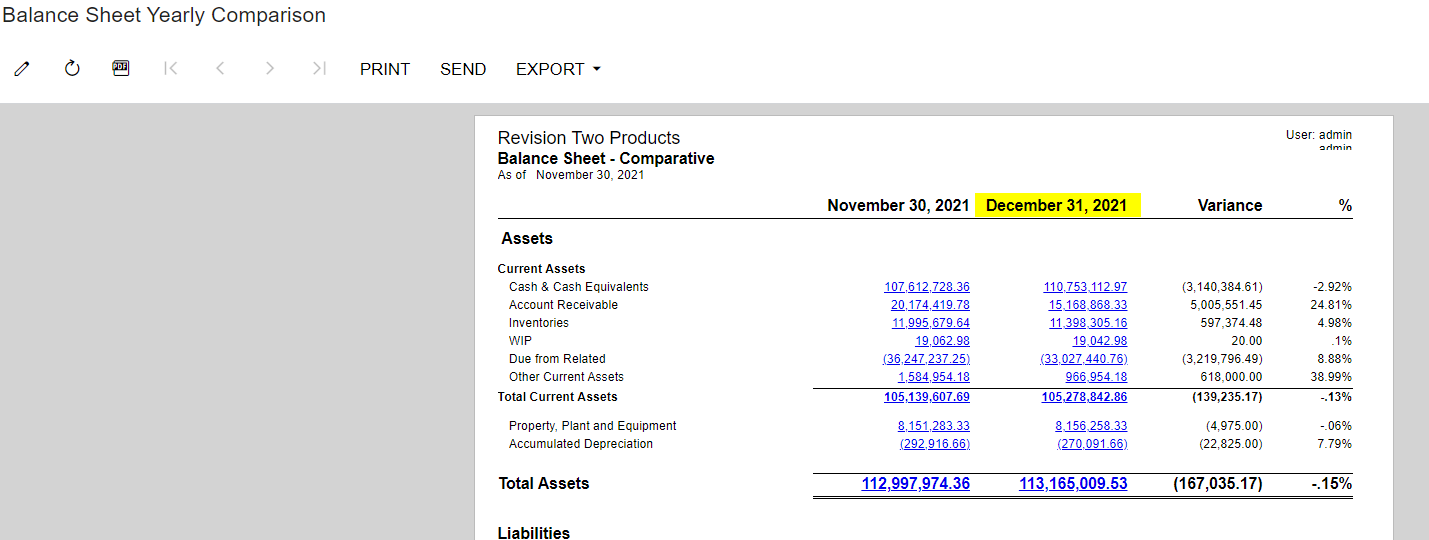
Hi @erin Please find the below screenshot showing the expected result with the above formula.


Thanks


  • Freshman I
  • July 15, 2023

Hi All

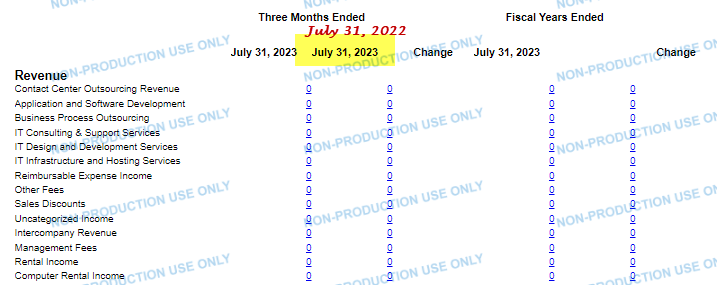
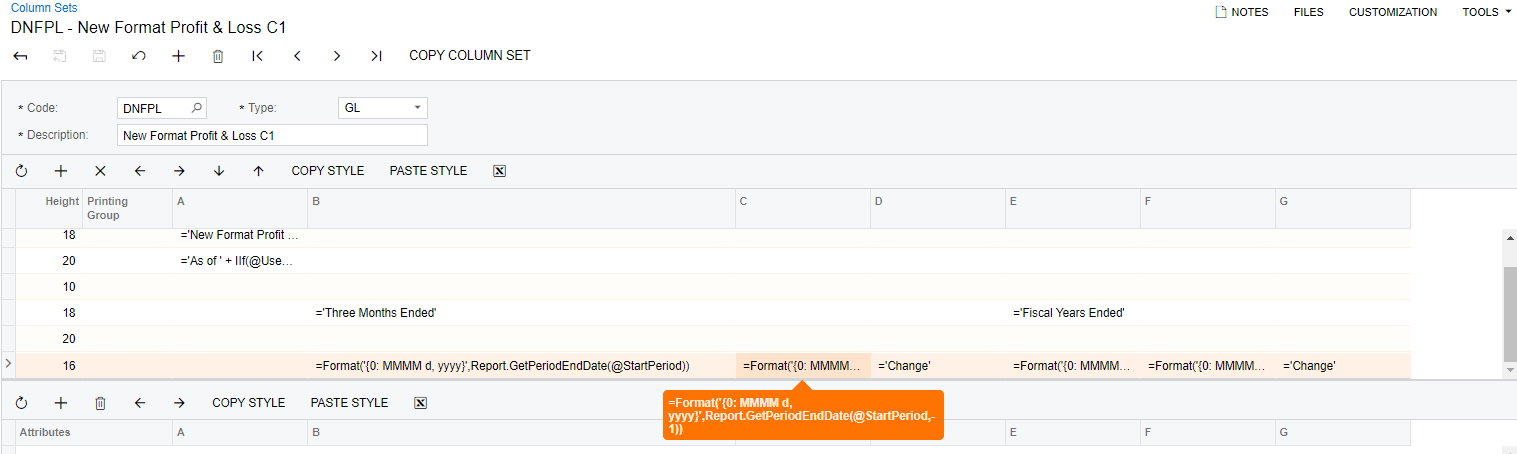
Not sure if anyone know how to define the column C below in Yellow Highlighted details

Currently , i would like to create a P&L Report comparative year to year

I am able to set  in column B , however i am not sure how to set in column C , 

I tried the formula in  =Format('{0: MMMM d, yyyy}',Report.GetPeriodEndDate(@StartPeriod,-1)) and this also

=Format('{0: MMMM d,yyyy}',Report.GetPeriodEndDate(Report.FormatYear(@StartPeriod,-1)))
is not working.

May i know who can help in this formula?