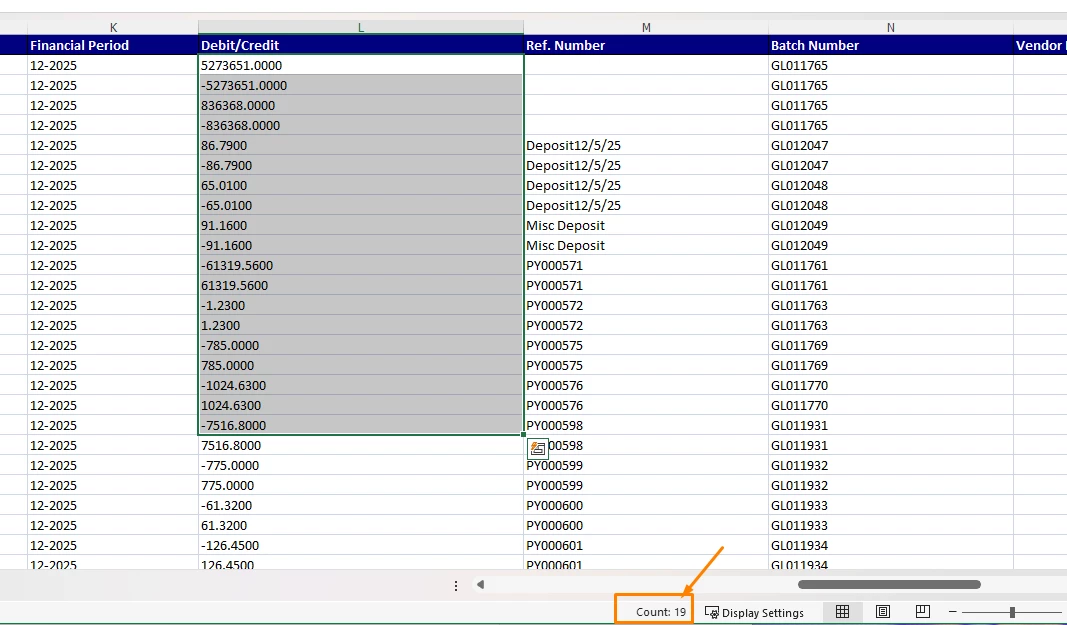
When exporting a Generic Inquiry (GI) to Excel, the Debit/Credit column is showing Count in the Excel status bar instead of Sum, even though the values appear numeric. This happens because Excel interprets the exported data as text, not numbers.
Details:
- Acumatica Version: 2025 R1
- GI Column Expression:
=Round(IIf([GLTranR.DebitAmt] <> 0, [GLTranR.DebitAmt], -[GLTranR.CreditAmt]), 2)
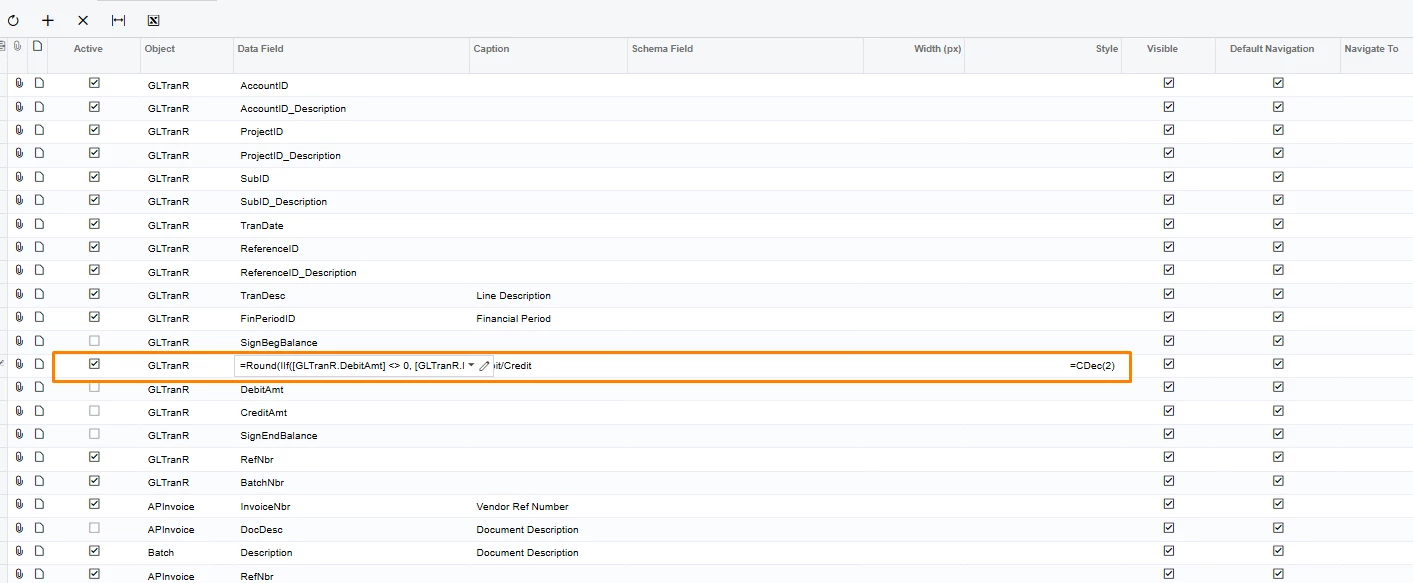
Despite using CDec() and numeric formatting, the exported Excel file still treats the column as text. This results in:
- Excel status bar showing Count only.
- Long trailing zeros in the values (e.g.,
5273651.000000000000000000)
- Is this behavior expected in 2025 R1?
- Is there a way to force Acumatica to export calculated GI columns as numeric without post-processing in Excel?
- Any best practices for handling this in GIs?