Question

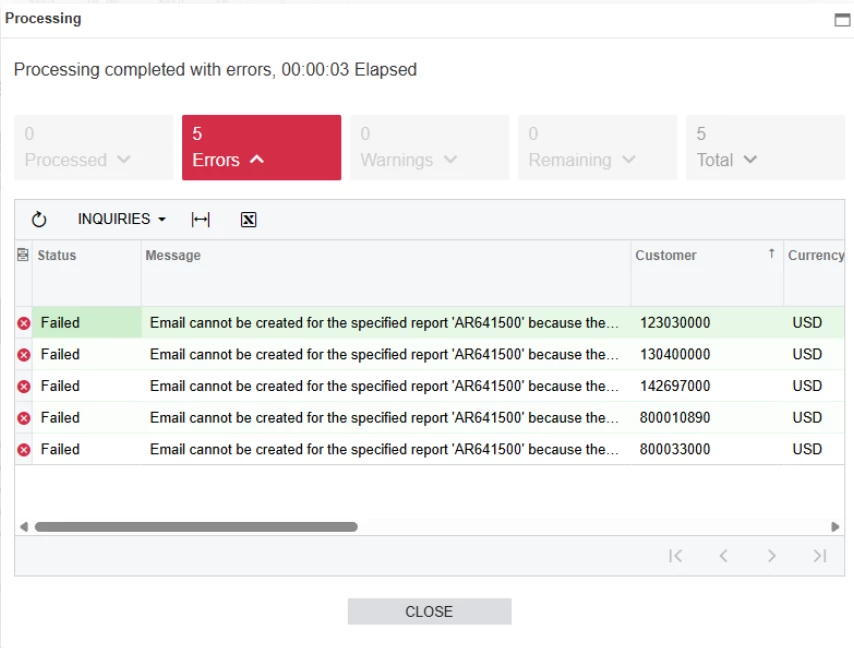
Emailing Statements fail to send with following error: Email cannot be created for the specified report 'AR641500' because the report has not been generated or the email settings are not specified.
  • January 15, 2026
  • 6 replies
  • 26 views

Forum|alt.badge.img

Hello Acumatica folks,

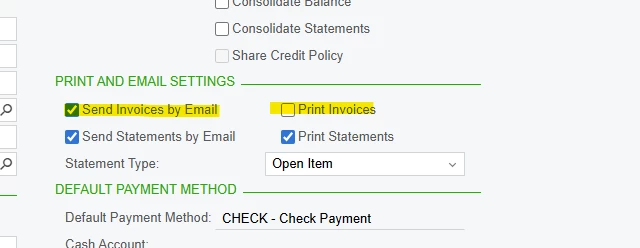
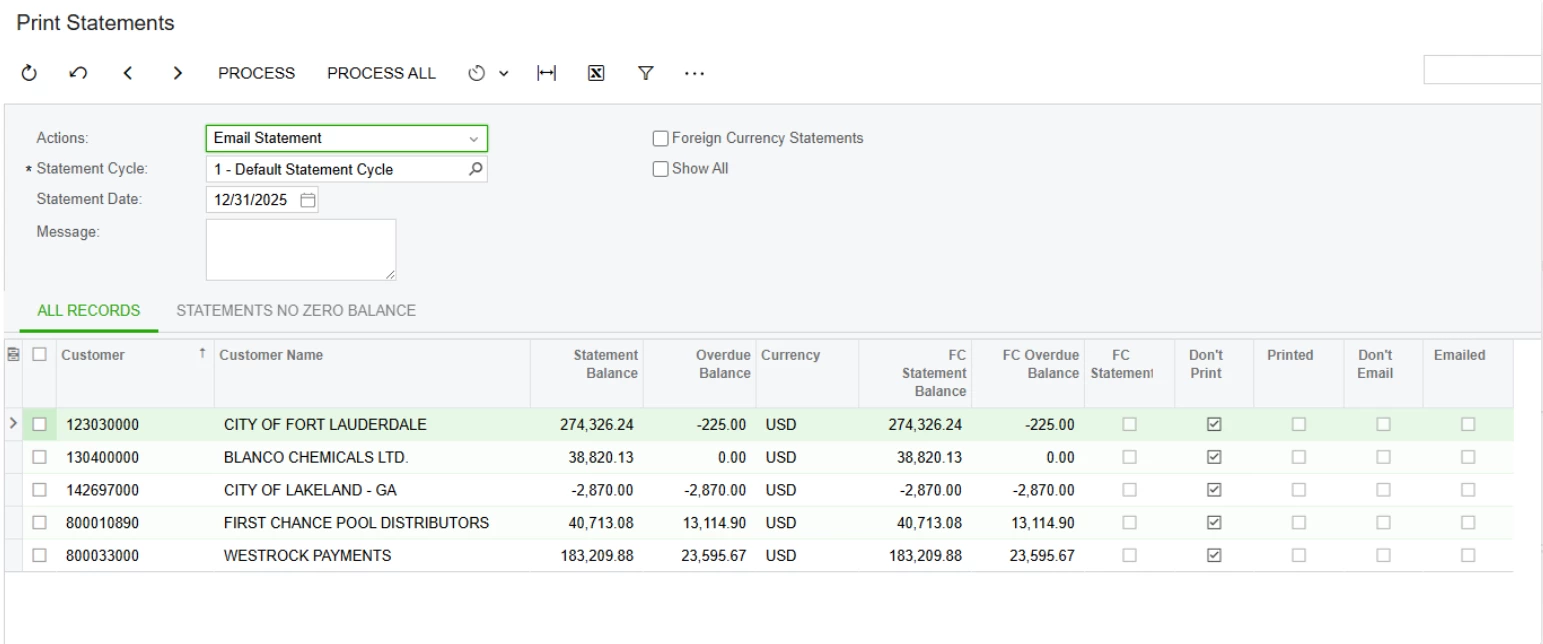
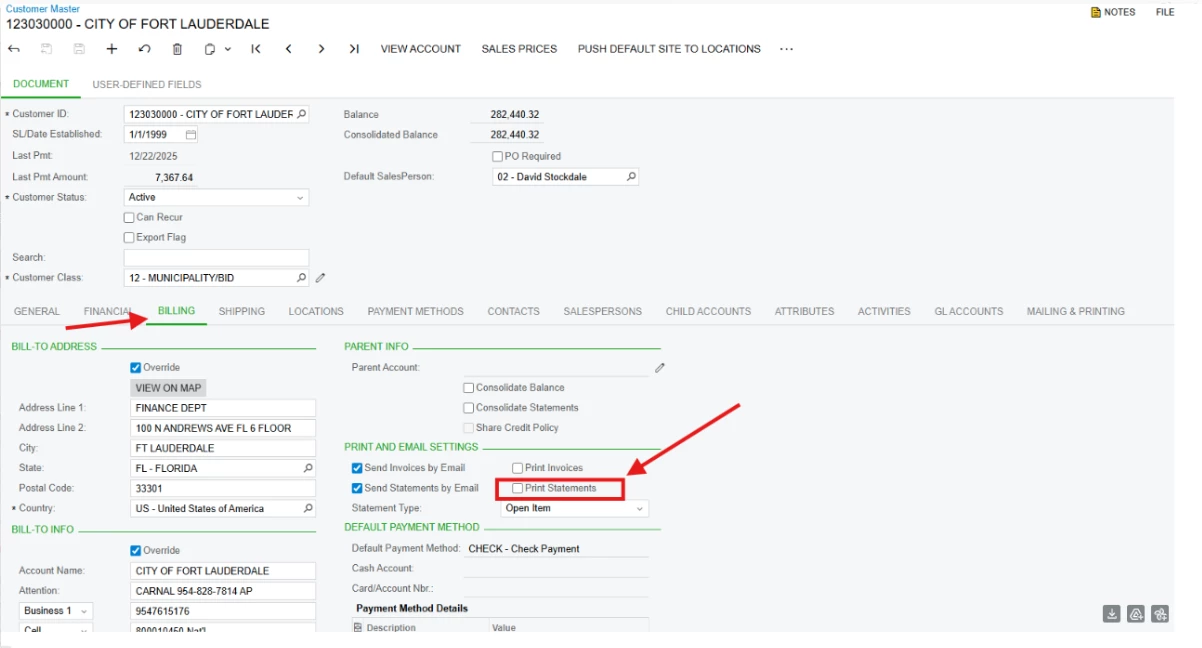
Our emailing Statements fail to send, when the print invoices is NOT selected. But when the print statement is selected to the ones that did not process, they then process.  However we don't want to print and mail and also send an email.  If we have both selected we will print / mail and email.  We only want to email.  With invoices we select one or the other, not both.  How do we set NOT to print statements when we just want to email the statement?

We can do one or the other or both.  We only want to do one task, not both.  For it to work I had to select both and that is not what we want to do.  


Error Message:

Email cannot be created for the specified report 'AR641500' because the report has not been generated or the email settings are not specified.


We reviewed one account that worked and one that didn't work, one difference we notice is  that the one that didn't work doesn't have the Print statement checked, the one that worked does have this checked, 


6 replies

mohammadnawaz51
Jr Varsity I
Forum|alt.badge.img+4

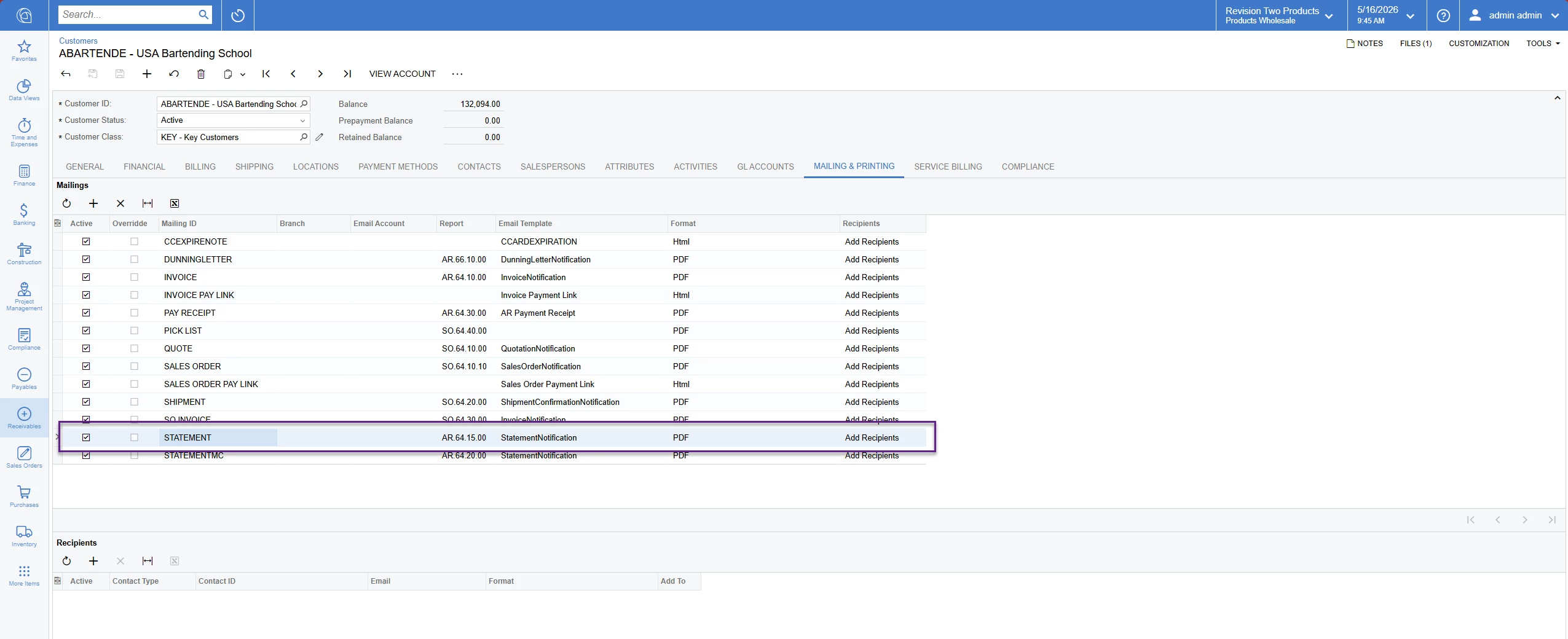
@jorgep17 Can you check if mailing and printing setting has specified to this report under customer or customer classes?


Forum|alt.badge.img
  • Author
  • Freshman II
  • January 15, 2026

@jorgep17 Can you check if mailing and printing setting has specified to this report under customer or customer classes?


How do you specify those settings to this report? The issue is that we need to select both print and email for the statement to be sent. But we want to skip the print.

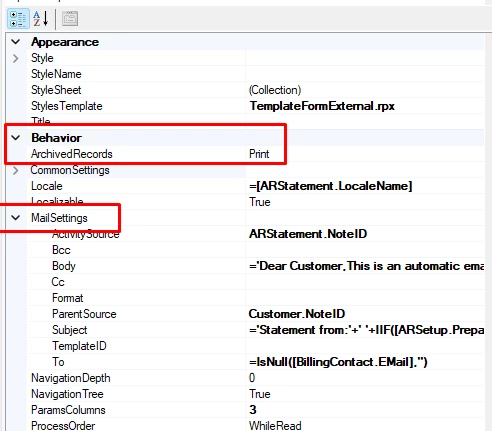
The report itself has these settings.


mohammadnawaz51
Jr Varsity I
Forum|alt.badge.img+4


Your templates shows empty?


Forum|alt.badge.img
  • Author
  • Freshman II
  • January 15, 2026


Your templates shows empty?


Is not empty as the email works and its sent correctly, but ONLY when both print and send statement by emails are selected. If we just select send statement by emails, then it fails. Like it needs both to work, and that is strange. 

Our invoices just do email, and that works good, this is just happening with the Customer Statements. 


mohammadnawaz51
Jr Varsity I
Forum|alt.badge.img+4

@jorgep17 did you check mailing and printing settings for this customer?


Forum|alt.badge.img
  • Author
  • Freshman II
  • January 15, 2026

What exactly I need to check there? Everything looks good there.