Does the 'update cost' function really work?

  • December 19, 2020
  • 5 replies
  • 709 views

Forum|alt.badge.img

Hello Everyone,


In the Stock Item screen [cst.in.20.25.00], under actions, there is an ‘update cost’ button but when i click it, nothing happens...is this button really working?


Kind regards,

Melq


5 replies

Naveen Boga
Captain II
Forum|alt.badge.img+19
  • Captain II
  • December 19, 2020

Hi @mrivera67 ,

I have checked the OOTB code for this action, this will update the values, when we have On-Hand Qty for the stock item but NOT showing any cost details.


Below the source code from OOTB from InventoryItemMaint


Forum|alt.badge.img
  • Author
  • Freshman I
  • December 19, 2020

Hello Naveen B,


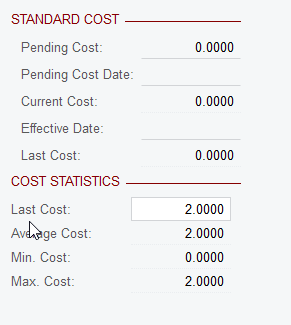
Thanks for this...could you change price to 3 and let us see if the average changes? thank you


mrivera67


Naveen Boga
Captain II
Forum|alt.badge.img+19
  • Captain II
  • December 19, 2020

@mrivera67 


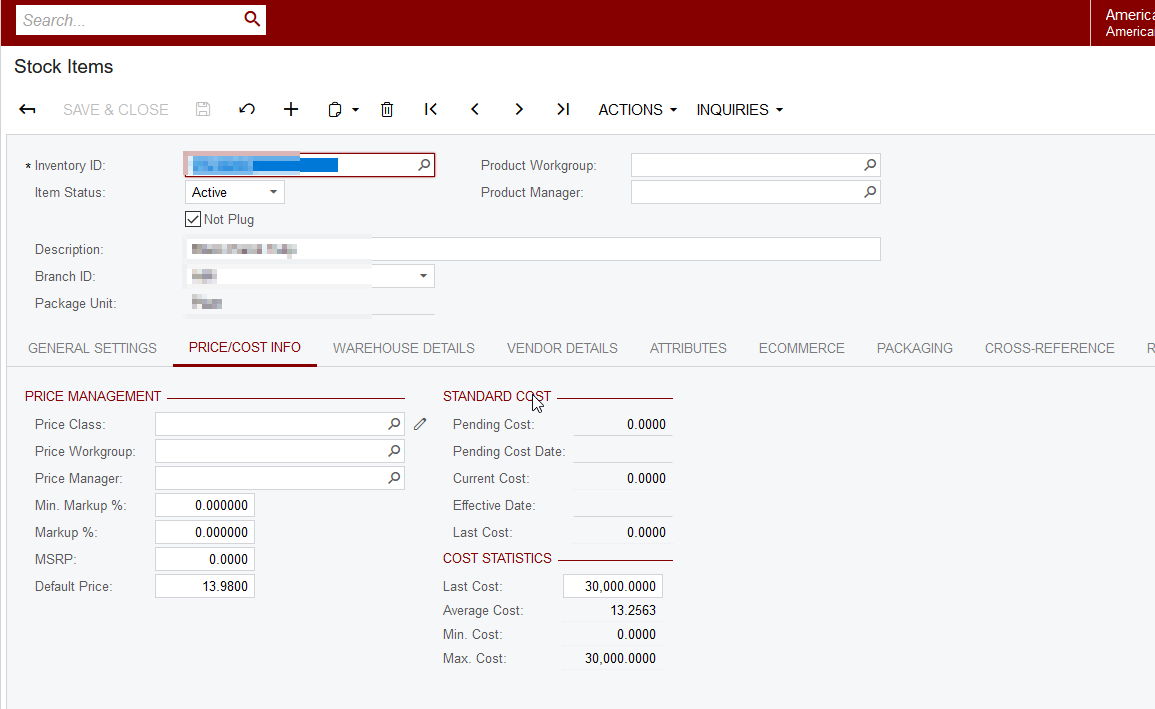
Average Cost will change, when we create the Purchase Receipt and RELEASE from Purchase Order.

 For an instance, I have created a purchase order for this item with a unit cost of 30,000, then Average Cost is changed to 13.25. Please find the screenshot for reference.


Forum|alt.badge.img
  • Author
  • Freshman I
  • December 20, 2020

Hello Naveen B,


Thank you for your reply!

If it REALLY updates the last cost price [in the screen cst.in20.25.00], when we click the ‘UPDATE COST’ button under the action button, then it should change the average cost already at this point, right? but this does not change anything that is why I am asking if it really works? If it REALLY works, then there should be no need to go to the Purchase Receipt and Release method of updating the cost,


Kind regards,

mrivera67


Naveen Boga
Captain II
Forum|alt.badge.img+19
  • Captain II
  • December 21, 2020

Hi @mrivera67,

The “Update Cost” will works, when the Stock Item is having a Valuation Method as “Standard” and will update only “Cost Statistics” fields.


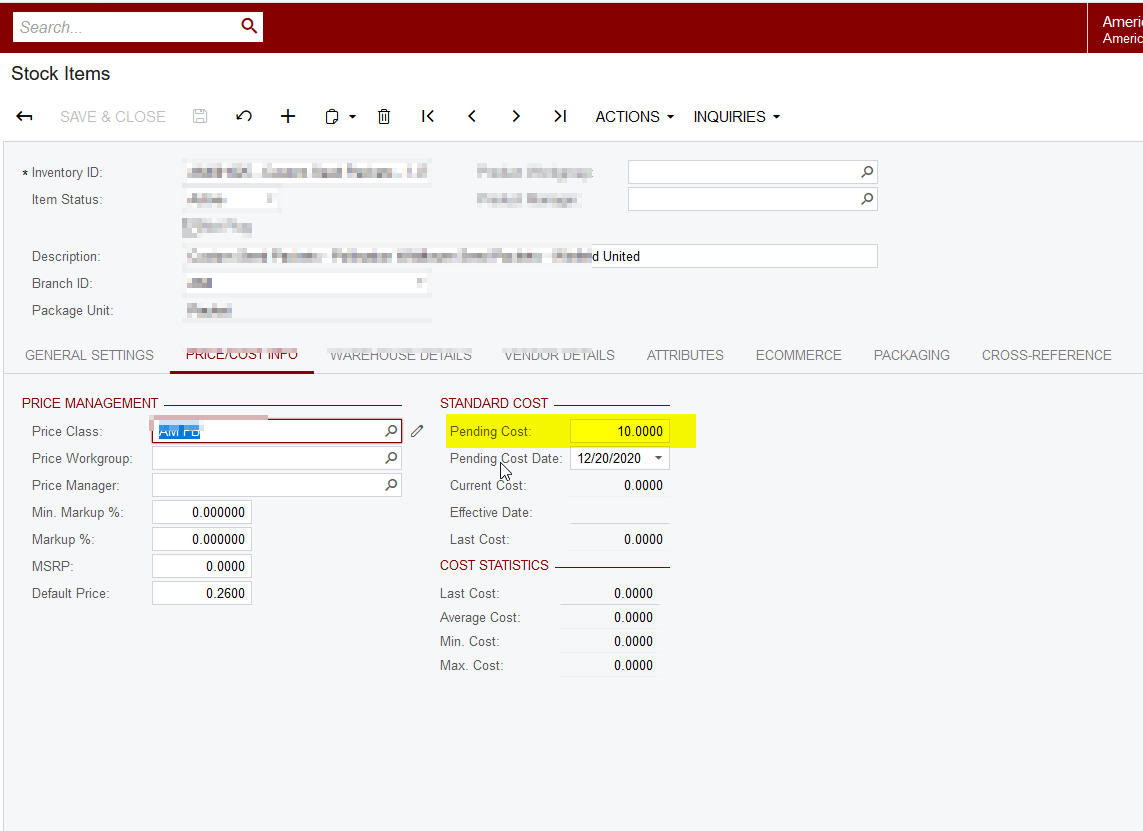
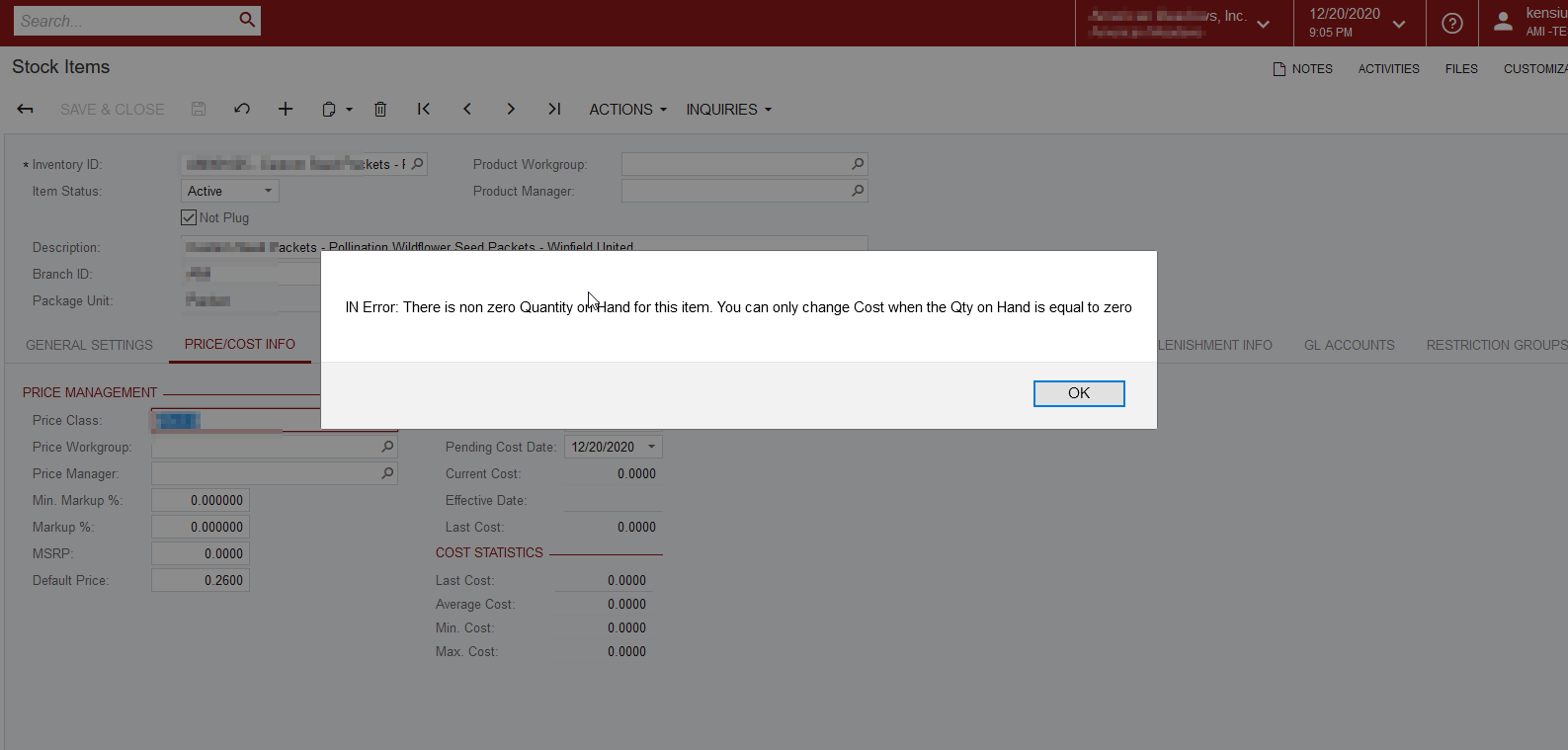
When the Stock Item is having “Qty On Hand” is zero then only we can update the “Standard Cost” fields, by entering the value in the “Pending Cost” field otherwise will get the error like shown in the screenshot.


Hope this helps!!