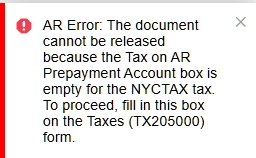
Hello! I am running into this error when trying to process a payment for a prepayment invoice.
I tried looking everywhere but I cant find what the below is referencing. I thought it was the Prepayment GL Account on either the customer class or customer profile, but neither were able to get rid of the following error.
Does anyone know how to solve this?
Thank you!
Best answer by jdunmire
Hello @jdunmire ,
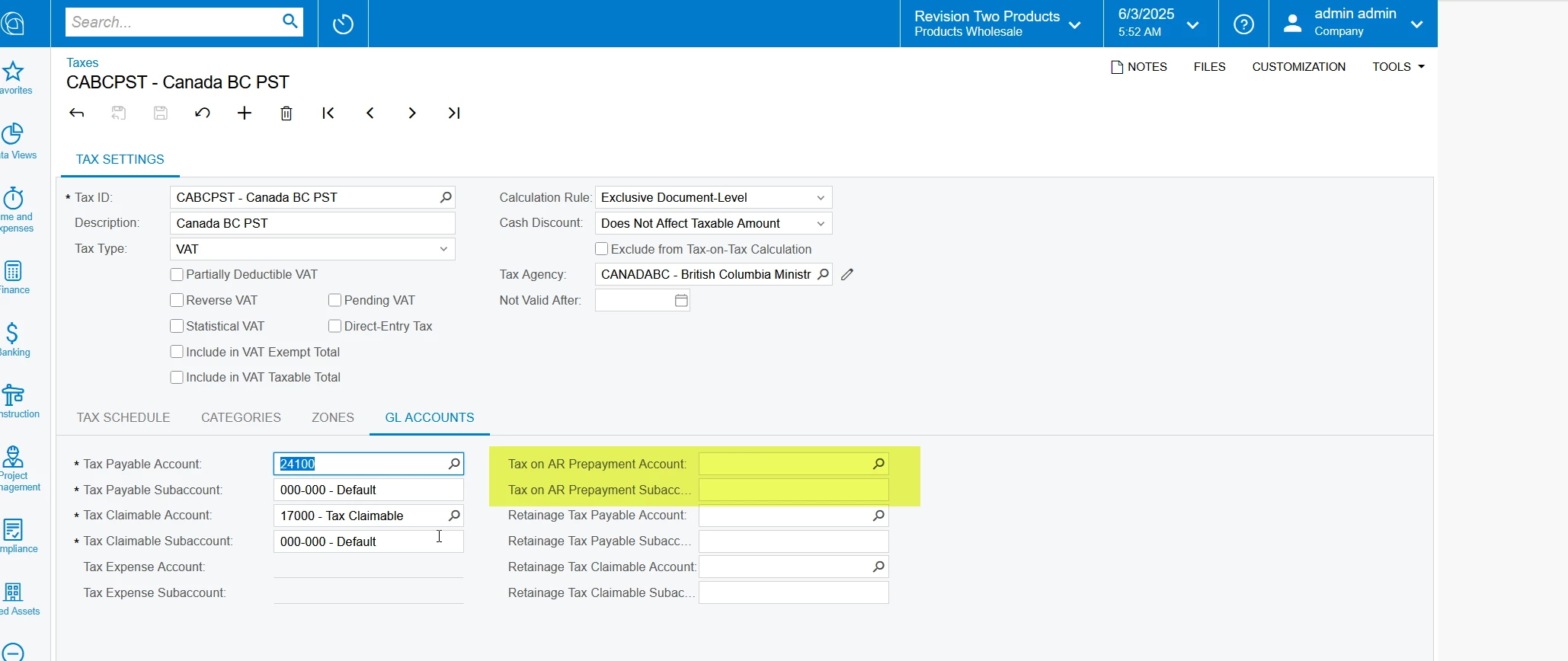
In the taxes screen (TX205000) select the relevant tax ID and check whether the tax prepayment accounts are configured or not.
Thanks
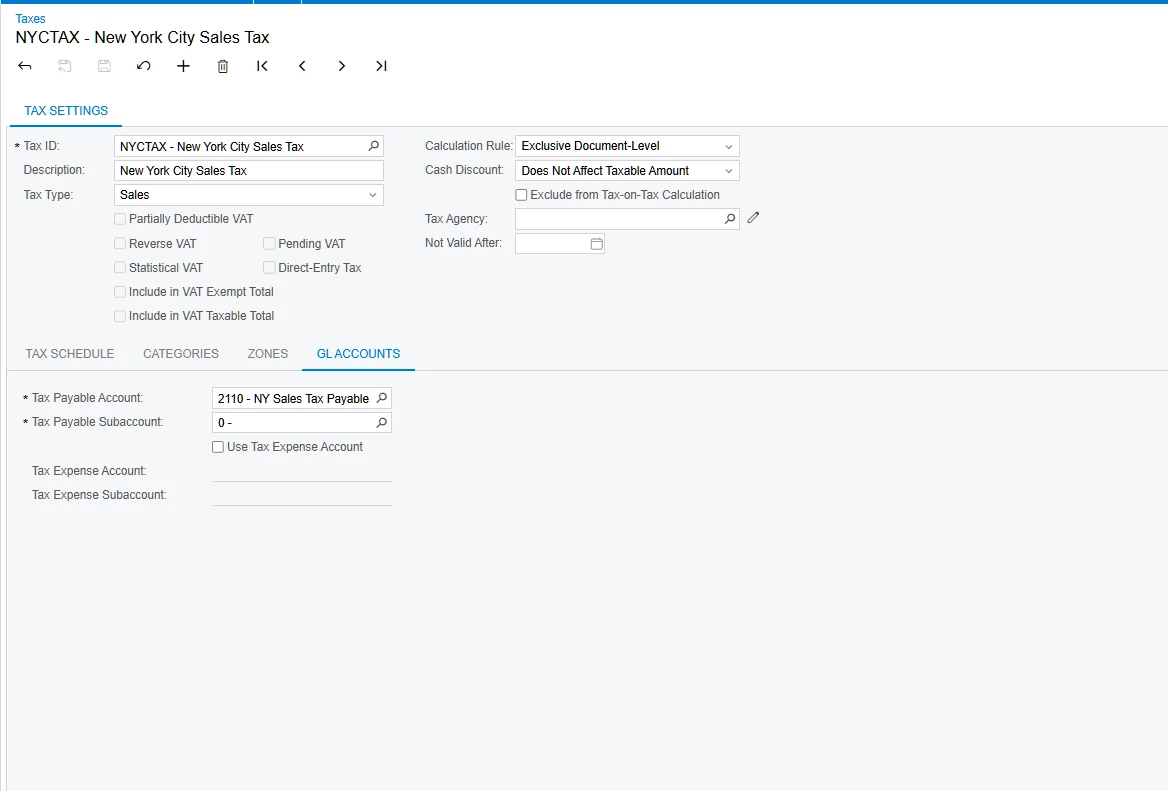
Circling back on this, these aren’t available for Sales Tax type. But to get around this I set it to VAT, filled out the AR Prepayment Account/Subaccount and saved. Then set the tax type back to Sales.
In the taxes screen (TX205000) select the relevant tax ID and check whether the tax prepayment accounts are configured or not.
Thanks
Circling back on this, these aren’t available for Sales Tax type. But to get around this I set it to VAT, filled out the AR Prepayment Account/Subaccount and saved. Then set the tax type back to Sales.