

Question

Delete Check and Payment in reserved status

  • November 18, 2025
  • 5 replies
  • 51 views

Have an Invoice/Check and Payment record in status reserved with a journal entry attached that has already been fully posted. Is there a way to just fully delete this record from the system?

5 replies

nickcerri32
Jr Varsity III
Forum|alt.badge.img+1
  • Jr Varsity III
  • November 18, 2025

@Garbhanm4 - If either document (invoice or Payment) has an associated GL entry you won’t be able to delete the record.  Without a customization Acumatica only allows you to memo/cancel out transactions and then create a new corrected transaction.  I believe a Reserved status is achieved after the document was already Open, indicating that hit the GL.

That said, and I know this isn’t the exact scenario you are working with, but you can use the following articles to get a sense of how you might manage these records » 
How to process a debit adjustment in Reserved status | Community

AR Credit Memo stuck in "Reserved" Status | Community


  • Author
  • Freshman I
  • November 18, 2025

So remove the check from Hold to put to status Open even if the Journal Entry connected to the check is posted?


Laura03
Captain II
Forum|alt.badge.img+19
  • Captain II
  • November 18, 2025

Hello,

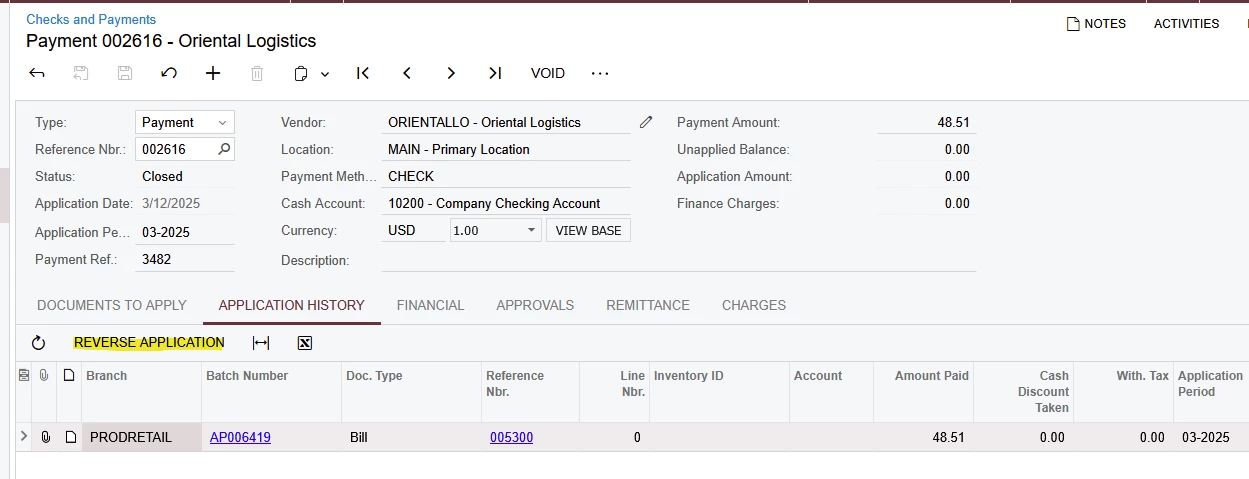
 It is possible to change a posted check, such as to substitute a different document on the Application History tab. If/when we Reverse Application, we need to choose the correct Bill, then release the Check again. There won’t be a posting impact on GL unless the two bills had different AP accounts. The Check will remain on Reserved status until the check is applied to a bill and the change/reverse application is completed by re-releasing the document.

I don’t think you can erase, delete, or void the check while it’s in Reversed condition.  Next steps: Complete the application and Release.  If it doesn’t work, please show any error message and what the check looks like on Docs to Apply and Application History tabs. Thank you.

Laura


  • Author
  • Freshman I
  • November 18, 2025

I meant the journal entry was posted but the check was not. The documents to apply and application history tab on the check had no lines but the financial tab was populated with the posted batch nbr.

We decided to remove the check from hold so that the check and bill move to status Open from Reserved.


Laura03
Captain II
Forum|alt.badge.img+19
  • Captain II
  • November 19, 2025

Yes, I understand. The only for a Check to be Reserved status while its Journal Entry is posted, is if the Application was removed and saved with no replacement.  I’m surprised it could be saved - ability to save the check in this condition might depend on Acumatica version.

If the check is incorrect, it can be voided now.

Nice job!


