



Have an Invoice/Check and Payment record in status reserved with a journal entry attached that has already been fully posted. Is there a way to just fully delete this record from the system?
Solved
Delete Check and Payment in reserved status
Best answer by Laura03
Hello,
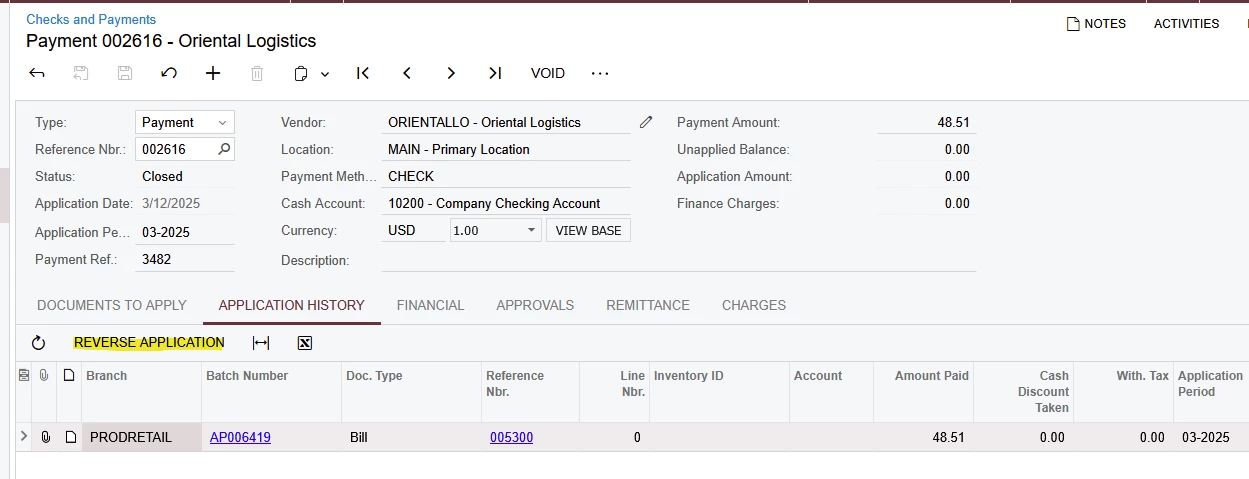
It is possible to change a posted check, such as to substitute a different document on the Application History tab. If/when we Reverse Application, we need to choose the correct Bill, then release the Check again. There won’t be a posting impact on GL unless the two bills had different AP accounts. The Check will remain on Reserved status until the check is applied to a bill and the change/reverse application is completed by re-releasing the document.
I don’t think you can erase, delete, or void the check while it’s in Reversed condition. Next steps: Complete the application and Release. If it doesn’t work, please show any error message and what the check looks like on Docs to Apply and Application History tabs. Thank you.
Laura




Enter your E-mail address. We'll send you an e-mail with instructions to reset your password.