Answer

Default email settings - Print/Email AR Documents

  • August 15, 2025
  • 2 replies
  • 69 views

claudematherne24
Varsity I
Forum|alt.badge.img

Good morning, 

I’ve got an issue with the Print/Email AR Documents.  When we go to process emails, we got the error There is no active notification source to process the operation.  It looks like this is due to not having a email template set up for this function.  But, we have a modified email that gets sent when we process a email directly from Print Invoices Report.  Where would this information be stored if I don’t have a template set up?

Best answer by JohnMichels

@claudematherne24   There are two different sources for invoice email templates.  The Print Invoices and Memo form uses the email template on the Customer>Mailing & Print Setting.  This same template is also used directly on the Invoices & Memo form-Action> Mailing & Print>Email.


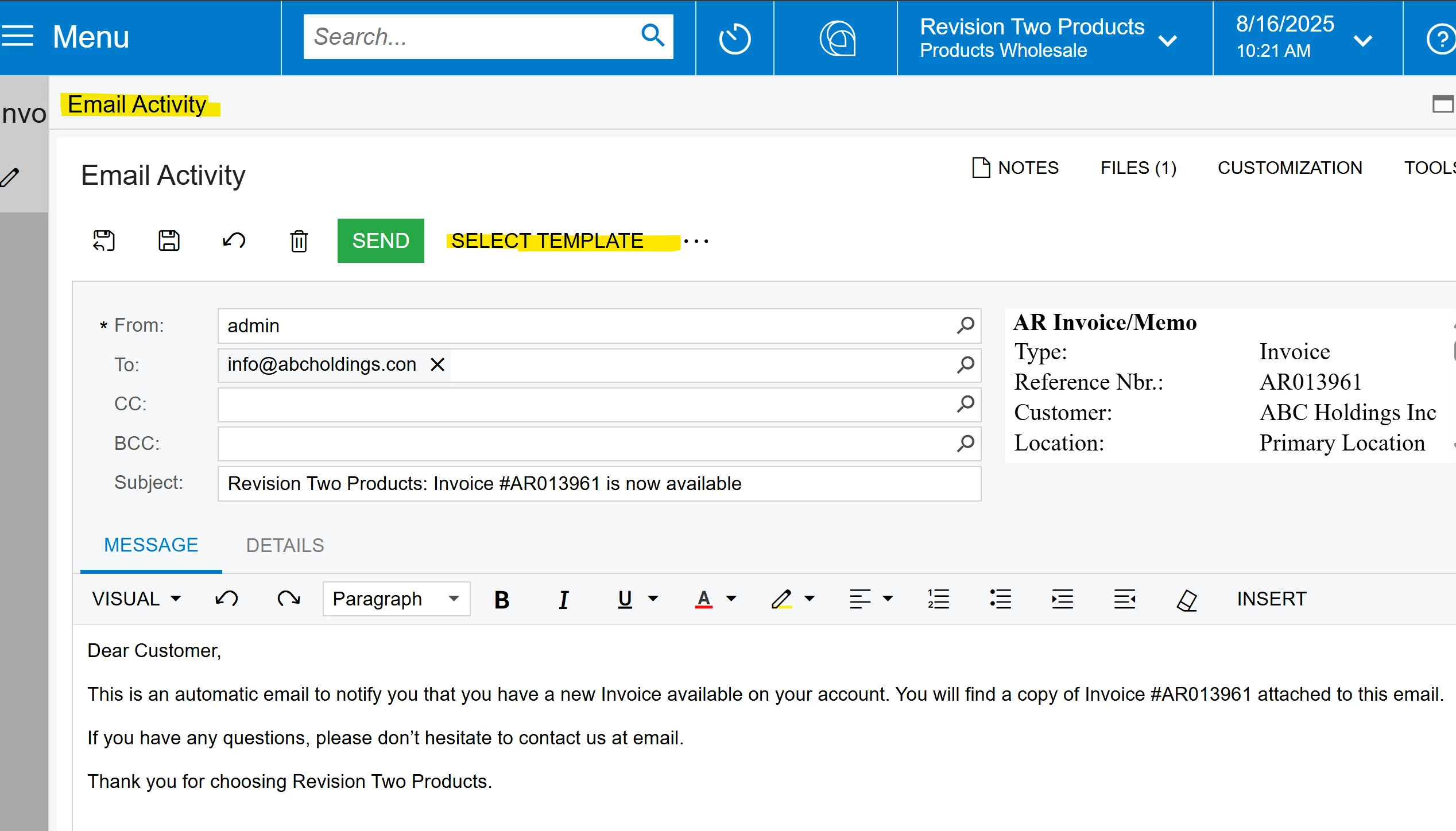
The Email Activity form permits you to select an email template.  This is a different default template out of the box.  


Hope this helps


2 replies

Forum|alt.badge.img+1
  • Jr Varsity I
  • Answer
  • August 16, 2025

@claudematherne24   There are two different sources for invoice email templates.  The Print Invoices and Memo form uses the email template on the Customer>Mailing & Print Setting.  This same template is also used directly on the Invoices & Memo form-Action> Mailing & Print>Email.


The Email Activity form permits you to select an email template.  This is a different default template out of the box.  


Hope this helps


jhouser
Captain II
Forum|alt.badge.img+6
  • Captain II
  • August 16, 2025

Hi ​@claudematherne24,


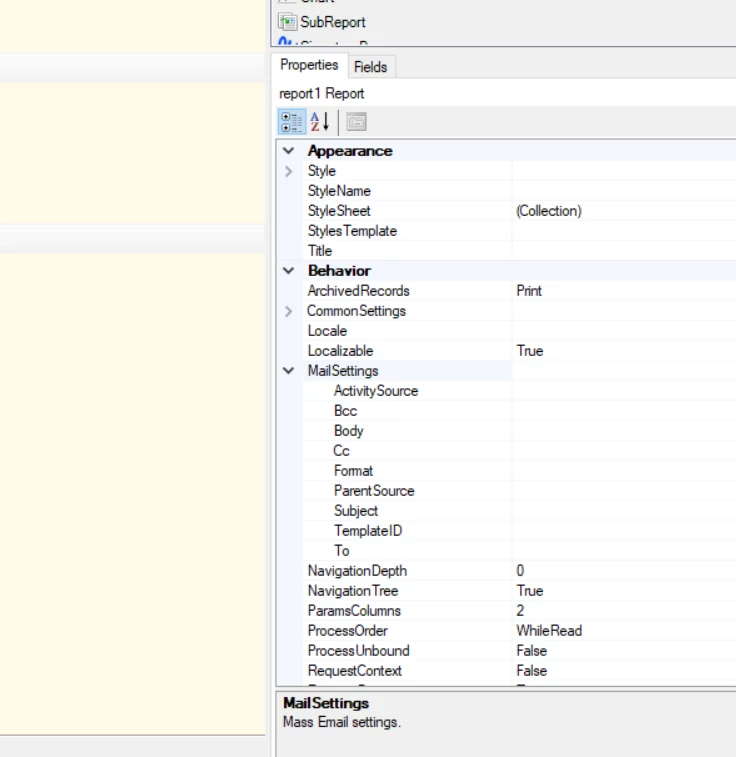
By default the invoice report has an embedded email template. I always remove it and specify the Email Template in Acumatica, because its more accessible and user friendly than Report Designer. So, your email is coming from the invoice report itself. Below is a screenshot of where you would find this under “Mail Settings” in Report Designer. 


To modify you’ll need to open the invoice report in Report Designer. But again, I always remove it completely and reference a template in Acumatica. I’ve found that for this to work you do need to specify the “TemplateID” (screenshot below), which is the ID of your email tempate in Acumatica. Then I remove everything else.


Hope this helps!