Answer

Dashboard: Sales to date vs last year

  • October 3, 2025
  • 7 replies
  • 95 views

looking to create a dashboard that shows the subtotal for sales to date vs last year for the entire company and also the option to break it out by branch. 

Best answer by bwhite49

Sorry these default values are kind of crazy. I will make a better example for how to do this someday.
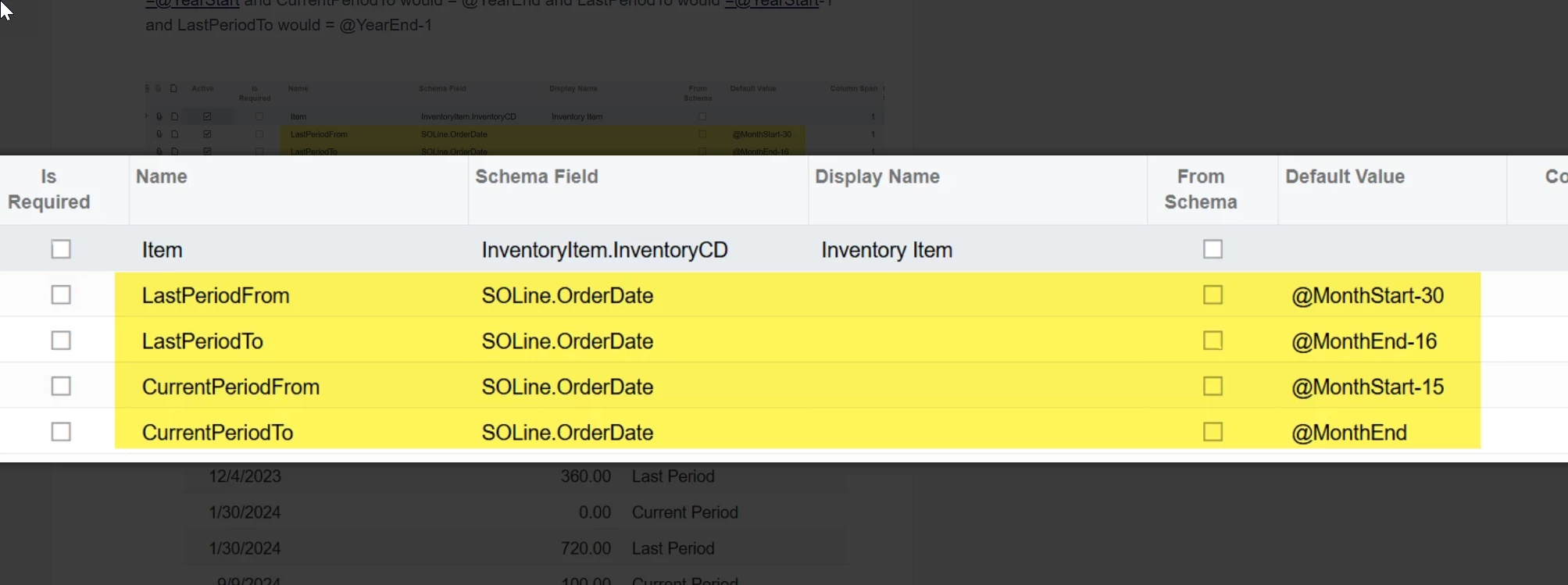
Your LastPeriodFrom should be @YearStart-1

LastPeriodTo should be @Today-365

CurrentPeriodFrom should be @YearStart

and CurrentPeriodTo should be @Today

Hopefully that is what you are looking for.

7 replies

bwhite49
Captain II
Forum|alt.badge.img+10
  • Captain II
  • October 3, 2025

Hi Sunny,

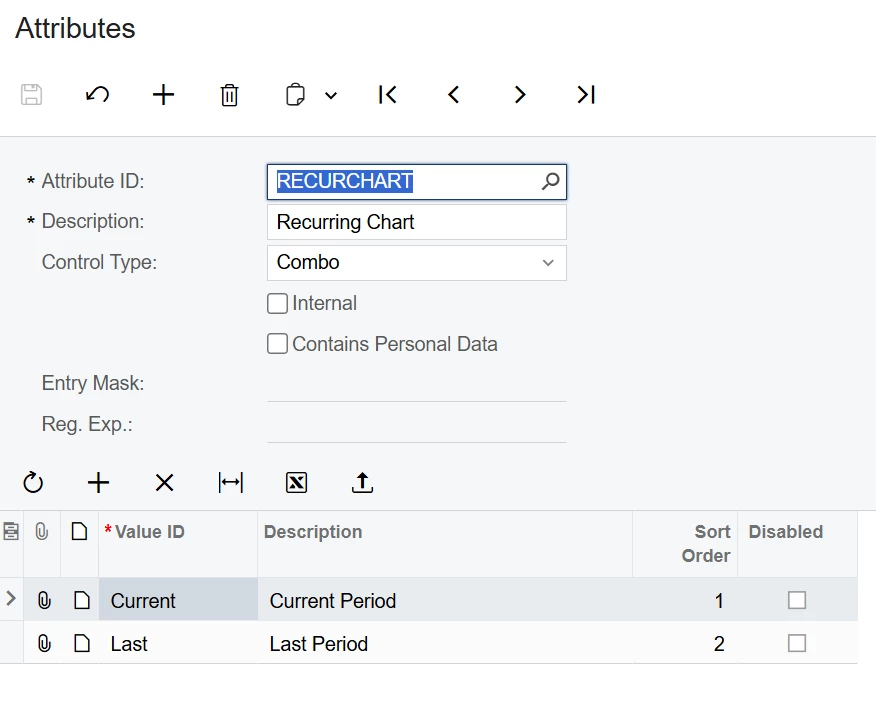
Create an attribute specific for this chart. Something like this…


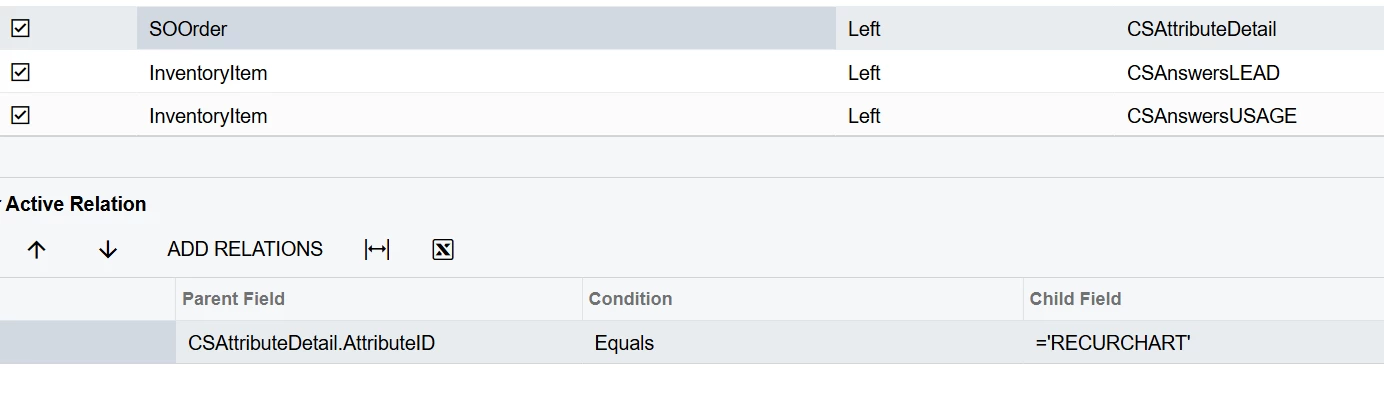
This attribute will duplicate your inquiry when you add it to a join like this…

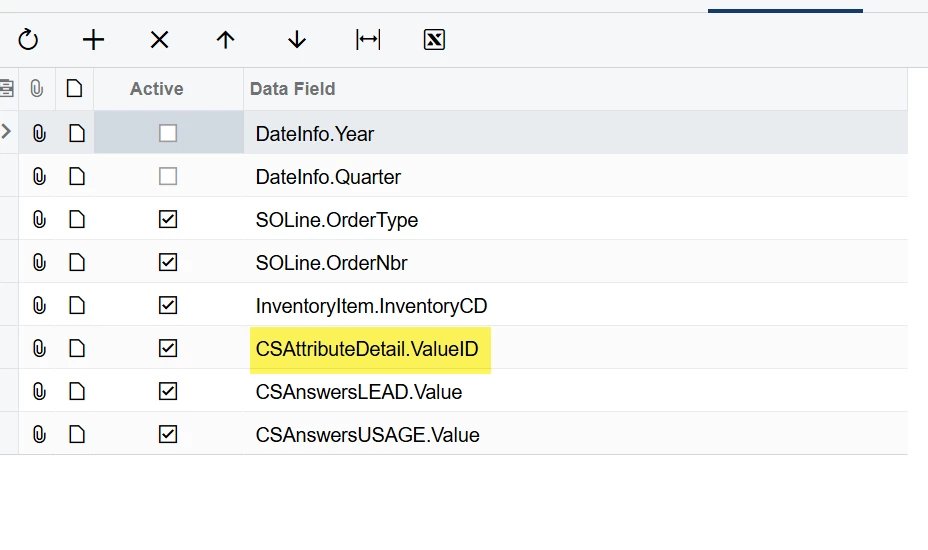
Make sure you have the appropriate grouping in your GI and make sure the value ID from the attribute is included 

Add parameters that looks like this. In your case the CurrentPeriodTo would =@YearStart and CurrentPeriodTo would = @YearEnd and LastPeriodTo would =@YearStart-1 and LastPeriodTo would = @YearEnd-1 


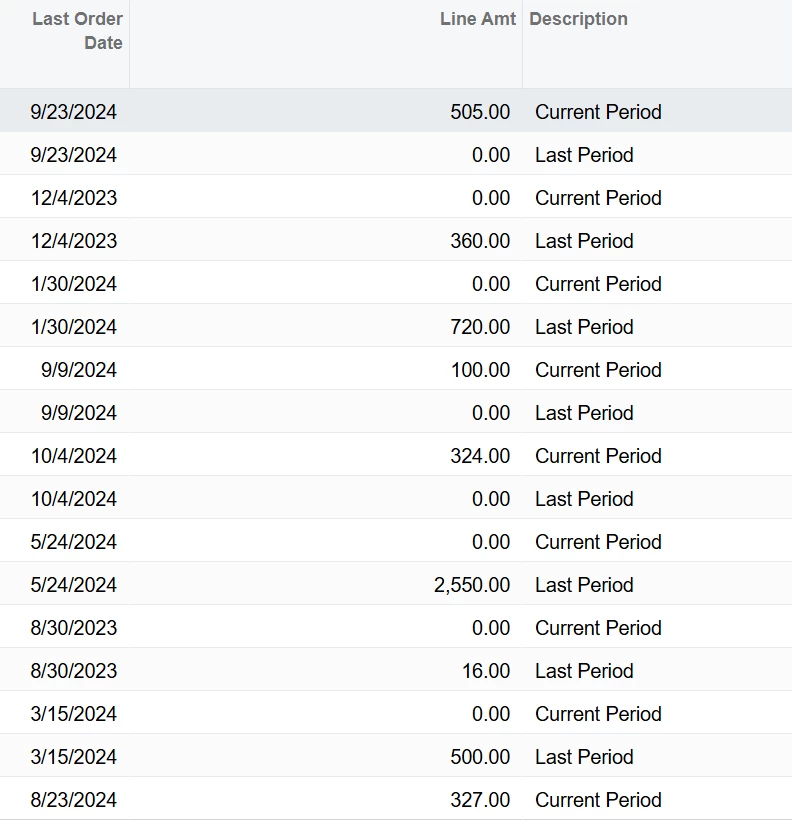
Your GI should have two rows for each record 

The add a formula that looks like this… 

=Iif([CSAttributeDetail.ValueID]='Last',Sum(Iif([SOOrder.OrderDate]>=[LastPeriodFrom] and [SOOrder.OrderDate]<=[LastPeriodTo],[SOLine.OrderQty],'0')),Sum(Iif([SOOrder.OrderDate]>=[CurrentPeriodFrom] and [SOOrder.OrderDate]<=[CurrentPeriodTo],[SOLine.OrderQty],'0')))

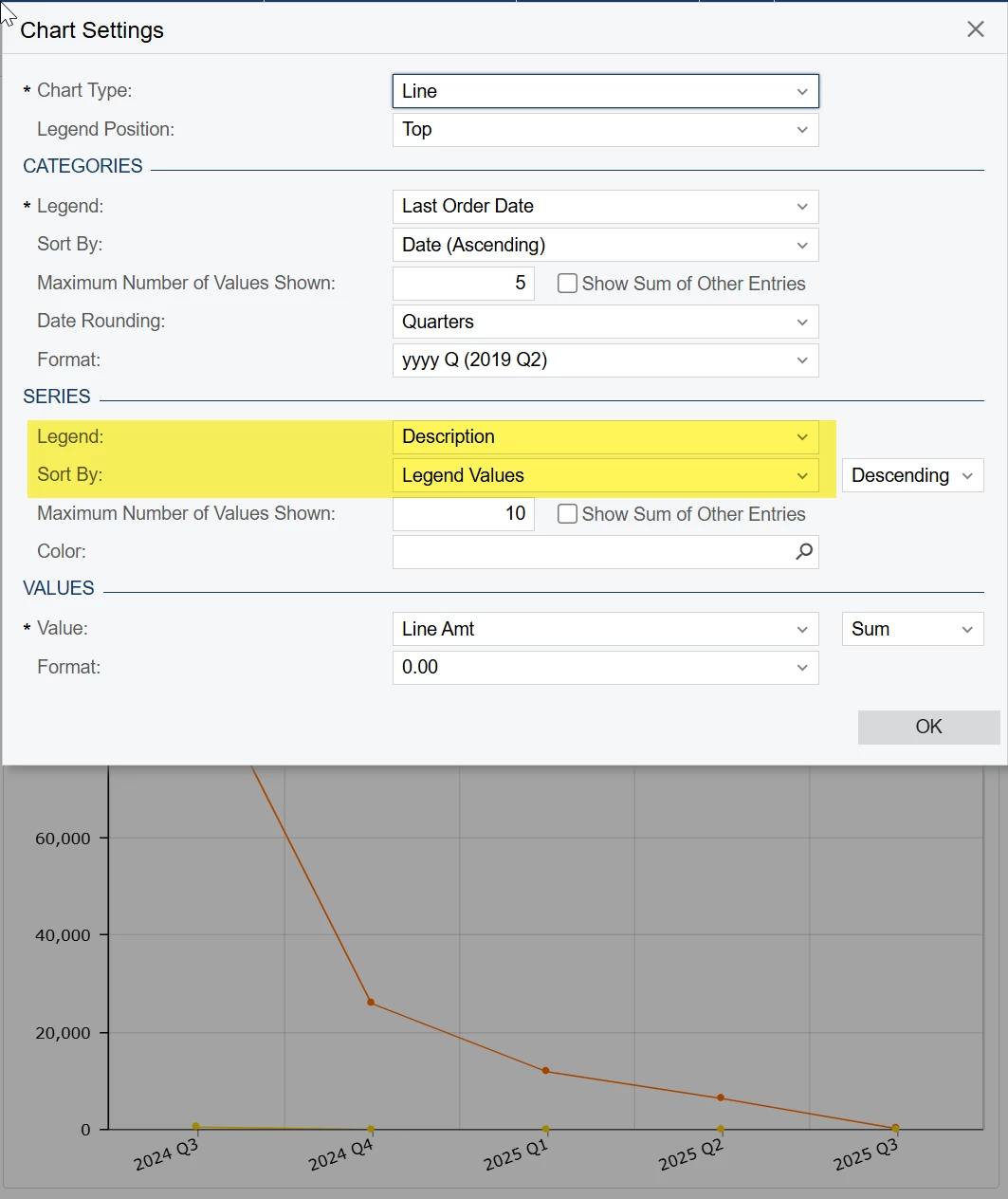
This would be the line amt field above. It will only calculate a value if the transaction relates to the period.

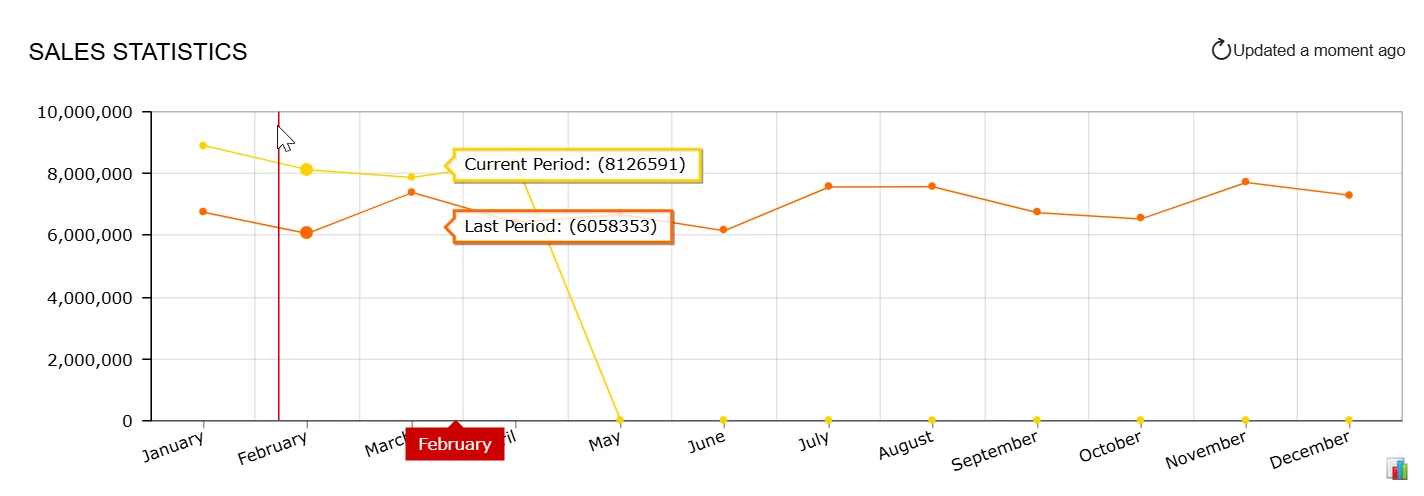
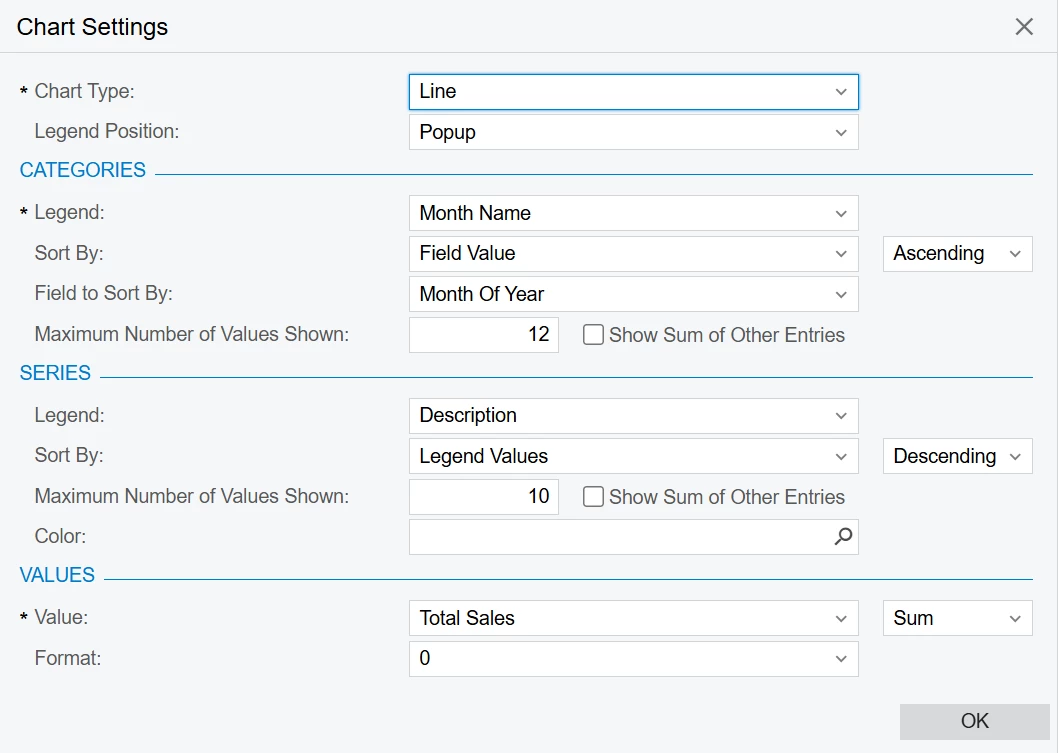
Your chart will use the description above as the series. This will split the chart into 2 lines representing both periods.


  • Author
  • October 3, 2025

Still didnt work. I was trying to get it to work using AR subtotal for invoices. 


bwhite49
Captain II
Forum|alt.badge.img+10
  • Captain II
  • October 3, 2025

Ok, There were a handful of reasons why that was not working for you.


I’ve reattached the inquiry. Do make sure you create the attribute in your system as shown in my first screenshot above.


bwhite49
Captain II
Forum|alt.badge.img+10
  • Captain II
  • October 3, 2025

Here is the chart settings


Forum|alt.badge.img
  • Freshman I
  • November 5, 2025

@bwhite49, hi! I was trying to replicate this; however, this gives me a year-on-year comparison and not YTD. I am looking to build for Current Year-To-Date vs Previous Year-To-Date widget. Do you have any suggestions on how I can accommodate that? Thanks!


bwhite49
Captain II
Forum|alt.badge.img+10
  • Captain II
  • Answer
  • November 5, 2025

Sorry these default values are kind of crazy. I will make a better example for how to do this someday.

Your LastPeriodFrom should be @YearStart-1

LastPeriodTo should be @Today-365

CurrentPeriodFrom should be @YearStart

and CurrentPeriodTo should be @Today

Hopefully that is what you are looking for.


Forum|alt.badge.img
  • Freshman I
  • November 5, 2025

@bwhite49, thank you! I tried the same thing and couldn’t reconcile earlier but after re-trying that worked as expected. Maybe I was miscalculating the totals.

Appreciate your time and insights!