Question

Custom Email Template of Dunning Letter on different levels

  • January 8, 2026
  • 2 replies
  • 25 views

I am currently working on the Dunning Letter functionality in Acumatica.
The requirement is to send different email notifications for each Dunning Letter level (for example, Level 1, Level 2, Level 3, etc.).

Each Dunning Letter level should have:

  • Its own email template

  • Different email content and tone based on the severity of the overdue status

  • The correct template selected and sent automatically when a Dunning Letter is generated for that specific level

  • Each email should have Outstanding Amount in Dollars

I want to understand the best approach to configure or customize Acumatica so that the system sends the appropriate email template corresponding to the Dunning Letter level.

2 replies

Laura03
Captain II
Forum|alt.badge.img+20
  • Captain II
  • January 8, 2026

Hello,

Acumatica Help (LINK) details the best approach to configure and customize Acumatica Dunning Letters.

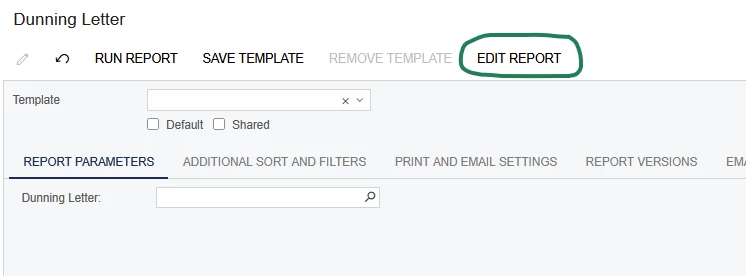
The Dunning Letter contents may be modified using Acumatica Report Designer from the Dunning Letter Printed Form:


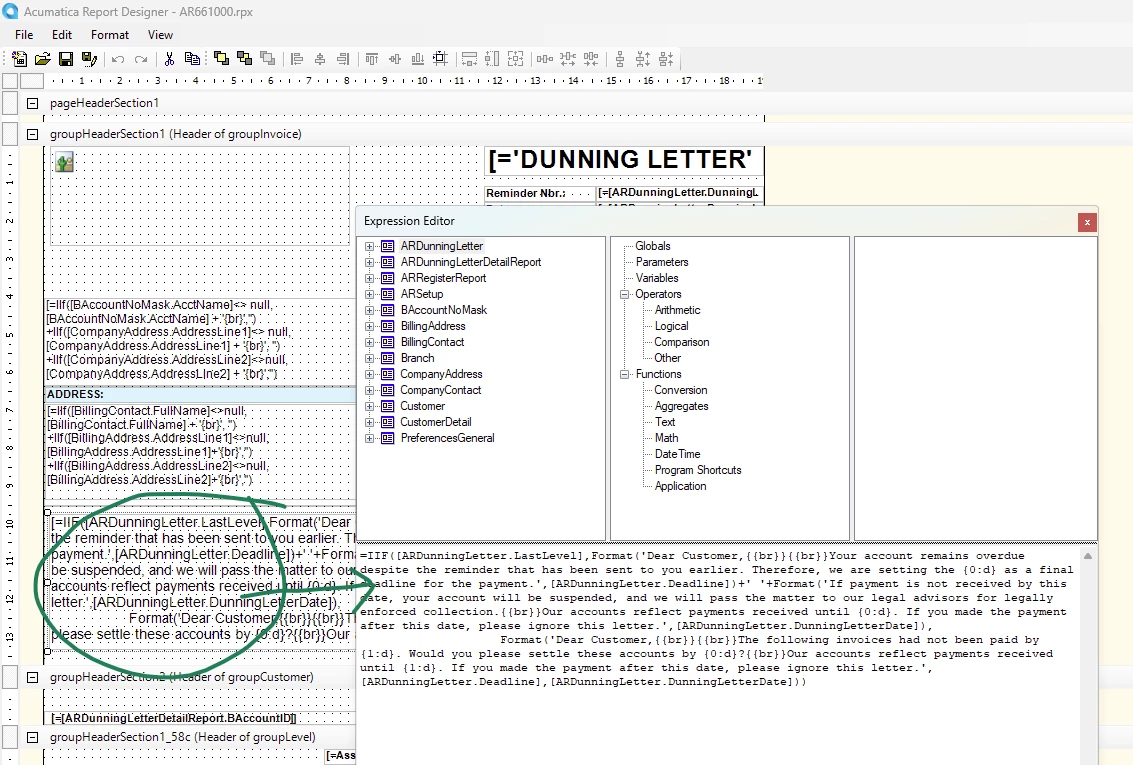
The text for various levels are combined in an If statement shown here:

If you have already followed the step by step instructions in the above link and modified the printed report, and your Dunning Letters aren’t working according to plan, please show us details of what has been configured and where the results are incorrect so we may help you with specifics.

Thank you, and good luck!

Laura 


  • Author
  • Freshman I
  • January 8, 2026

Hi ​@Laura03,

The requirement is to send different Dunning Letter Email Notification Templates