Question

Credit Memo - Unable to delete a Rejected Credit Memo in AR

  • January 22, 2026
  • 4 replies
  • 35 views

I’m trying to delete an unapplied credit memo, but the system won’t allow it. I’ve already moved it to a Rejected status, but I still can’t release an HB to the invoice that’s linked to this credit memo.

If anyone has encountered this before or knows what steps are required to resolve it, I’d really appreciate your guidance.

4 replies

Laura03
Captain II
Forum|alt.badge.img+20
  • Captain II
  • January 22, 2026

Hello,

A Credit Memo of Rejected status can typically be placed back on Hold and either modified or deleted. If you can’t delete the Credit, I expect your User login has no Access Rights to Delete documents in AR Invoices & Memos screen.

To rule out access rights deficiencies: Are you able to add another test Credit memo and then delete your test?  Have you successfully deleted other Credit Memos recently, but you have just one that can’t be deleted? 

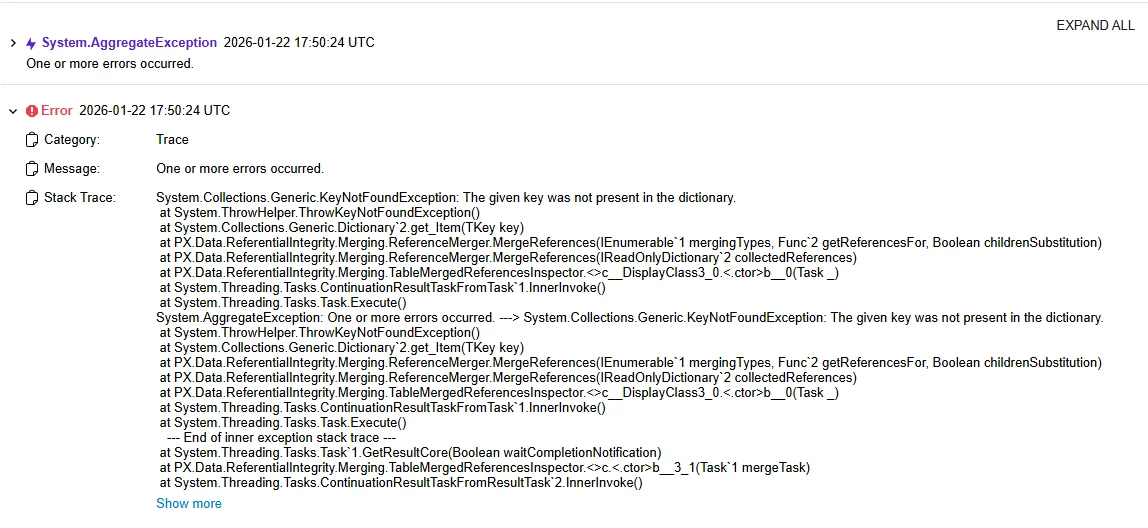
Is there any helpful error message detail found Tools → Trace immediately after the error appears?

Options:

  1. If you can’t delete any documents in Invoices & Memos screen, the next step is to speak to the person in your organization who handles User Access Rights.
  2. If you can delete most AR documents but not the rejected Credit Memo, then contact your VAR or Acumatica support. Send them any error message detail that you found in the Trace.


  • Author
  • Freshman I
  • January 22, 2026

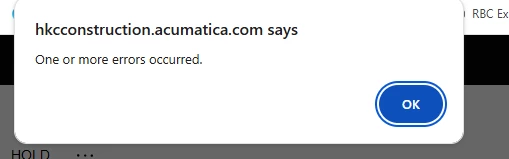
Thank you, @Laura03. That’s true, but this time I tried moving it back to Hold and then deleting it, and it still won’t let me. I’m getting the error shown below. I’ve been able to delete invoices and credit memo before, so I’m not sure what’s causing the issue now.

I did Trace and this is what I found 


Laura03
Captain II
Forum|alt.badge.img+20
  • Captain II
  • January 22, 2026

Hello,

I think the next step is to contact your Acumatica Support resource and open a support ticket. 

Laura


patrickcolgan94
Freshman I
Forum|alt.badge.img

One alternative might be to leave the CM as is then create an offsetting DM to zero out the balance then close both when you process a payment and include both documents to apply against each other.   Always best practice to avoid deleting transactions in your system of record for audit purposes.