Question

Check Reprint with same number not working

  • January 16, 2026
  • 3 replies
  • 41 views

jhouser
Captain II
Forum|alt.badge.img+7

I am attempting to reprint a check using the same number in 25R1. I follow steps below but it reprints with the next number, not the same. What am I missing?

  1. After printing (without releasing), select “Reprint” action on the Release Payments screen, select the payment, and process. Status is changed to Pending Print. 
  2. Print / Process the payment again. Next number is assigned instead of the original. If I try to manually change, it errors saying the number already exists. 

Thanks in advance!

3 replies

Laura03
Captain II
Forum|alt.badge.img+20
  • Captain II
  • January 17, 2026

Hello ​@jhouser ,

It seems like you are following normal steps to reprint an unreleased check using the same number. 

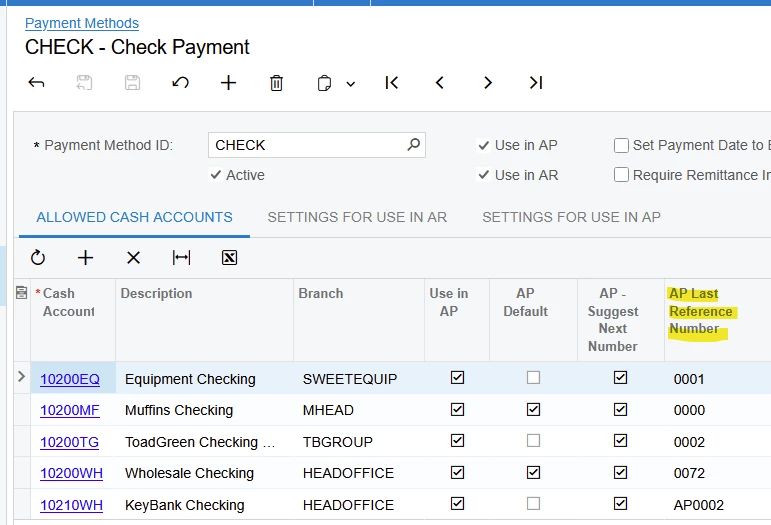
Last Reference Number Used can be adjusted on Payment Methods screen, but I’m not sure updating it will improve the results in this case.

You may try clearing browser cache, to clear any saved information from the browser.

Did you already print the Check Register for the same Cash Account your check is from, for all periods (from “the beginning of time” through the highest “open” period in your Acumatica tenant) to verify the number was never used?

If the number is already used, I expect adding an extra 0 in front of the Check Number will allow the same number to print again.


Laura


jhouser
Captain II
Forum|alt.badge.img+7
  • Author
  • Captain II
  • January 19, 2026

Thanks ​@Laura03 for the workaround suggestions. I think we’ll open a case with Acumatica since it’s not working as the documentation describes. 


Kandy Beatty
Captain II
Forum|alt.badge.img+18
  • Captain II
  • January 20, 2026

Thanks ​@Laura03 for the workaround suggestions. I think we’ll open a case with Acumatica since it’s not working as the documentation describes. 

I would suggest a case with Acumatica also.