Answer

Changing Cash Accounts for Existing Vendors

  • May 9, 2025
  • 2 replies
  • 73 views

Hello All, 


We are trying to figure out if there is a way to switch the cash accounts for all existing vendors in Acumatica? We have all new vendors set up to default to this new account but need our existing vendors to also be switched to this new default account. 

Thanks! 
Best answer by Ankita Tayana

Hello ​@mjohnston,

This can be achieved through import scenario. First you need to export the vendor list from Acumatica for which you need to update cash account with fields - Vendor ID, status, vendor class, payment method and cash account.

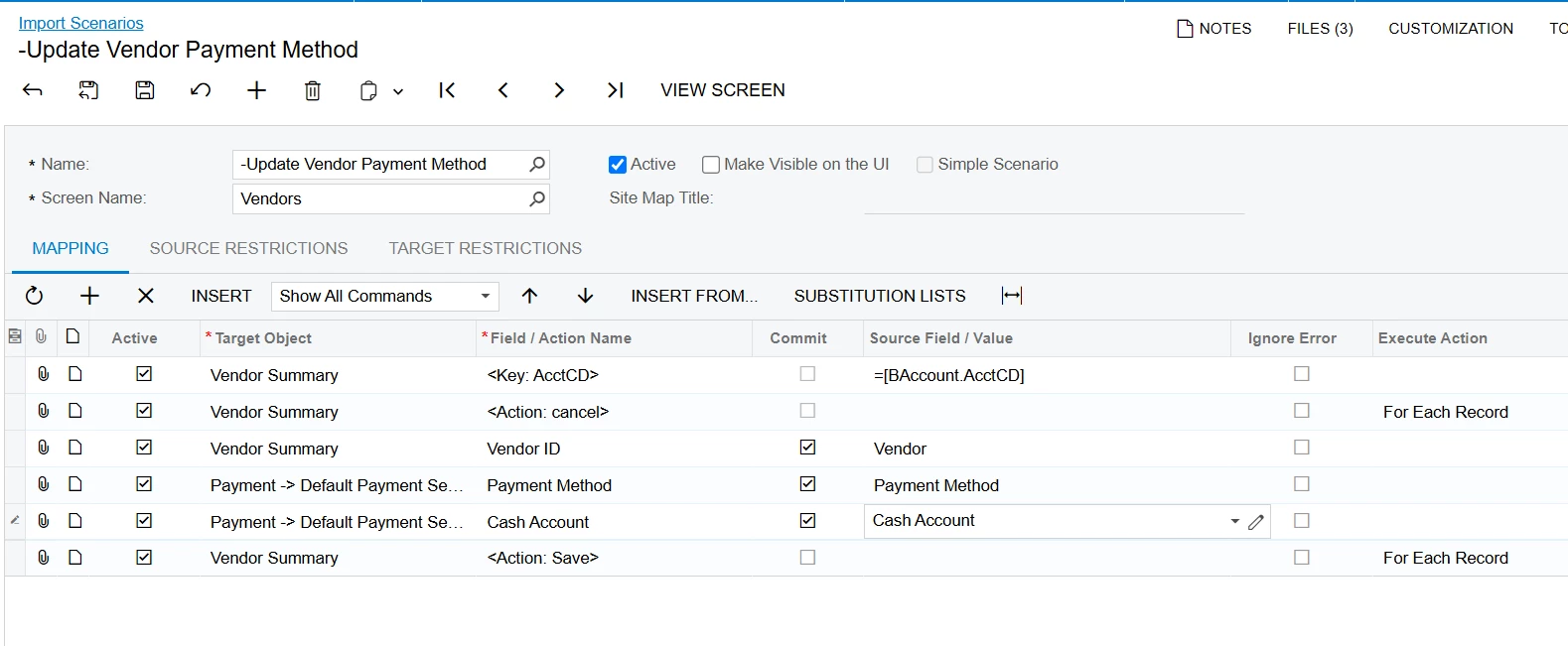
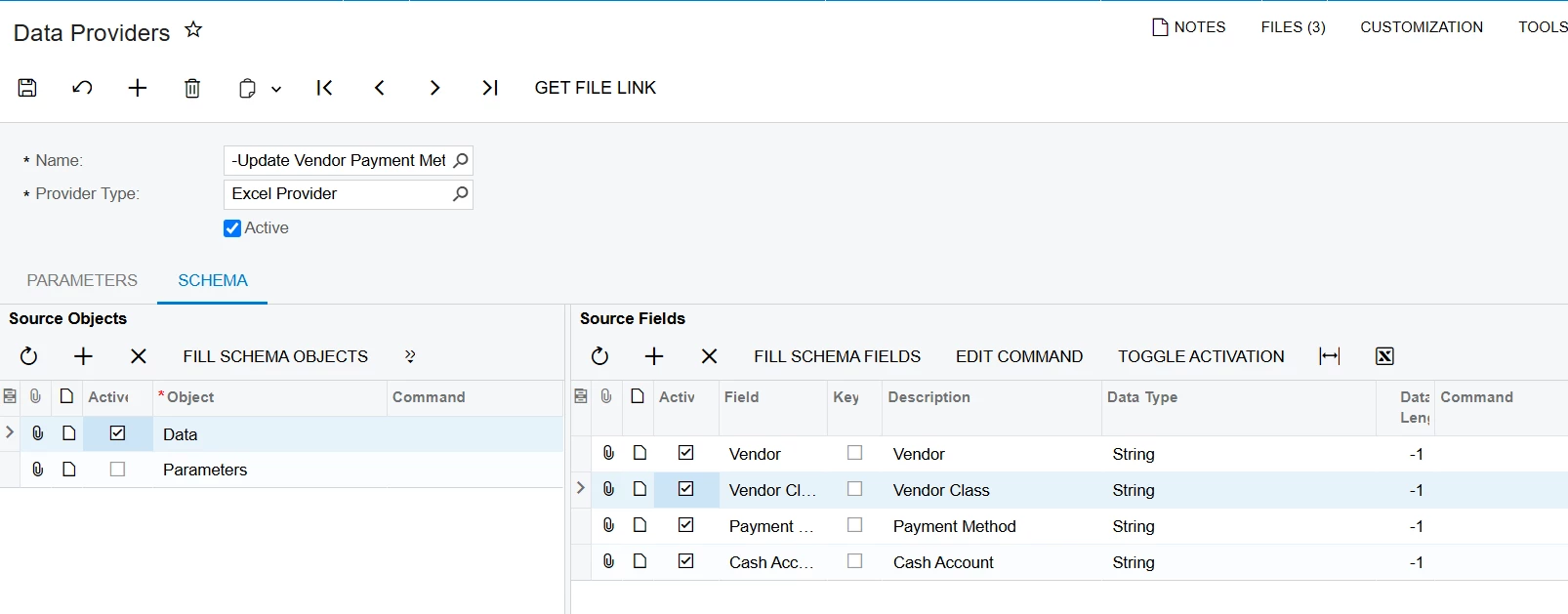
After that update the new cash account in this excel and create data provider and import scenario as per screen shot mentioned below and through import by scenario all existing vendors cash account will be updated.

Hope this helps!

2 replies

Forum|alt.badge.img+1
  • Varsity III
  • May 9, 2025

Our reseller did this for us a few years ago by exporting our vendor list to Excel, updating the cash account there, and then importing the updated Excel file to Acumatica. The Excel file had four columns: Vendor, Vendor Name, Payment Method, and Cash Account.


Forum|alt.badge.img+5
  • Jr Varsity I
  • Answer
  • May 11, 2025

Hello ​@mjohnston,

This can be achieved through import scenario. First you need to export the vendor list from Acumatica for which you need to update cash account with fields - Vendor ID, status, vendor class, payment method and cash account.

After that update the new cash account in this excel and create data provider and import scenario as per screen shot mentioned below and through import by scenario all existing vendors cash account will be updated.

Hope this helps!