Solved

Cash Purchase 1099 Box

  • November 22, 2024
  • 7 replies
  • 89 views

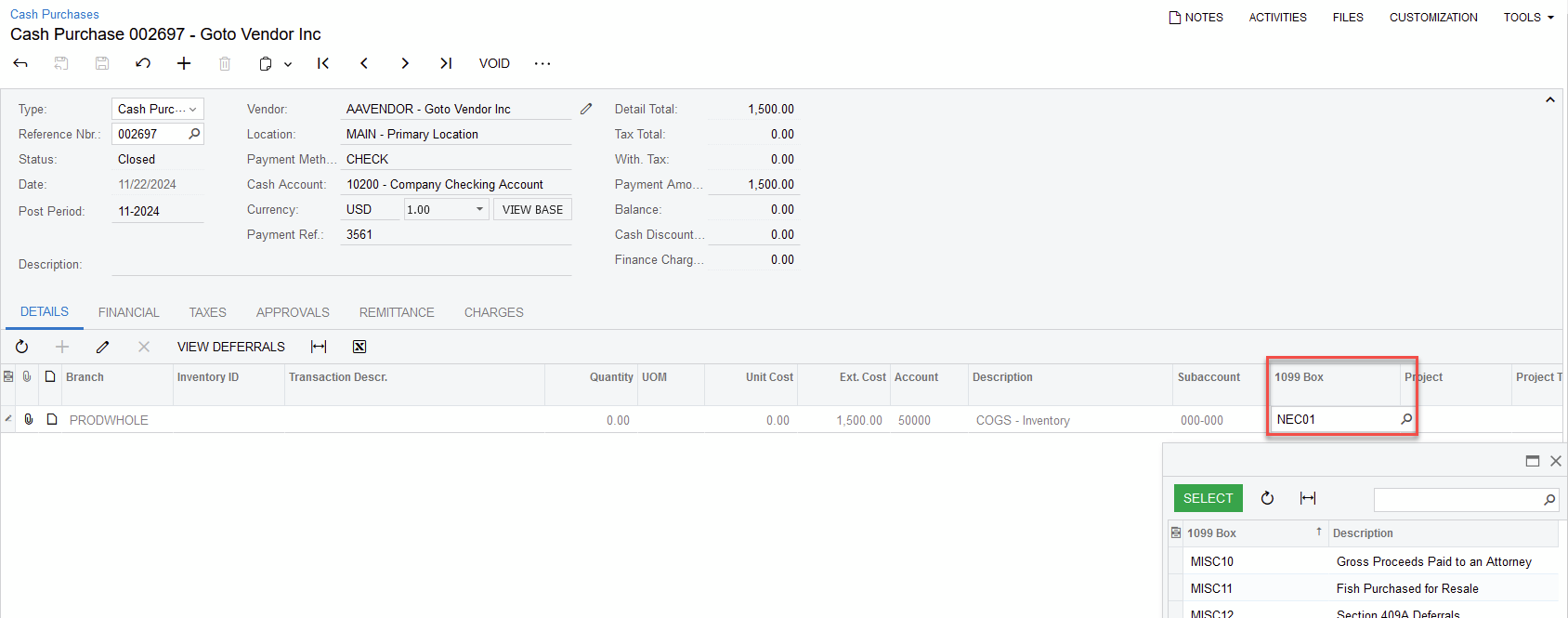
We have some vendors that were incorrectly marked as 1099.  I can update the bills to remove the data in the 1099 Box column, however I can’t do this on a cash purchase.  How can we clear the box on the cash purchase so a 1099 doesn’t generate? 

Best answer by Laura03

Hello ​@klenig ,

If your access rights prohibit editing 1099 box on Cash Purchases, see whether Financial Supervisor or an Administrator may remove the Box #.

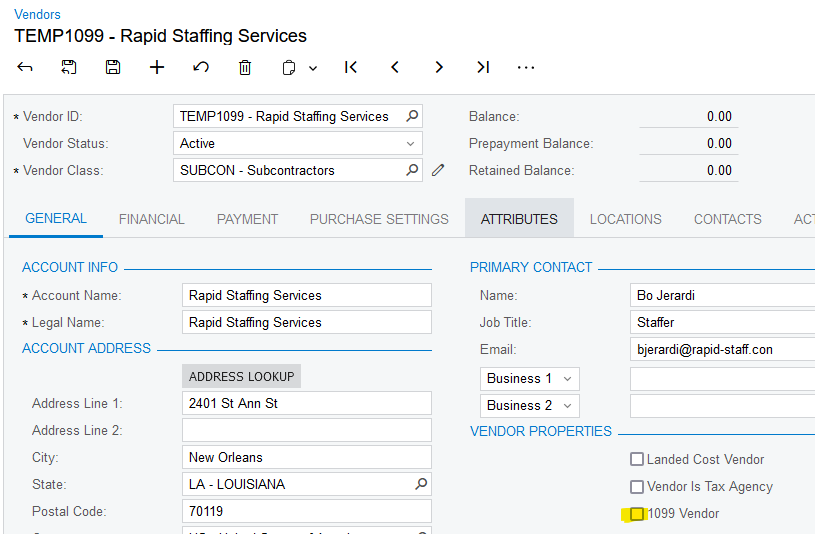
If your version doesn’t allow edit of 1099 Box Number on a Cash Purchase, please try Un-checking 1099 Vendor in General tab of Vendor profile screen.
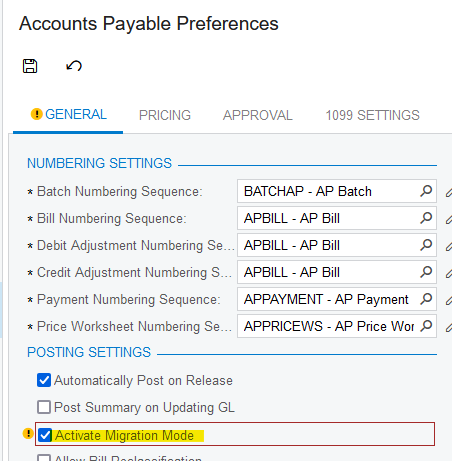
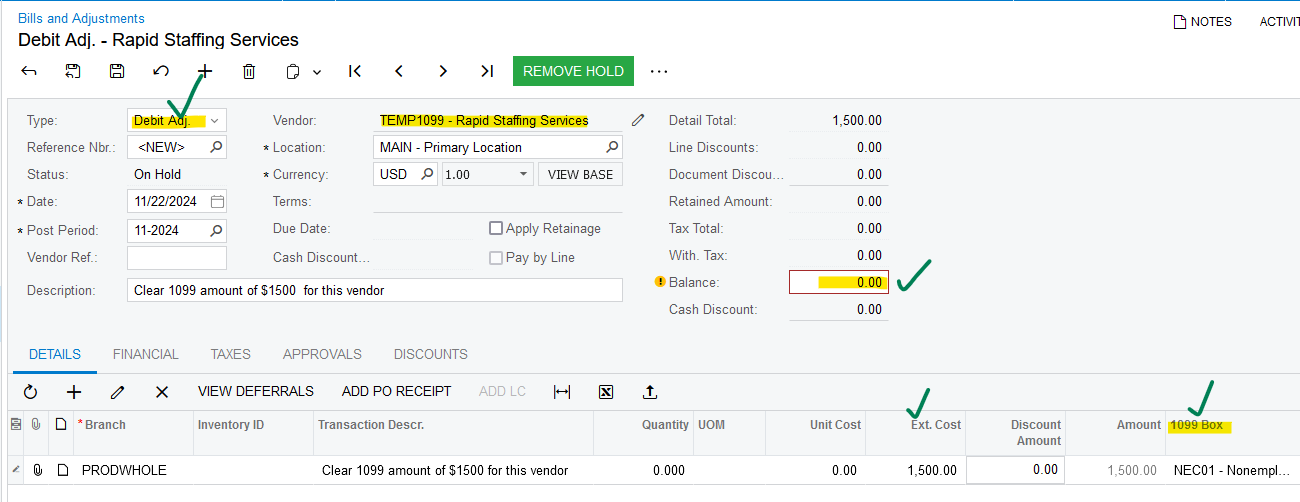
If the 1099 still prints, please try entering a Debit Adjustment for any date in 2024 with a line amount matching the amount of the Vendor’s 1099. IMPORTANT:  Enter this Credit Memo with other Users signed out and with Migration Mode temporarily checked ON in AP Preferences screen. Give the Debit Adjustment $0 open balance, and then release it. Remember to Uncheck Migration Mode in AP Preferences screen after releasing the Debit Adjustment.
 

7 replies

  • Acumatica Employee
  • November 22, 2024

On the Cash Purchase form, in the Column Configurator, make sure 1099 Box is selected. You can then either select a different 1099 Box value or clear the box and save.


Laura03
Captain II
Forum|alt.badge.img+20
  • Captain II
  • Answer
  • November 22, 2024

Hello ​@klenig ,

If your access rights prohibit editing 1099 box on Cash Purchases, see whether Financial Supervisor or an Administrator may remove the Box #.

If your version doesn’t allow edit of 1099 Box Number on a Cash Purchase, please try Un-checking 1099 Vendor in General tab of Vendor profile screen.

If the 1099 still prints, please try entering a Debit Adjustment for any date in 2024 with a line amount matching the amount of the Vendor’s 1099. IMPORTANT:  Enter this Credit Memo with other Users signed out and with Migration Mode temporarily checked ON in AP Preferences screen. Give the Debit Adjustment $0 open balance, and then release it. Remember to Uncheck Migration Mode in AP Preferences screen after releasing the Debit Adjustment.



  • Author
  • Freshman I
  • November 25, 2024

Thank you.  I am an administrator, and I tried modifying the vendor profile to check the box off when making adjustments.  This works for bills but unfortunately it is not working on cash purchases.  It prints even if the box is unmarked as the history of the cash purchases is still there.  I will have to try the debit memo in migration mode to eliminate that balance. 


  • Freshman I
  • January 28, 2026

Please, can the developers update this so the Cash Purchase Box 1099 from Data Class AP Tran can be edited like on Bills and Adjustments?

I tried going to Access Rights specifically under Cash Purchases to give Edit permissions to Box 1099. Had to give delete permissions under AP Transactions first, but still would not allow me as an administrator to edit the 1099 box on the Cash Purchase. Vendors get setup wrong, things get changed, and need a quick way to correct during tax filling time.


Laura03
Captain II
Forum|alt.badge.img+20
  • Captain II
  • January 28, 2026

Please, can the developers update this so the Cash Purchase Box 1099 from Data Class AP Tran can be edited like on Bills and Adjustments?

I tried going to Access Rights specifically under Cash Purchases to give Edit permissions to Box 1099. Had to give delete permissions under AP Transactions first, but still would not allow me as an administrator to edit the 1099 box on the Cash Purchase. Vendors get setup wrong, things get changed, and need a quick way to correct during tax filling time.

Hello ​@mpalmatier ,

I performed a quick test in a demo tenant. I am able to update Closed Cash Purchase transactions, to add a 1099 box #.  I am logged in as Admin, who is NOT in the Financial Supervisor role.

I’m testing version 2025 R2.


  • Freshman I
  • January 28, 2026

@Laura03 , thank you for testing. I am still in 2025 R1. I am wondering if this was updated for 2025 R2. 


Laura03
Captain II
Forum|alt.badge.img+20
  • Captain II
  • January 29, 2026

Hello,

If you’d like to read 2025 R2 Release Notes, (link) they can be found here.