Answer

Cash Flow Statement Multiple Columns

  • August 29, 2024
  • 8 replies
  • 289 views

Forum|alt.badge.img

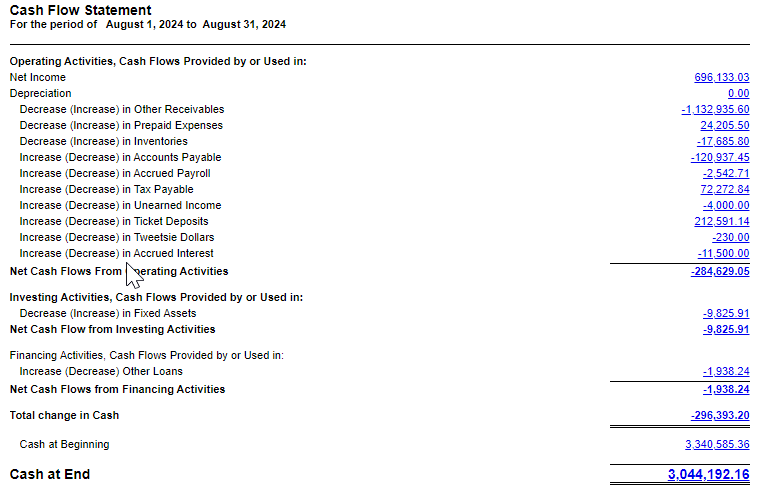
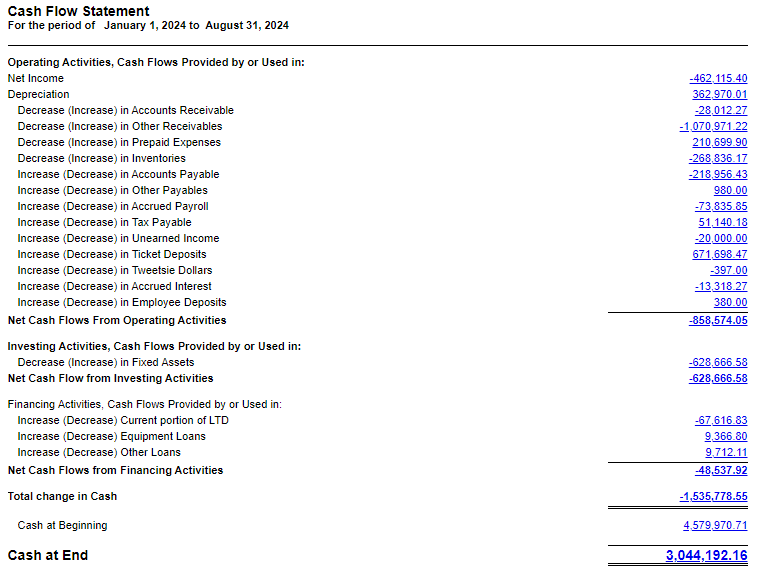
Using an ARM report, is it possible to create a Cash Flow Statement with a column for the period and a column for YTD?

Best answer by Laura03

Hello,

Your report will need to contain 12 columns of Turnover; or 13 depending on the number of fiscal periods in your year.

Your report will need to contain 12 TOTAL columns, or 13 depending on the number of fiscal periods in your year.  Each total column is CalcType with Values like this:

Period 1 Total: =B

Period 2 Total = B+C

Period 3 Total = B+C+D

Etc.

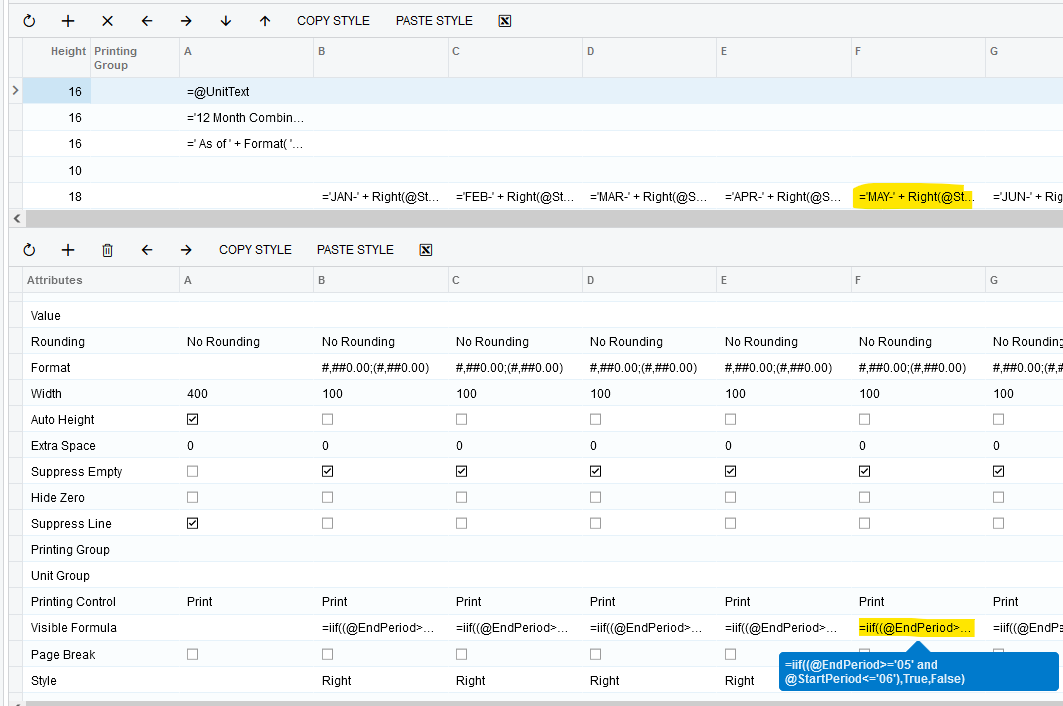
Each column of figures needs a Visibility formula, to hide/show proper columns in response to the user’s Parameter selections. 

Here are some formula examples that can be used to build a flexible report that will work great no matter what period or year is selected by the users:
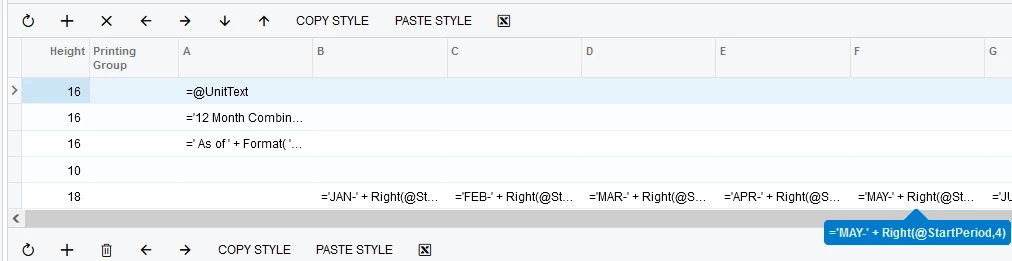
Column Header formula
Visible Formula

The following example is from a Quarterly report where one or more quarters is shown based on the User’s choices:
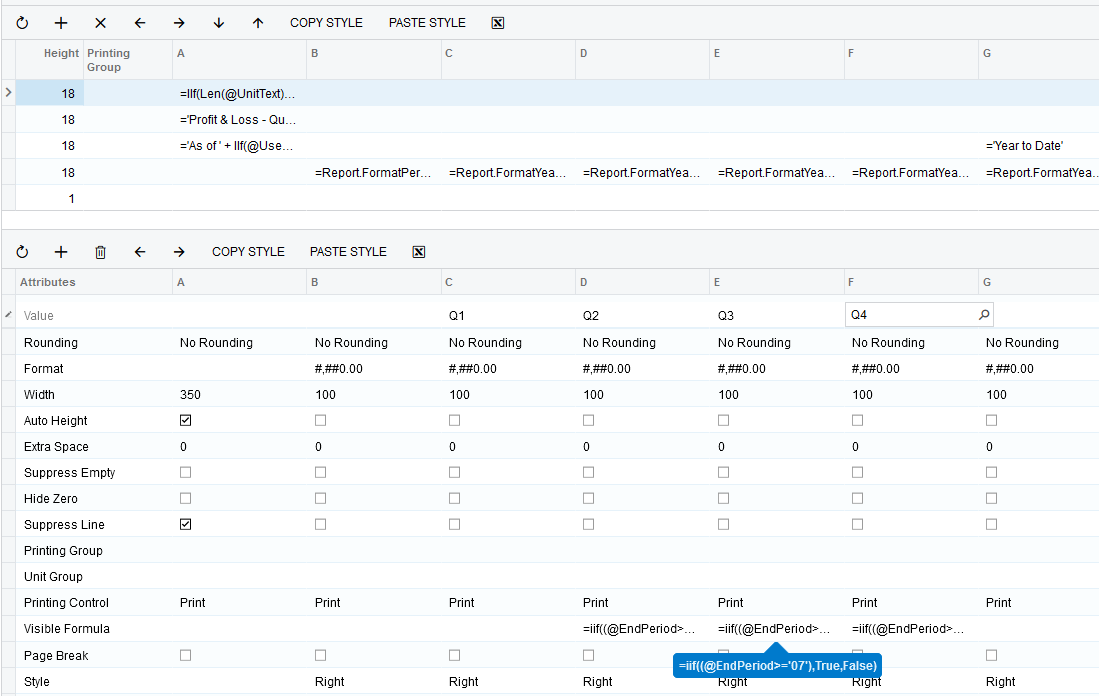
Example formula for the TOTAL columns of your report

I hope these examples help you.

Laura

8 replies

LauraWyckoff
Jr Varsity III
Forum|alt.badge.img+1
  • Jr Varsity III
  • August 29, 2024

Yes, you can add columns to the Cash Flow Statement. 


Forum|alt.badge.img
  • Author
  • Jr Varsity II
  • August 29, 2024

@LauraWyckoff I know you can add a column in general. I’m wondering if one column can reflect the net change for the period and the other for the year. Since Cash Flow uses the turnover amount, I wasn’t sure if this is possible.


nhatnghetinh
Captain II
Forum|alt.badge.img+11
  • Captain II
  • August 30, 2024

Hi @kristybrooks83 

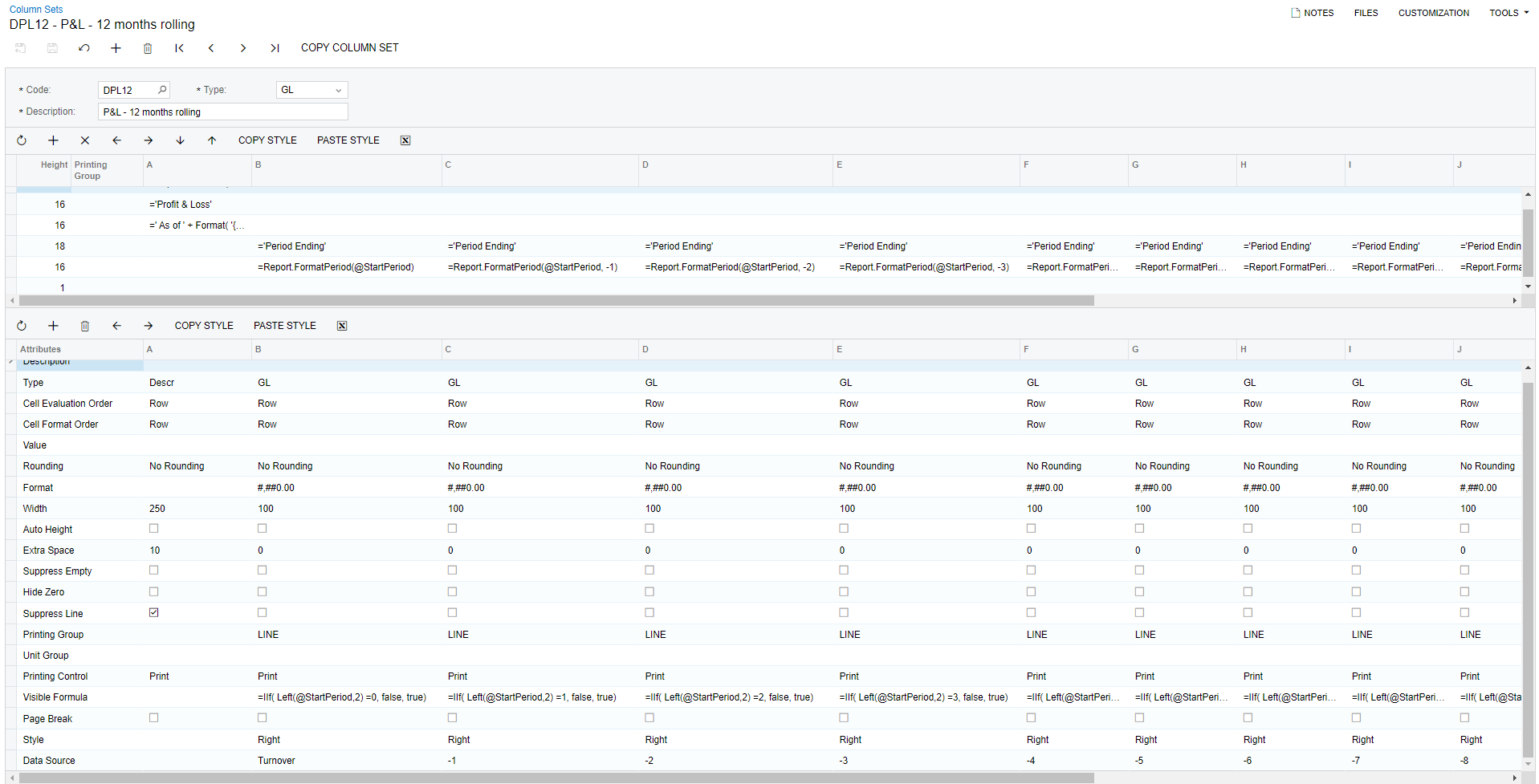
You can create multiple columns for example 12 months as follows.


Best Regards,

NNT


Forum|alt.badge.img
  • Author
  • Jr Varsity II
  • August 30, 2024

@nhatnghetinh I understand how to do this for P&L and Balance Sheet formats. I just can’t figure it out for the Cash Flow. Basically, I want these two columns of data side by side.

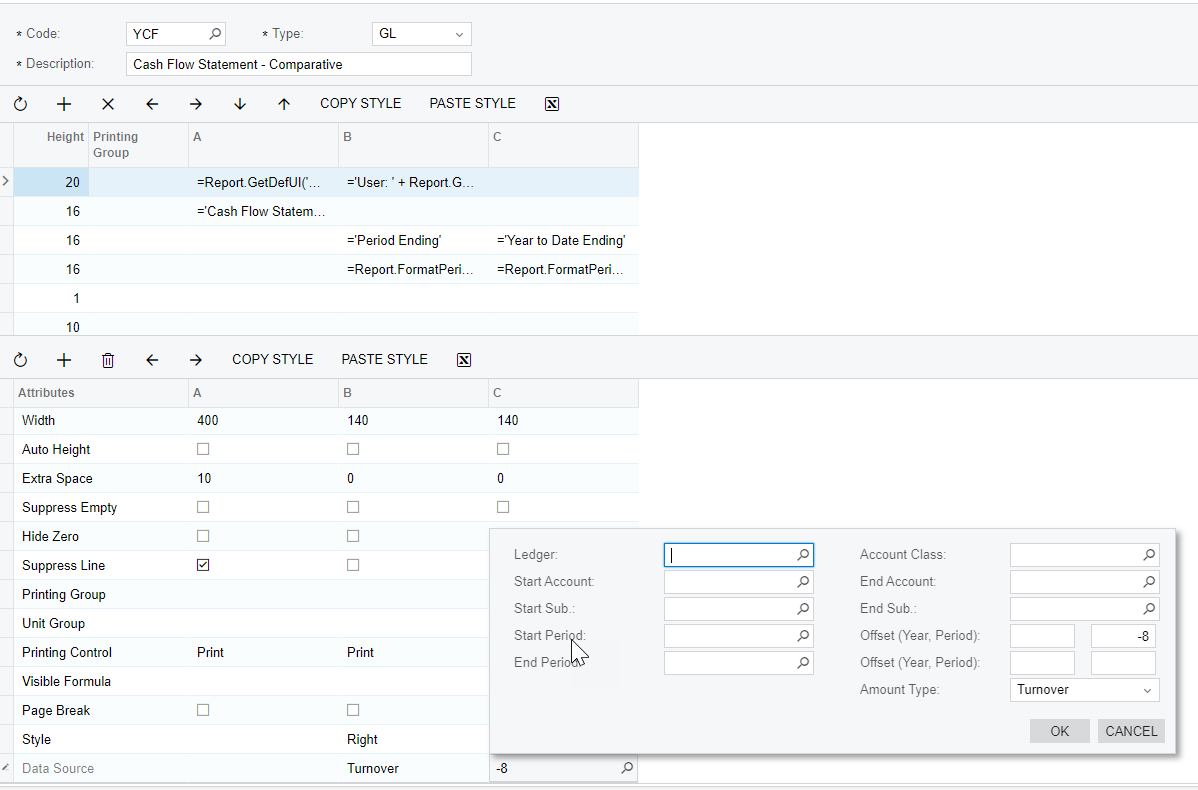
Since the report uses Turnover, I need the Offset Start Period to change when the End Period changes.


Laura03
Captain II
Forum|alt.badge.img+19
  • Captain II
  • Answer
  • August 30, 2024

Hello,

Your report will need to contain 12 columns of Turnover; or 13 depending on the number of fiscal periods in your year.

Your report will need to contain 12 TOTAL columns, or 13 depending on the number of fiscal periods in your year.  Each total column is CalcType with Values like this:

Period 1 Total: =B

Period 2 Total = B+C

Period 3 Total = B+C+D

Etc.

Each column of figures needs a Visibility formula, to hide/show proper columns in response to the user’s Parameter selections. 

Here are some formula examples that can be used to build a flexible report that will work great no matter what period or year is selected by the users:

Column Header formula
Visible Formula

The following example is from a Quarterly report where one or more quarters is shown based on the User’s choices:

Example formula for the TOTAL columns of your report

I hope these examples help you.

Laura


  • Freshman I
  • September 5, 2024

following for the tips.

Can someone help me understand how to get Net Income to show up? 


Laura03
Captain II
Forum|alt.badge.img+19
  • Captain II
  • September 5, 2024

Hello @kgriffin ,

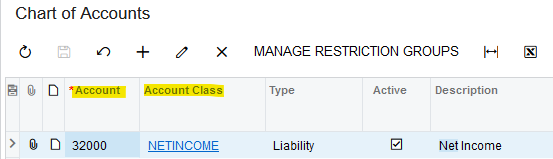
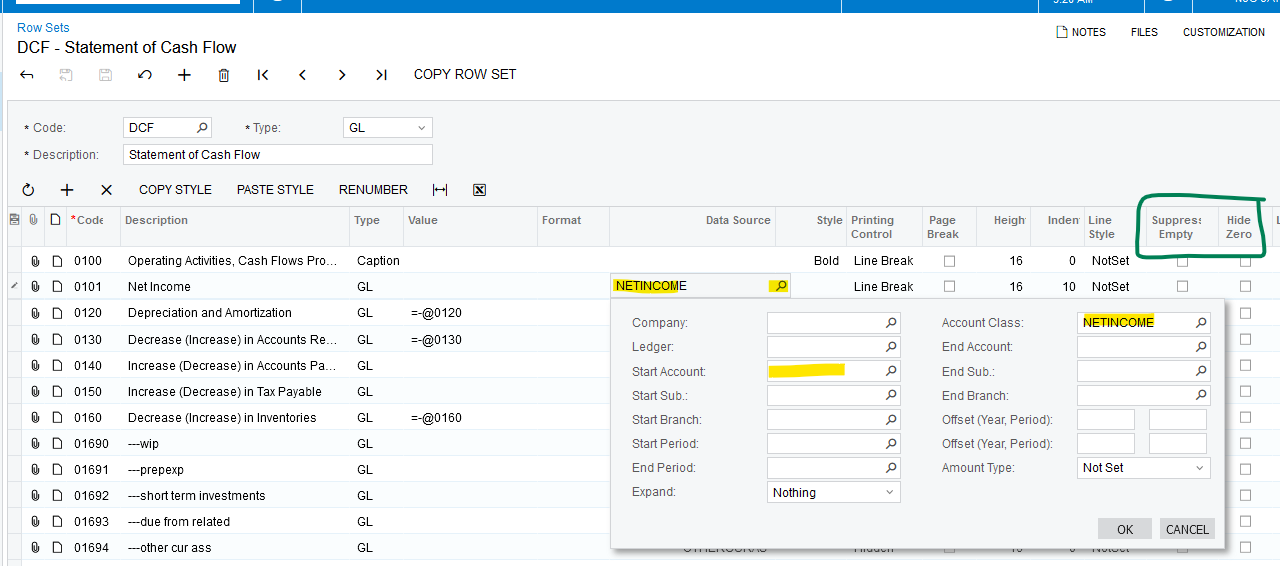
To Show Net Income, add the Net Income account number or its Account Class into your Cash Flow Row Set.

Chart of Accounts:

If Net Income is set up as shown above and not printing:

  1. Is Net Income $0 for the Period that is being printed?
  2. If $0 rows are hidden, unhide them by un-checking suppress Empty/Hide $0.
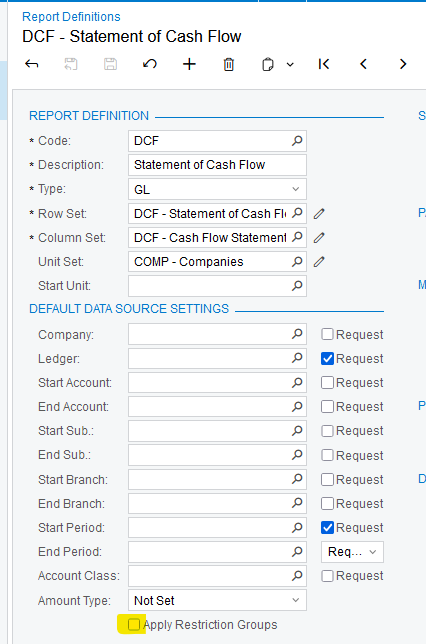
  3. Check for Restriction Groups that could hide individual accounts from your User ID. If restriction groups are hiding Net Income, uncheck Apply Restriction Groups in the Report Definition on Cash Flow report:

Laura


  • Freshman I
  • December 3, 2025

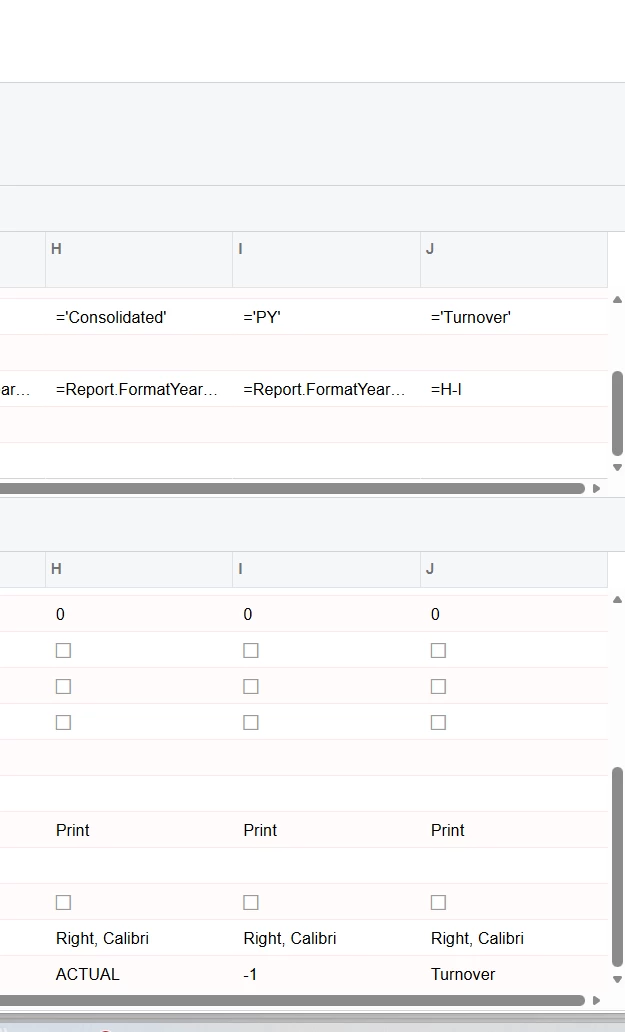
Using the ARM report for the Balance Sheet - I am having trouble with the turnover formula. I have a consolidated column and a Prior Year column but my turnover Consolidated- Prior Year is not calculating correctly. Any insight would be appreciated.