Hi, about to implement Acumatica Payments for an account and a good number of their customers take advantage of their 2% OFF if paid in 10 Days policy.
Has anyone implemented Acumatica Payments with Cash Discounts? Curious if is straight forward and the system does the math and changes the amount on the 11th day or if this is an item that has to be addressed ahead of time.
Thanks!
Best answer by nhatnghetinh
Hi @Melissalutrick21
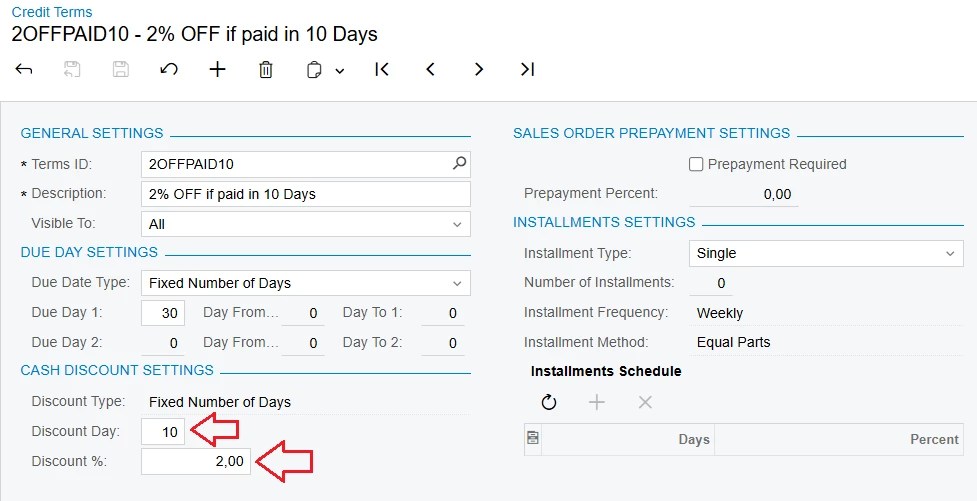
You implement cash discounts for customers as follows:
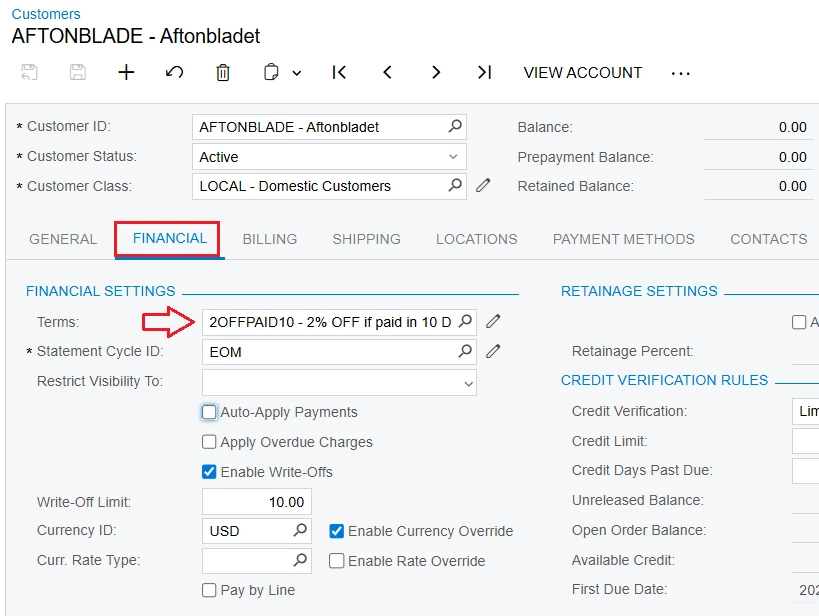
+ Step 2: Select Terms for Customers On the Customers screen > FINANCIAL tab > Select the "Terms" you created in Step 1
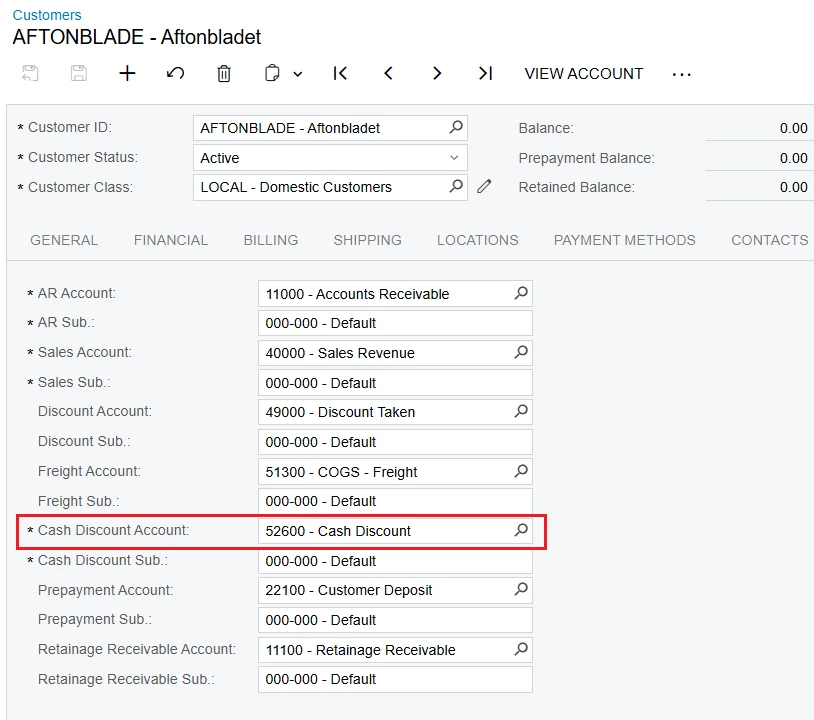
+ Step 3: Select the "Cash Discount Account" for Customers On the Customers screen > GL ACCOUNTS tab > Select the "Cash Discount Account" you want to use for accounting
TESTING SECTION + Step 1: Create Invoice
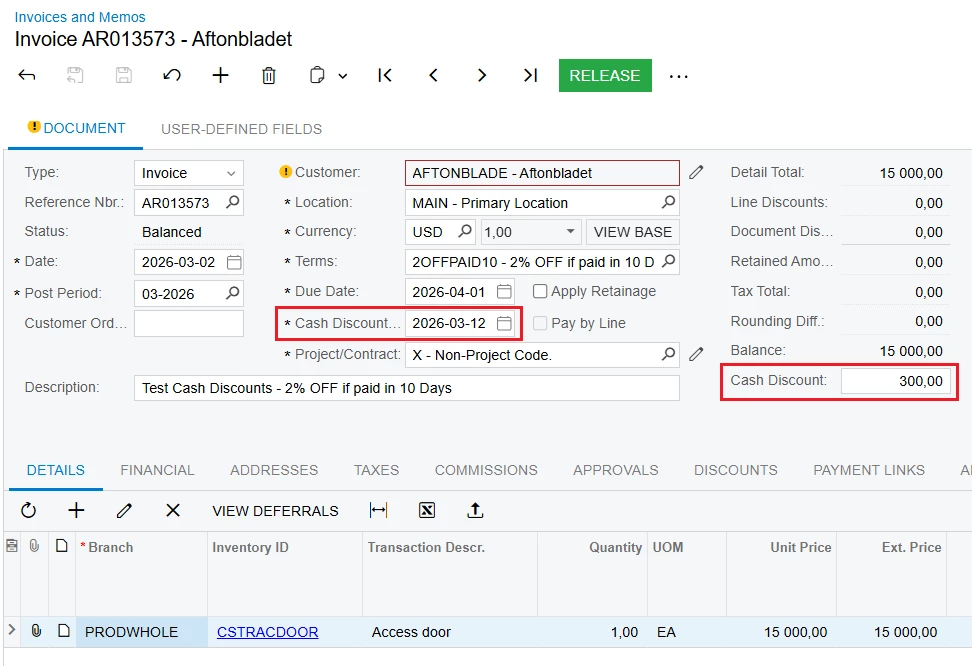
When you create an invoice for a customer who has set up cash discounts as above:
- In the "Cash Discount Date" section, the system will automatically display the date. - In the "Cash Discount" section, the system will automatically display the discount amount if payment is made on time.
+ Step 2: Create Payment
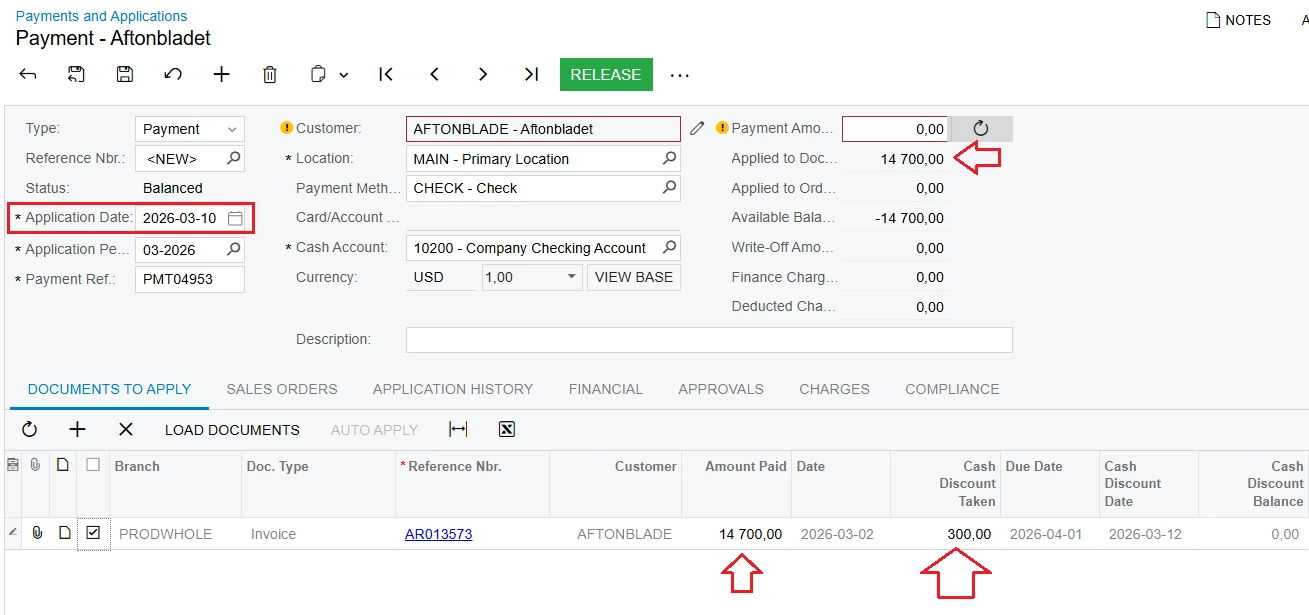
- In the "Application Date" section, if you select a date within the discount period => In the "Cash Discount Taken" section, the discount amount will automatically display.
- The "Amount Paid" section; Applied to Documents also automatically displays the amount to be paid after deducting the discount.
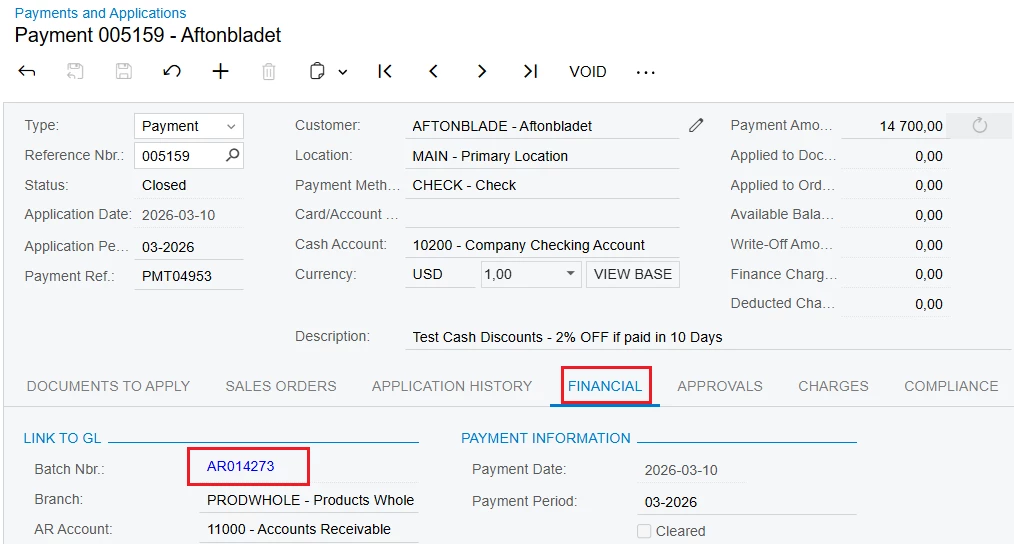
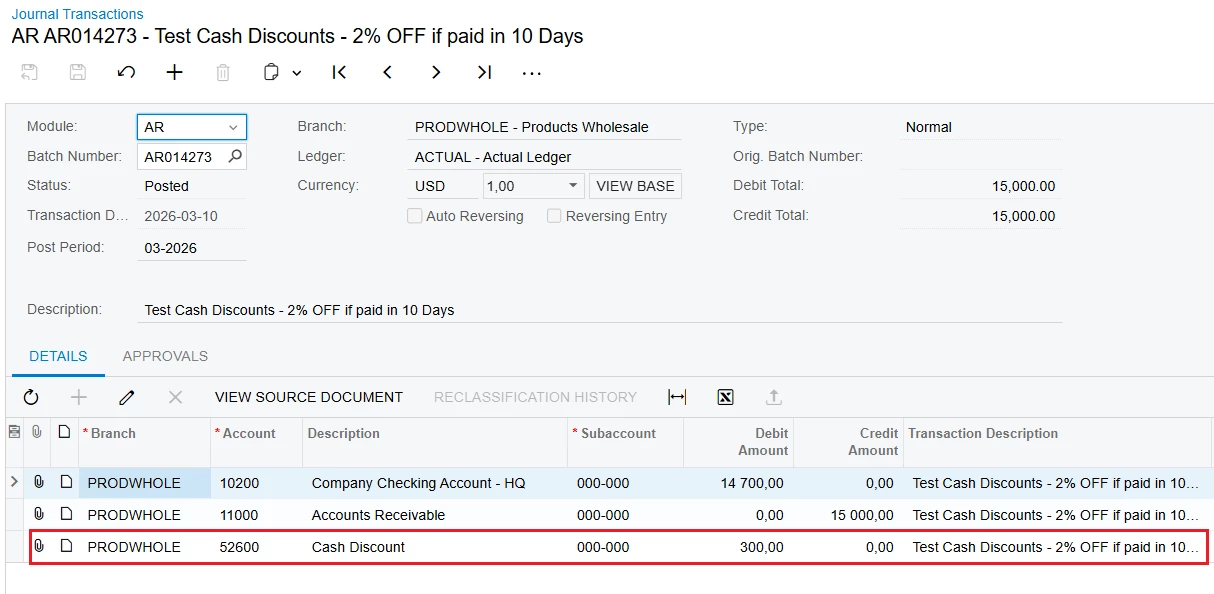
+ Step 3: Check the accounting entries after making the payment.
+ Step 2: Select Terms for Customers On the Customers screen > FINANCIAL tab > Select the "Terms" you created in Step 1
+ Step 3: Select the "Cash Discount Account" for Customers On the Customers screen > GL ACCOUNTS tab > Select the "Cash Discount Account" you want to use for accounting
TESTING SECTION + Step 1: Create Invoice
When you create an invoice for a customer who has set up cash discounts as above:
- In the "Cash Discount Date" section, the system will automatically display the date. - In the "Cash Discount" section, the system will automatically display the discount amount if payment is made on time.
+ Step 2: Create Payment
- In the "Application Date" section, if you select a date within the discount period => In the "Cash Discount Taken" section, the discount amount will automatically display.
- The "Amount Paid" section; Applied to Documents also automatically displays the amount to be paid after deducting the discount.
+ Step 3: Check the accounting entries after making the payment.