Answer

Cannot select Project on Expense Receipt or Claim

  • May 15, 2025
  • 15 replies
  • 109 views

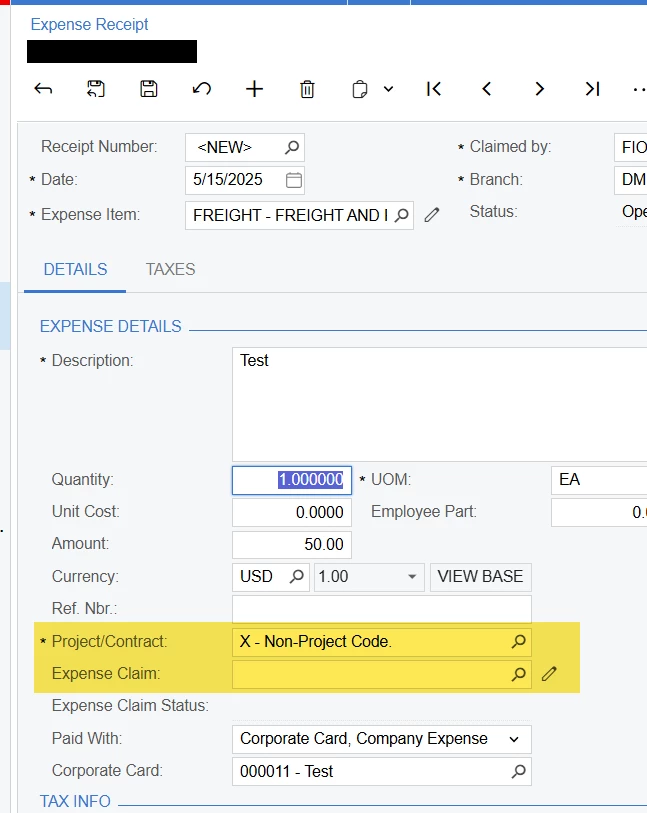
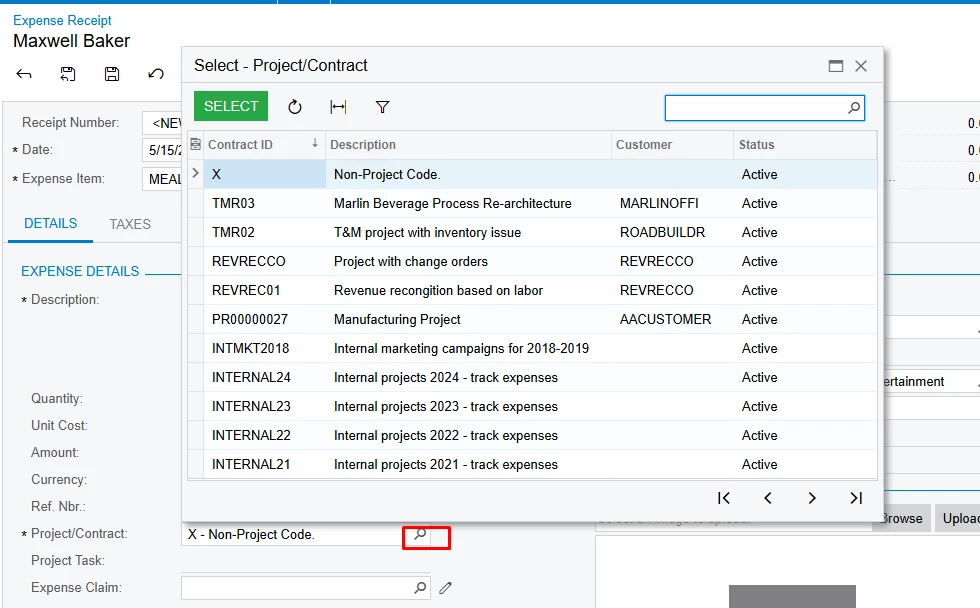
I am no sure what I am missing in configuration but I cannot select a project on an expense receipt or claim. I can see the project field but only default X is listed. Furthermore, the project task field does not display. I have configured a corporate credit card and non project related expenses are working as expected. Any ideas as to what I am missing?

Best answer by frankfiorentino51

I figured it out….it was the visibility settings on the project.

15 replies

mblassingame35
Semi-Pro II
Forum|alt.badge.img+3

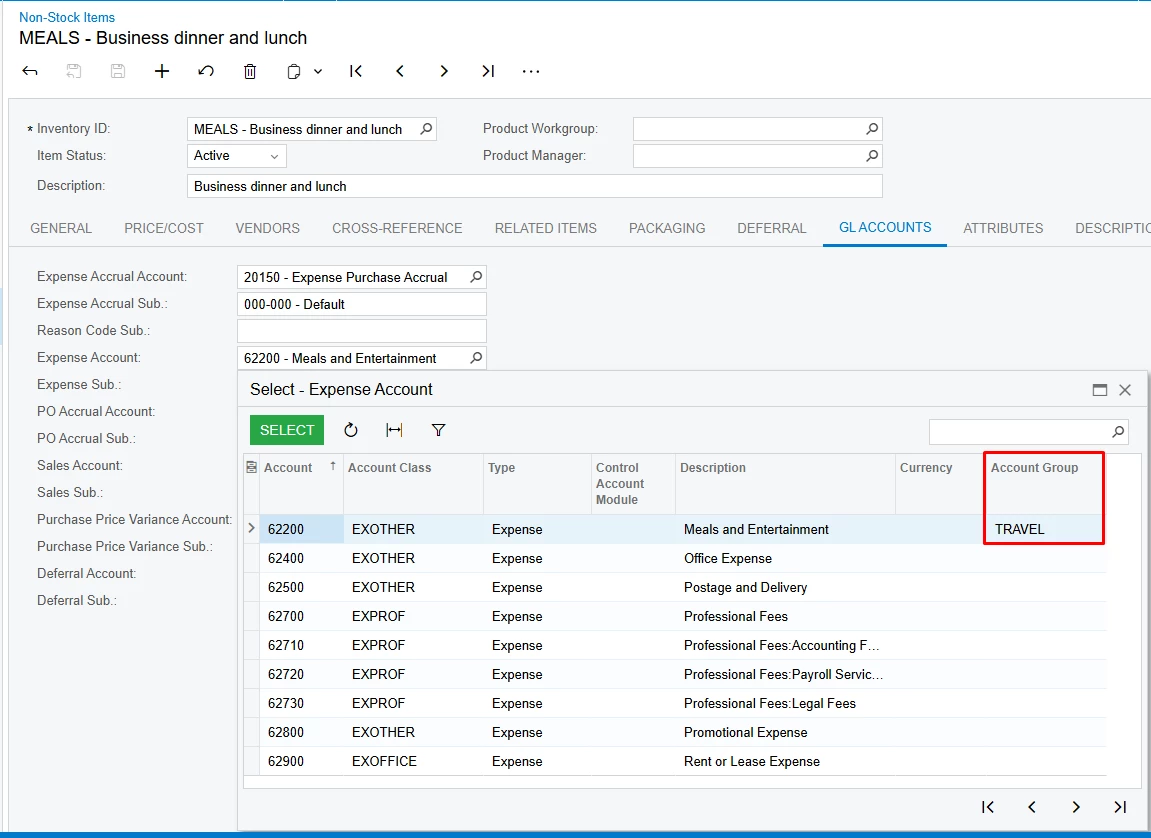
The GL Account you are using has to belong to an Account Group. 


The GL account I am using is in account group. I am using the same NS item that is in the project.


mblassingame35
Semi-Pro II
Forum|alt.badge.img+3

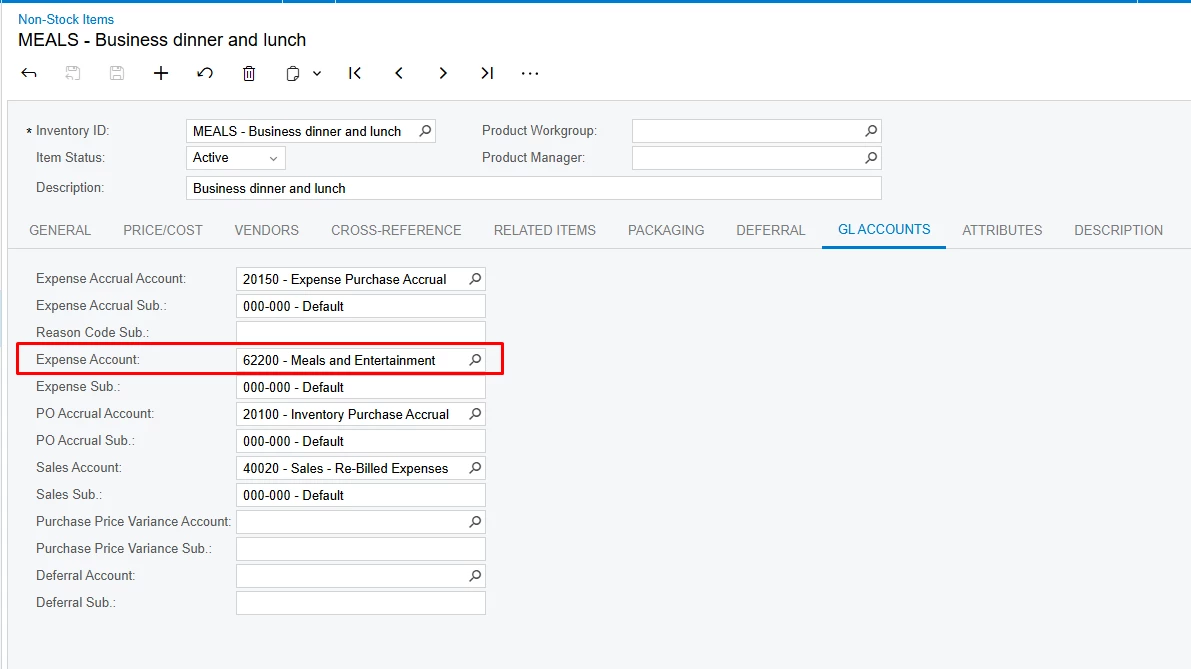
Is the expense account on the non-stock item part of an Account Group?


Yes, it is.


mblassingame35
Semi-Pro II
Forum|alt.badge.img+3

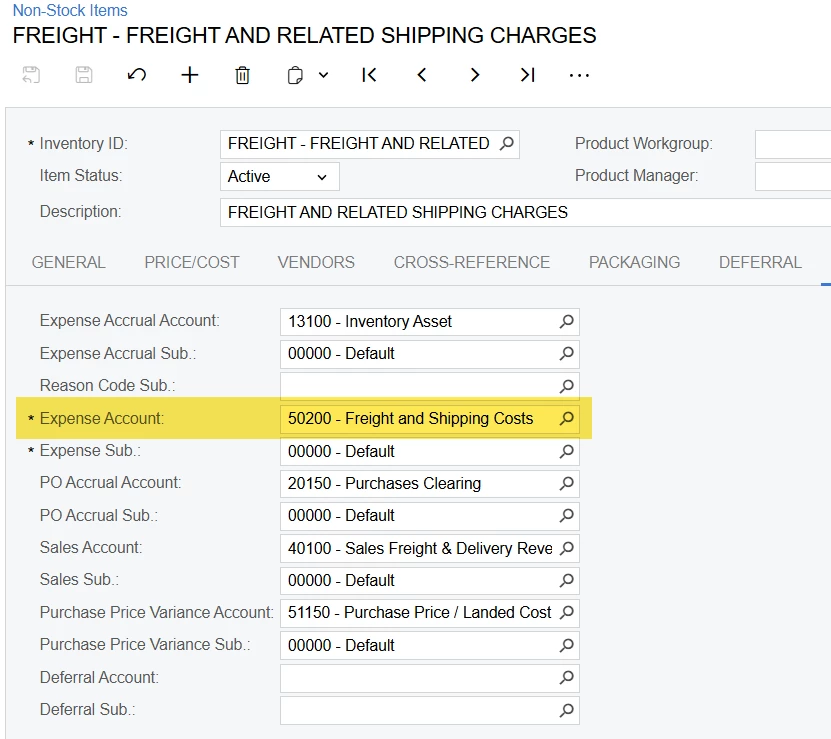
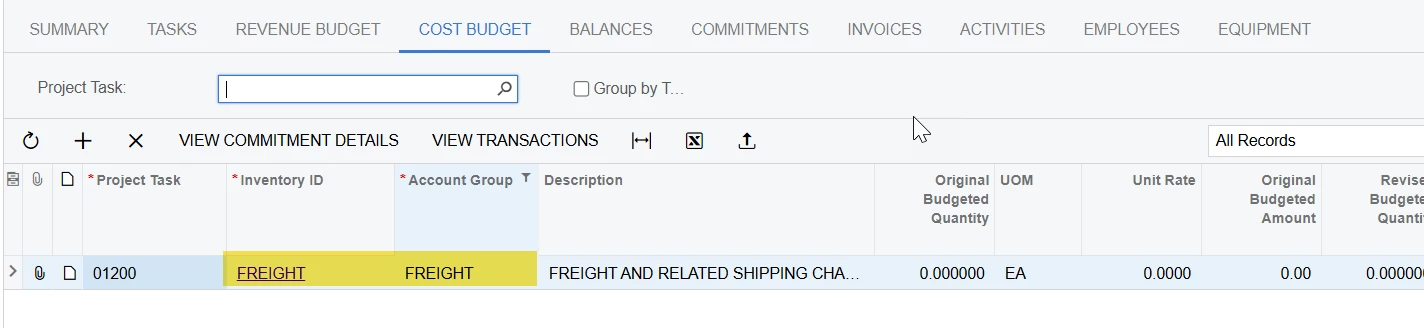
Can you show this? Below is an example. As long as that is there and the Project and Task are active, you should be able to see them. 


Sure, see below. The project and task are both active.


mblassingame35
Semi-Pro II
Forum|alt.badge.img+3

I don’t see the GL Account on the expense receipt, but when you look up the Project, are there any projects available. 


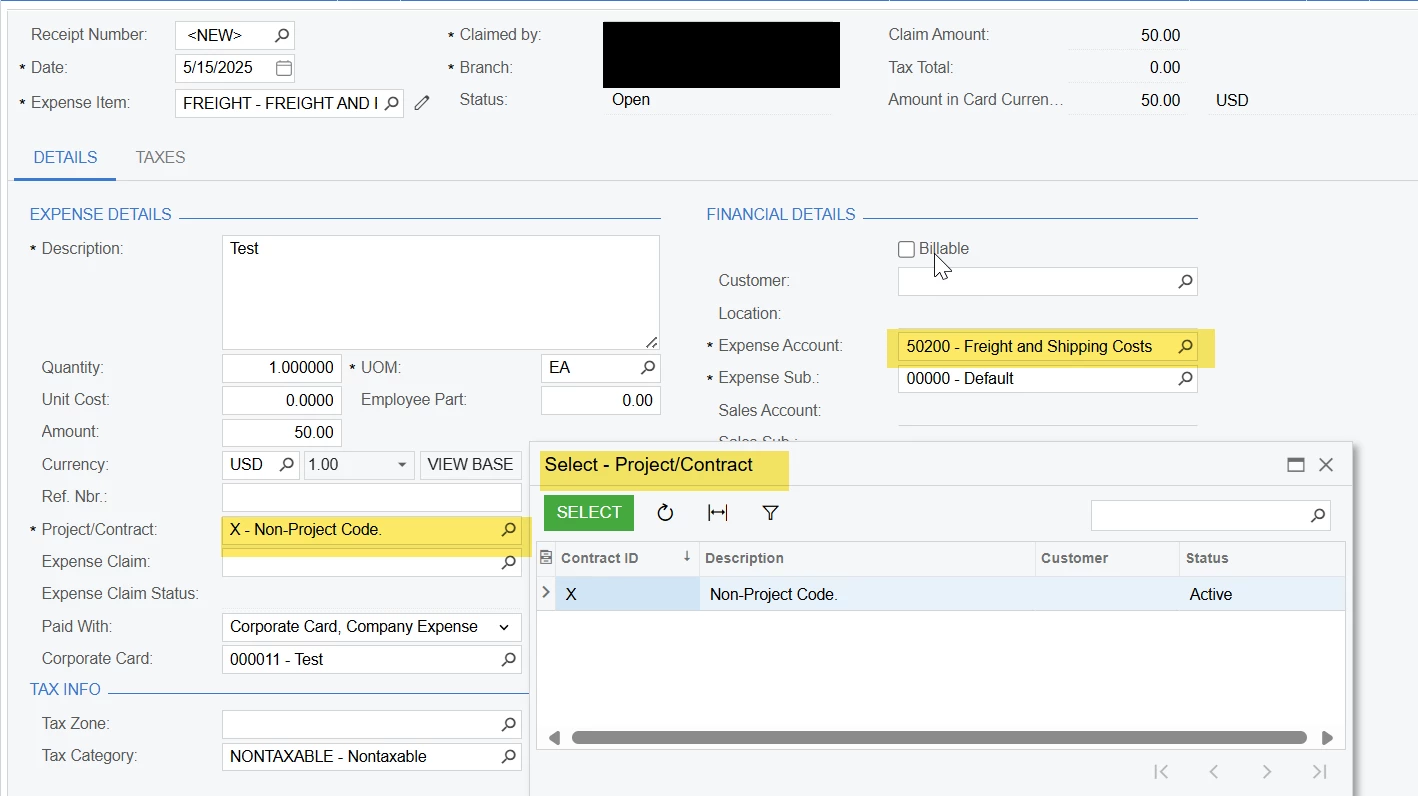
Here is a better screenshot showing the GL account, which is coming from the NS item. There are no projects showing in the project list.


mblassingame35
Semi-Pro II
Forum|alt.badge.img+3

Do you have any restrictions on the Projects that would prevent you from seeing them?


There are no restrictions. I can see and access the projects in the project workspace.


mblassingame35
Semi-Pro II
Forum|alt.badge.img+3

I don’t know what else to give you to check without looking at your setup. Sorry I can’t be of more help.


Thank you for trying.


I found that I had overlooked checking Expenses under Visibility Settings in project preferences. Now I can see the project task field but I still do not see any projects in the selection list.


I figured it out….it was the visibility settings on the project.


Chris Hackett
Community Manager
Forum|alt.badge.img
  • Acumatica Community Manager
  • May 15, 2025

Thank you for sharing your solution with the community ​@frankfiorentino51!