Question

Cancelling/Voiding Prepayment Invoices on Bills and Adjustments

  • September 9, 2026
  • 4 replies
  • 45 views

Hello!

I have created a prepayment Invoice type bill mistakenly by adding manual accounts and descriptions. Now I am required to cancel/void this transaction. 

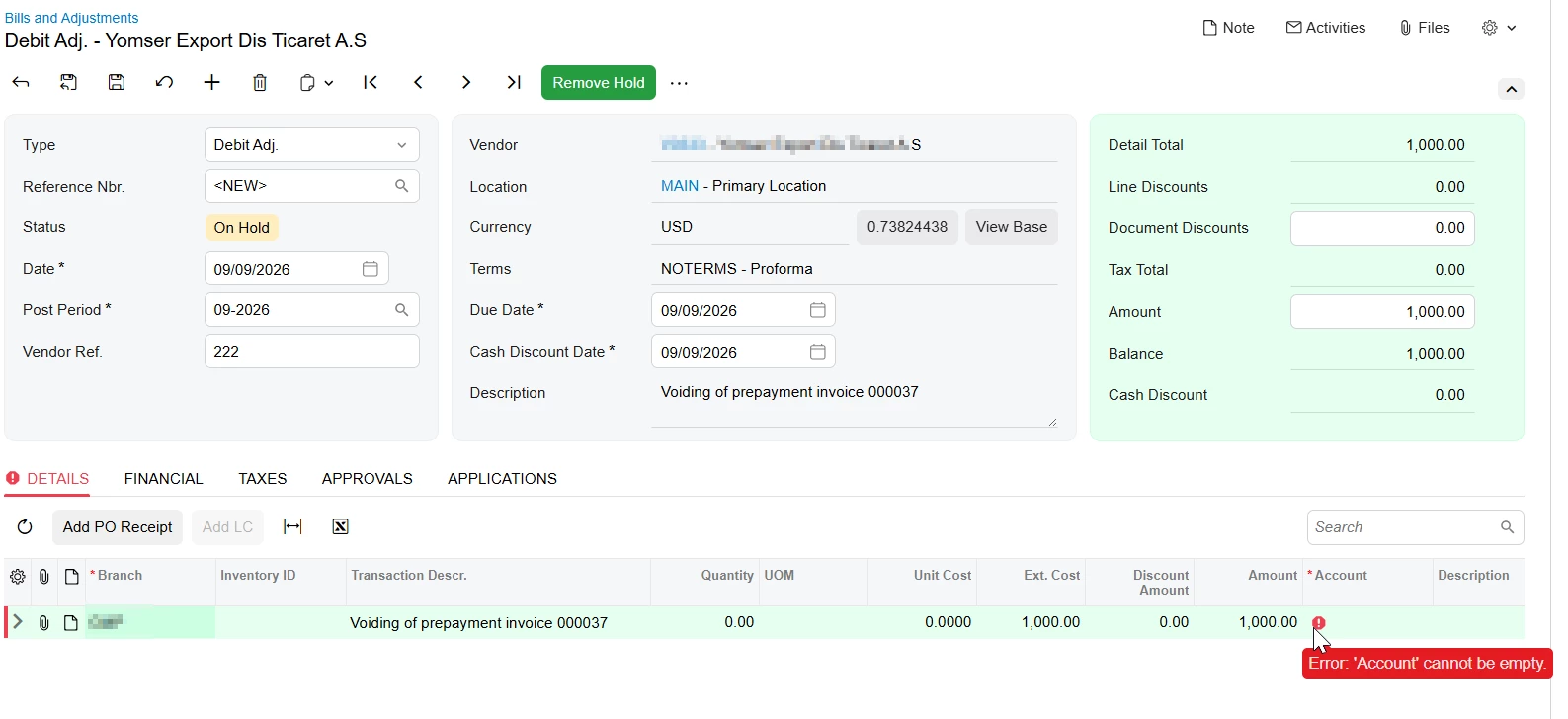
But when I try ‘Write-off Prepayment’ action, it tries to create a debit adjustment but errors the line level account, stating it cannot be emptied. 

I am not allowed to manually fill the account as I did on the prepayment invoice. 


Can someone please help me with this. 


Thank You

4 replies

mohammadnawaz51
Varsity I
Forum|alt.badge.img+7

@apallawala22 

The Write-off Prepayment action may not be the correct option for this scenario, especially since the prepayment invoice was created manually with account/description lines.

Please first verify whether the prepayment invoice has been paid or applied to any document.

If the prepayment invoice is still unpaid and unapplied, the recommended option is to void/cancel the document from Bills and Adjustments.

If the prepayment invoice has already been paid, applied, or released, Acumatica may not allow a direct void. In that case, the correction should be handled through an adjustment/reversing entry based on the GL impact. The error during Write-off Prepayment appears to be occurring because Acumatica is trying to create a debit adjustment, but the line-level expense account is not being populated from the manually entered prepayment line.

Please review the GL batch created by the original prepayment and confirm with the accounting team which account should be used for the reversing adjustment. Once confirmed, we can create the appropriate debit/credit adjustment or GL correction to offset the transaction correctly.


Steve Milner
Varsity III
Forum|alt.badge.img+2
  • Varsity III
  • September 9, 2026

@apallawala22 That error isn't about the lines you typed on the prepayment invoice. The write-off doesn't copy them. It builds one new debit adjustment line for the unpaid balance and pulls that line's account and subaccount from the vendor's default Expense Account. Your vendor doesn't have one, so the line comes through blank and the save trips on it. Same reason the accounts were empty when you keyed the prepayment invoice and had to fill them by hand.

Go to the vendor on the Vendors screen (AP303000), GL Accounts tab, and put an Expense Account in there. If the vendor has more than one location, it has to be on the location the prepayment invoice is using. Save, go back to the prepayment invoice and run the write-off again. This time the debit adjustment will have the account on it. Release it, the prepayment invoice flips to Voided, and the release entries reverse (AP debited, prepayment account credited).

If you don't want that account sitting on the vendor as a default, take it back off once the debit adjustment is saved. The line keeps what it was given.

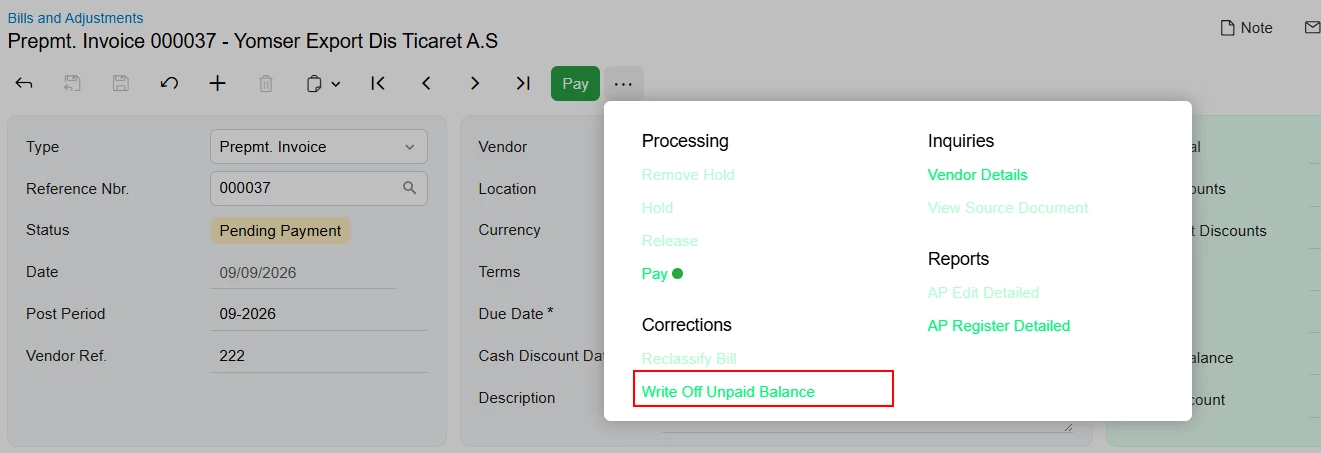
I'm looking at 2026 R1, where the action is labeled Write Off Unpaid Balance. Sounds like the same thing under a different name on your build.


Forum|alt.badge.img+1

To manage AP prepayments invoice in Acumatica, the process depends on the status of the prepayment invoice and any related payments. If a prepayment invoice has not yet had a payment prepared, you can void it directly by opening the Bills and Adjustments (AP301000) form, selecting the prepayment invoice, and choosing Void Prepayment from the More menu. If an AP payment has already been prepared but a check has not been printed, the prepayment invoice cannot be voided directly. Instead, you must either remove the document from the Documents to Apply tab or complete the AP payment and then void it. When a prepayment has already been paid through an AP payment, voiding the AP payment will automatically void the associated prepayment.


Steve Milner
Varsity III
Forum|alt.badge.img+2
  • Varsity III
  • September 17, 2026

@apallawala22 Quick way to tell which path applies to you: look at the Type box on the document. If it says Prepayment, Void is on the More menu and that's all you need. If it says Prepmt. Invoice, you won't see Void at all. The write-off is the only way out, and it needs the Expense Account on the vendor before it'll save. Since yours tried to create a debit adjustment, you're on the second one.

The help topic for that path is here, under the partial payment section:
https://beacon.acumatica.com/r/Accounts-Payable-Guide/Processing-Prepayment-Invoices/AP-Prepayment-Invoices-Paying-a-Prepayment-Invoice

Did it go through after you set the account?