Question

Can not to activate the fixed asset by save and released

  • October 6, 2025
  • 3 replies
  • 50 views

Forum|alt.badge.img

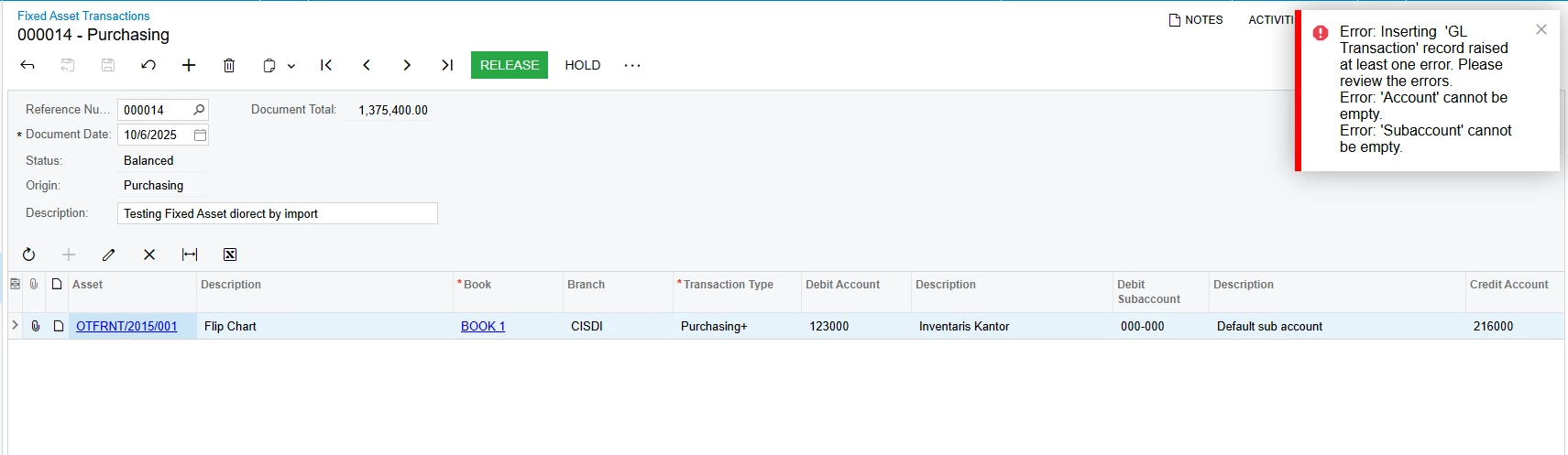
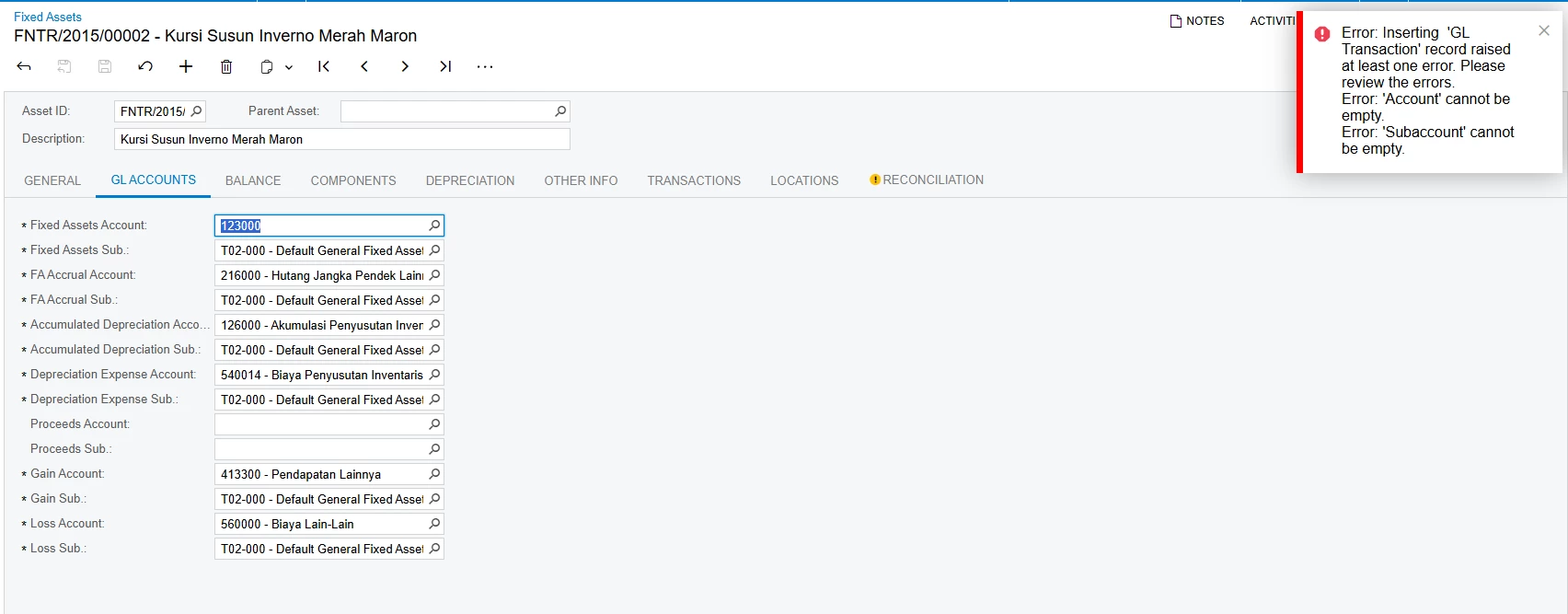
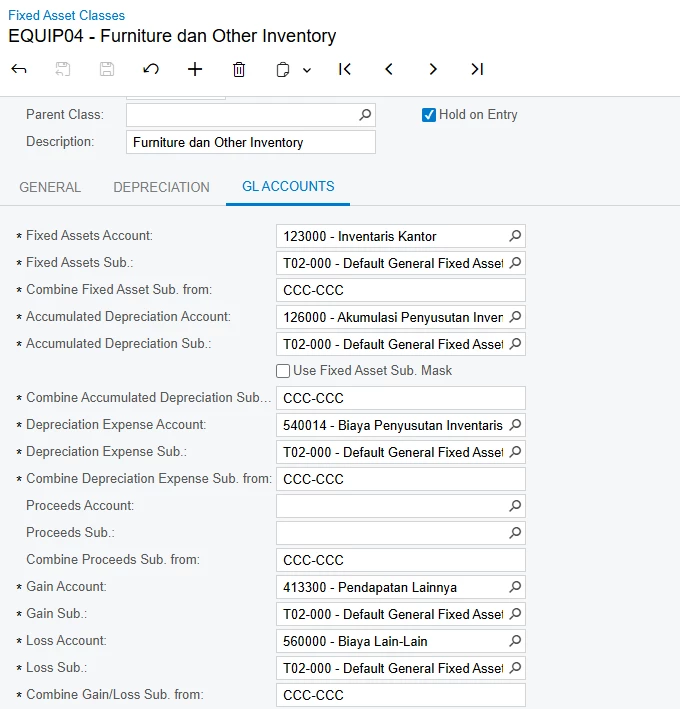
Hii, i want to Activate my Fixed Asset by “Remove Hold”, but when i tray to save the Fixed Asset, there is an error. So i can not to release the Fixed Asset Transactions and the other procedure for Fixed asset. Please help me to solve about this, the COA is already active, i created the new dummy subaccount (T02-000) and also i already check the fixed asset class for this and confirmed if their already have the same setting for GL Account. 
I really confuse, there’s a step that i miss, so i can not to Activate and Release the transactions.
Thank you


3 replies

nmizzell9000
Varsity I
Forum|alt.badge.img
  • Varsity I
  • October 6, 2025
  1. Is your fixed assets preferences form filled out?
  2. Could you send an example asset that is throwing an error. It might be an incorrect or incomplete asset class tied to that asset that is causing the error.
  3. Are all of your asset classes complete with all GLs and subaccounts filled in

Forum|alt.badge.img
  • Author
  • Jr Varsity III
  • October 14, 2025

hi ​@nmizzell9000 thank you for your respond.
1. Yes, i already filled out default account in fixed asset preferences
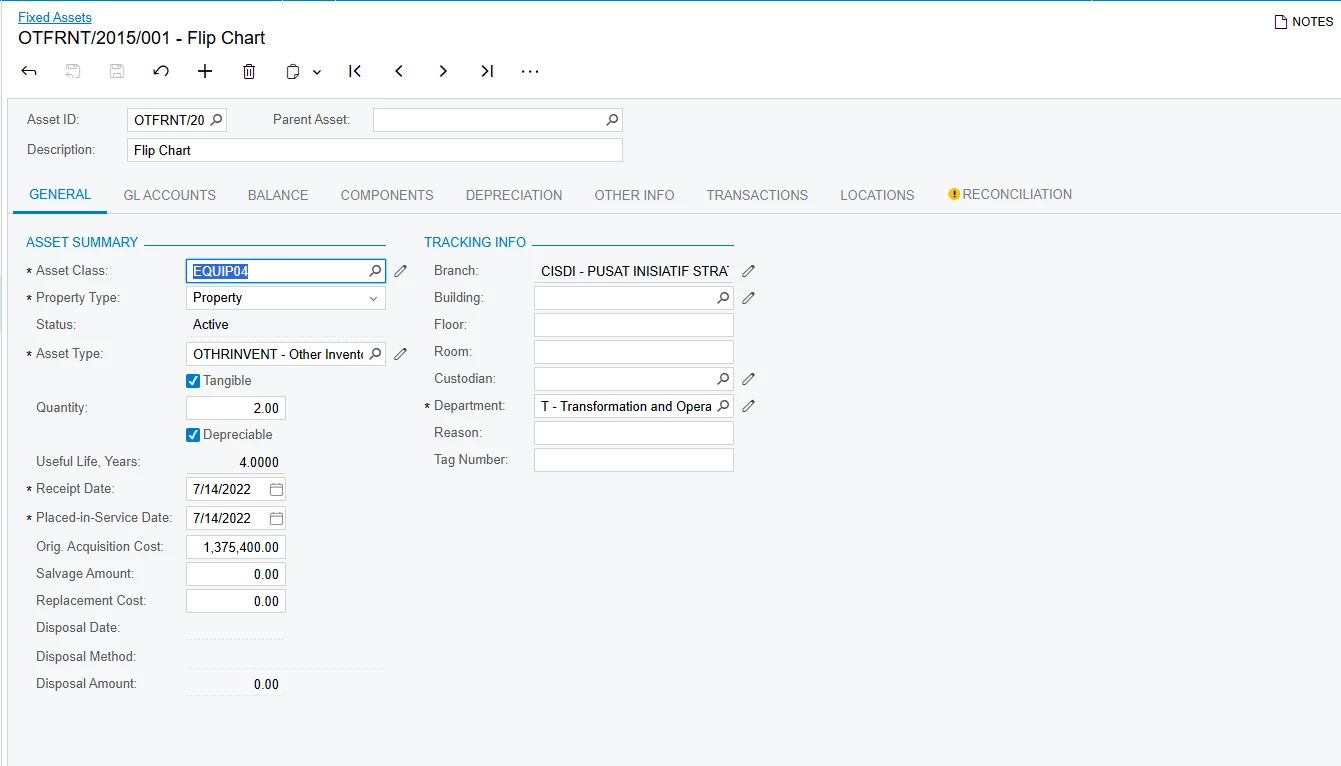
2. yaa sure, you can the capture bellow
 

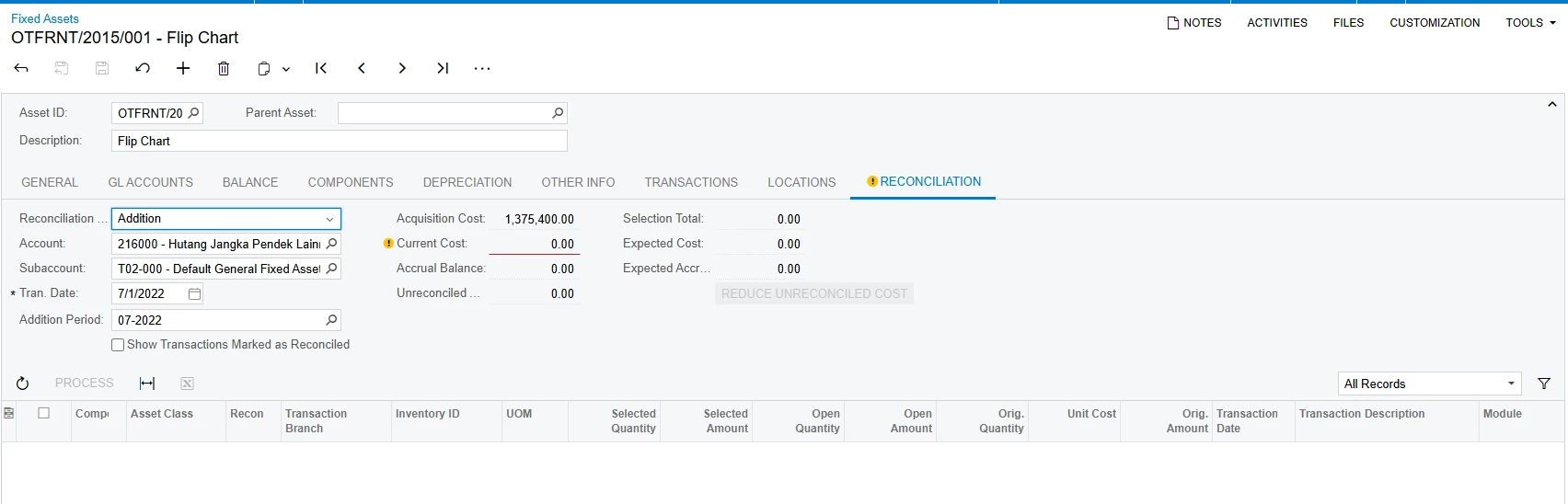
here is the asset, there is warning in tab reconciliation because the unreleased purchase transaction, but when i try to release from fixed asset transaction (look the first capture) the error happened because account and subaccount cannot be empty, i mean already input each account in tan gl account.
 

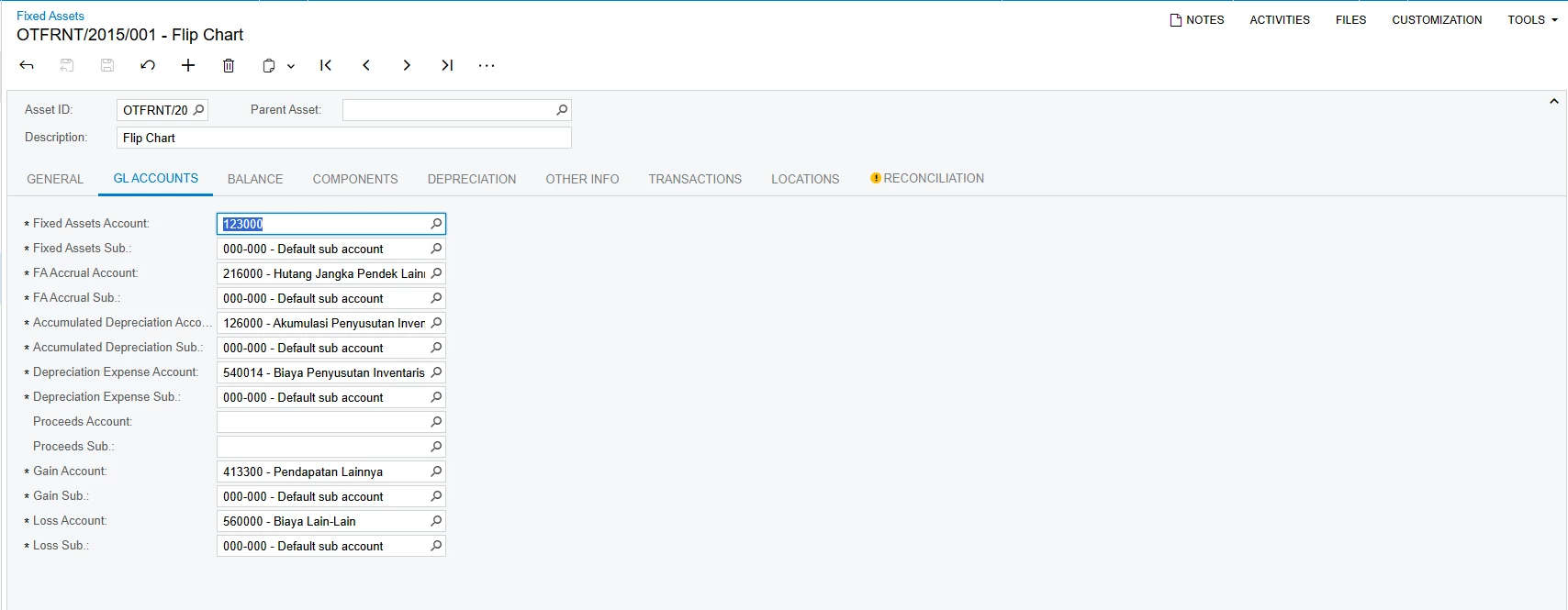
  1. yes, you can see in here, i already input the account and subaccount, but i don’t get it where is the error, is it because i using import scenario or there is step i miss?


    I really appreciate if you can reply dan solve this, thank you


Chris Hackett
Community Manager
Forum|alt.badge.img
  • Acumatica Community Manager
  • November 6, 2025

Hi ​@dinda56 were you able to find a solution? Thank you!