Answer

Business Account to Customer Workflow

  • April 28, 2025
  • 2 replies
  • 90 views

Forum|alt.badge.img

We are currently exploring options to streamline the process of converting business accounts (BAs) to customers in Acumatica, ensuring efficiency and maintaining control over the conversions. Our client relations team receives calls from customers who wish to place orders over the phone and pay with a credit card. In order to proceed, the client relations team adds these customers as new Business Accounts (BAs). The BAs are then converted to customers to conduct business, but only our accounts receivable team has the ability to convert BAs.

Is there a way to create an exception in Acumatica where our customer service team can ONLY convert BAs to a specific customer class, such as "Credit Card Customer," which automatically assigns them credit card terms? This would enable our customer service team to securely utilize Acumatica payments for credit card purchases. We are seeking advice on how to implement this exception effectively to ensure our customer service team can manage credit card transactions seamlessly while maintaining controlled access for conversions.

Furthermore, we would greatly appreciate any recommendations or examples from users who have successfully implemented workflows that streamline the conversion of Business Accounts (BAs) to customers, especially those that include assigning specific payment terms. Insights into how companies manage this process efficiently, maintaining control while allowing customer service teams to handle credit card transactions, would be incredibly valuable. Sharing best practices and practical examples will help us adopt a better system that enhances our operations and customer experience.


Thank you in advance for any feedback!!!
Best answer by valentynbeznosiuk

Hello ​@fkrug ,

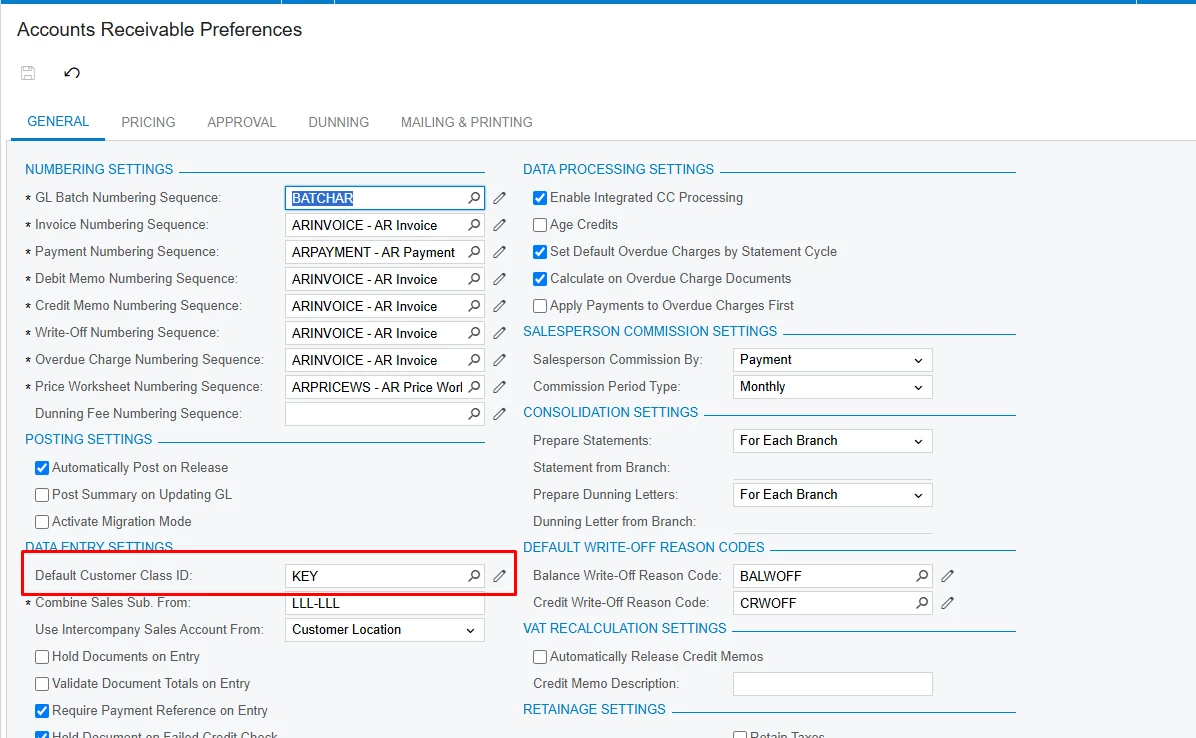
As an idea you can use Default Customer Class ID setting to define needed Customer Class as default value

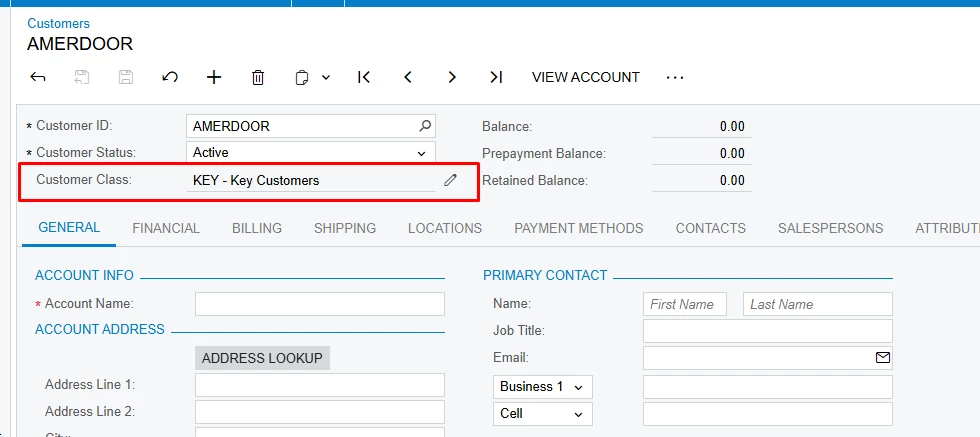
And then using user security, makethe  Customer Class field View Only for needed users, so they won’t be able to change this value, so the result would be the following

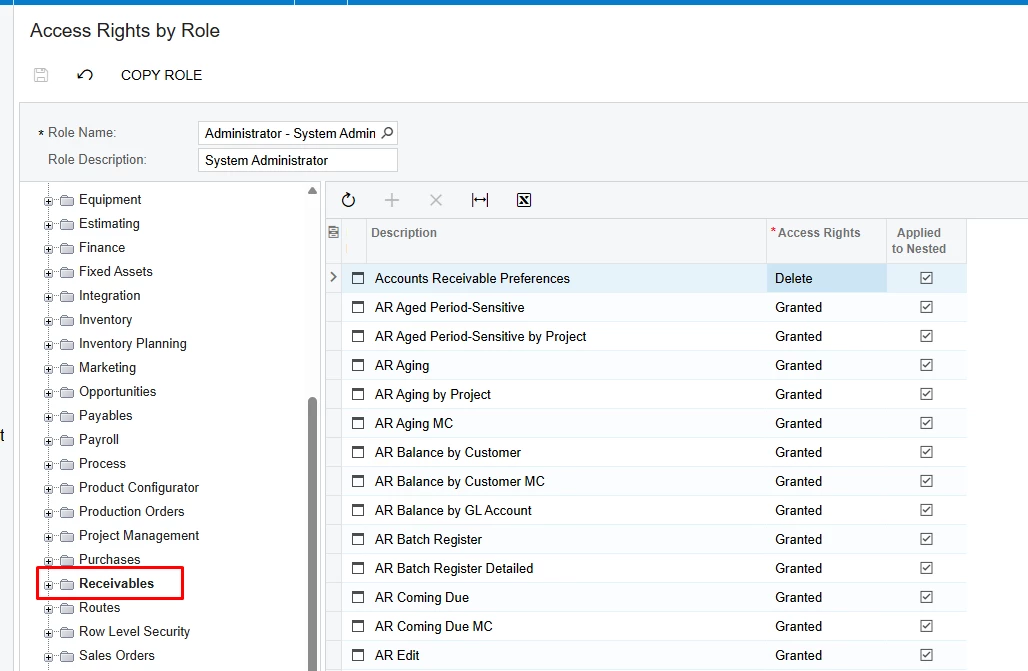
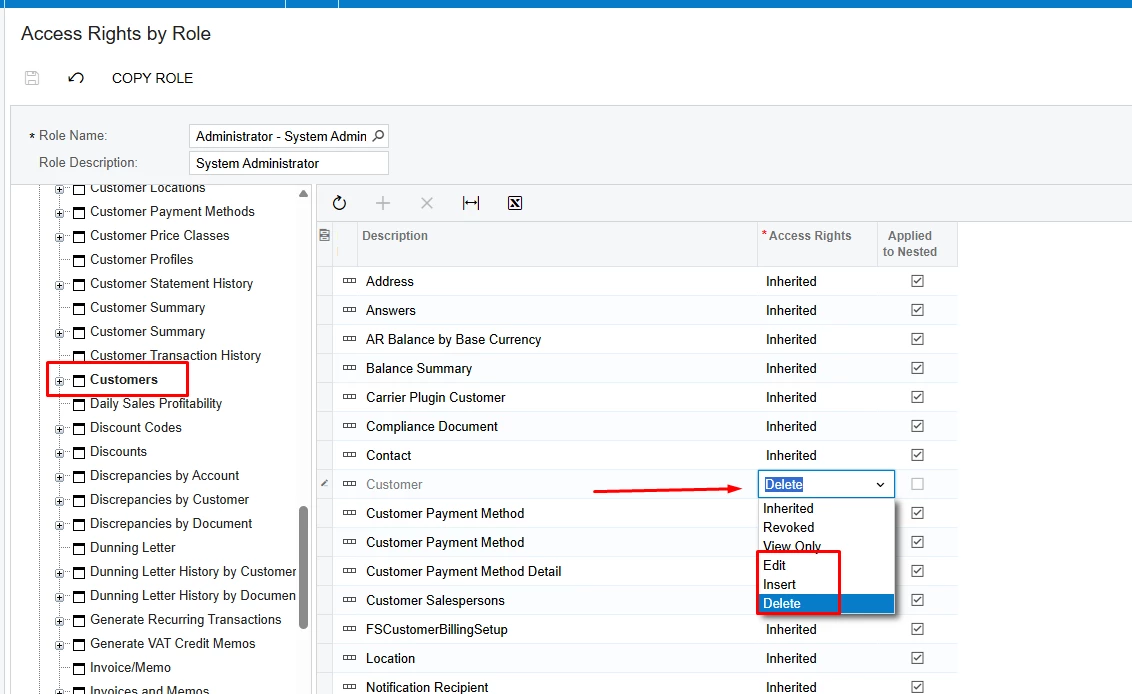
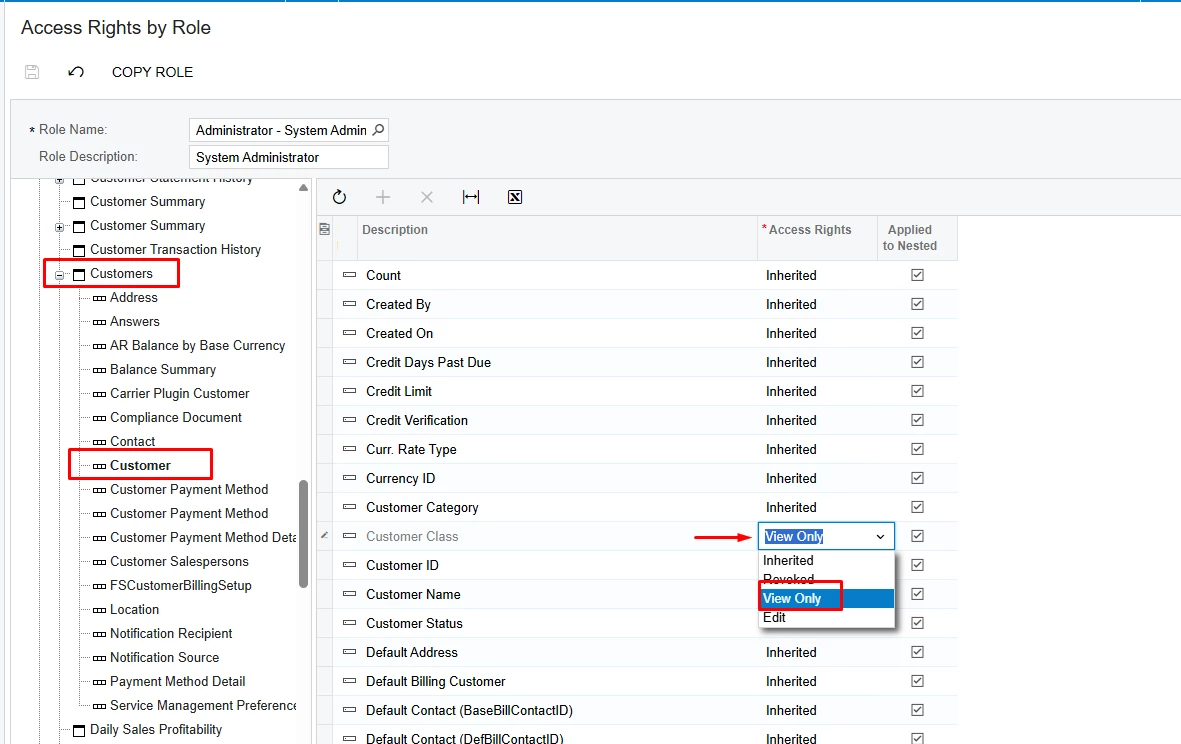
To make this field View Only, go to Access Rights by Role screen, the select needed User Role and perfrom the following settings:


2 replies

miguel80
Semi-Pro III
Forum|alt.badge.img+3
  • Semi-Pro III
  • April 28, 2025

I don’t have the whole answer for you, but it might work as a first step.

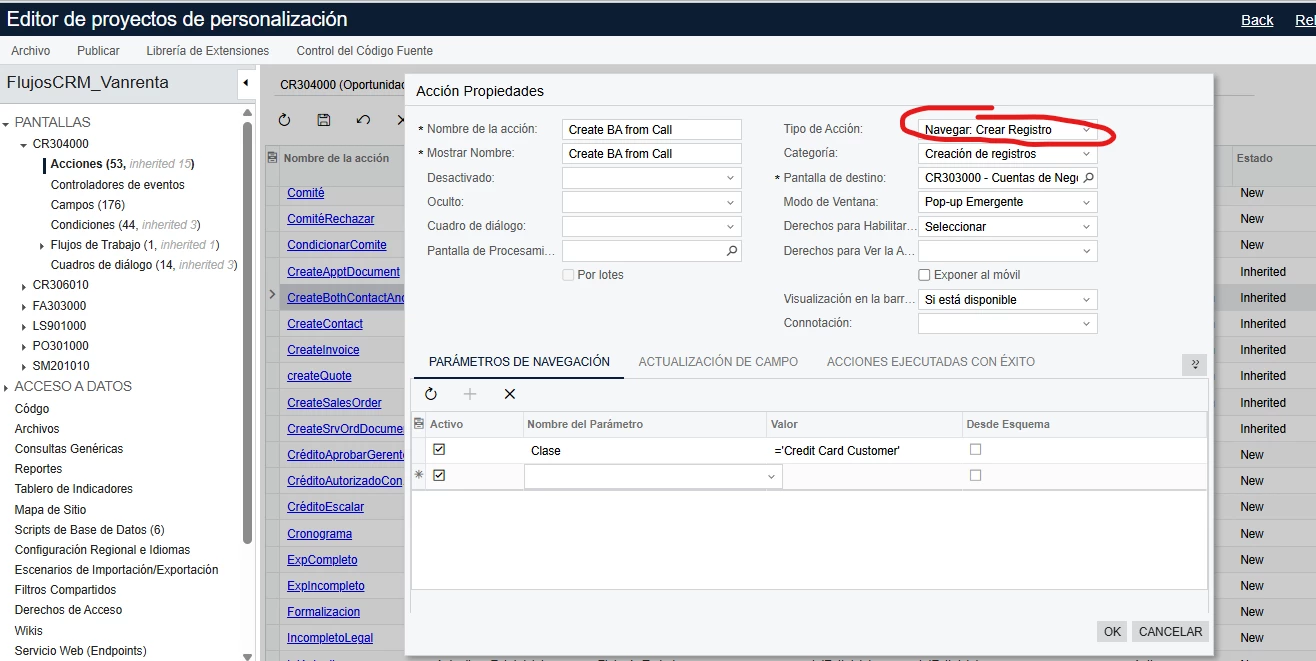
You could create a new “Create BA from Call” (or something like that) on the screen.


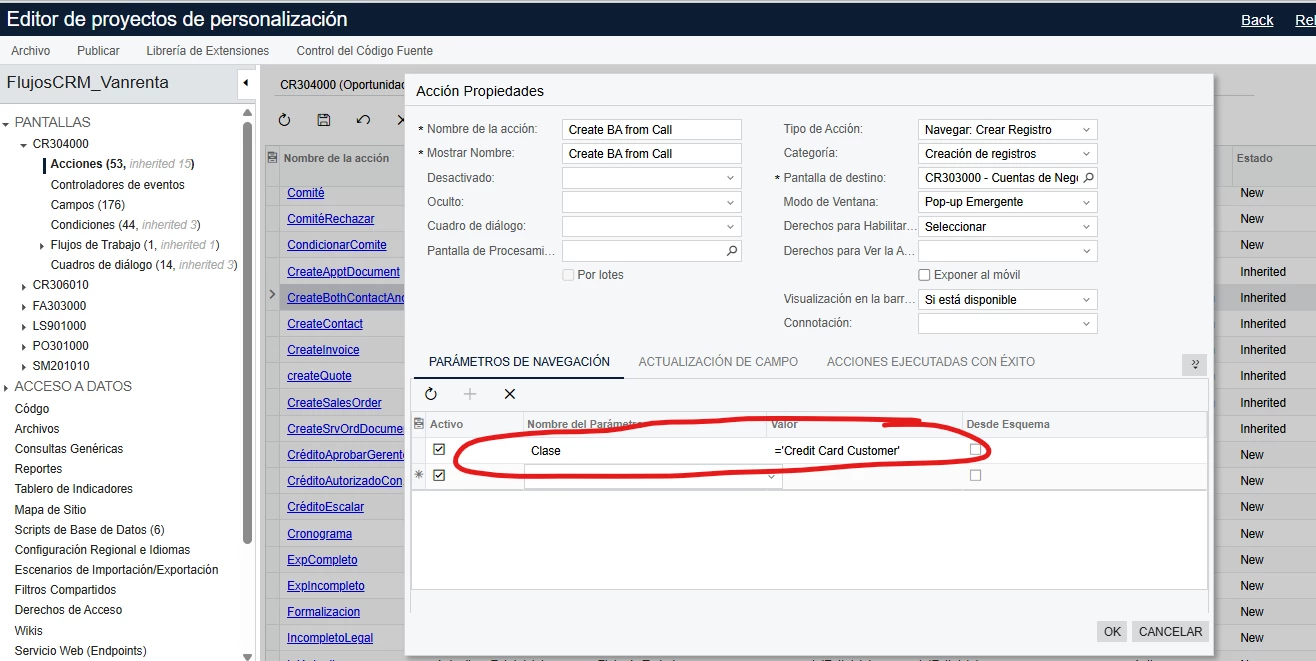
Then you can set the values that you want to set on the screen:


And you can revoke the access to that field for the users. So if they want to create an account they can only use THIS action and not the original one, and when the record is created they can’t move those fields that you autofilled.


The part that I’m missing is how to assign the new account to the opportunity, but I hope it works as a first step for you.


Hope this helps!


valentynbeznosiuk
Jr Varsity I
Forum|alt.badge.img+3

Hello ​@fkrug ,

As an idea you can use Default Customer Class ID setting to define needed Customer Class as default value

And then using user security, makethe  Customer Class field View Only for needed users, so they won’t be able to change this value, so the result would be the following

To make this field View Only, go to Access Rights by Role screen, the select needed User Role and perfrom the following settings: