Answer

Bills and Adjustments - Add PO

  • January 16, 2024
  • 5 replies
  • 310 views

Forum|alt.badge.img

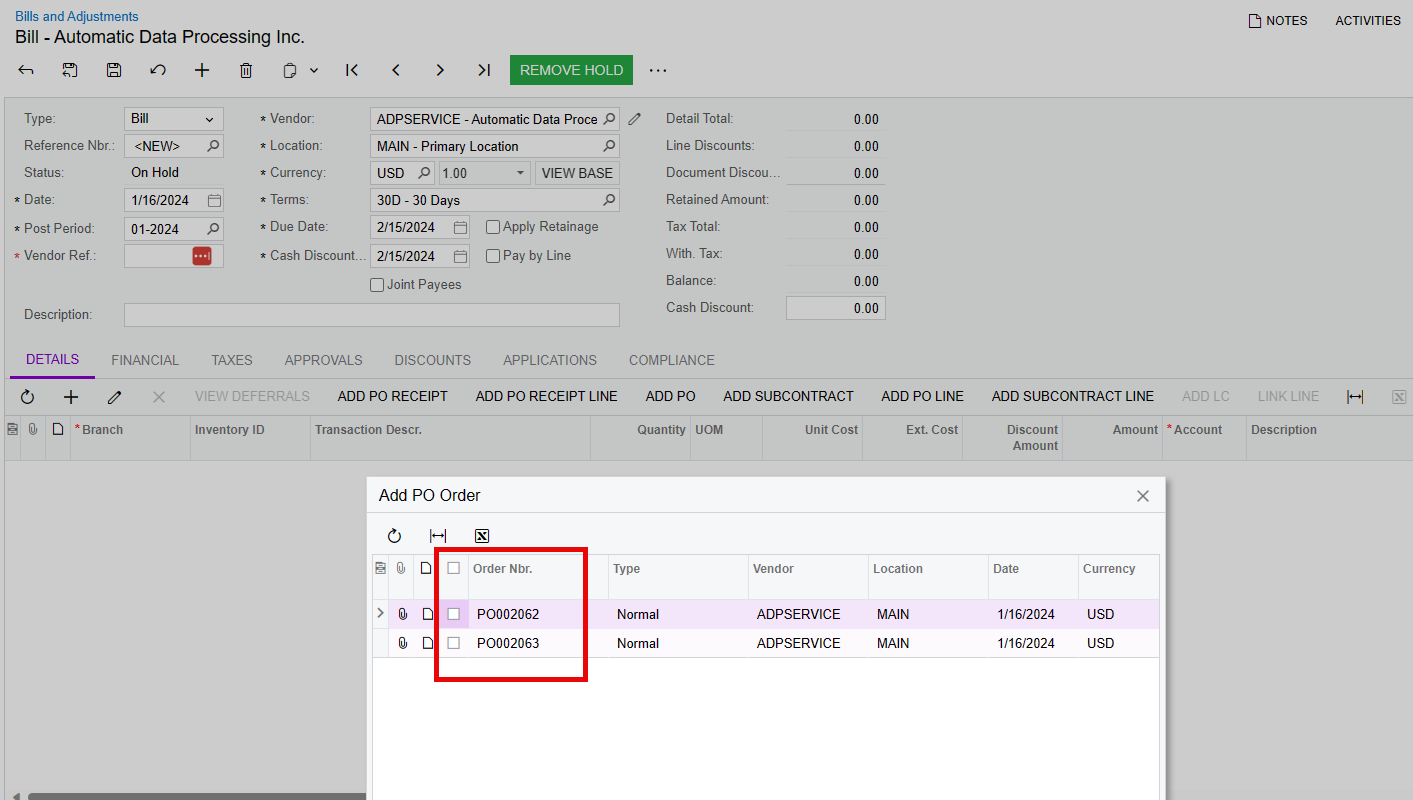
When I click ‘Add PO’ or ‘Add Receipt’ nothing shows up even when there are received POs for this Vendor and Stock Item.

Best answer by Kandy Beatty

HI @josborn 

For this it’s a combo of things:

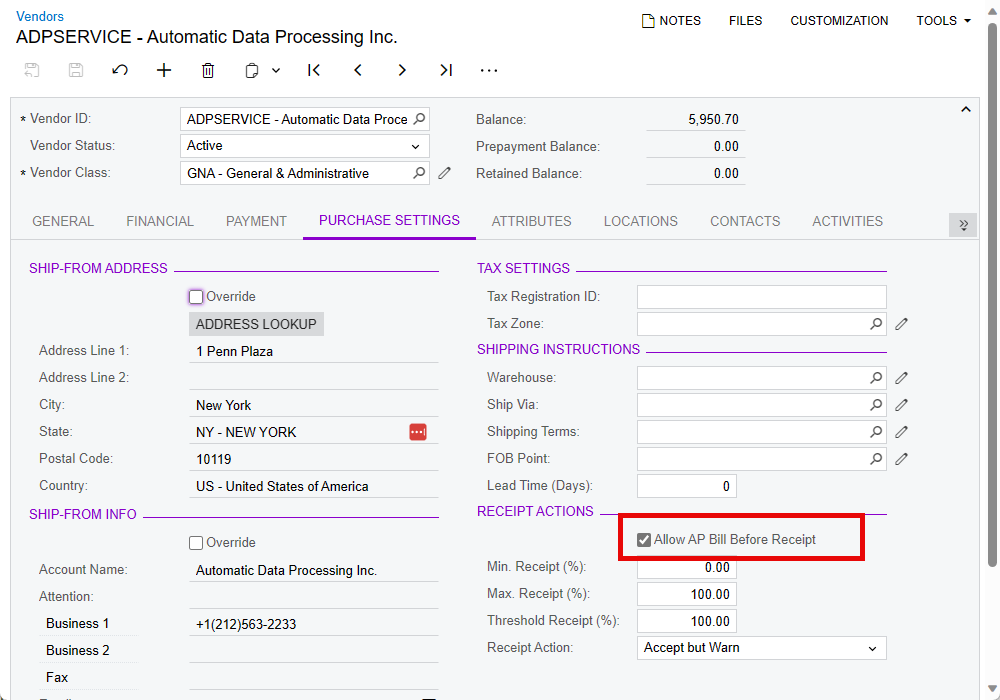
  1. The vendor needs to be marked as Allow AP Bill before Receipt
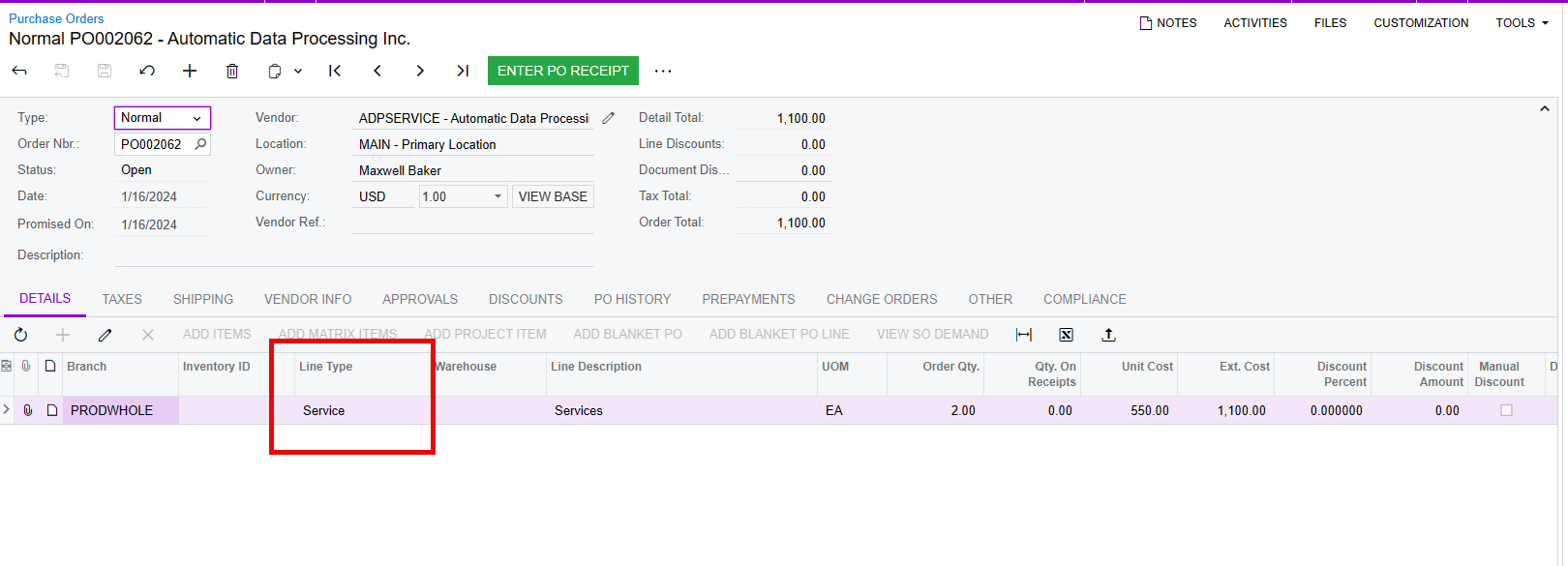
  1. The line Types on the PO need to be Non-Stock type items (even if they have no Inventory ID)
  1. Then you can add your PO’s


5 replies

dcomerford
Captain II
Forum|alt.badge.img+15
  • Captain II
  • January 16, 2024

Are you able to go to the Purchase Receipt and select the option Create Bill for one of these receipts


Forum|alt.badge.img
  • Author
  • Freshman I
  • January 16, 2024

Yes, I can create a bill but the PO still doesn’t show up when I click ‘Add PO’


Samvel Petrosov
Jr Varsity II
Forum|alt.badge.img+8

Can you share an example of the PO Receipt that you can’t add to the AP Bill? Add PO won’t show the record unless the Vendor is configured to  “Allow AP Bill Before Receipt”.


Kandy Beatty
Captain II
Forum|alt.badge.img+17
  • Captain II
  • Answer
  • January 16, 2024

HI @josborn 

For this it’s a combo of things:

  1. The vendor needs to be marked as Allow AP Bill before Receipt
  1. The line Types on the PO need to be Non-Stock type items (even if they have no Inventory ID)
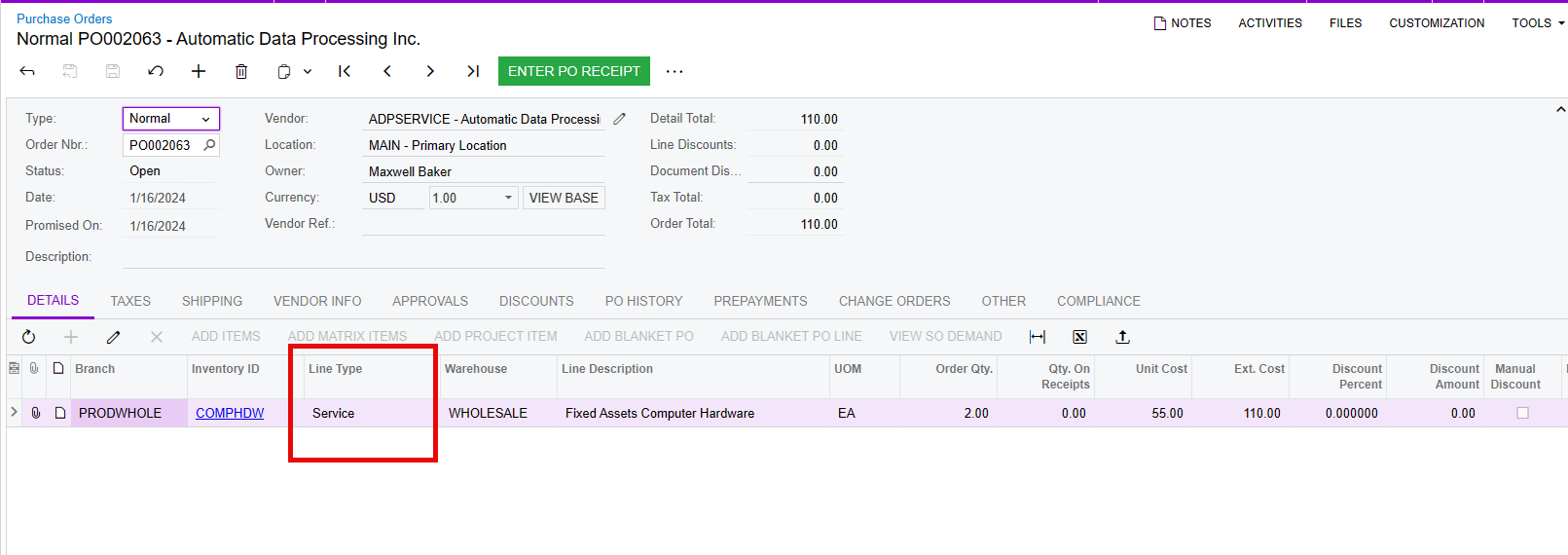
  1. Then you can add your PO’s


Forum|alt.badge.img
  • Varsity I
  • March 27, 2025

@Kandy Beatty  if some of the POs have already been received how it will works