

Solved

Bill with split dates

  • Jul 30, 2025 2:02 PM UTC
  • 2 replies
  • 145 views
  • Translate All

Kandy Beatty
Captain II
Forum|alt.badge.img+18

Does anyone know how to put multiple dates on bills for payments? Say there is a bill for $800, it needs broken into 2 dates July 30 for $350 and September 1 for $450. I tried with credit terms installments but it does not break the bill out. 

Best answer by JohnMichels

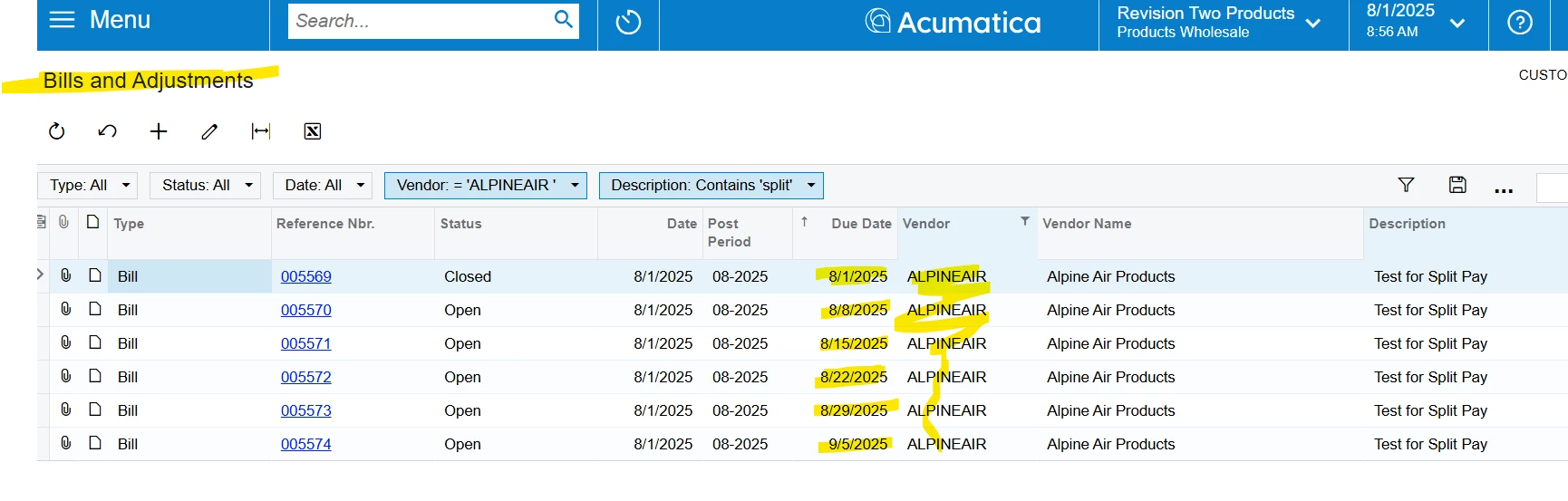
​@Kandy Beatty If you can work within the confines of the credit terms installment functionality (i.e. the proper installment dates/amounts % can be created), entering a single bill will “create” multiple bills with their associated due dates and amounts.  The original bill entered is CLOSED (status). 

A single bill cannot be created with multiple due dates are the due date is in the header of the document.
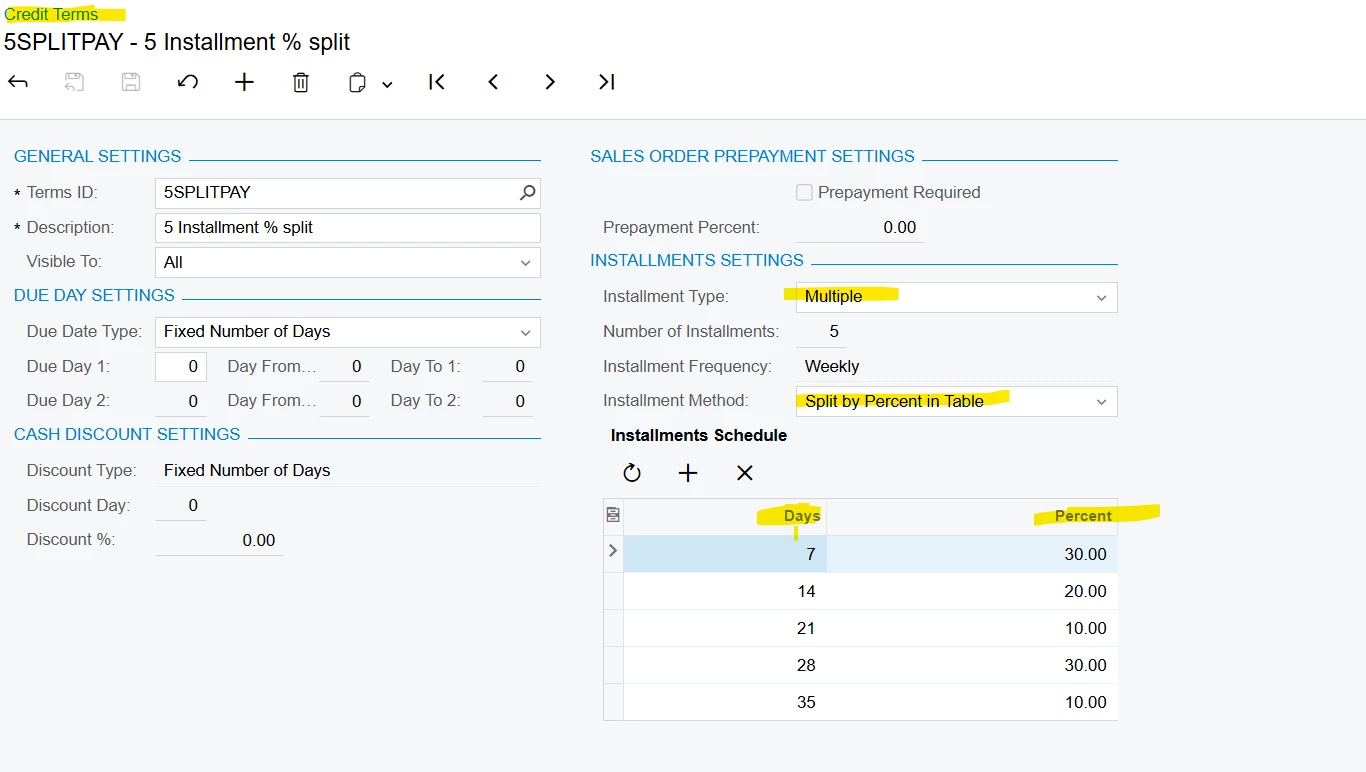
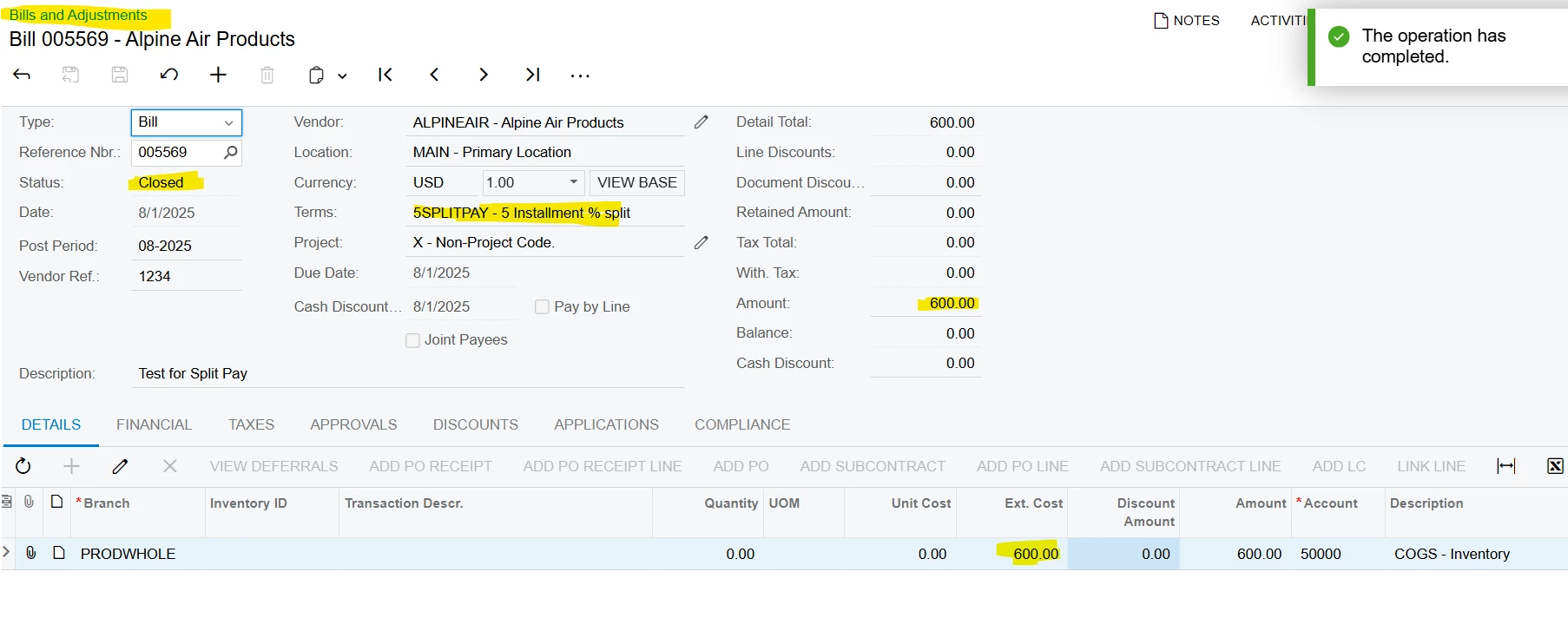
 

Installment Payment Terms
Original Bill w/Installment Terms-Status=CLOSED
AP Bills Created from Original Bill -See Due Dates


View original

2 replies

Forum|alt.badge.img+3
  • Jr Varsity I
  • Answer
  • Aug 1, 2025 12:58 PM UTC

​@Kandy Beatty If you can work within the confines of the credit terms installment functionality (i.e. the proper installment dates/amounts % can be created), entering a single bill will “create” multiple bills with their associated due dates and amounts.  The original bill entered is CLOSED (status). 

A single bill cannot be created with multiple due dates are the due date is in the header of the document.
 

Installment Payment Terms
Original Bill w/Installment Terms-Status=CLOSED
AP Bills Created from Original Bill -See Due Dates


Translate

Kandy Beatty
Captain II
Forum|alt.badge.img+18
  • Author
  • Captain II
  • Aug 1, 2025 4:13 PM UTC

Thank you ​@JohnMichels 

That’s what I ended up solutioning for the client. 

Translate