Answer

Automation to Open GL Periods on the 16th of the month Prior

  • May 21, 2025
  • 1 reply
  • 21 views

Forum|alt.badge.img+1

I am struggling to get my automation to open GL Periods on a specific day of the month.


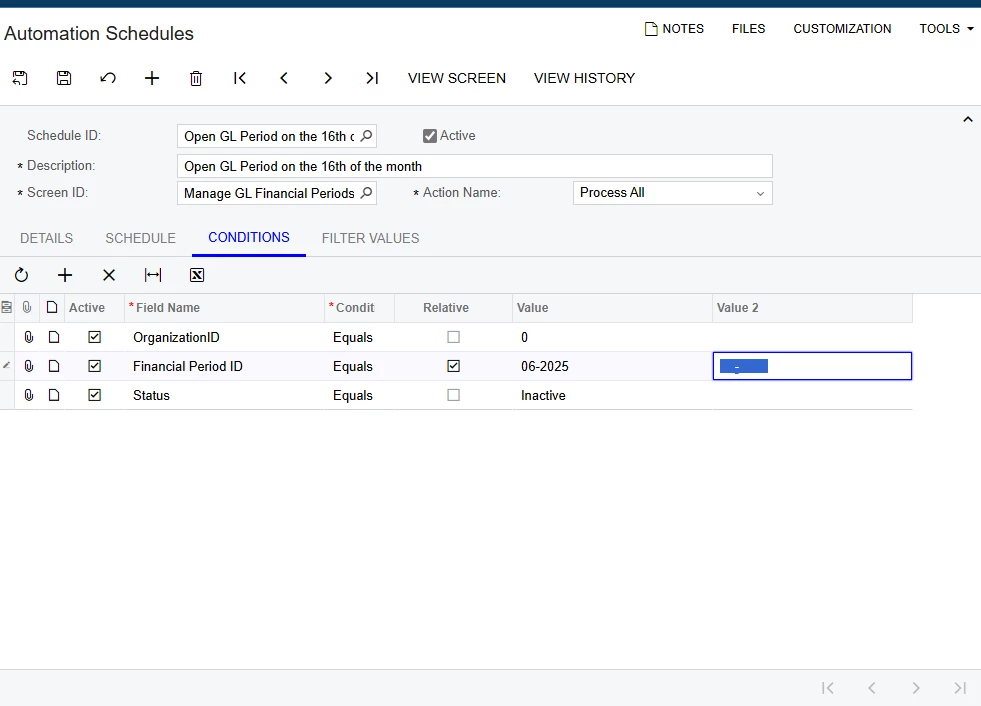
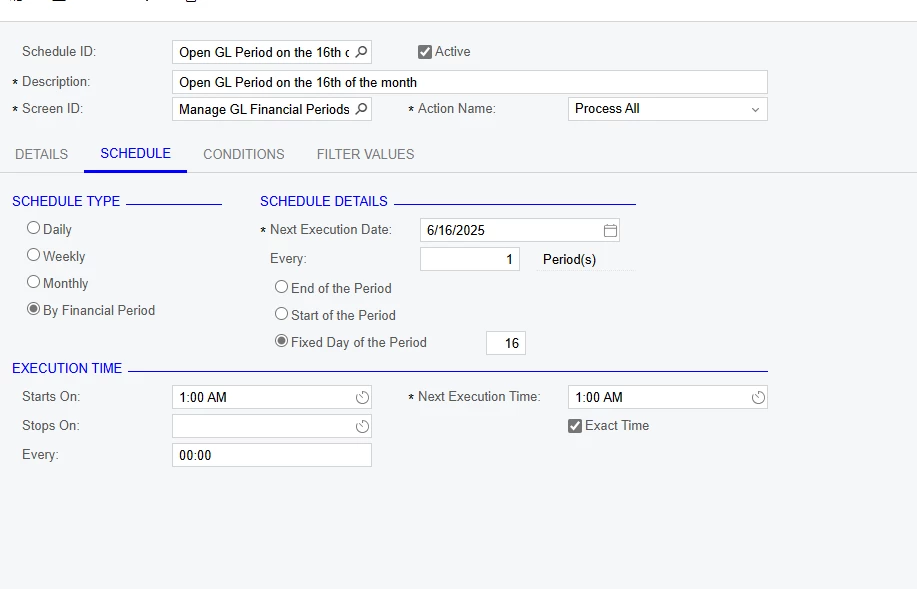
This is the current schedule and conditions that I have,

However I do not understand how to do relative values with the relative checkbox.

I cannot use equations in these condition fields, so I am stuck.

Can anyone help me with this?
 

Best answer by bodiec

I was successfully able to create a business event and import scenario that will open the next GL Period each month.


It has worked so far. 


The GI just uses PX.Objects.GL.FinPeriods.MasterFinPeriod  for the FinPeriodID, Descr, and status. 

with a condition for Status equals inactive. This looks to effectively just look at the upcoming GL Period. (Gi attached)


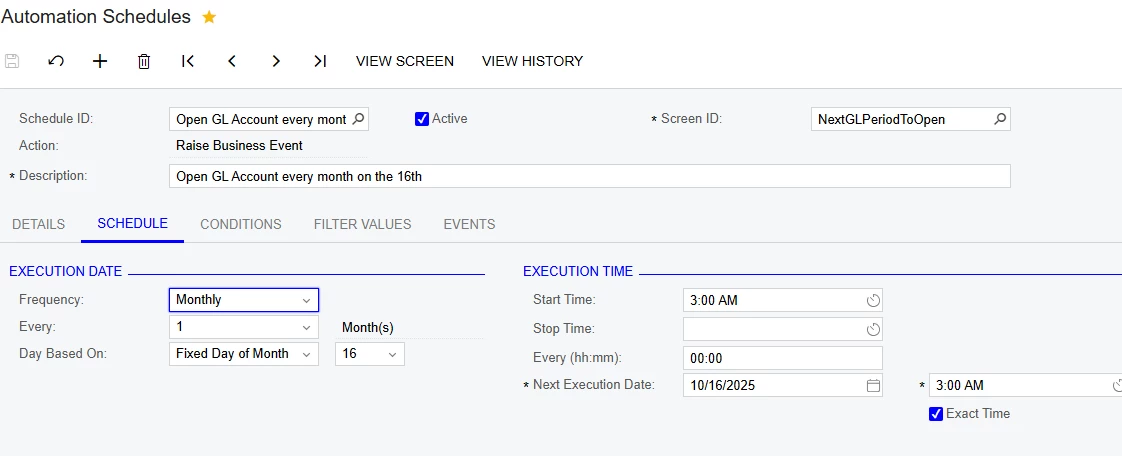
Then the Business Event is Trigger by Schedule,

Trigger condition is Status equals inactive,


Schedule is Monthly on the 16th, 


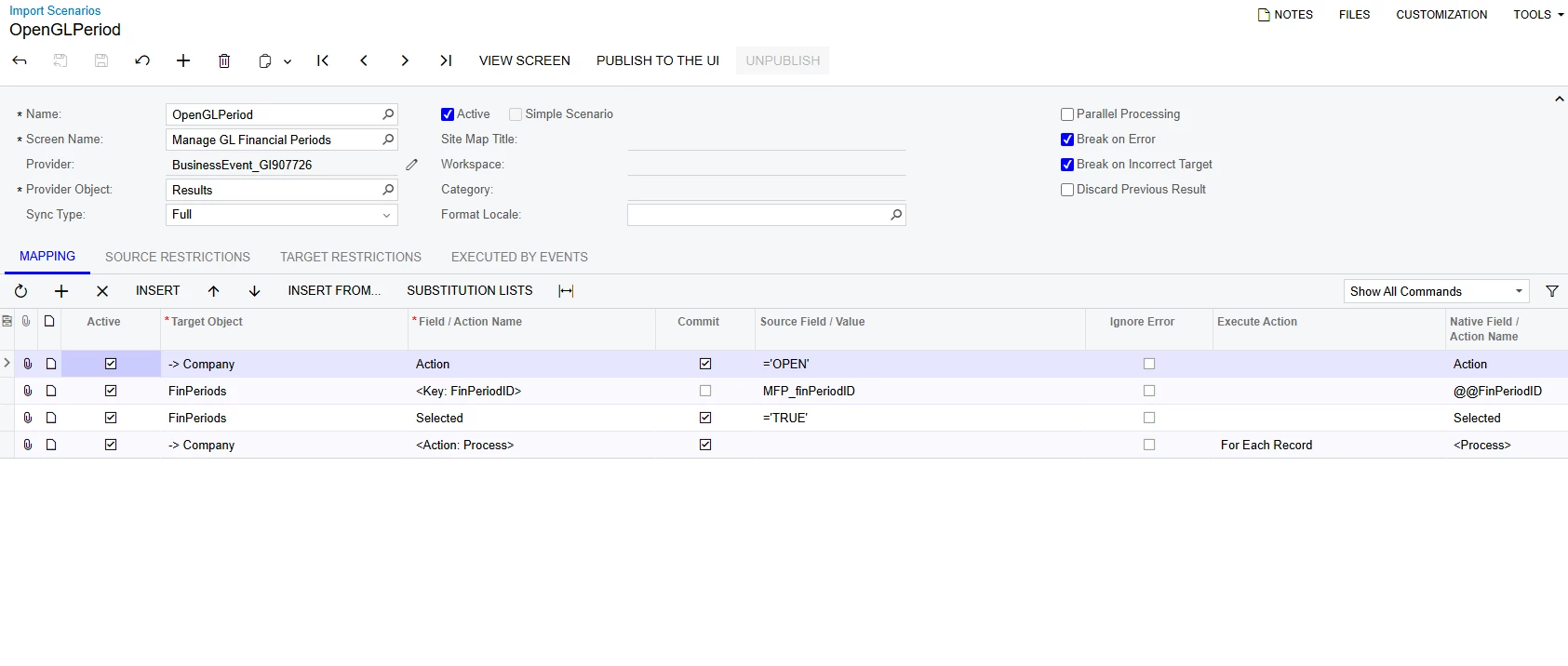
And this is the import scenario using the Manage GL Financial Periods screen (xml attached):


1 reply

Forum|alt.badge.img+1
  • Author
  • Semi-Pro II
  • Answer
  • October 6, 2025

I was successfully able to create a business event and import scenario that will open the next GL Period each month.


It has worked so far. 


The GI just uses PX.Objects.GL.FinPeriods.MasterFinPeriod  for the FinPeriodID, Descr, and status. 

with a condition for Status equals inactive. This looks to effectively just look at the upcoming GL Period. (Gi attached)


Then the Business Event is Trigger by Schedule,

Trigger condition is Status equals inactive,


Schedule is Monthly on the 16th, 


And this is the import scenario using the Manage GL Financial Periods screen (xml attached):