Question

Automate Calculation of Overdue charges

  • February 24, 2026
  • 5 replies
  • 28 views

Forum|alt.badge.img+1

Hi, we are trying to automate the calculation and processing of AR Overdue charges.


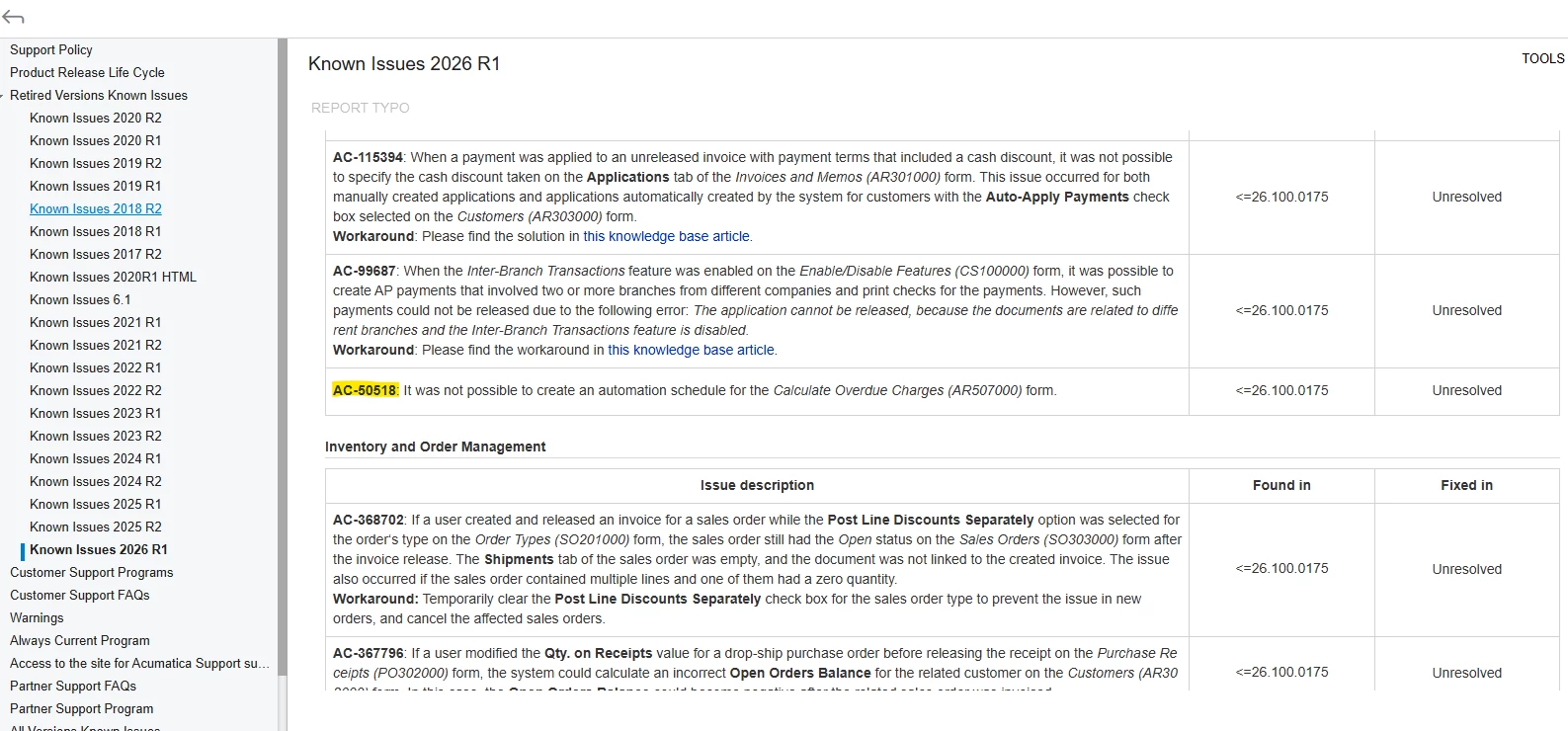
I have setup the Automation schedule and the last two months, it did not create any Invoices.

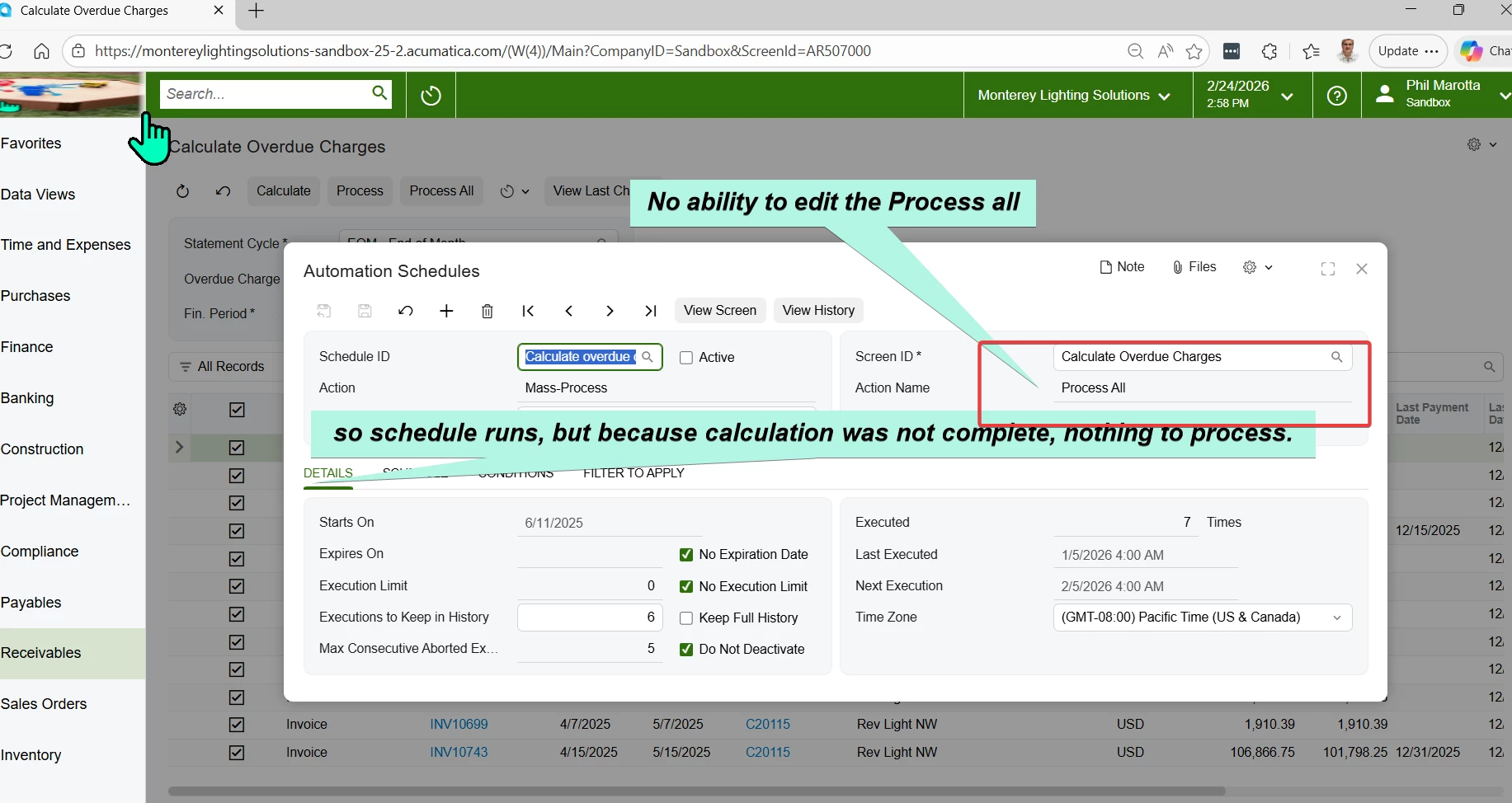
So in looking at the Scheduler, it does not give the action to calculate first.  So Process all does not process any documents.


Please advise.


5 replies

Forum|alt.badge.img+1

Hi ​@phillipmarotta ,

Can you confirm if the invoices have Apply Overude charges checkbox active? Also make sure the values defined under Filter values tab of the Automation Schedules screen matches the logic, if any.

Hope this helps!!


Forum|alt.badge.img+1
  • Author
  • Freshman II
  • February 27, 2026

yes, overdue checkbox is active.  Under the filter, there is no option for Calculate.


Forum|alt.badge.img+1

yes, overdue checkbox is active.  Under the filter, there is no option for Calculate.

@phillipmarotta ,

I checked and found that the Calculation has to be done before the automation could trigger. Hence, users would need to manually click on the “Calculate” button to calculate the charges, as it requires to calculate and then the Overdue Charge Doc could be created.

Hope this helps!!


Forum|alt.badge.img+1
  • Author
  • Freshman II
  • February 28, 2026

yes, that is my point, the automation schedule does not Calculate, so the Automation is incomplete and not invoices are created.  So why does Acumatica create an incomplete automation?


Forum|alt.badge.img+1

@phillipmarotta ,

If the automation is setup correctly, Acumatica would eventually run the automation irrespective of whether there’s any fields to be processed or not.