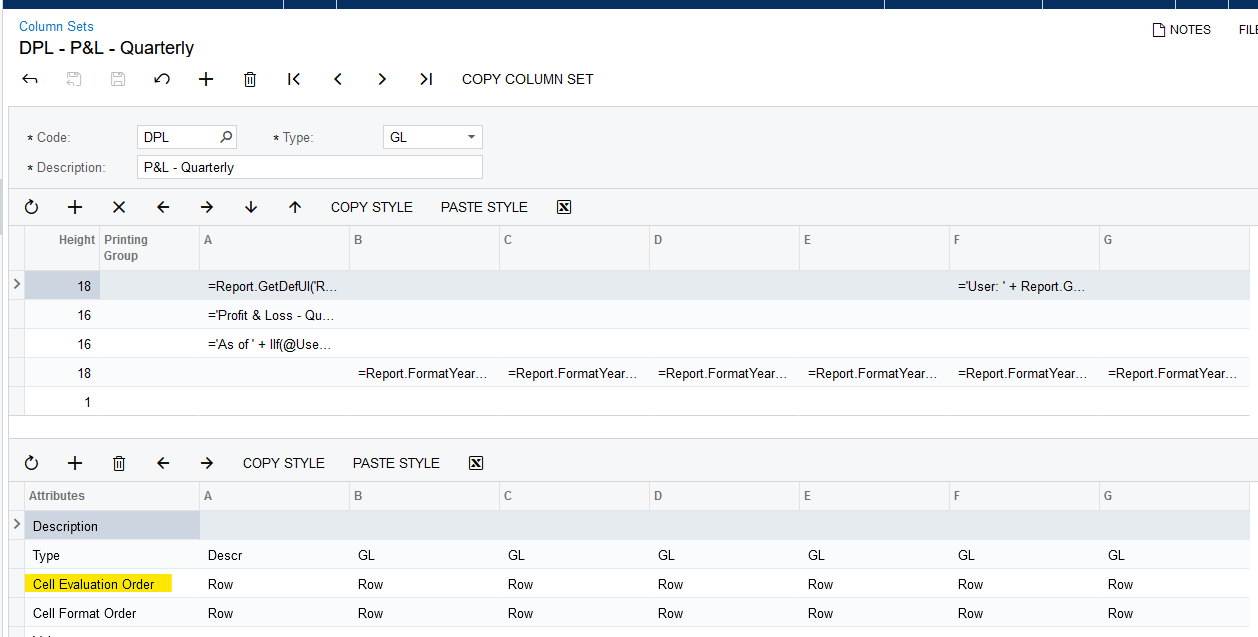
I am trying to report a gross margin percentage on a report while using the column set Rounding to Thousands. To illustrate, I have the following rows.
No Rounding:
100 Sales 10,000
120 Gross Margin 5,400
125 Gross Margin % (@120/@100) = 54% format #,##0%
When rounding to Thousands is not used the calculation is fine.
With Rounding to Thousands:
125 Gross Margin % (@120/@100) = 0% it appears to divide the .54 result by 1000
Changing formula to multiply by 1000:
125 Gross Margin % (@120*1000)/@100 = 50% it appears to round the 540 result to the nearest thousandth .5. Note that if I multiply by 10,000, the result is 540%.
If anyone has experienced this problem and can provide a solution, I would appreciate it.