Question

ARM Column Set - Get Company Name from Parameter

  • September 21, 2026
  • 2 replies
  • 20 views

debbiereed72
Varsity II
Forum|alt.badge.img

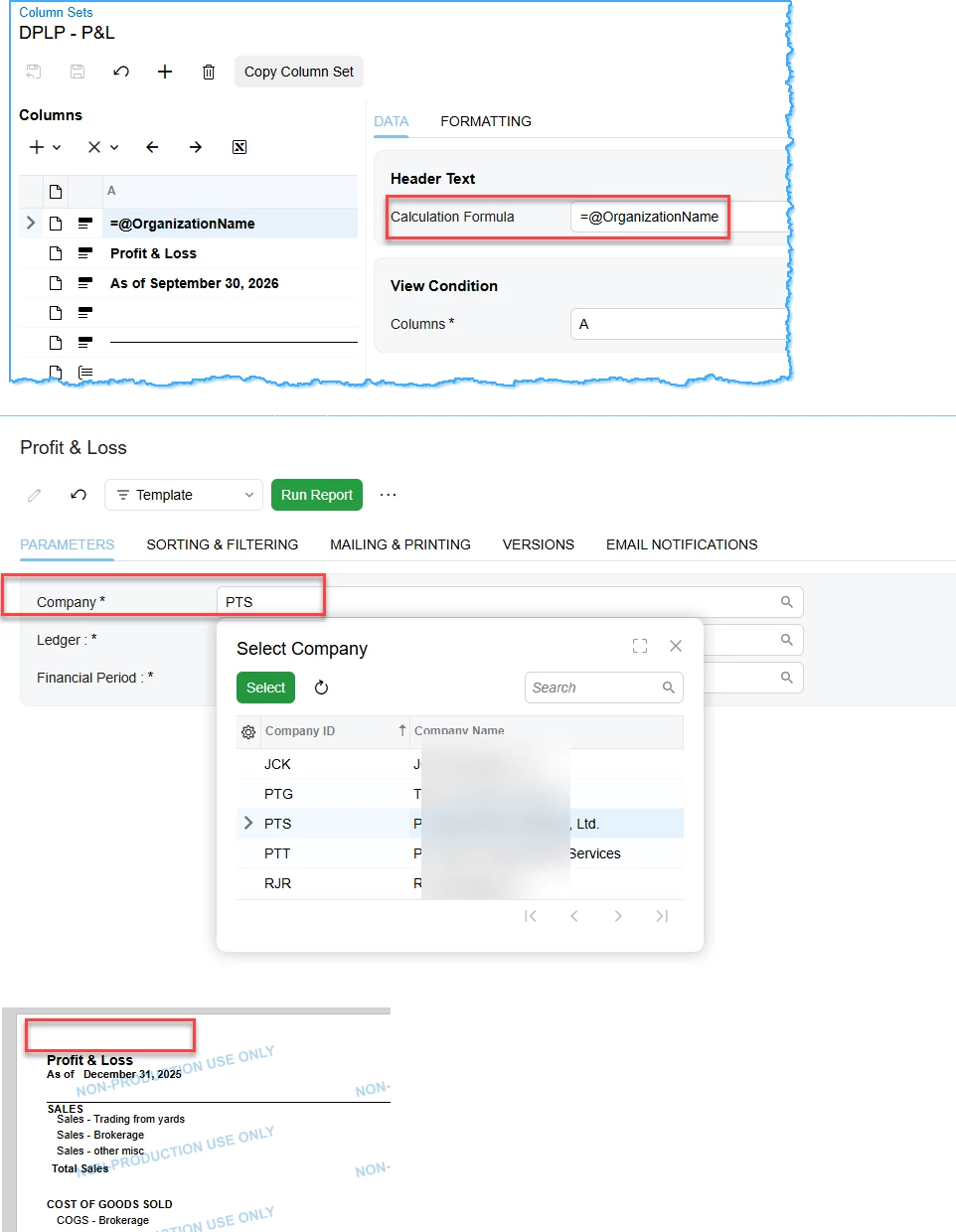
Used to be able to use @OrganizationName.  It seems that Parameters are no longer supported in formulas in the headers of the Column Set in the Modern UI

In Modern UI, 26R1+ how do we get the financial reports to print the company selected in the parameters rather than the company the user is “in”?



2 replies

Steve Milner
Varsity III
Forum|alt.badge.img+2
  • Varsity III
  • September 21, 2026

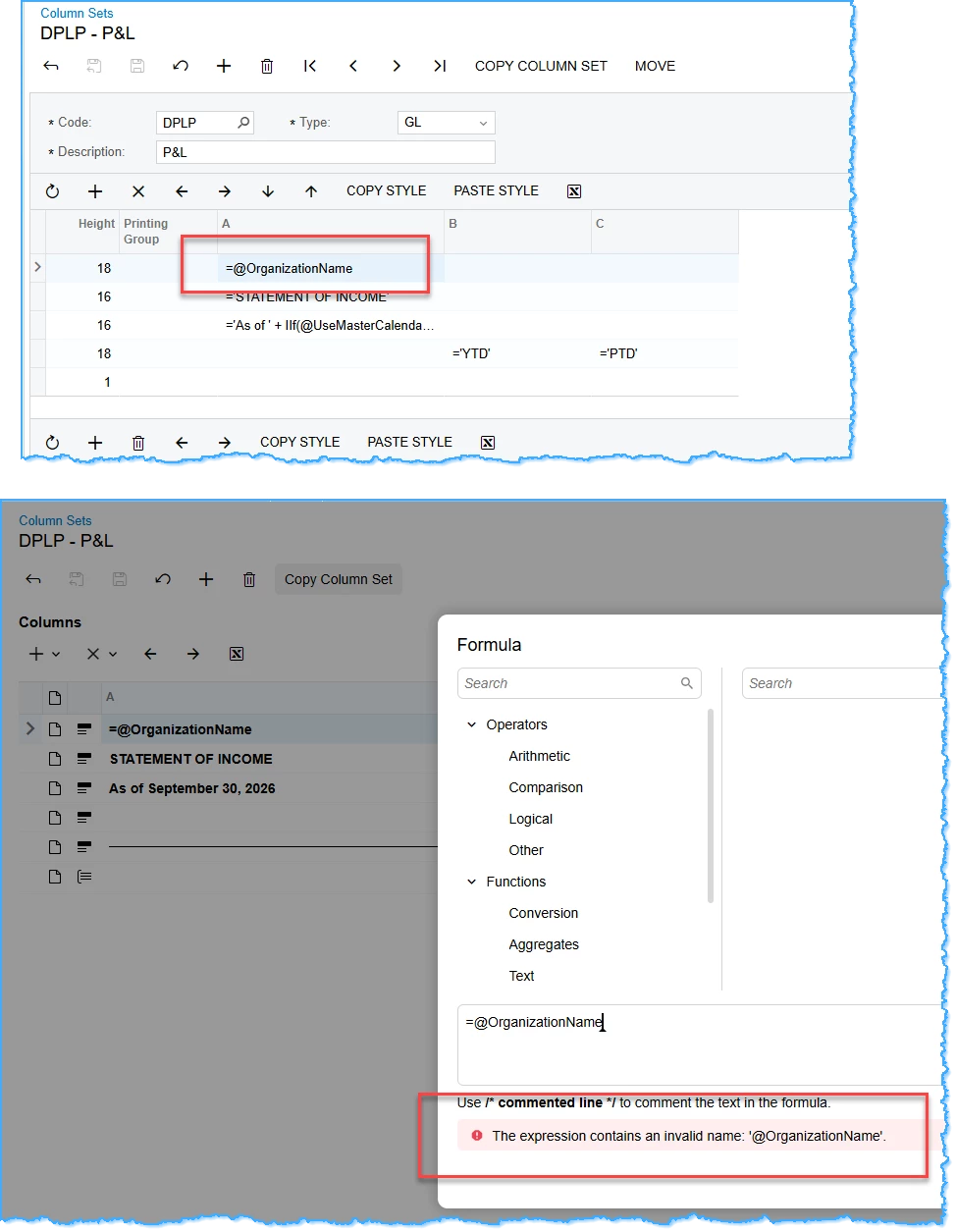
@debbiereed72 It still works in 2026 R1. The Validate button is what's broken, not the parameter.

I reproduced your error on 26.101.0225 in the Modern UI. In a column set header, the Formula dialog has no Parameters folder in its tree, and Validate rejects any @ name with that "invalid name" message. It's only the validator. Click OK anyway and save the column set. The formula is stored as typed. The header preview in the grid will show the raw =@OrganizationName instead of a company name, which looks wrong but isn't.

Then run the report. I was signed in to Revision Two Products, picked SERVICES in the Company parameter, and the header printed Revision Two Services.

One thing to check on your side: @OrganizationName reads the report's Company value, so on Report Definitions the Company line under Default Data Source Settings needs Request selected so there's a company for it to read.

Probably worth a support case so the validator gets fixed for header formulas.


debbiereed72
Varsity II
Forum|alt.badge.img
  • Author
  • Varsity II
  • September 21, 2026

@Steve Milner thank you - I appreciate your time to respond.  When I change the Column to use @OrganizationName, it comes out blank.. nothing prints at all.