Question

AR Billing GL Code Prefences

  • June 29, 2026
  • 1 reply
  • 0 views

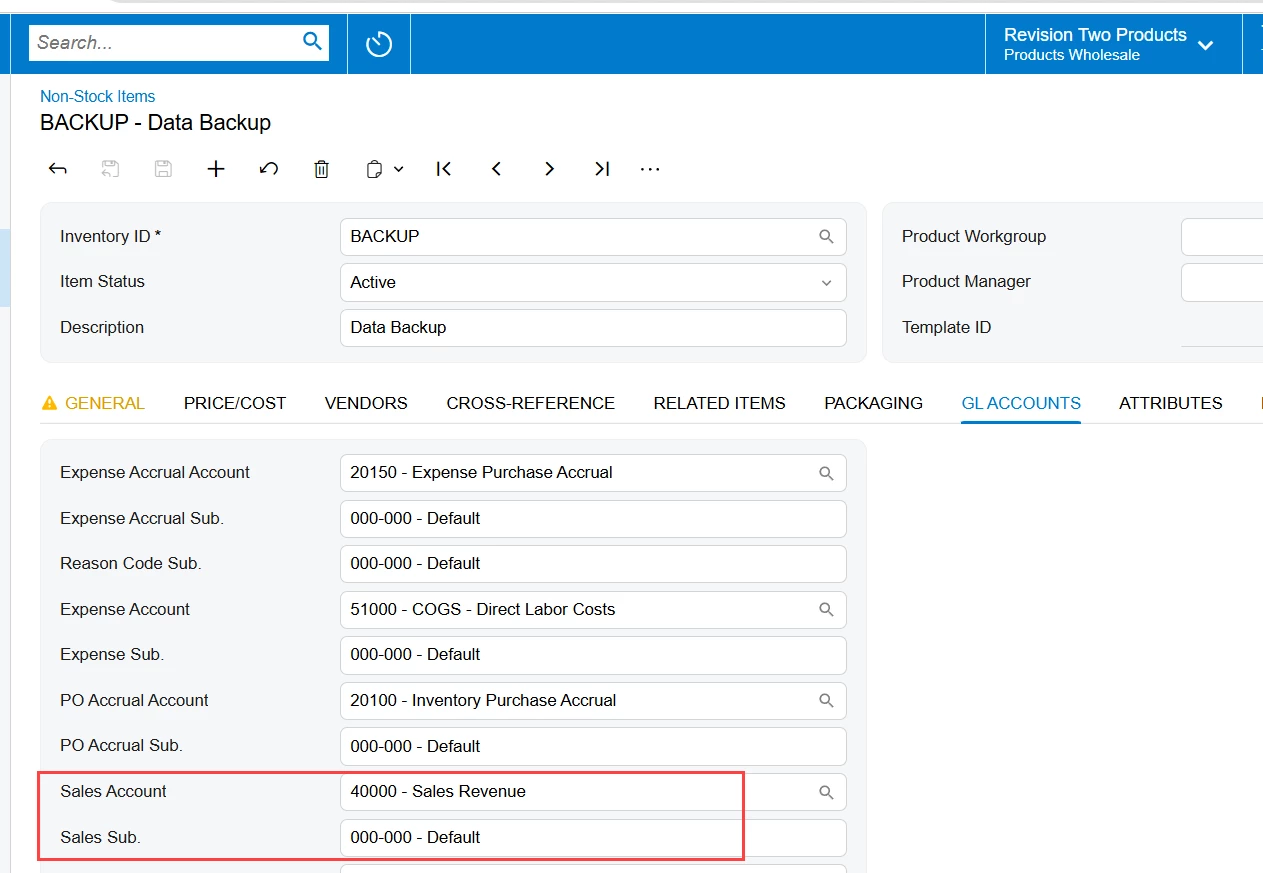
When I create an invoice from multiple departments in the Receivables Module.  I want (“Prefer”) that the GL Codes assigned to my Non-Stock Inventory item to take precedents and to populate the line item detail.  Instead it takes the Customer default setting instead.    

Currently I only have one customer that will recognize the GL Codes from the Inventory Line.  

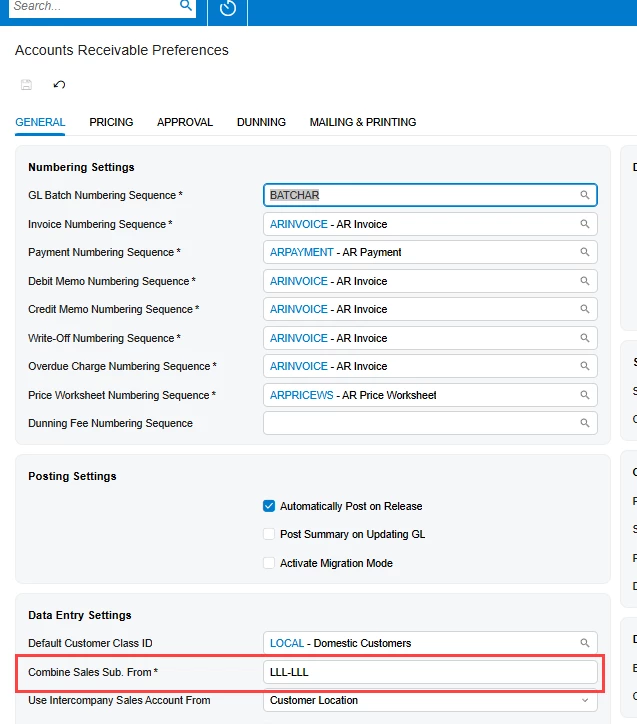
I have already set AR Preferences to “IIIIIIII” to update the “masking rule”.  But most of my customers accounts do not recognize this.  Is there some hidden masking rule in the Customer Profile that refuses to recognize the GL Code for the billing item?   What am I missing here?
 

1 reply

meganfriesen37
Captain II
Forum|alt.badge.img+13

Hi ​@brycehall 

When you are talking about the GL codes: 

  1. Are you talking about the Sales Account or the Sales Subaccount.
  2. How are you generating these invoices.  Are they manually created, are they from Sales Orders, are they from Project Billing?

Typically the masking (the “IIIIII” that you referenced above) is specifically looking for the subaccount value.

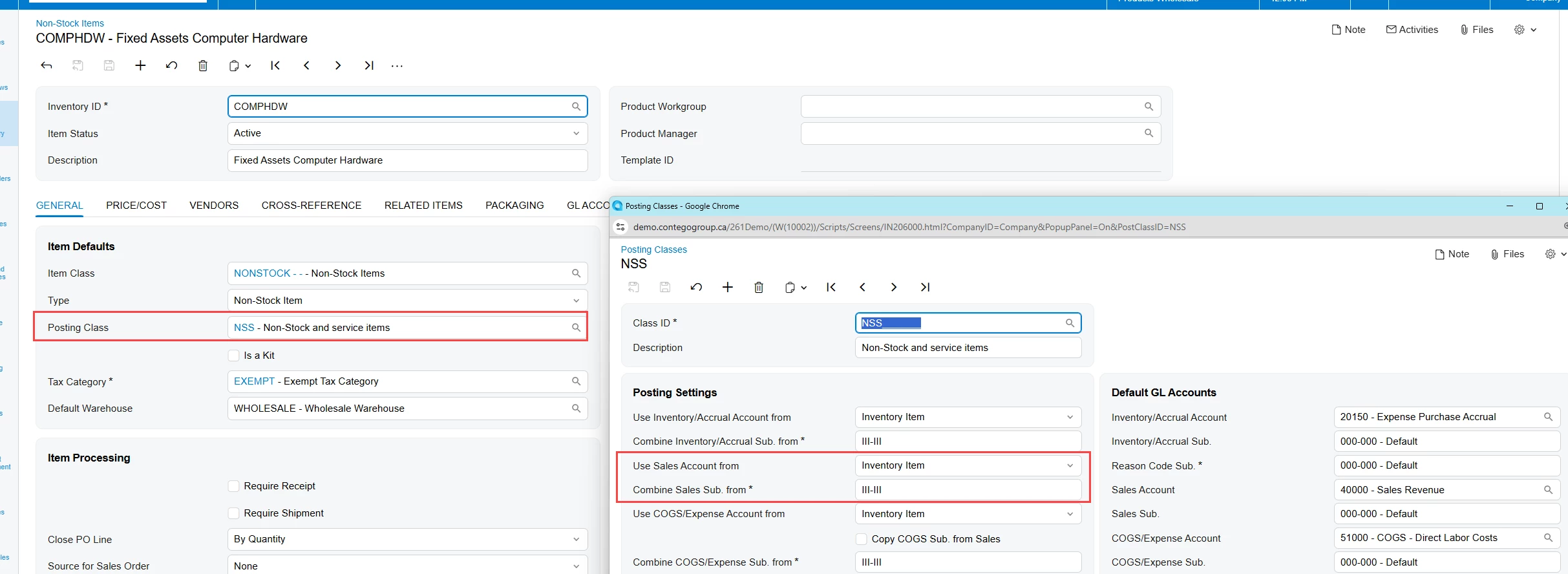
Do you have the inventory module?  If so, I’d recommend that you check the Posting Class settings associated with your items as that’s the most likely source of any variance (unless using Project accounting)


If you are using project accounting, please check your Allocation Rules and Billing Rules to see where your GL accounts might be coming from.