Question

AR Approwal map

  • January 26, 2026
  • 12 replies
  • 95 views

Forum|alt.badge.img

Hi,

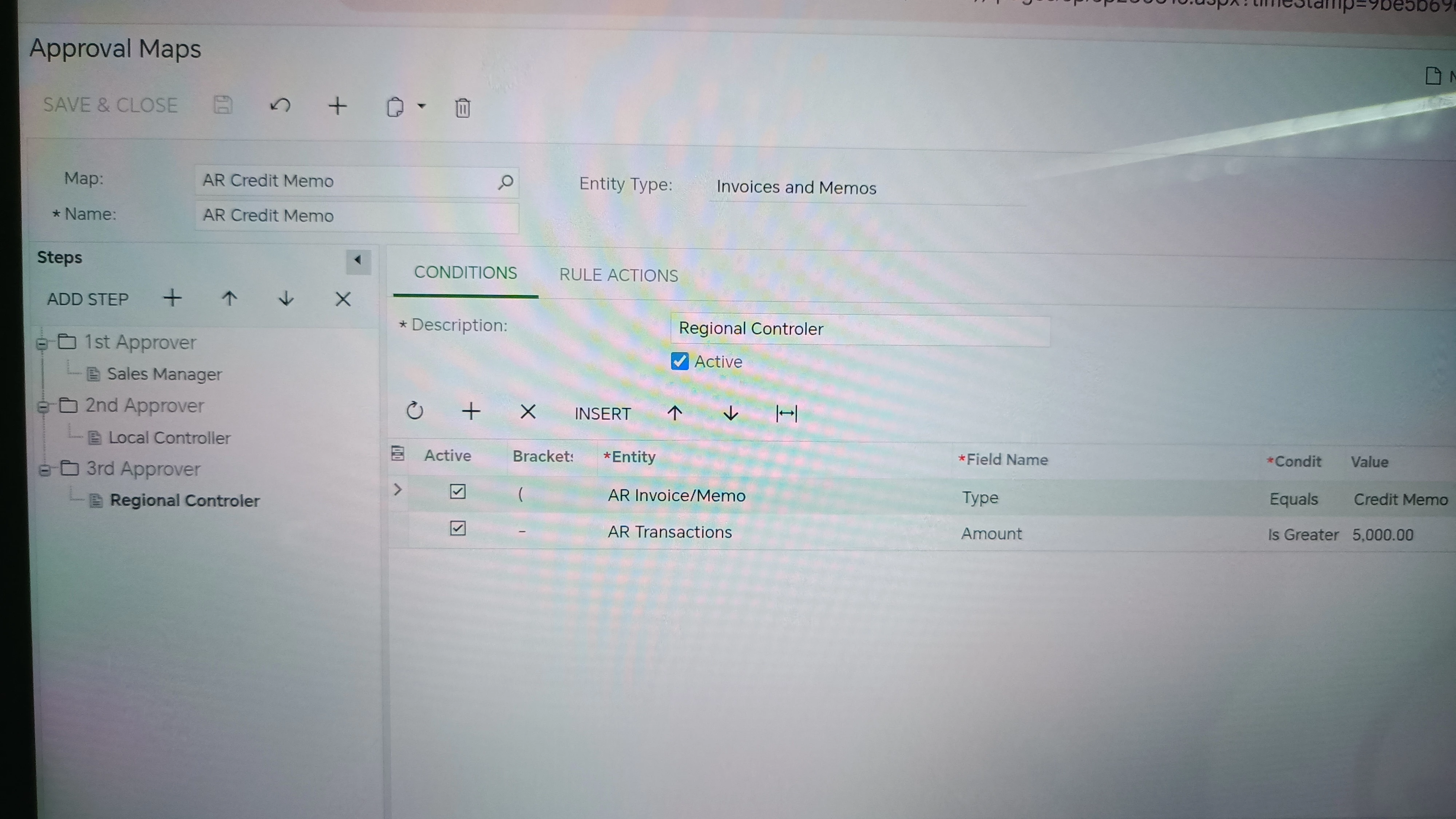
i am just wondering how can i set properly the workflow for approving credit memos, so that Sales Manager will always be the first to confirm new credit memo. Right now our AR map for credit notes is the Sales manager on the top and then the local controller, but in reality is other way around. The first the crontorller is getting the memos and then sales manager. Do you know maybe what is causing this flow?

Thank you,

Andreja Špindler
12 replies

Forum|alt.badge.img+2
  • Acumatica Employee
  • January 26, 2026

Hello ​@aspindler 

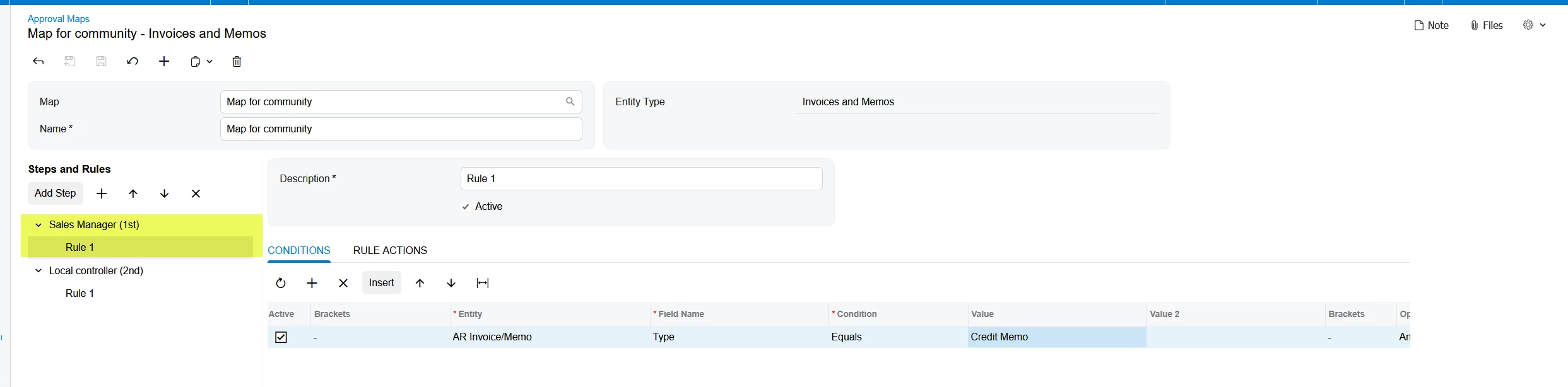
You have to create separate steps for the Sales Manager and Local Controller

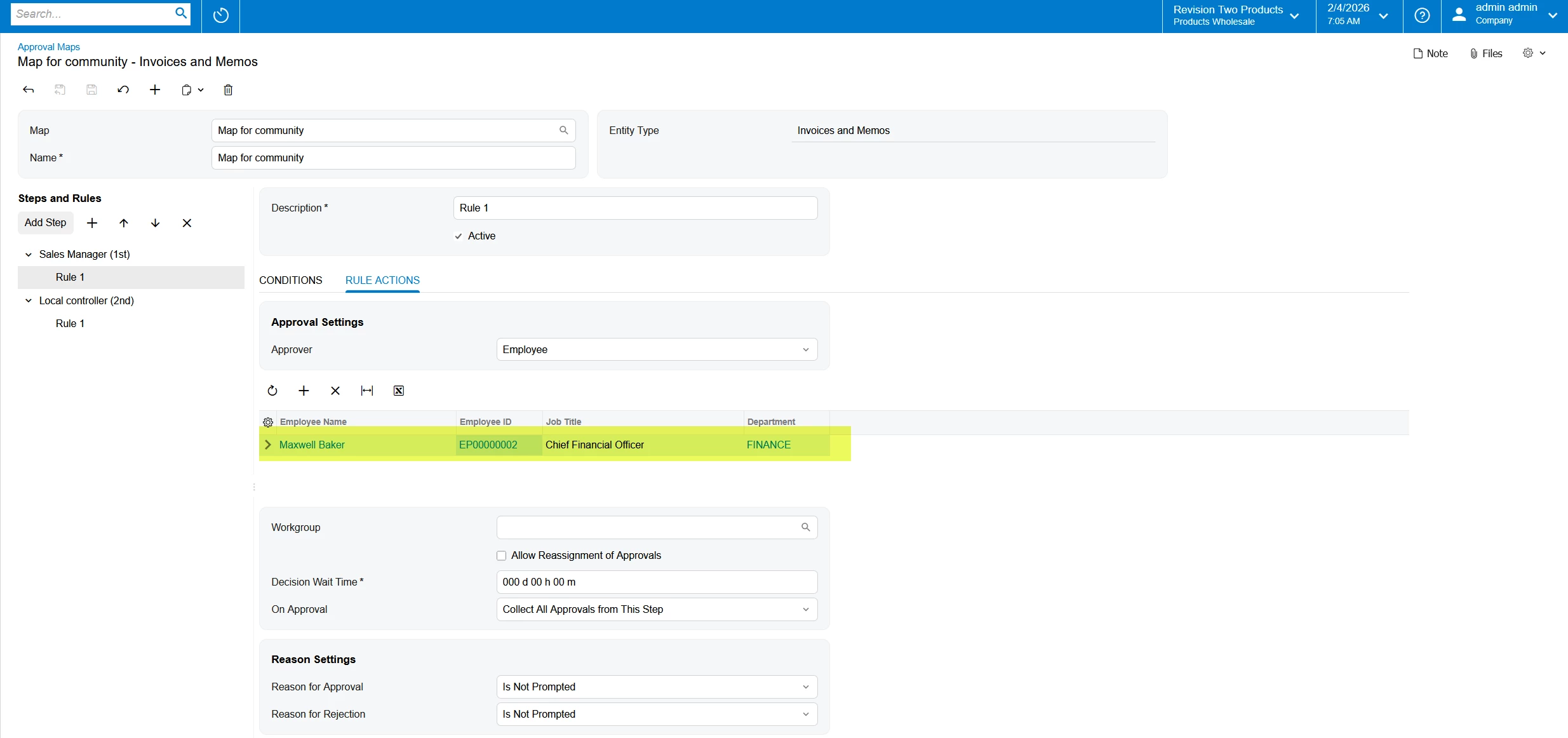
Step 1 - assigns to Sales Manager.  

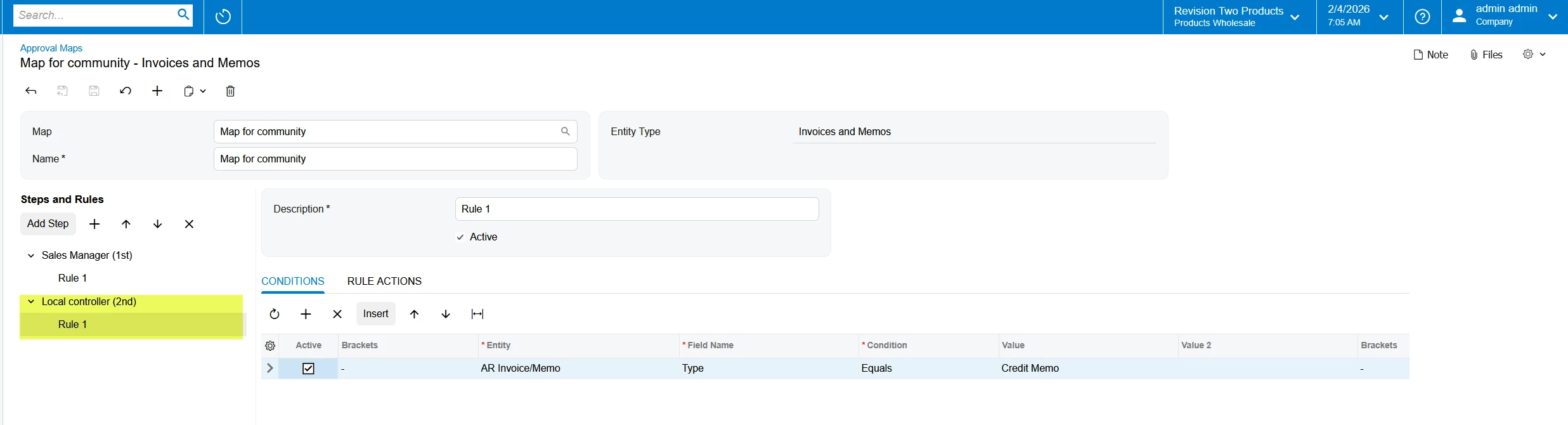
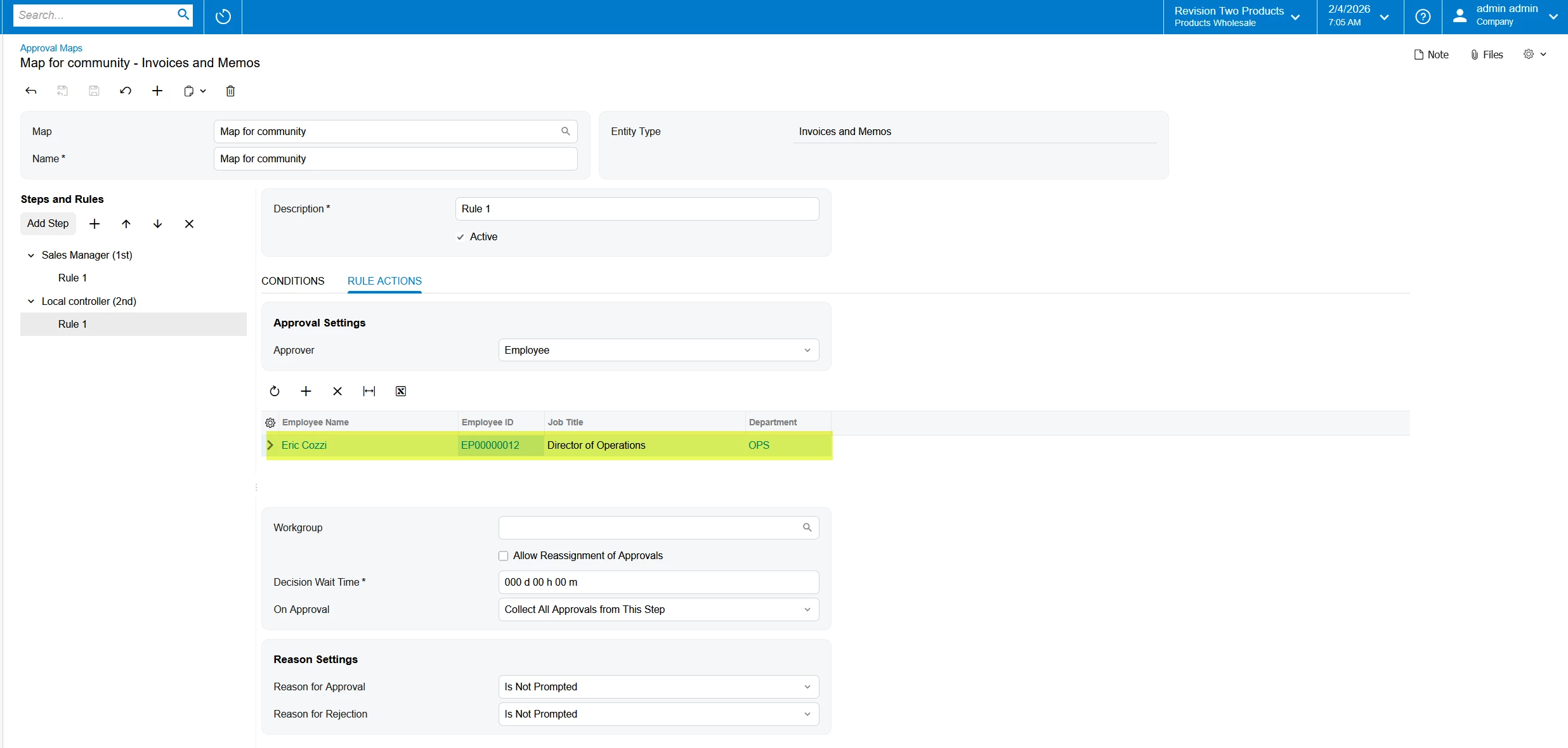
Step 2 - assigns to Local Controller

This will ensure that Step 1 will be approved before moving to Step 2

Hope this helps

Amaan


Forum|alt.badge.img
  • Author
  • Freshman I
  • January 26, 2026

Thank you Amaan,


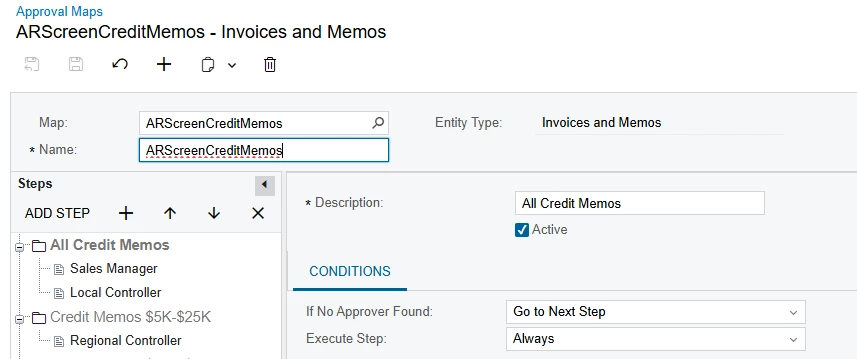
Yes, i have already those 2 steps, but still is not working properly. And below you can see for Memos till 5000$ and the first is Sales Manager and the second Local Controller. 


Forum|alt.badge.img+2
  • Acumatica Employee
  • January 26, 2026

Hello ​@aspindler,

Based on the setup Sales Manager and Local Controller are configured as separate Rules rather than Steps. Regardless the sequence is expected to be followed.

What are the conditions set for Sales Manager and Local Controller?

Maybe there are conditions related to Rule 1 (Sales Manager) which are not satisfied hence document goes to Rule 2

Amaan


Forum|alt.badge.img
  • Author
  • Freshman I
  • January 26, 2026

Hi Amaan,

So it looks the same for Sales manager and controler….So the idea is that first memo goes to sales manager and then to Local controller. Do i need to add also steps for those 2 rules?


Forum|alt.badge.img+2
  • Acumatica Employee
  • January 26, 2026

Hello ​@aspindler 

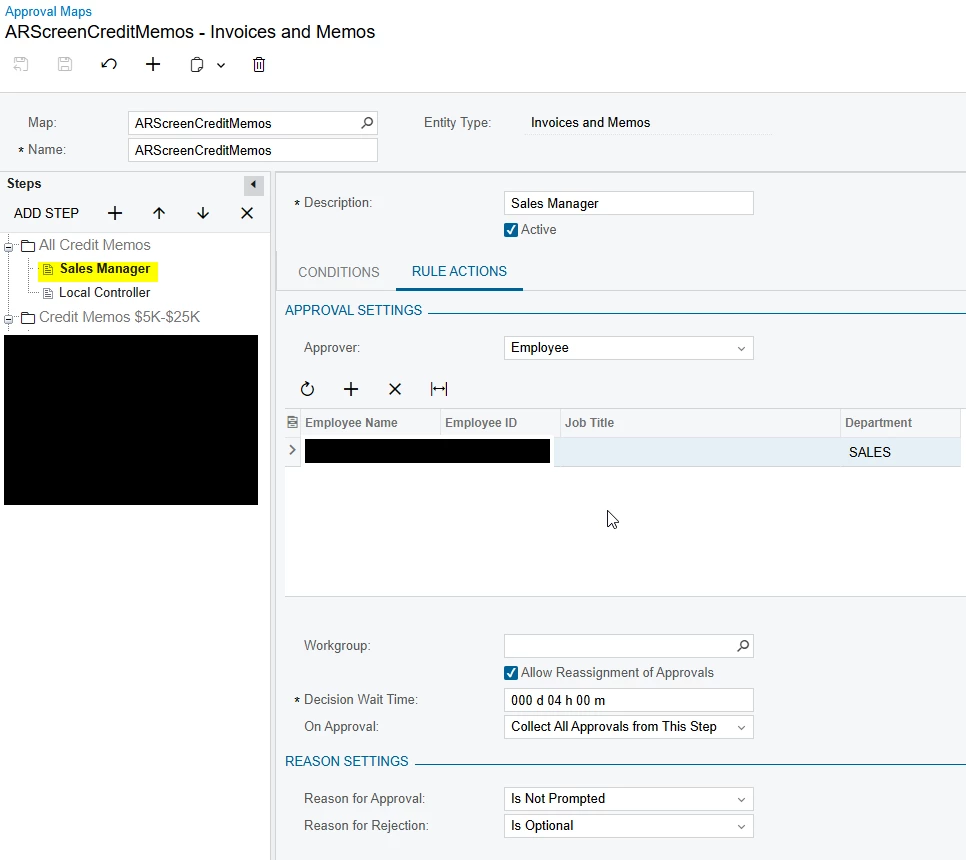
What are the “Conditions” set for the Sales Manager Approval?

Amaan


Forum|alt.badge.img
  • Author
  • Freshman I
  • January 27, 2026

Hi Amaan,

The conditions are set up only for Credit Memo, and the same condition is set up for Local Controller.


KR,

Andreja


Forum|alt.badge.img+2
  • Acumatica Employee
  • January 27, 2026

Hello ​@aspindler 

It would be recommended to submit a support case for further investigation of this issue

https://portal.acumatica.com/(W(1))/Main?ScreenId=SP203500

Amaan


Forum|alt.badge.img
  • Author
  • Freshman I
  • January 27, 2026

ok, thank you.


Forum|alt.badge.img
  • Author
  • Freshman I
  • January 27, 2026

Maybe i will need some subtitles for this. I dont know this support portal.

Just create support ticket?

Thank you,

Andreja Spindler


Chris Hackett
Community Manager
Forum|alt.badge.img
  • Acumatica Community Manager
  • January 27, 2026

Hi ​@aspindler - You would want to reach out for support where you purchased the product. Usually that is your VAR.


ricoybanez
Jr Varsity III
Forum|alt.badge.img+5
  • Jr Varsity III
  • February 2, 2026

@aspindler 

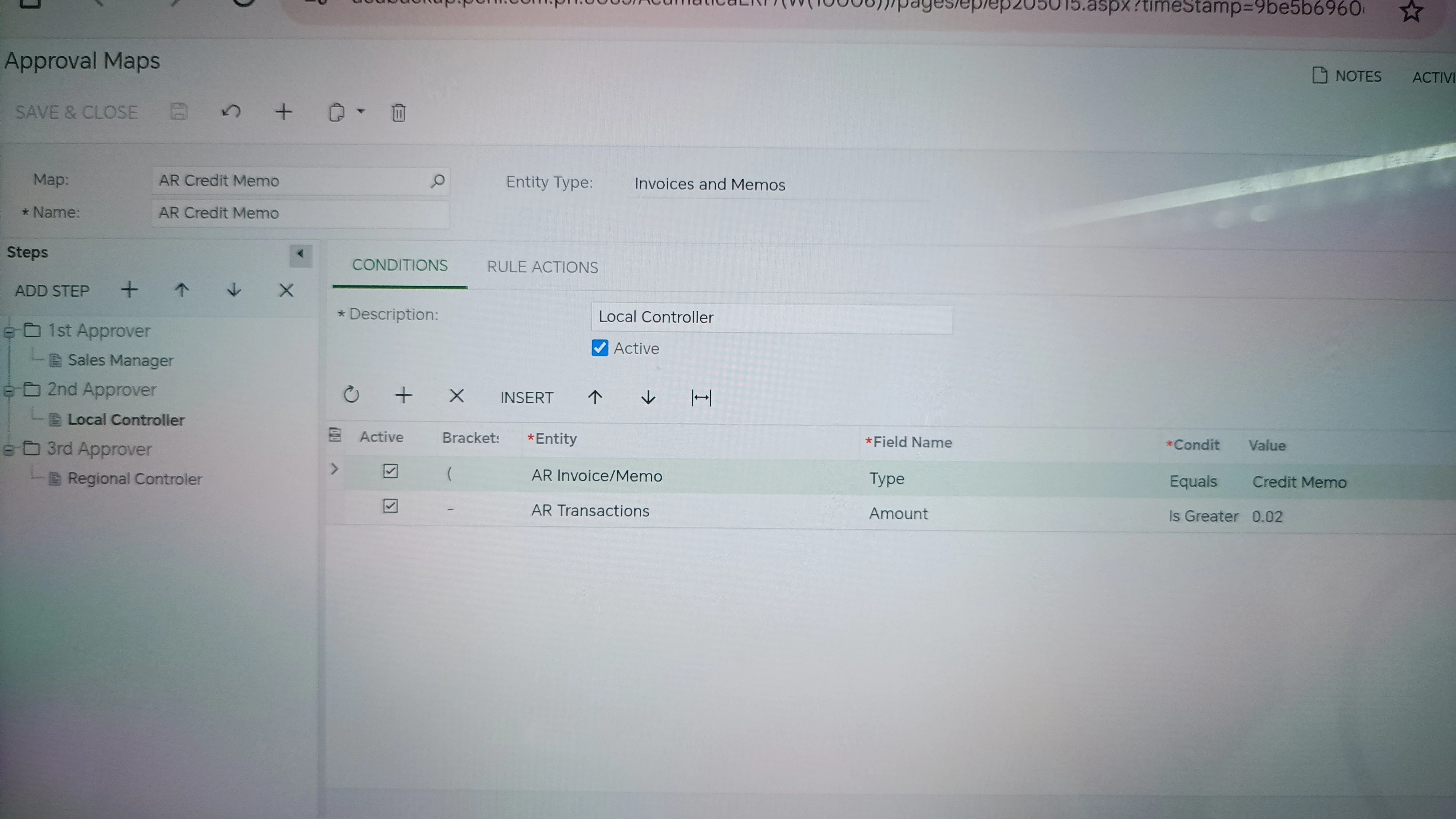
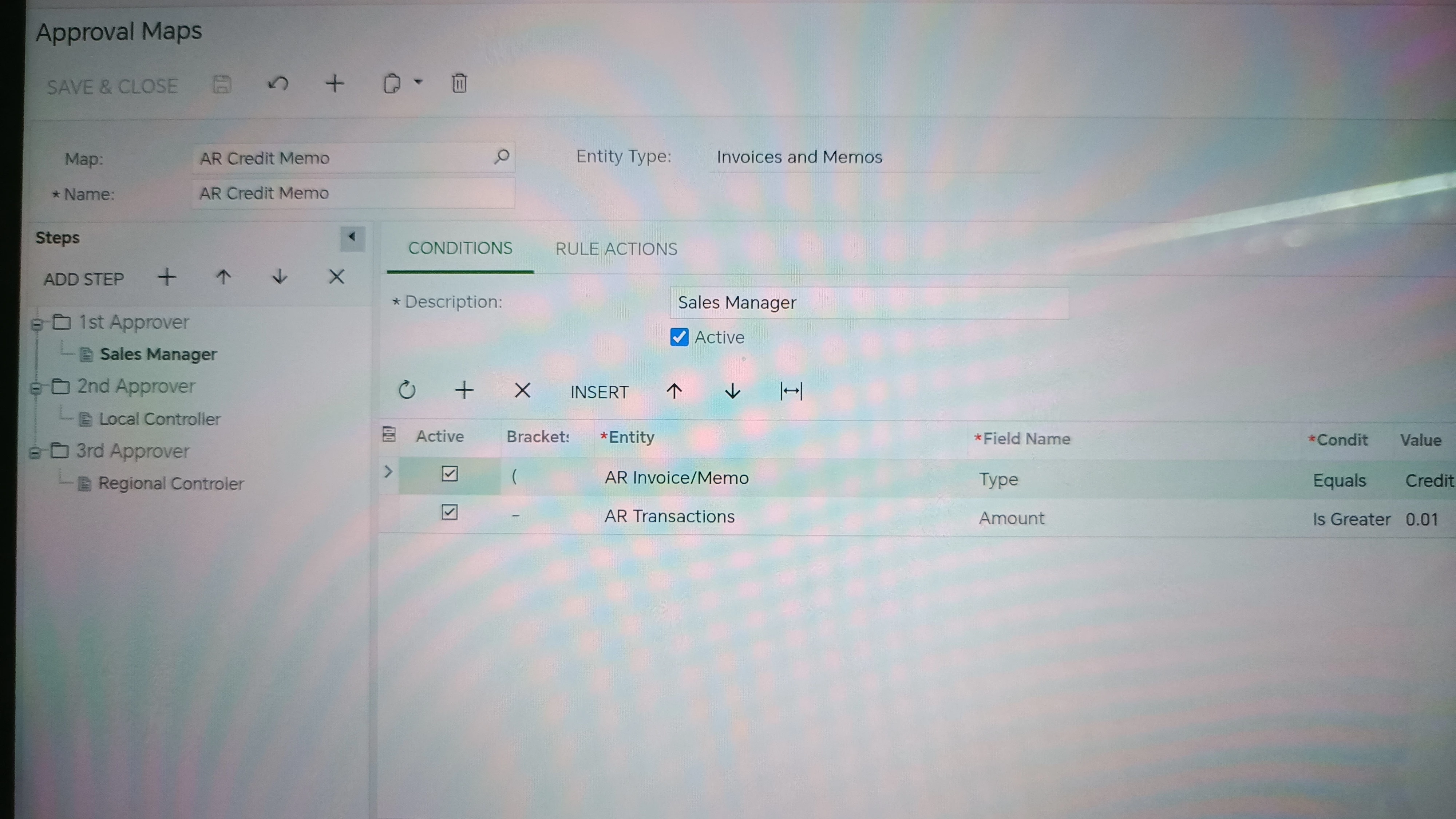
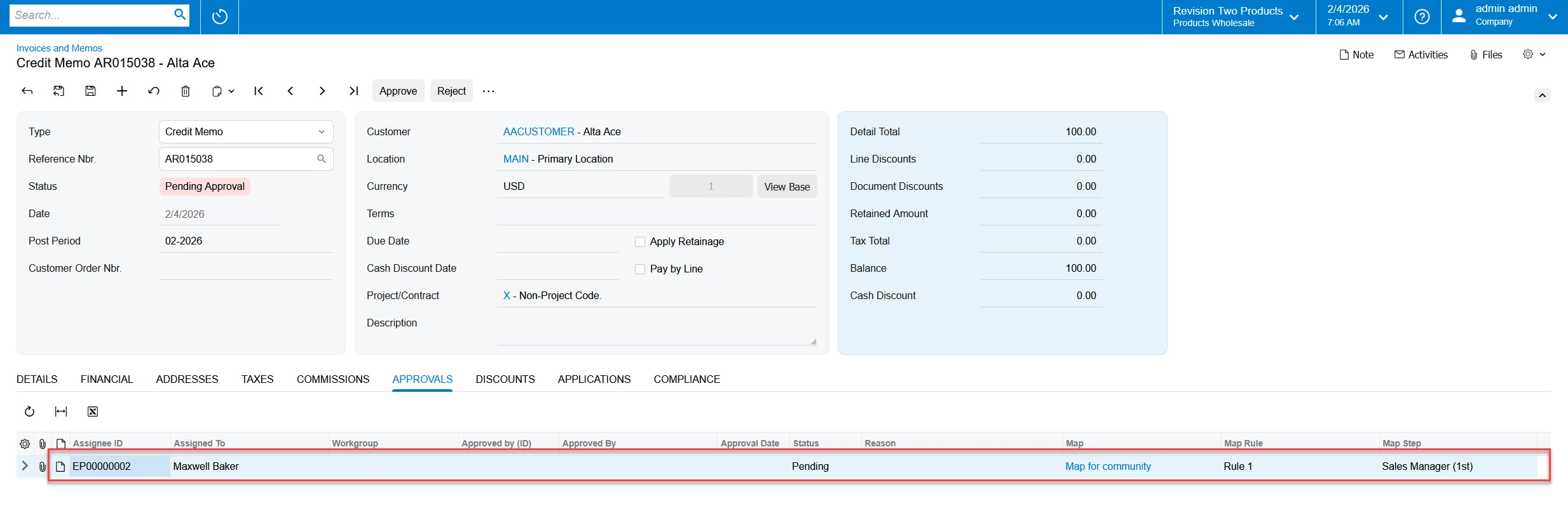
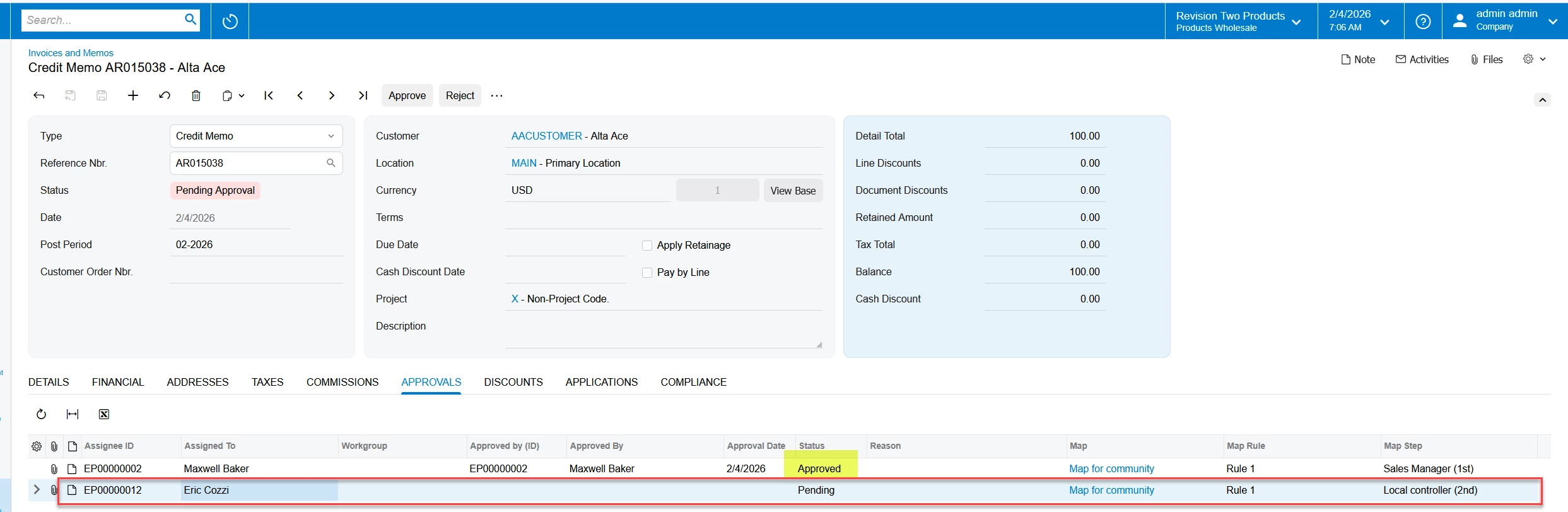
Please refer to screenshots:


YasasWithanage76
Acumatica Employee
Forum|alt.badge.img+4

Hello ​@aspindler ,


Yes. Agree with the above solution.

In this case, if you can create separate steps, the approval is also triggered separately.

If 1st approver approves the document, 2nd approval will trigger.

Rule

1st


2nd


1st step triggered


1st approver approves the document, 2nd approval will triggered.


Thanks