Answer

AP Payment applied discount outside of discount date

  • March 5, 2025
  • 5 replies
  • 94 views

Forum|alt.badge.img

One of our customers had 2 invoices for the same customer that had the same cash discount date. A payment was created to completely pay both of these invoices.

The payment was within the due date but outside of the Cash Discount Date. The payment still applied the cash discount.

I have tried to recreate this issue with the same vendor but cannot. It calculates the total correctly even when I change the payment date. I went through their old payments and the majority are correct but I did find one other that had the same issue.

Any idea what circumstances could be causing this?

Best answer by rebeckamckinney53

@Chris Hackett 

We escalated with Acumatica and they have created a change request related to the issue. 

CR id :  AC-305731 Prepare Payments (AP503000) process includes expired discount payments when filter for nearing expiry cash discount date payments.


Here is the workaround that Acumatica provided:

For the future use of the Prepare Payments (AP503000) screen, apply a filter to the Cash Discount Date column that is greater than or equal to the Payment Date, to exclude expired cash discounts.


This is the workaround our customer applied:

You should also be able to select that any vendor that is having the discount issue be set to print separate checks per invoice. 

5 replies

iqraharrison
Captain II
Forum|alt.badge.img+8
  • Captain II
  • March 5, 2025

@rebeckamckinney53 i tried to replicate the issue as well in my sales demo but it didn’t act the way it did for the client.  when you tried to recreate the issue, was it in their instance or your own? 

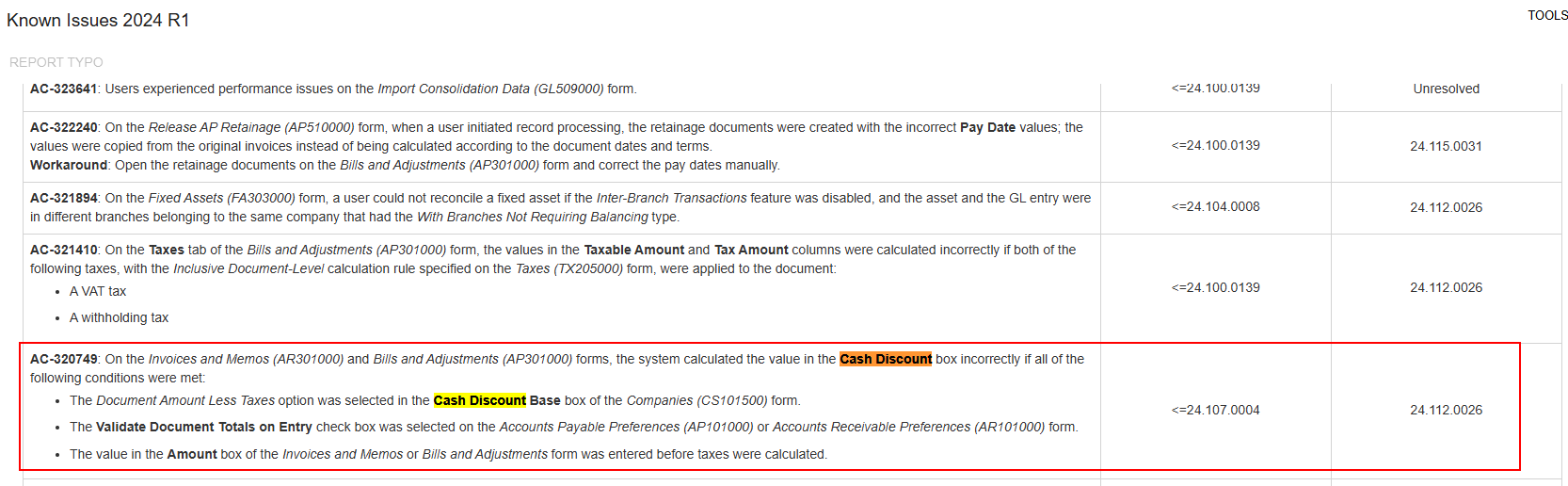
what version is the client on? i checked the known issue log and found this one that might fit for 24R1: 

if it continues, it may be helpful to submit a support ticket so they can log in and see if they can identify the root cause!

good luck!


Forum|alt.badge.img

@iqraharrison Thank you for the input! I was testing in their environment and couldn’t recreate.

Its not the exact issue you listed (the company setup was different), but I do wonder if a certain set of requirements has to be met for this issue to appear. I looked through all of this vendors payments. This has happened twice. Once on 2024 r2 and once on 2024 R1. But they have many payments in between and after that are calculated correctly. 
I think I’m going to reach out to support and see what their thoughts are. 


iqraharrison
Captain II
Forum|alt.badge.img+8
  • Captain II
  • March 6, 2025

@rebeckamckinney53  that sounds like a good plan! sometimes it’s easier to get eyes on it! 


Chris Hackett
Community Manager
Forum|alt.badge.img
  • Acumatica Community Manager
  • June 17, 2025

Hi ​@rebeckamckinney53 were you able to find a solution? Thank you!


Forum|alt.badge.img

@Chris Hackett 

We escalated with Acumatica and they have created a change request related to the issue. 

CR id :  AC-305731 Prepare Payments (AP503000) process includes expired discount payments when filter for nearing expiry cash discount date payments.


Here is the workaround that Acumatica provided:

For the future use of the Prepare Payments (AP503000) screen, apply a filter to the Cash Discount Date column that is greater than or equal to the Payment Date, to exclude expired cash discounts.


This is the workaround our customer applied:

You should also be able to select that any vendor that is having the discount issue be set to print separate checks per invoice.