Answer

Adding Grace Period/Payment Processing Float to Aged AR Reports

  • September 29, 2025
  • 4 replies
  • 69 views

brosenfeld
Freshman I

We have customers with 60-day payment terms, but it typically takes them 5-7 days to process payments after they're initiated. This causes invoices to show as past due in our Aged AR reports even though the customer has already started the payment process.

Is there an out-of-the-box way to add a "grace period" or "payment processing buffer" to the Aged AR aging calculations? Ideally, we'd like to add 5 days to the due date before an invoice shows as past due in our reports.

I know we could adjust the payment terms from 60 to 65 days, but we want to keep the actual invoice due dates at 60 days and only adjust how aging is calculated for reporting purposes.

Has anyone solved this issue?
Best answer by ricoybanez

@brosenfeld 

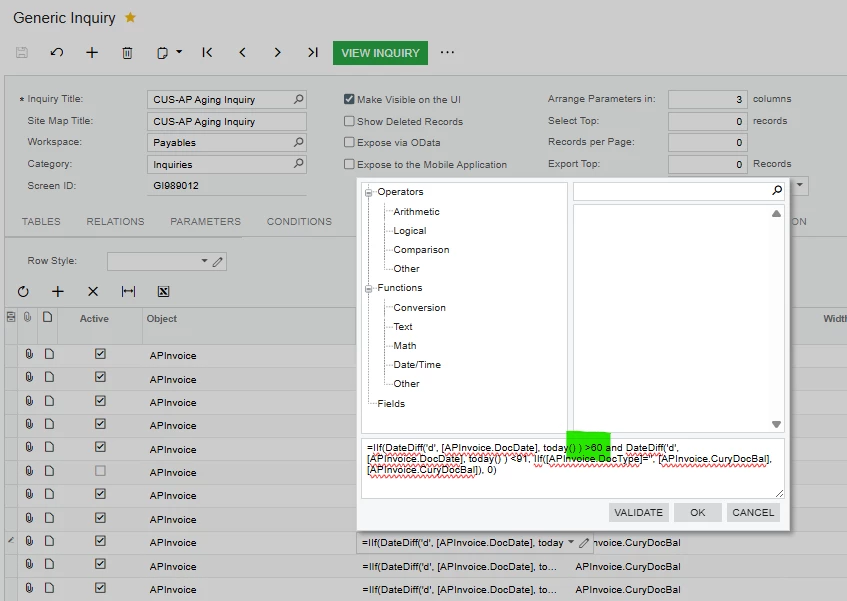
If for reporting purposes, then you can adjust your condition change >60 to >65 to meet your requirements.


4 replies

Forum|alt.badge.img+3
  • Jr Varsity I
  • September 30, 2025

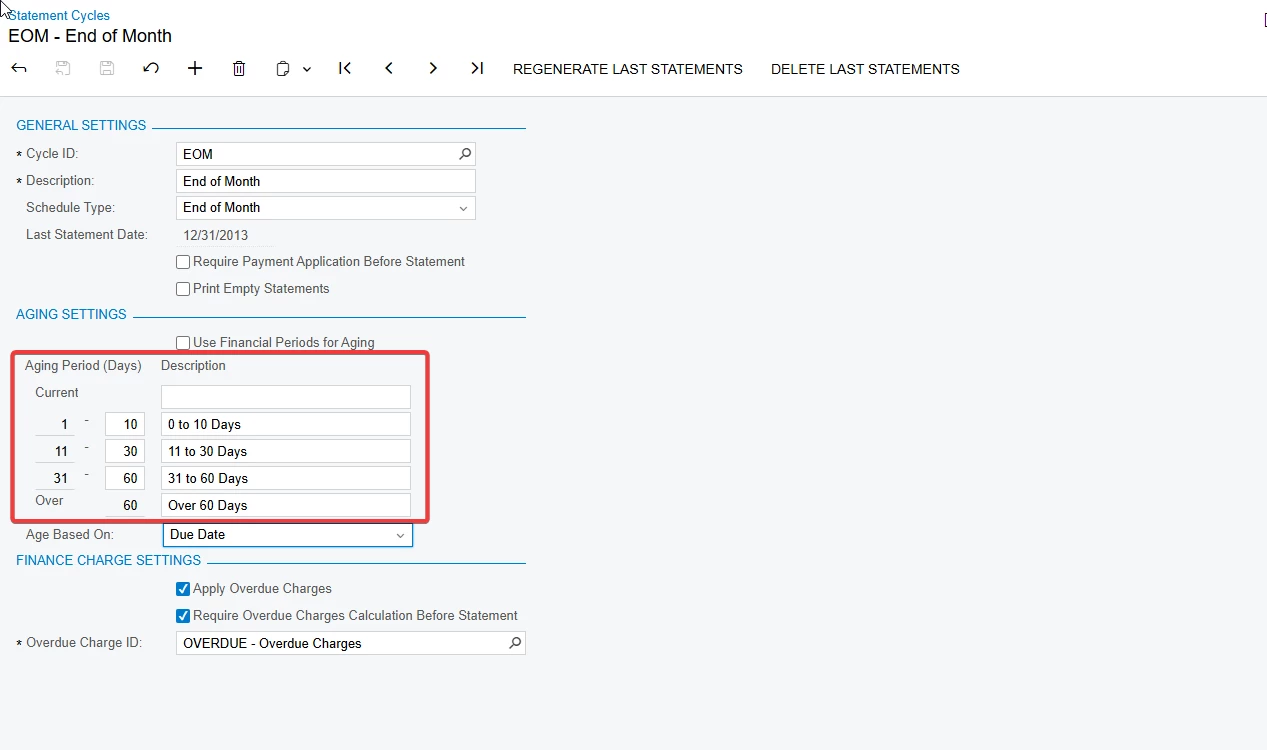
Have you looked at shifting your aging buckets. You can do that without affecting the aging on the invoices that are derived from the credit terms.


Look at Statement Cycles (AR202800). 


nhatnghetinh
Captain II
Forum|alt.badge.img+11
  • Captain II
  • September 30, 2025

Hi ​@brosenfeld 

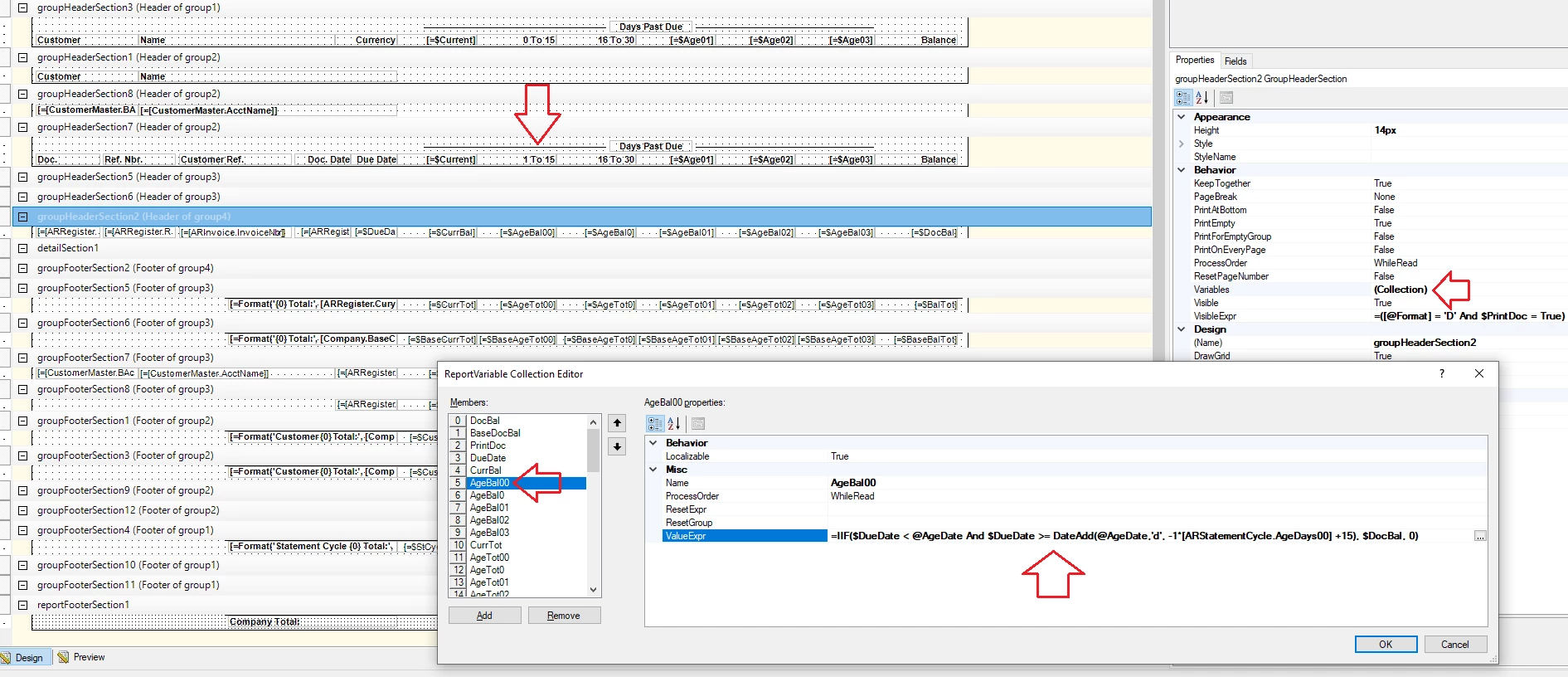
Customize your AR Aged report by editing or creating new variables in the Variables section of the Report Designer. You need good Report Designer skills to do this.
Below is a screenshot of our revised AR Aged report.


Best Regards,

NNT


brosenfeld
Freshman I
  • Author
  • Freshman I
  • September 30, 2025

@yhartman  

Was exploring that but would only work if we can run either view not limit our buckets to some workaround..


ricoybanez
Jr Varsity III
Forum|alt.badge.img+3
  • Jr Varsity III
  • Answer
  • October 2, 2025

@brosenfeld 

If for reporting purposes, then you can adjust your condition change >60 to >65 to meet your requirements.