Answer

Adding AlternateID column to "Add PO Receipt Lines" Dialog in AP Bills

  • August 8, 2024
  • 2 replies
  • 86 views

Hi All,

Is there a way to add AlternateID column to the  "Add PO Receipt Lines" Dialog in AP Bills? The screen looks like a GI, but probably not.  I am a beginner with customizations.  I located the screen and dialog box in customization and it looks like AlternateID is not one of the fields available.  It appears that a view is being used to populate this.  We are a SaaS customer, so I do not have direct access to it.  Any ideas on how to proceed?

Thanks in advance.
 

Best answer by ChandraM

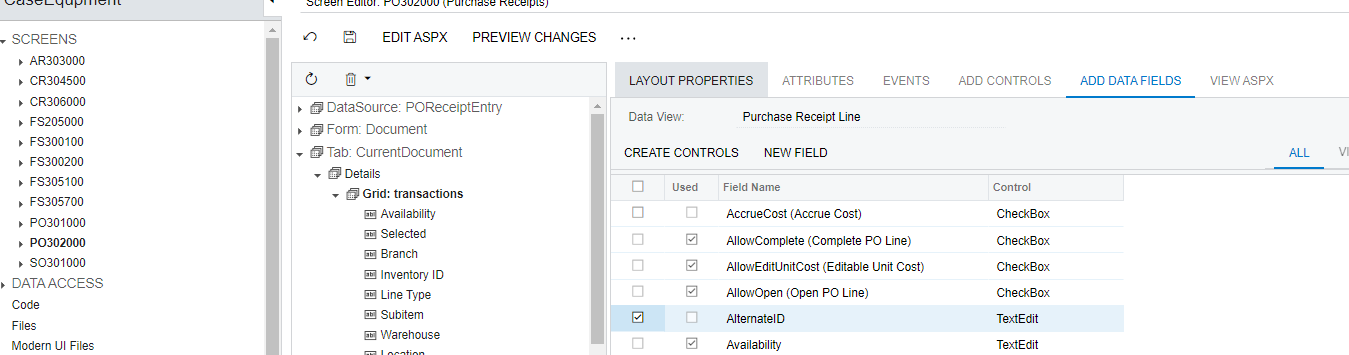
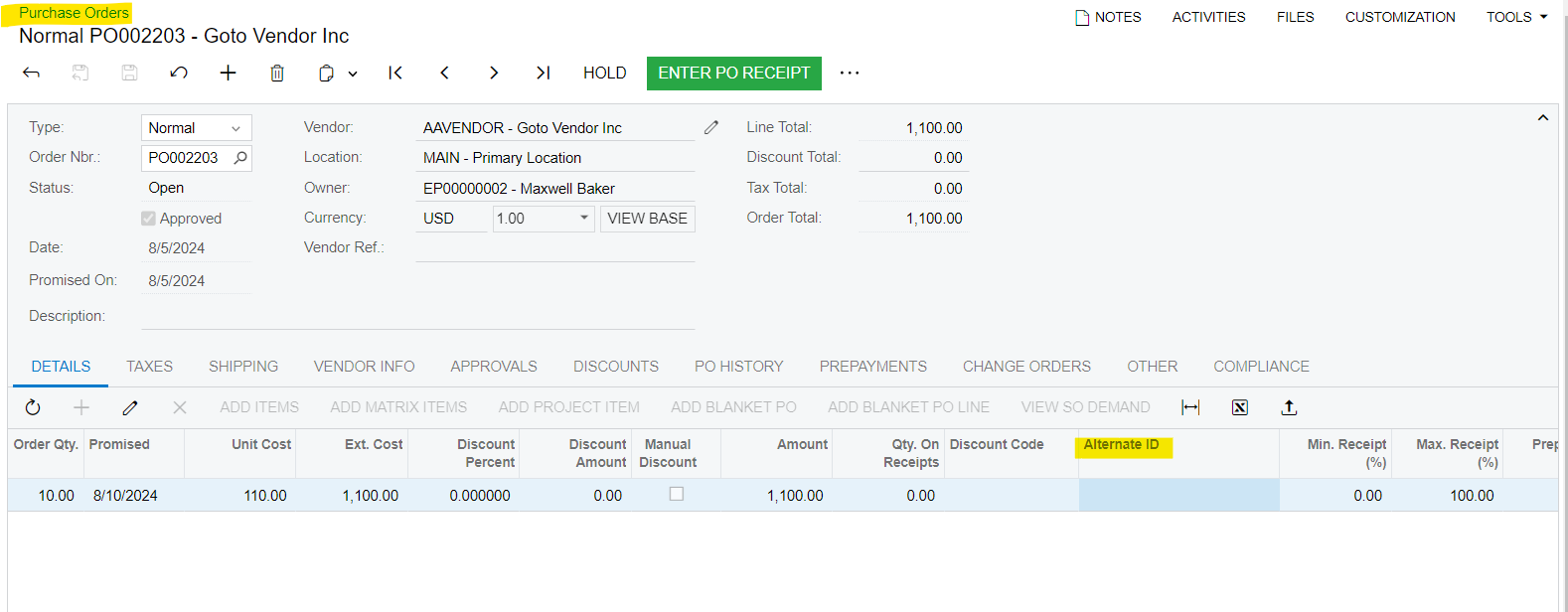
Hi @saratvemuri As shown below, the AlternateID is not available in the PO receipt line, but it is part of the Purchase order line item.

Hence, the approach would be a customization to the Add PO receipt Line grid that requires to join the POReceiptline with POline, and then show the AlternateID.

2 replies

Forum|alt.badge.img+8
  • Semi-Pro I
  • Answer
  • August 9, 2024

Hi @saratvemuri As shown below, the AlternateID is not available in the PO receipt line, but it is part of the Purchase order line item.

Hence, the approach would be a customization to the Add PO receipt Line grid that requires to join the POReceiptline with POline, and then show the AlternateID.


dcomerford
Captain II
Forum|alt.badge.img+15
  • Captain II
  • August 12, 2024

It will require a customisation but its an easy one the field is there (need to select All to see it). Just add it and publish