Acumatica Payments Tips and Tricks

  • December 21, 2023
  • 5 replies
  • 431 views

Dmitrii Naumov
Acumatica Moderator
Forum|alt.badge.img+7

I want to share some tips and tricks for Acumatica Payments that is a part of Acumatica ERP 23r2.


How to make the Payment Link look nice in the email notification

Acumatica can send Payment links to customers to pay their invoices. 

The default notification looks something like this:
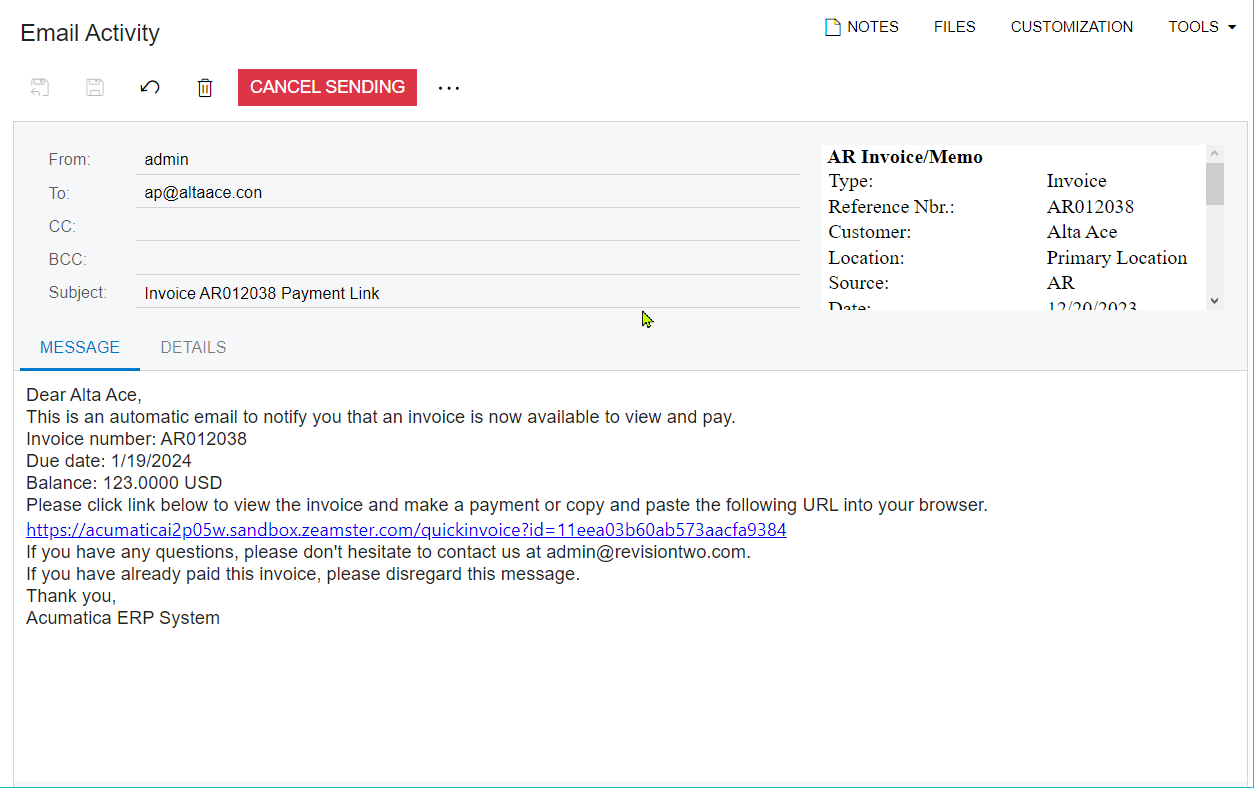
 

If you want the payment link to look like a text with a link, you need to do the following:

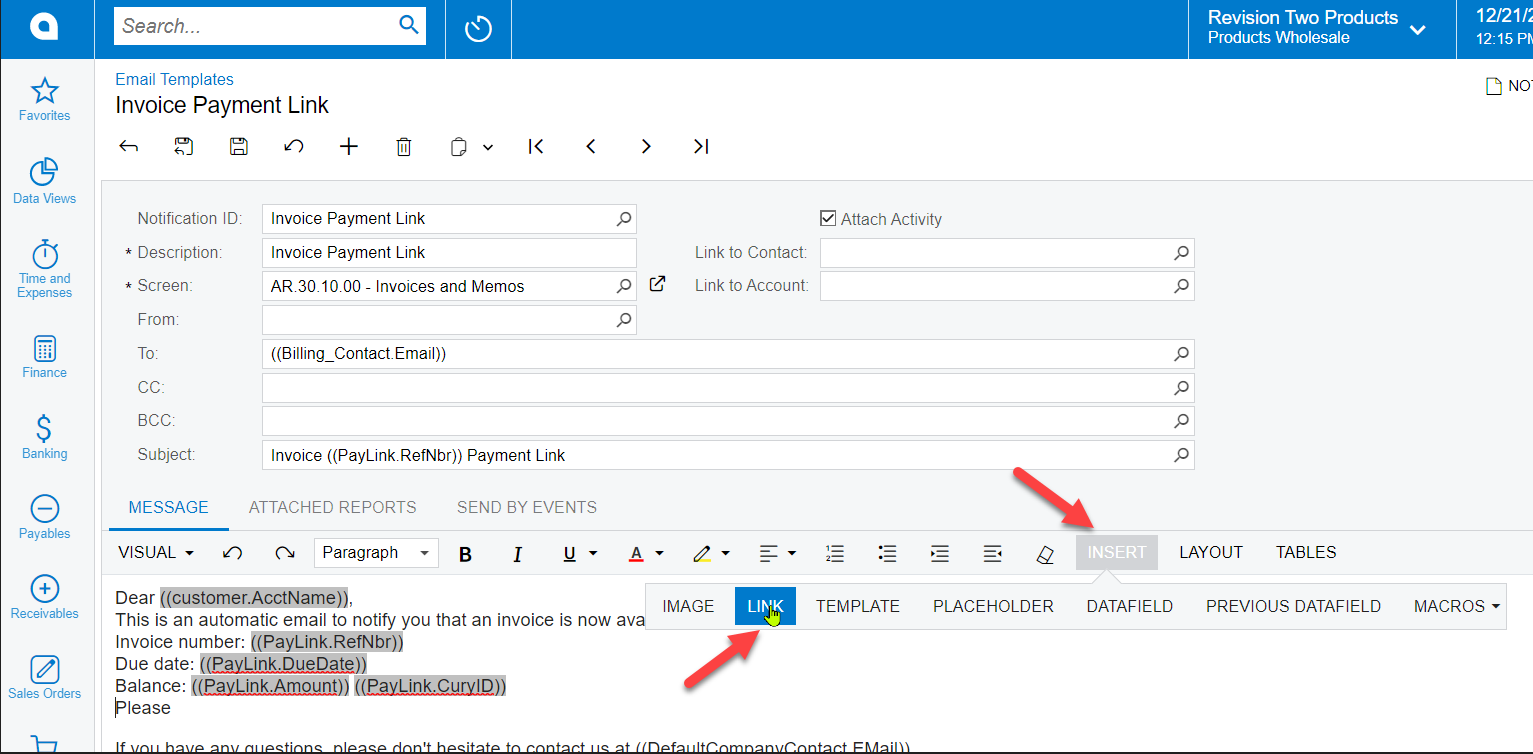
  1. Go to Email Templates and open Invoice Payment Link template
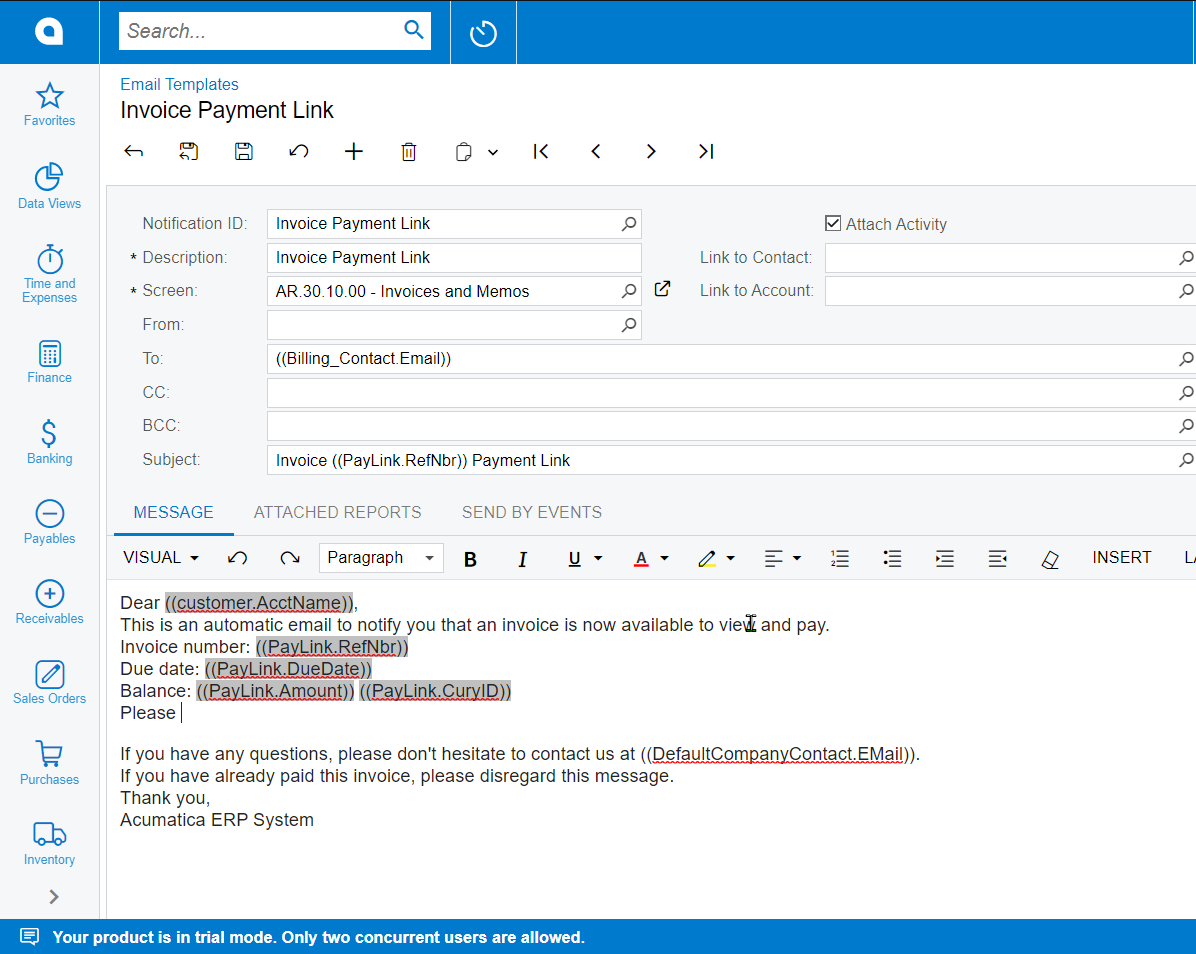
     

  2. Remove the default ((PayLink.Url))

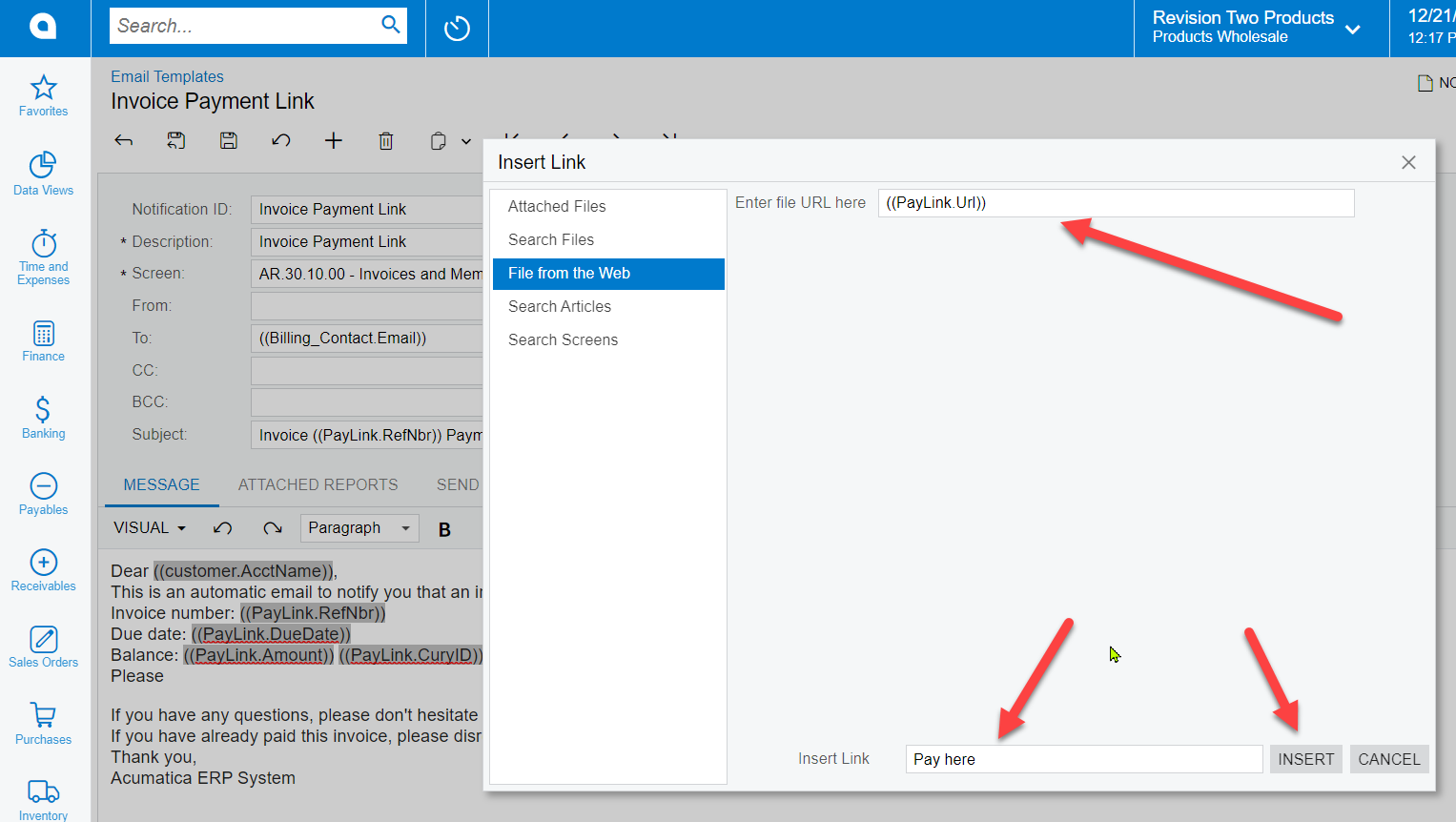
  3. Click Insert → Link


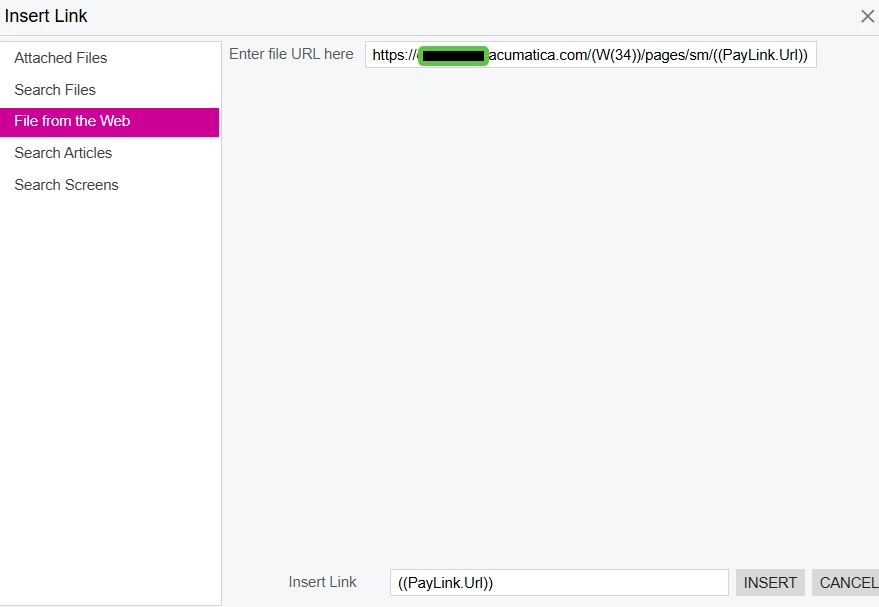
  4. Select ‘File from the Web’, for URL use ((PayLink.Url)), for Insert Link use any text you want and Click INSERT
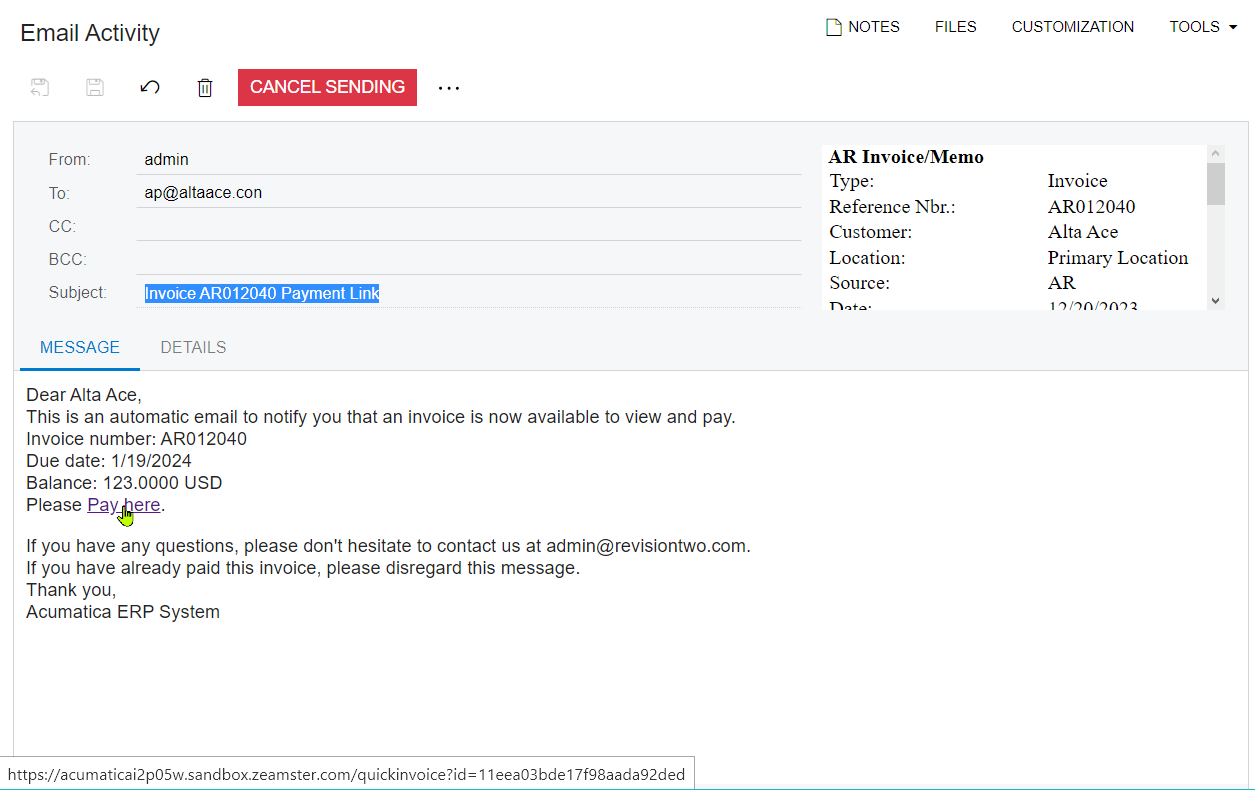
  5. Enjoy your beautiful link in the email!
     

5 replies

Kandy Beatty
Captain II
Forum|alt.badge.img+17
  • Captain II
  • December 21, 2023

Thank you @Dmitrii Naumov! This is good to have! 


Chris Hackett
Community Manager
Forum|alt.badge.img
  • Acumatica Community Manager
  • December 21, 2023

Thank you for sharing these tips with the community @Dmitrii Naumov!


smilner3
Varsity I
Forum|alt.badge.img
  • Varsity I
  • December 21, 2023

Thanks! This is exactly what we were looking for.  @Dmitrii Naumov 


Melissalutrick21
Freshman II
Forum|alt.badge.img

Thank you Dmitri, this looks great in the template!


  • Freshman I
  • December 9, 2025

@Dmitrii Naumov   Thanks for the great tips and your work on designing this tool!  

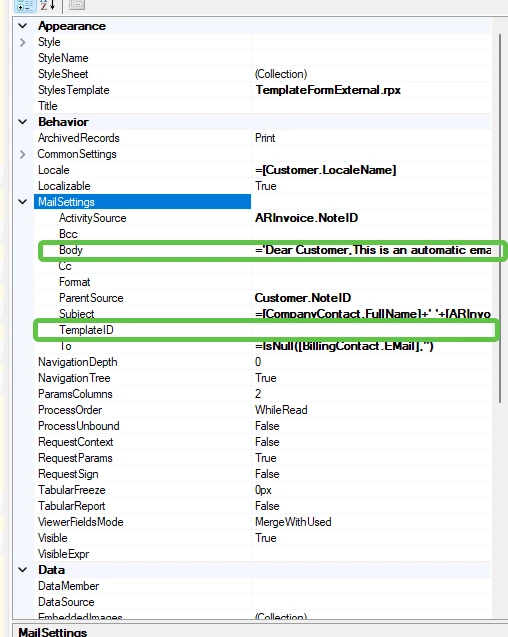
 Follow up question - When we use the Invoice Notification template as part of the report designer report it does not work for the Customers.  If we put the Paylink in either the body or use the Template ID approach, the pay link returns only a blank screen when anyone clicks it.  It does work if you copy and paste the link, but that doesn’t work well on a mobile device.  


The link on the invoice works, but not the link in the body of the email.  After this happens, I investigated the pay link by going into the invoice notification and “Edit Link” when hovering over the link.  The Files from the Web link now includes the Acumatica site in the front of the pay link address.  Pretty sure that’s causing the blank screen.  


Has anyone run into this and have suggested fix?