Question

$0 Depreciation Calculation on FA from GL Reclass

  • May 13, 2026
  • 2 replies
  • 26 views

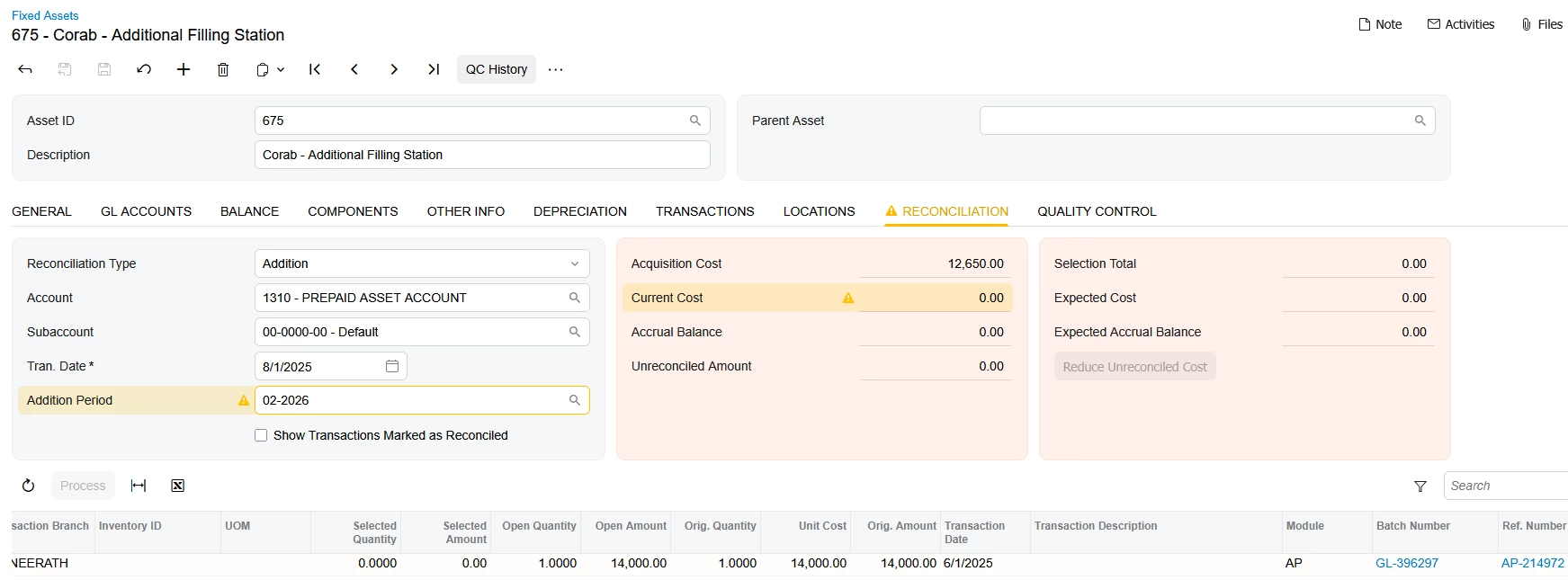
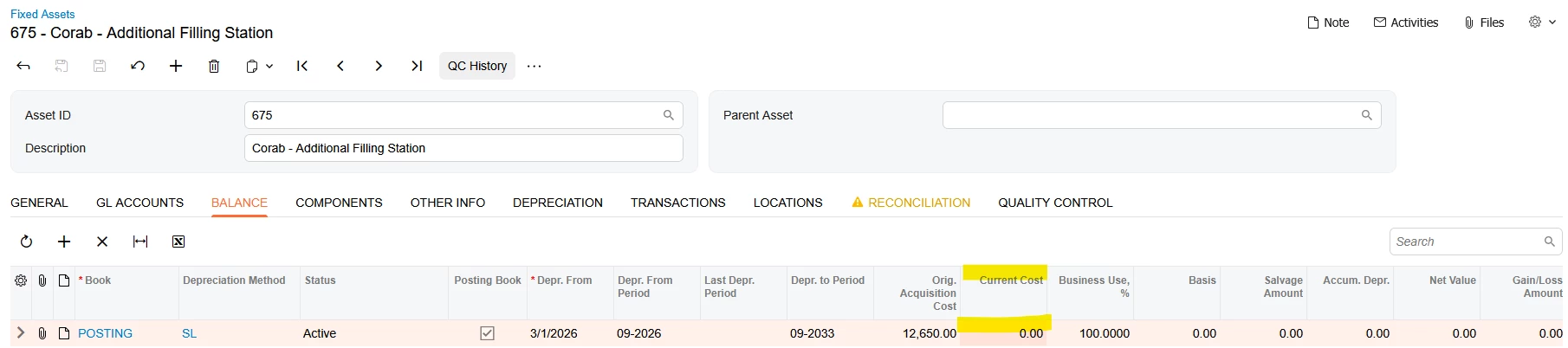
We have two FA that were created from GL reclasses. Neither have a Current Cost on the ’Balance’ tab or the ‘Reconciliation’ tab. The fields are not editable. Since these are from GL reclass, there is nothing to pull on the reconciliation screen.

How can I get the assets to decpreciate based on the Acquisition Cost? 

I know I can enter the depreciation monthly on the FA Transactions screen, but trying to avoid the manual process. 

Thank you!
 

2 replies

Forum|alt.badge.img
  • Acumatica Employee
  • June 29, 2026

Go to Fixed Asset Transactions (FA301000) and see if there are any transactions with a Balanced status for the zero Current Cost fixed assets.  If so, release them.  Then open the fixed assets again and check the Reconciliation tab to see of the Current Cost has been updated.  If so, try and Calculate Depreciation.


Forum|alt.badge.img
  • Acumatica Employee
  • June 29, 2026

If the above does not work, reverse the fixed assets, which will reverse any associated FA transactions. Then re-enter the fixed assets.  The reversing steps can be found in the article below.