Is there a configuration in the system to automatically copy and paste the start date, end date, start time, end time from the ‘Scheduled’ section to the fields of the ‘Actual’ section?
We run pretty simple that the appointments will always take place strictly the same start/end datetime as scheduled.
It would be really nice if we could have a function to determine that the appointments will always take place as schedule. So that, the users don’t need to fill out the actual date/time maually.
Thank you very much!
Best answer by vdiaz
@emilythaw16 Hi!
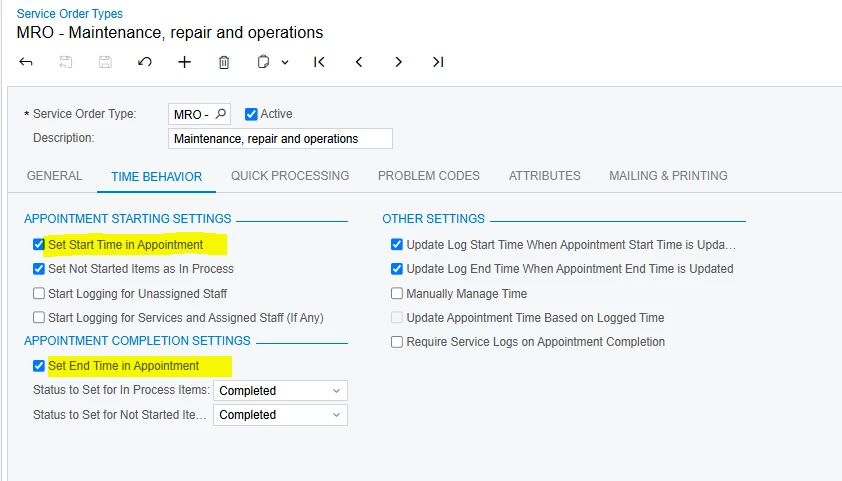
Unfortunately there is no setting that will copy the scheduled start/end time to the actual start/end time. There is a couple of settings on Service Order Types screen that will automatically set the current time on the Actual Start Date/Time when a user starts the appointment and the same for the end time when the appointment is completed.
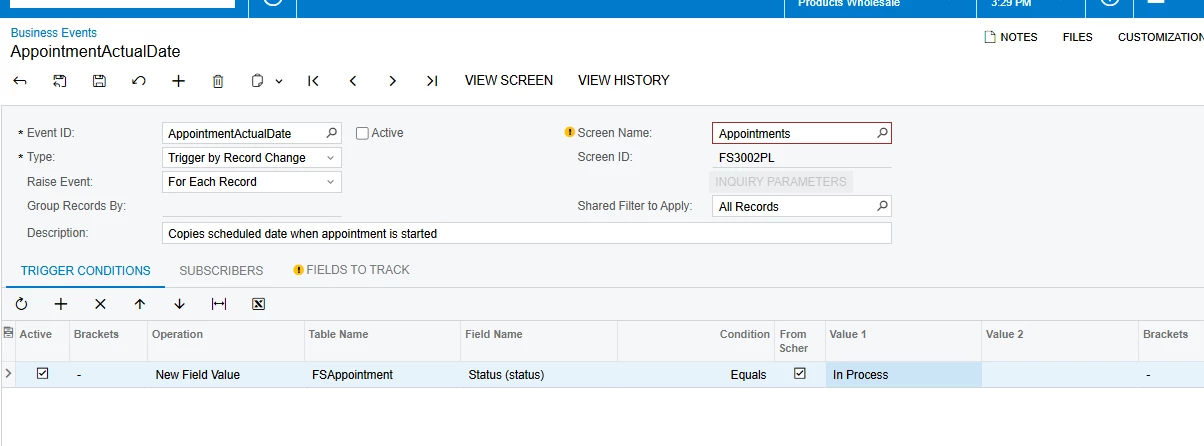
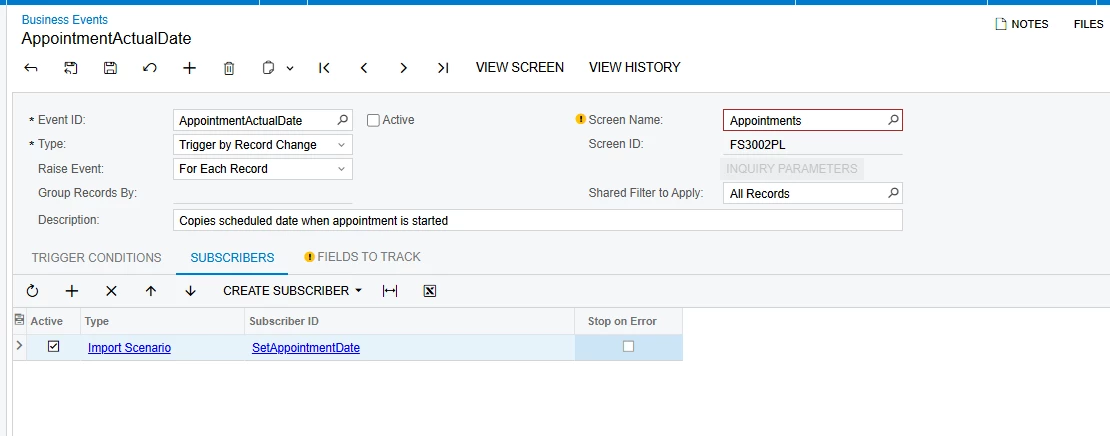
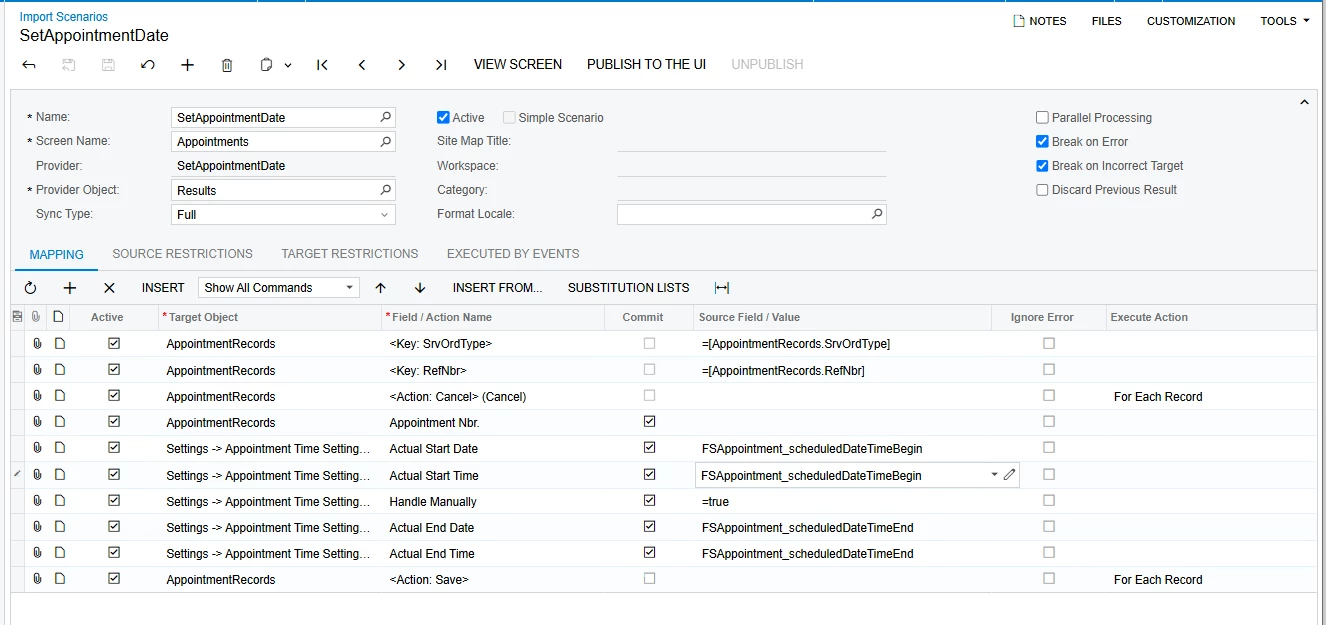
I think you can play with business events and import scnearios so that the system will use the schedule start/end date when the appointment is started.
Something like this:(still needs work, I was able to get the Actual Start Date set)
Unfortunately there is no setting that will copy the scheduled start/end time to the actual start/end time. There is a couple of settings on Service Order Types screen that will automatically set the current time on the Actual Start Date/Time when a user starts the appointment and the same for the end time when the appointment is completed.
I think you can play with business events and import scnearios so that the system will use the schedule start/end date when the appointment is started.
Something like this:(still needs work, I was able to get the Actual Start Date set)
Thank you very much for your quick solution providence.
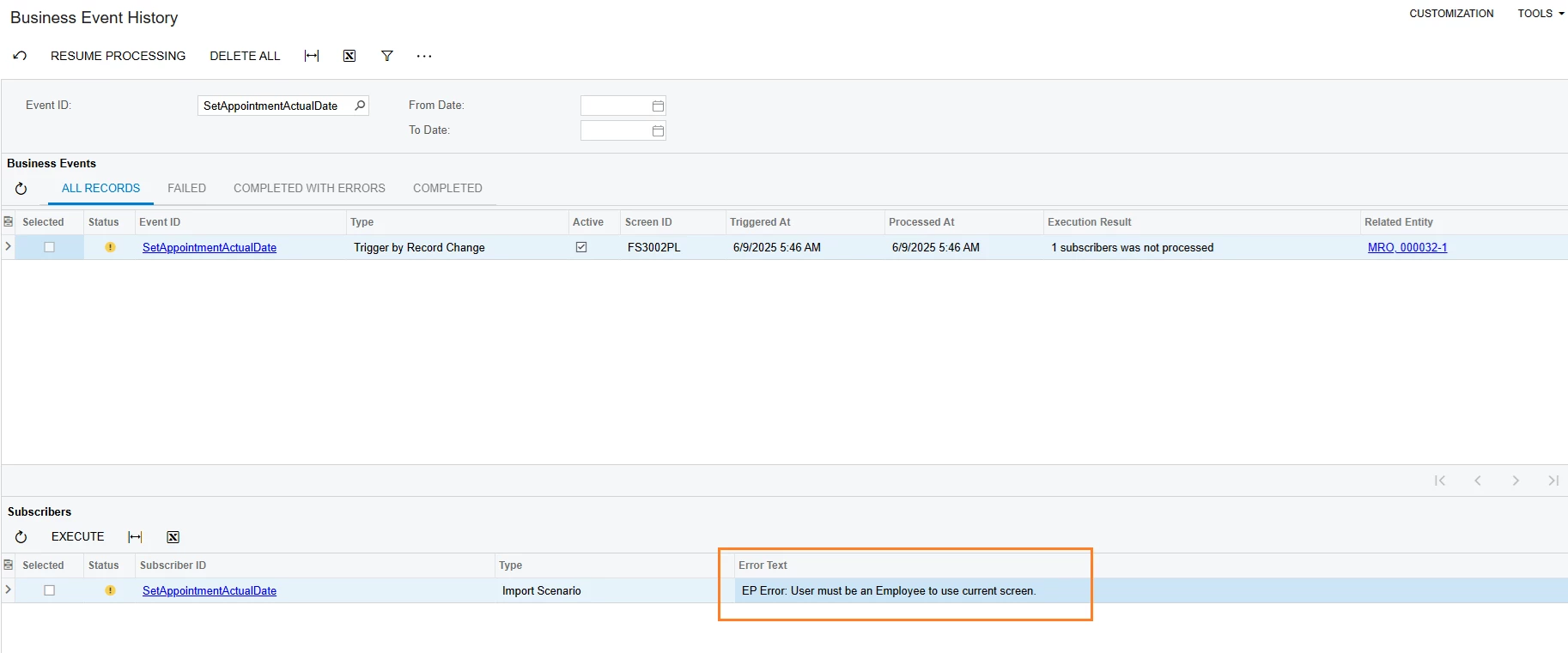
I tried to run the business event but encounter the following issues. May I know how did you resolve this error, please?
It shows ‘User must be an Emloyee to use current screen’. And the user I’m using to run this process has the linked entity with employee record using ‘gibbs’ on my test instance.