I have a scenario where the several pieces of equipment that need to be serviced and all the equipments are company owned and all in company location not in customer location. We have created these machines as Equipment records. However, when creating a Service Order, I am able to select this Equipment anywhere in the service Order.
Is it possible to perform service for company-owned equipment through a Service Order and Appointment?
Best answer by vdiaz
@ranjithduraisamy72 Here's what you need to configure to service company-owned equipment through a Service Order and Appointment in Acumatica.
Steps:
1. Configure the Equipment
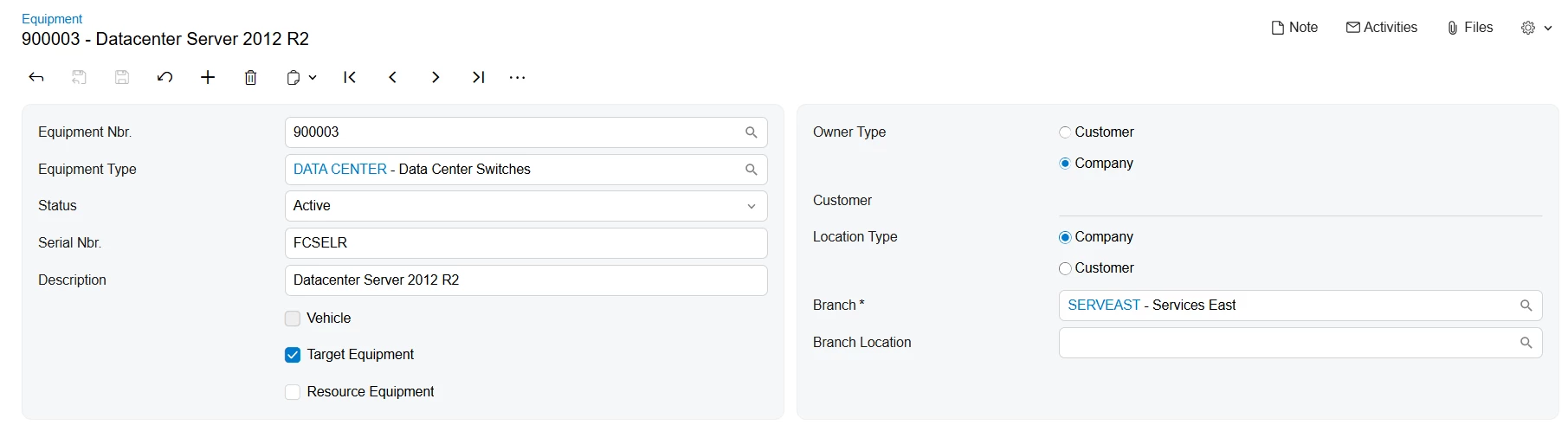
On the Equipment form, make sure the following is set for each machine:
Target Equipment must be checked
Owner Type → Company
Location Type → Company (you can select a Branch to allow servicing only for a specific branch, or leave it blank to use the equipment for all branches from the selected company)
(If the same equipment is also used by your technicians to perform services, you can additionally select the Resource Equipment checkbox.)
2. Use an Internal Service Order Type
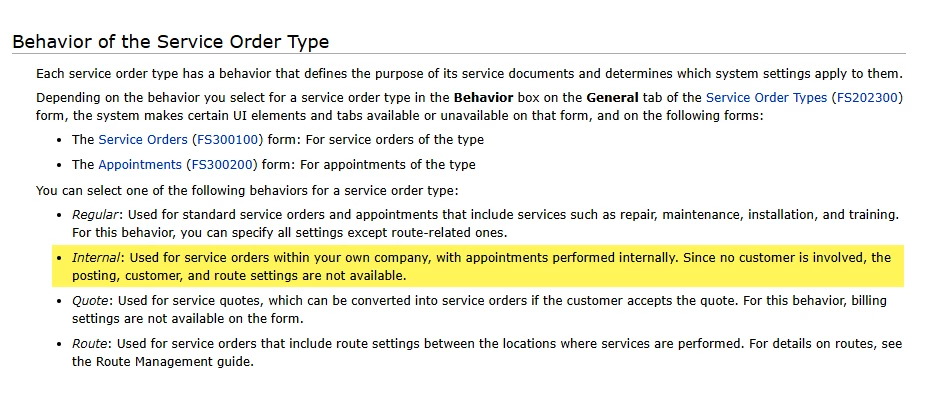
When creating a Service Order or Appointment, you must use a Service Order Type whose Behavior is set to Internal. Internal service order types are specifically designed for work performed within your own company, since no customer is involved, customer, posting, and billing fields are not available on these documents.
Understanding How Equipment Selection Works
When creating an internal Service Order or Appointment, the system filters available equipment based on the company and branch specified in the document. Only equipment whose company and branch match the document can be selected in the Target Equipment column.
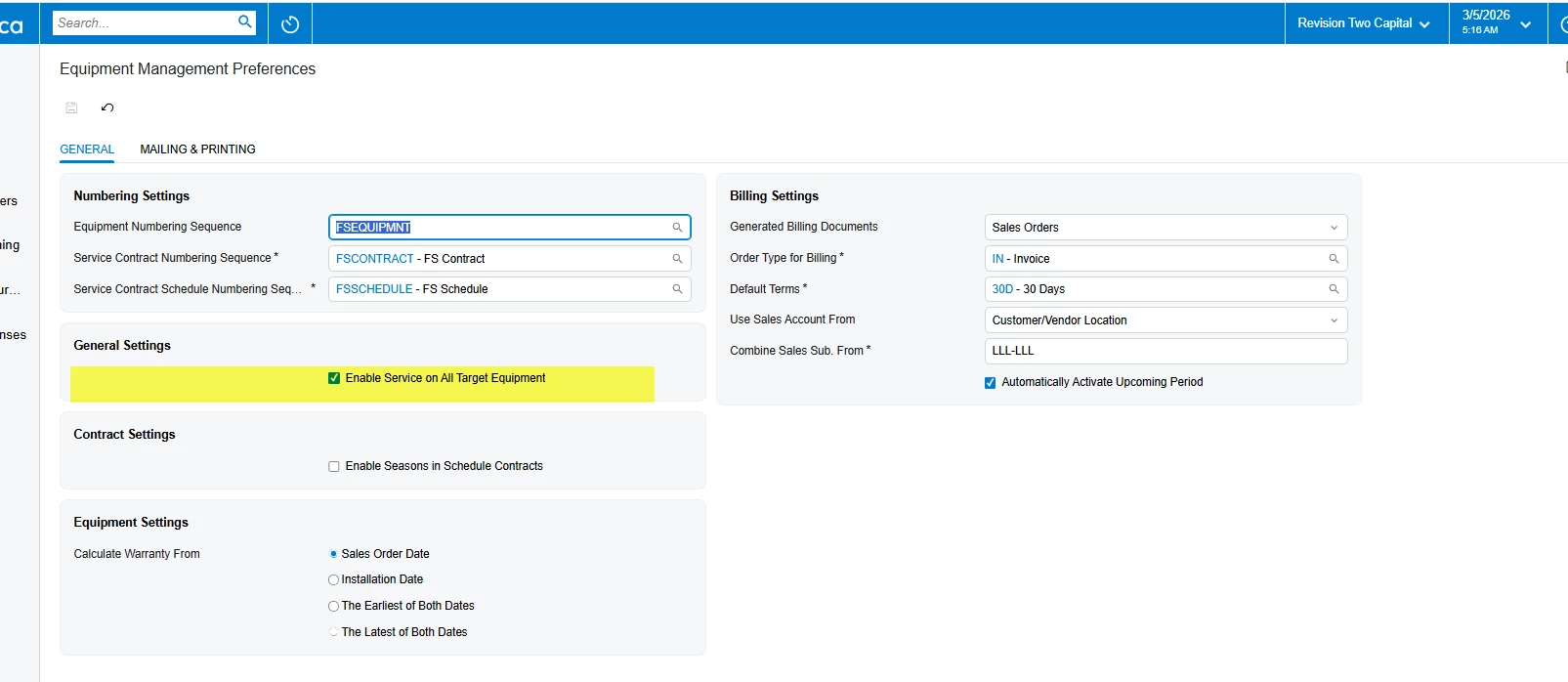
Note on "Enable Service for All Target Equipment" (Equipment Management Preferences): This setting is not required to service company-owned equipment. Enabling it removes branch-based filtering, making all active target equipment available for selection in any document. It can be useful if the default filtering is too restrictive for your workflow, but the setup described above works without it.
You can set up a Service Order Type to be used for servicing internal equipment with the ‘Internal’ behavior. Here is a link to the help article for setting up Service Order Types.
Yes, you are correct. We need to use an Internal Service Order Type. In addition, in the Equipment Management Preferences screen, the user needs to enable the highlighted field below. Enabling this field will activate the service functionality for all equipment.
This was the one I was missing when figured out yesterday.
Yes, it is possible to perform service on company-owned equipment through a Service Order and Appointment.
In Acumatica ERP, a single piece of equipment can be classified as both Resource Equipment (a tool or machine used to perform services) and Target Equipment (equipment that requires servicing).
To successfully select and service your company-owned equipment, you should ensure the following configurations are set:
Update the Equipment Records: On the Equipment form, ensure the Target Equipment check box is selected for these machines so the system knows they can be serviced. In the Owner section, select Company, and in the Location section, specify the Branch where the equipment is placed. (If the machines are also used by your staff to perform services, you can leave the Resource Equipment check box selected as well.)
Use an Internal Service Order Type: To create the Service Order or Appointment, you must use a Service Order Type that has its Behavior set to Internal. Internal service order types are specifically designed for services performed within your own company. Because no customer is involved, customer, posting, and route settings are not available on these orders.
By creating an internal appointment using this specific order type, you will be able to select your company-owned equipment as the target equipment to be repaired or serviced.
@ranjithduraisamy72 Here's what you need to configure to service company-owned equipment through a Service Order and Appointment in Acumatica.
Steps:
1. Configure the Equipment
On the Equipment form, make sure the following is set for each machine:
Target Equipment must be checked
Owner Type → Company
Location Type → Company (you can select a Branch to allow servicing only for a specific branch, or leave it blank to use the equipment for all branches from the selected company)
(If the same equipment is also used by your technicians to perform services, you can additionally select the Resource Equipment checkbox.)
2. Use an Internal Service Order Type
When creating a Service Order or Appointment, you must use a Service Order Type whose Behavior is set to Internal. Internal service order types are specifically designed for work performed within your own company, since no customer is involved, customer, posting, and billing fields are not available on these documents.
Understanding How Equipment Selection Works
When creating an internal Service Order or Appointment, the system filters available equipment based on the company and branch specified in the document. Only equipment whose company and branch match the document can be selected in the Target Equipment column.
Note on "Enable Service for All Target Equipment" (Equipment Management Preferences): This setting is not required to service company-owned equipment. Enabling it removes branch-based filtering, making all active target equipment available for selection in any document. It can be useful if the default filtering is too restrictive for your workflow, but the setup described above works without it.