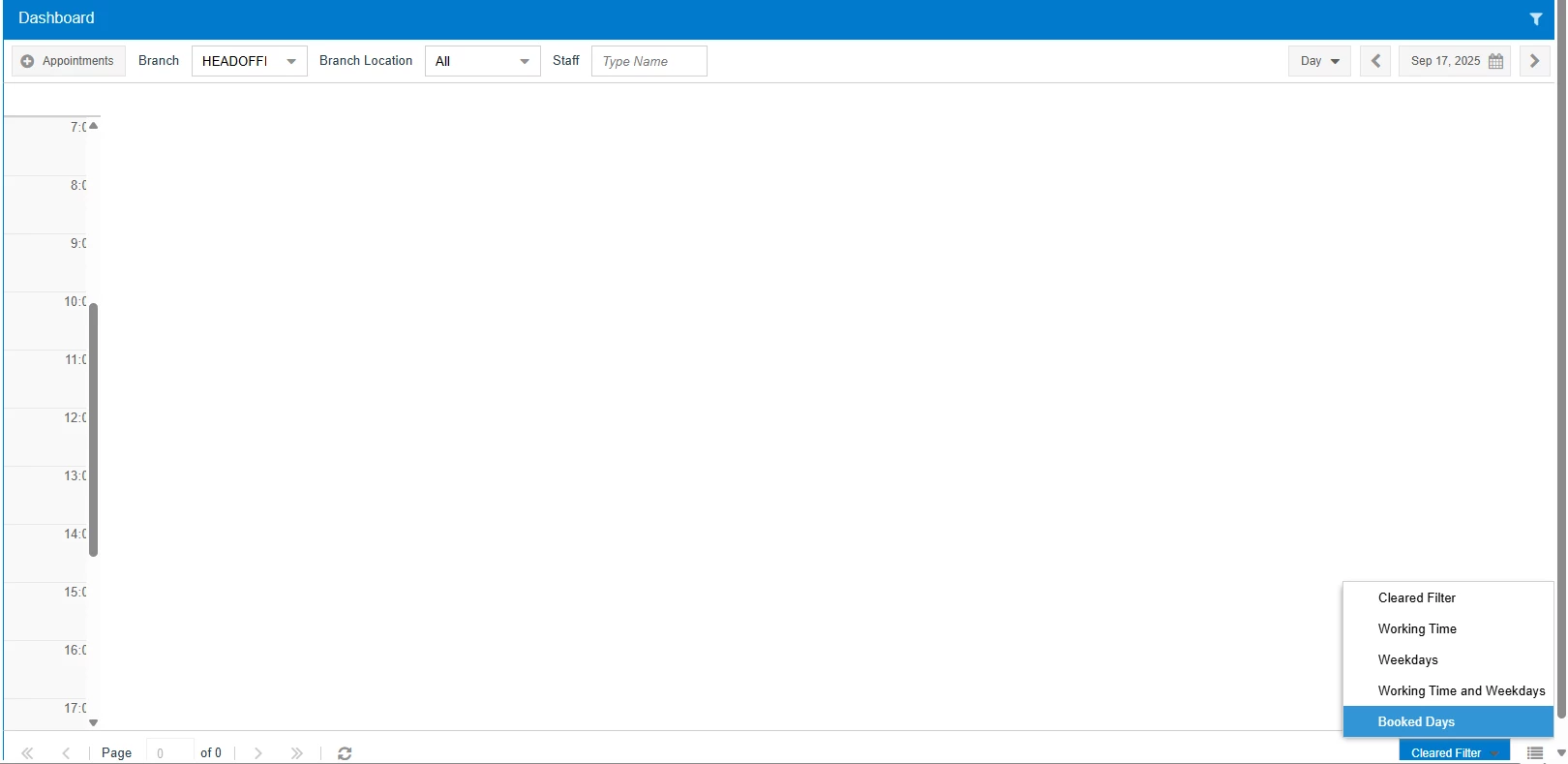
Our Modern UI Calendar Board displays all 24 hours despite selecting our working hours in Service Manage Preferences. Am I missing something? Only want our working hours displayed.
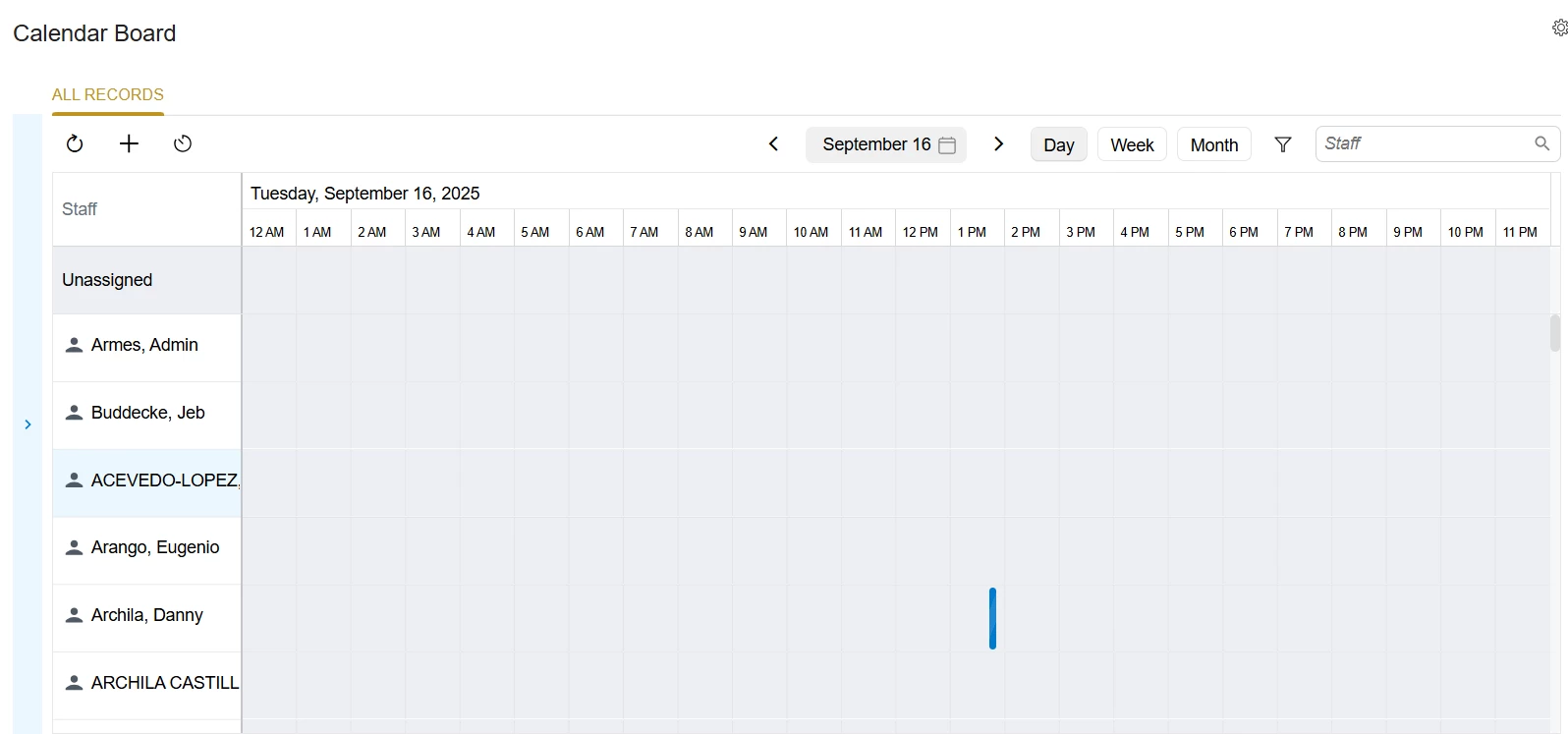
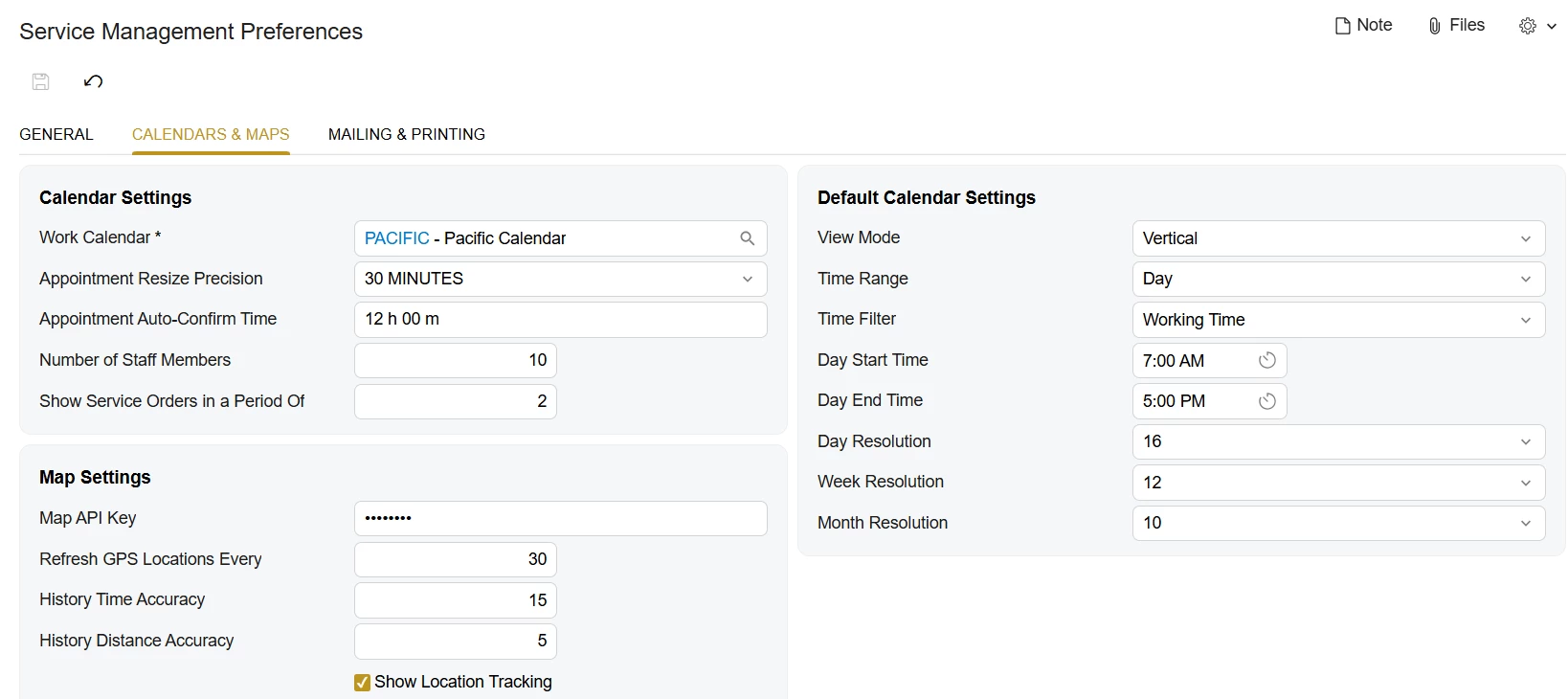
Our Modern UI Calendar Board displays all 24 hours despite selecting our working hours in Service Manage Preferences. Am I missing something? Only want our working hours displayed.
Best answer by vdiaz
Can you let me know which Acumatica build you’re on? We’ve been making a lot of improvements to the Modern UI Calendar in recent versions to make it more stable and flexible.
👉 Just to clarify: the Modern UI Calendar doesn’t use the Day Start Time and Day End Time settings from the Service Management Preferences (FS100100) → Calendar & Maps tab (these settings are only relevant for the classic UI). Instead:
It looks at the generated staff schedules for each employee.
It also automatically adjusts the calendar start/end times based on the earliest and latest appointments scheduled for that day (so if something is booked earlier than the defined availability, the calendar will extend to show it).
This screenshot is from a 2025 R2 GA site (build 25.200.0248) with Sales Demo data. I generated staff schedule rules for all employees — some start as early as 6 AM, others later, and some finish at 1 PM while others work until 5 PM. As you can see, the calendar displays the full time span from the earliest start (6 AM) to the latest end (5 PM), even though no appointments have been scheduled yet.
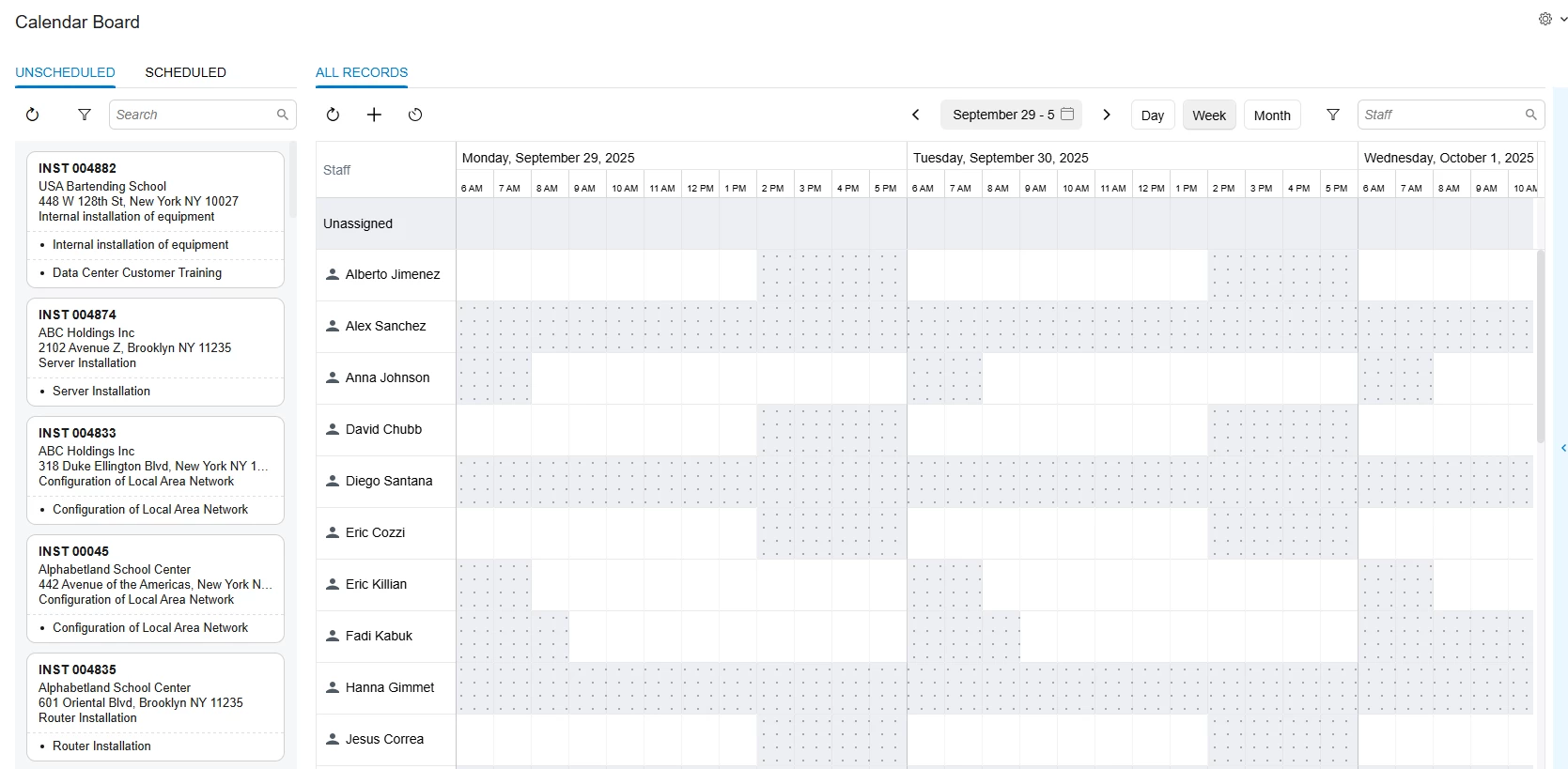
Here is a screenshot with appointments scheduled, notice how there are some unassigned appointments at midnight, so the calendar starts now at midnight.
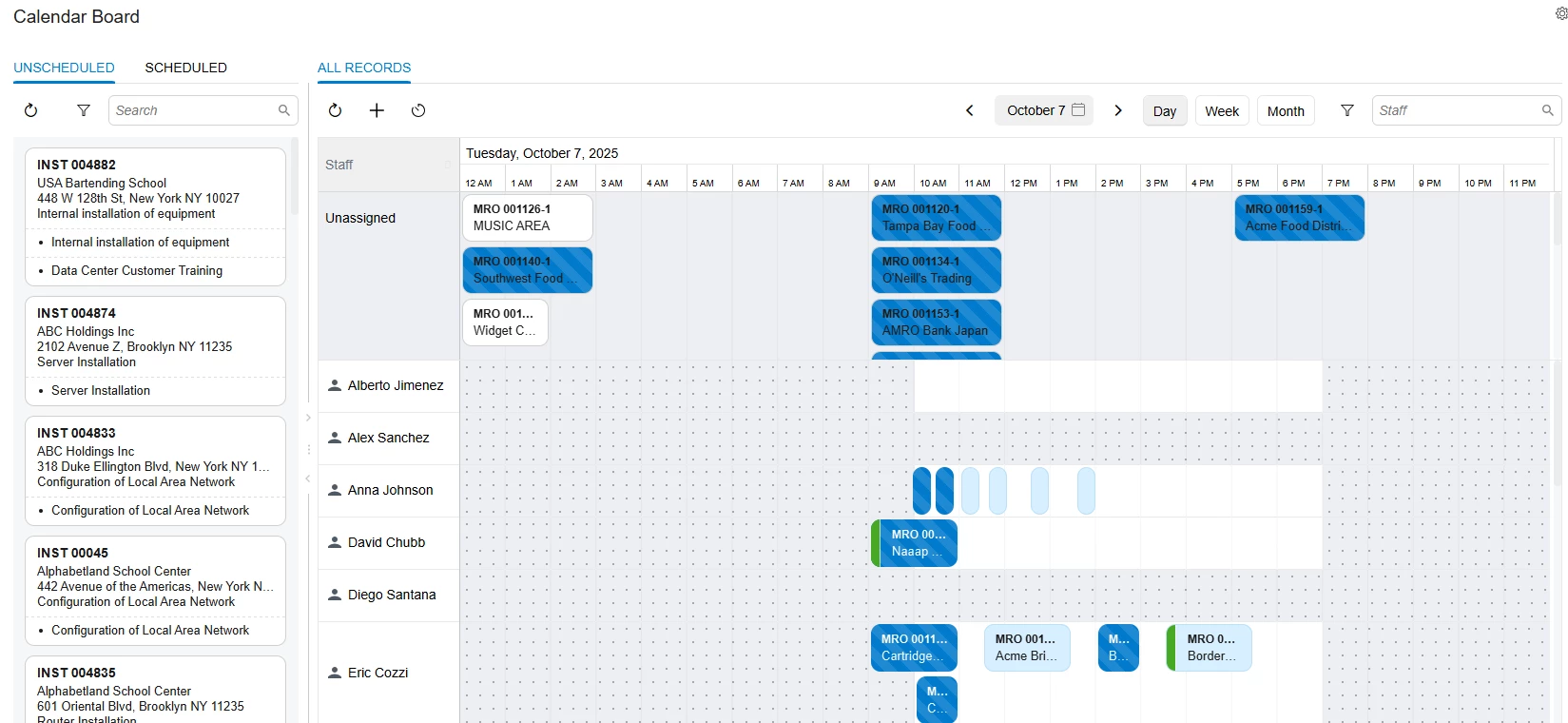
If you haven’t already, I recommend checking that staff schedule rules are set up and generated for all employees. You can find more details about in the Acumatica Help.
Please let me know if this worked.
No account yet? Create an account
Enter your E-mail address. We'll send you an e-mail with instructions to reset your password.