Question

Map not displaying side-by-side with grid in custom Region tab (Acumatica 2025 R2)

  • February 2, 2026
  • 9 replies
  • 74 views

abhimanyuprajapati52
Jr Varsity I
Forum|alt.badge.img

Hello,

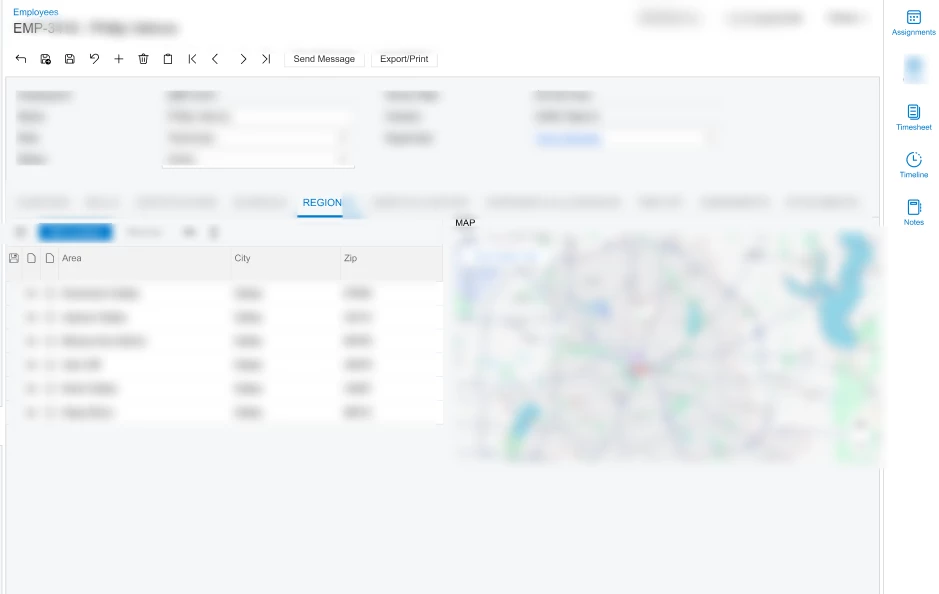
I am working on a customization in Acumatica 2025 R2 and trying to display a Google Map side-by-side with a PXGrid in a custom screen.

Scenario-

Custom screen: JobMaint

Tab: "Regions"

Left side: PXGrid (JobRegion)

Right side: Map (should show selected region address)

Goal: When selecting a row in the grid, the map should update and display the address.

What I Have Done-

Created an unbound DAC field MapHtml in JobRegion.

In RowSelected<JobRegion> event, I generate an iframe:

protected virtual void _(Events.RowSelected<JobRegion> e)
{
    if (e.Row == null)
        return;

    string address =
        $"{e.Row.AddressLine1}, {e.Row.City}, {e.Row.PostalCode}, {e.Row.CountryID}";

    if (string.IsNullOrWhiteSpace(address))
        return;

    string encoded = Uri.EscapeDataString(address);

    string map =
        $"<iframe src='https://maps.google.com/maps?q={encoded}&output=embed' " +
        $"style='width:100%;height:100%;border:0'></iframe>";

    e.Cache.SetValueExt<JobRegion.mapHtml>(e.Row, map);
}


On the ASPX page, I used:

<px:PXFormView
    runat="server"
    ID="frmRegionMap"
    DataSourceID="ds"
    DataMember="Regions">

    <Template>
        <px:PXHtmlView
            runat="server"
            ID="mapView"
            DataField="MapHtml"
            Width="100%"
            Height="400px" />
    </Template>

</px:PXFormView>


Grid has:

SyncPosition="True"
SyncCurrent="True"

Problem-

The map is NOT displaying at all.

No iframe visible.

No JavaScript error.

Console only shows localization warning (404 locale en-US).

Grid selection works.

RowSelected fires (verified in debugger).

Even when hardcoding iframe in ASPX, it does not display.

Questions-

Is PXHtmlView still supported for rendering iframe HTML in 2025 R2?

Is there a security restriction preventing iframe rendering?

Is there a recommended approach in 2025 R2 to show external map content?

Should we use Azure Maps instead of Google Maps?

Is there any CSP or X-Frame-Options restriction blocking embedded maps?

Any guidance or best practice for showing a dynamic map next to a grid in 2025 R2 would be greatly appreciated.

Thank you.

9 replies

Forum|alt.badge.img
  • Freshman II
  • February 2, 2026


Hi ​@abhimanyuprajapati52,

Have you tried handling this purely in code, for example by redirecting from the graph constructor like below?

    public PXSetup<SimpleSetup> Records;

public SimpleRecordsMaint() {

if(Records.Current != null) {

throw new PXRedirectToUrlException(Records.Current.Url, PXBaseRedirectException.WindowMode.Same, "Redirect:" + Records.Current.Url);

}
}
}

abhimanyuprajapati52
Jr Varsity I
Forum|alt.badge.img

@VaheGhazaryan 

Thank you for the suggestion.
My requirement is to display the map side-by-side with the PXGrid inside the same screen rather than redirecting the entire page.
I am trying to achieve this via iframe embedding within the tab.


Forum|alt.badge.img
  • Freshman II
  • February 2, 2026

@abhimanyuprajapati52,

I found an answer to a similar question on another platform where this was solved using a redirect-based approach. Please take a look at it — it might help in your case.

https://stackoverflow.com/questions/74674751/how-to-open-a-url-in-iframe-in-accumatica


abhimanyuprajapati52
Jr Varsity I
Forum|alt.badge.img

@VaheGhazaryan,

Thank you for sharing the redirect-based solution.
However, my goal is to render the map alongside the PXGrid inside the same screen rather than replacing the entire main frame.
I am looking for a supported way to embed a dynamic map URL within the tab layout.


Forum|alt.badge.img
  • Freshman II
  • February 2, 2026

@abhimanyuprajapati52,

Could you please show or describe how exactly you would like this to look in the end?
I’d like to better understand your expectation so I can try to help you in the best possible way.


abhimanyuprajapati52
Jr Varsity I
Forum|alt.badge.img

Hi @VaheGhazaryan,

Thank you for your response.

What I’m trying to achieve is the following layout inside the Regions tab of my custom Job screen:

  • On the left side, I have a PXGrid listing job regions (AddressLine1, City, Country, PostalCode).

  • On the right side, I would like to display a map.

  • When a user selects a row in the grid, the map should update dynamically to show the selected address.

The important part is that the map should be displayed side-by-side with the grid within the same tab — not as a redirect or full screen replacement.


I initially tried rendering the map using an iframe and dynamic HTML, but I’m facing issues with it not displaying properly.

Could you please suggest the recommended approach for achieving this in Acumatica 2025 R2?


darylbowman
Captain II
Forum|alt.badge.img+16

Should we use Azure Maps instead of Google Maps?

I've displayed an entirely custom map on a page for both Google and Azure maps. I believe Acumatica uses Azure Maps, despite it being the more expensive API, because there are no restrictions on storing cached coords.

I can give you the ASPX snippet for my map area later today. I think it's just a 'div'.


abhimanyuprajapati52
Jr Varsity I
Forum|alt.badge.img

Thank you, ​@darylbowman.

Yes, I would really appreciate the ASPX snippet for the map area.

My goal is to display a map side-by-side with a PXGrid in the Region(s) tab and dynamically update it based on the selected row.

I initially tried using an iframe with Google Maps, but it did not render properly in 2025 R2.

If Azure Maps with a div-based implementation is the recommended approach, I would definitely like to follow that.

Looking forward to your example.


darylbowman
Captain II
Forum|alt.badge.img+16

I’m not sure this is a great example to follow because what I’m doing is way more complex than what you’re trying to do. But here it is.

This is my ASPX:

<%@ Page Language="C#" MasterPageFile="~/MasterPages/FormView.master" AutoEventWireup="true" ValidateRequest="false" CodeFile="DXMP1000.aspx.cs" Inherits="Page_DXMP1000" Title="Untitled Page" %>
<%@ MasterType VirtualPath="~/MasterPages/FormView.master" %>

<asp:Content ID="cont1" ContentPlaceHolderID="phDS" Runat="Server">
<px:PXDataSource ID="ds" runat="server" Visible="True" Width="100%"
TypeName="DX.PlotGIAddresses.DXMap"
PrimaryView="MasterView">
<CallbackCommands></CallbackCommands>
<ClientEvents Initialize="plotAddresses" CommandPerformed="" ></ClientEvents>
</px:PXDataSource>
</asp:Content>
<asp:Content ID="cont2" ContentPlaceHolderID="phF" Runat="Server">
<px:PXFormView SkinID="Transparent" ID="form" runat="server" DataSourceID="ds" DataMember="MasterView" Width="100%" AllowAutoHide="false">
<Template>
<px:PXLiteral runat="server" Text="&lt;style>.gm-style .gm-style-iw { font-size: 13px; font-family: sans-serif; }&lt;/style>&lt;div id=&quot;map&quot; style=&quot;height:100%; width:100%&quot;>&lt;/div>" ID="s3" ></px:PXLiteral></Template>
<AutoSize Container="Window" Enabled="True" MinHeight="200" ></AutoSize>
</px:PXFormView>
</asp:Content>

The important bit is the PXLiteral

Then I’m injecting JavaScript into the page through Page_Load:

public YourCtor()
{
var page = HttpContext.Current?.Handler as PXPage;
if (page is object)
page.Load += Page_Load;
}

[Obsolete("Remove when Classic UI is deprecated")]
private void Page_Load(object sender, EventArgs e)
{
var page = (PXPage)sender;

// Prevent caching in order to correctly show the popup when it's changed
page.Response.Cache.SetCacheability(HttpCacheability.NoCache);

page.ClientScript.RegisterStartupScript(pageType, "DXMapSharedUtils", DXMapScripts._SharedUtilities, true);

// Provider-specific external scripts and implementation
switch (providerKind)
{
case "azure":
page.ClientScript.RegisterStartupScript(pageType, "DXMapExtScripts", DXMapScripts._AzureExternalScripts, false);
page.ClientScript.RegisterStartupScript(pageType, "DXMapProvider", DXMapScripts._AzureProvider, true);
break;
}
}

These are the broad strokes. Can’t really give you much more, since it’s a paid product.

Since all you’re trying to do is a load a standard map, this is probably way overkill.