Answer

Issue with purchasing to appointments.

  • September 30, 2025
  • 5 replies
  • 78 views

Forum|alt.badge.img

Hi Team,

We have issue with purchasing to appointments.

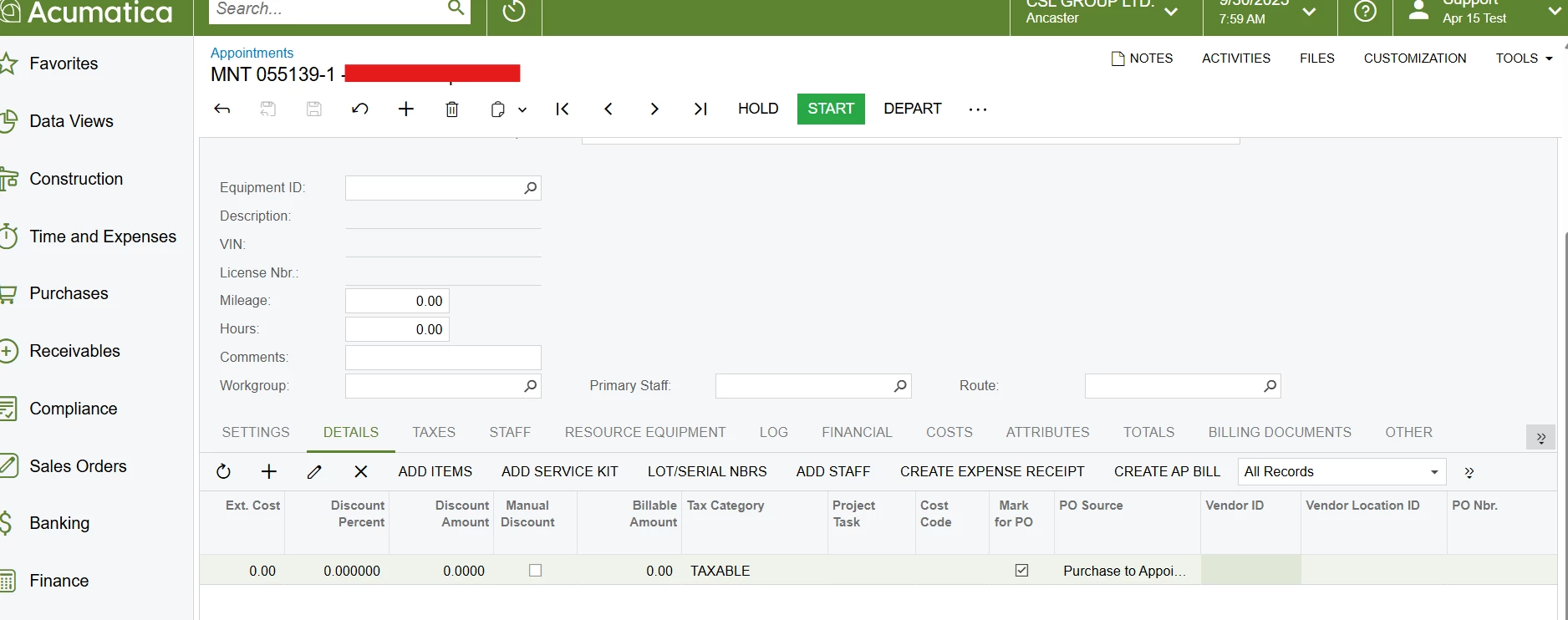
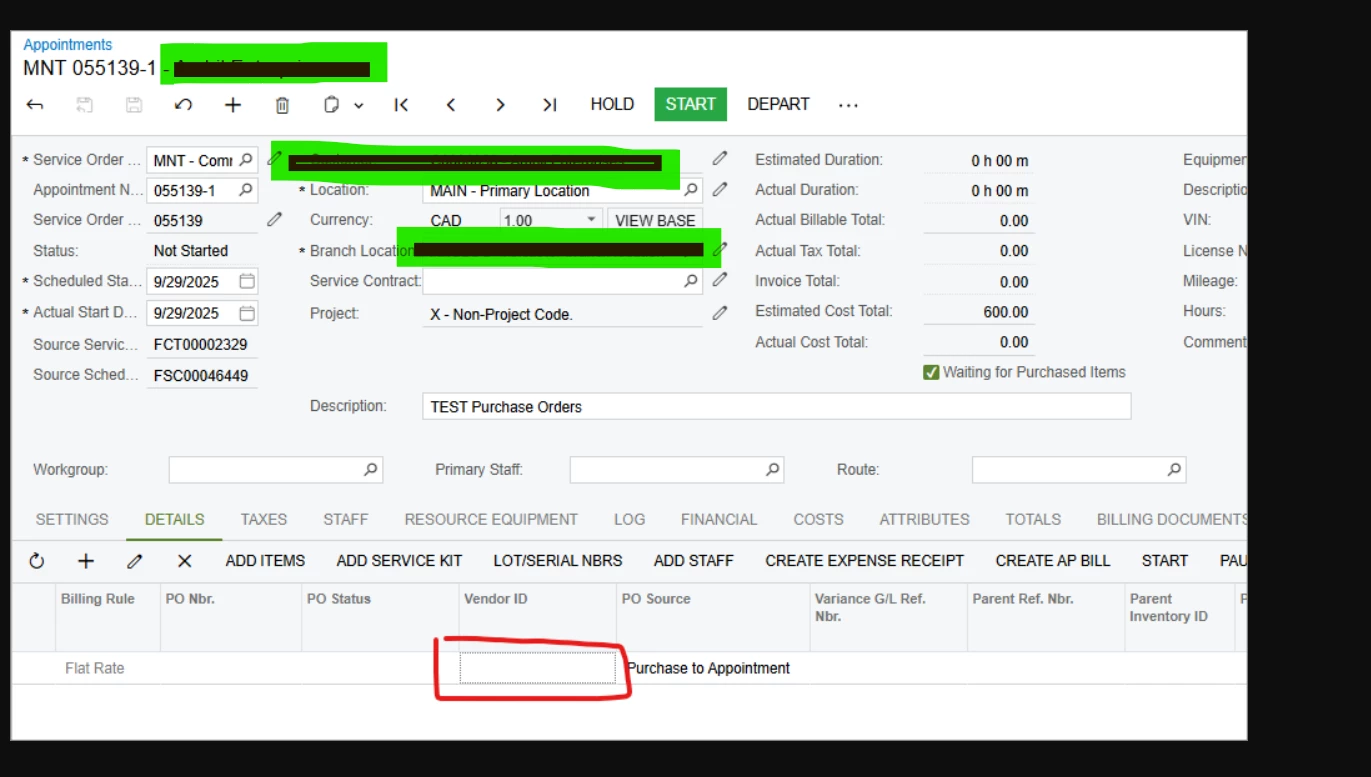
We used to be able to add the vendor to the appointment, but now the field FSAppointmentDet.POVendorID is locked for editing.


This was needed so that on the Create Purchase Orders process screen (PO505000) we could filter by vendor and the appointments would all come up to select and generate a PO from the lines. This is xxxx who service many sites and we need one PO with many lines. Without the vendor in the appointment we have lost the ability to filter the process screen to create the PO.


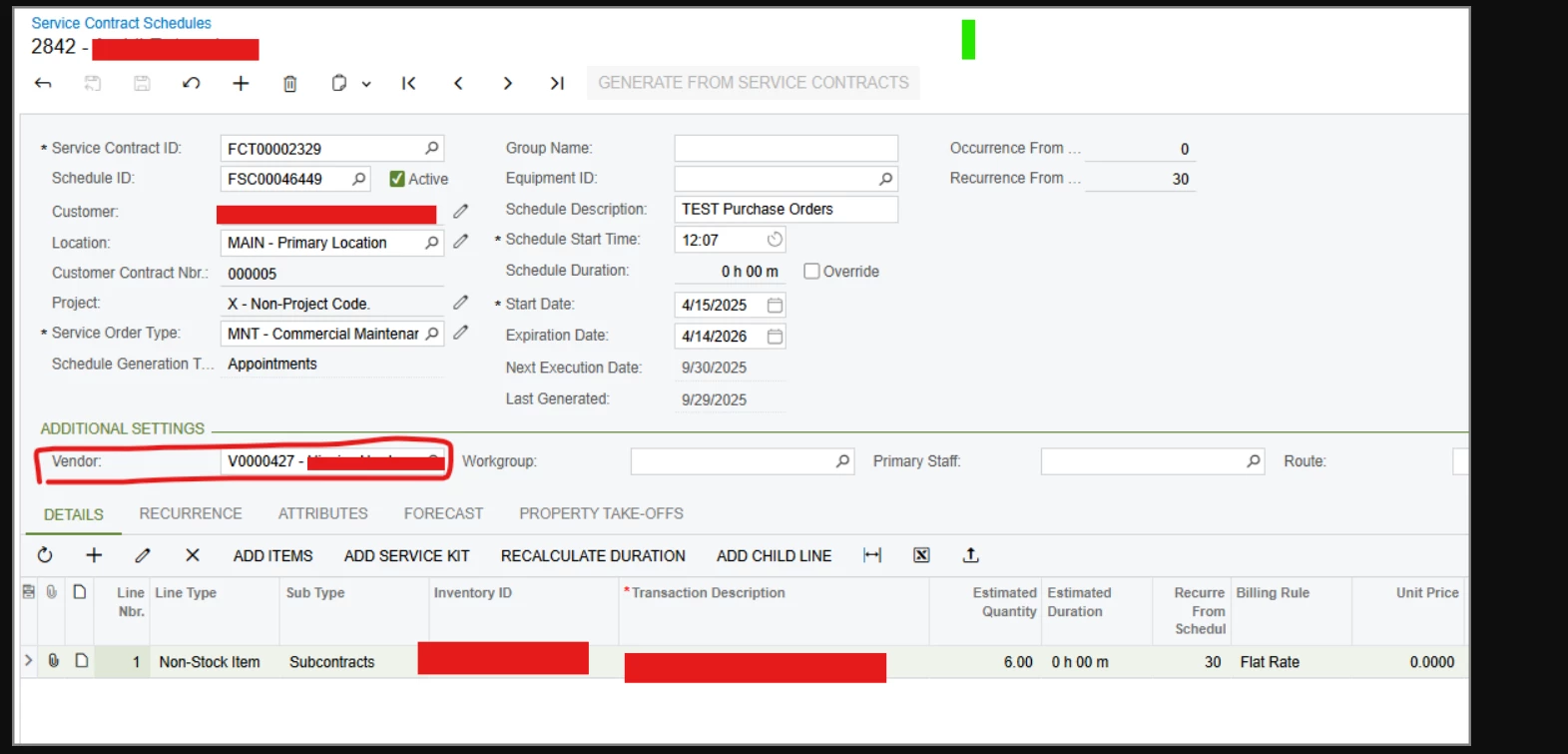
We noticed the Service Contract Schedule now has a vendor, which would work, except it doesn’t flow to the appointments so what is the point?


Please see the below screenshots


Best answer by vdiaz

@gowrishankarsk32  Hi!

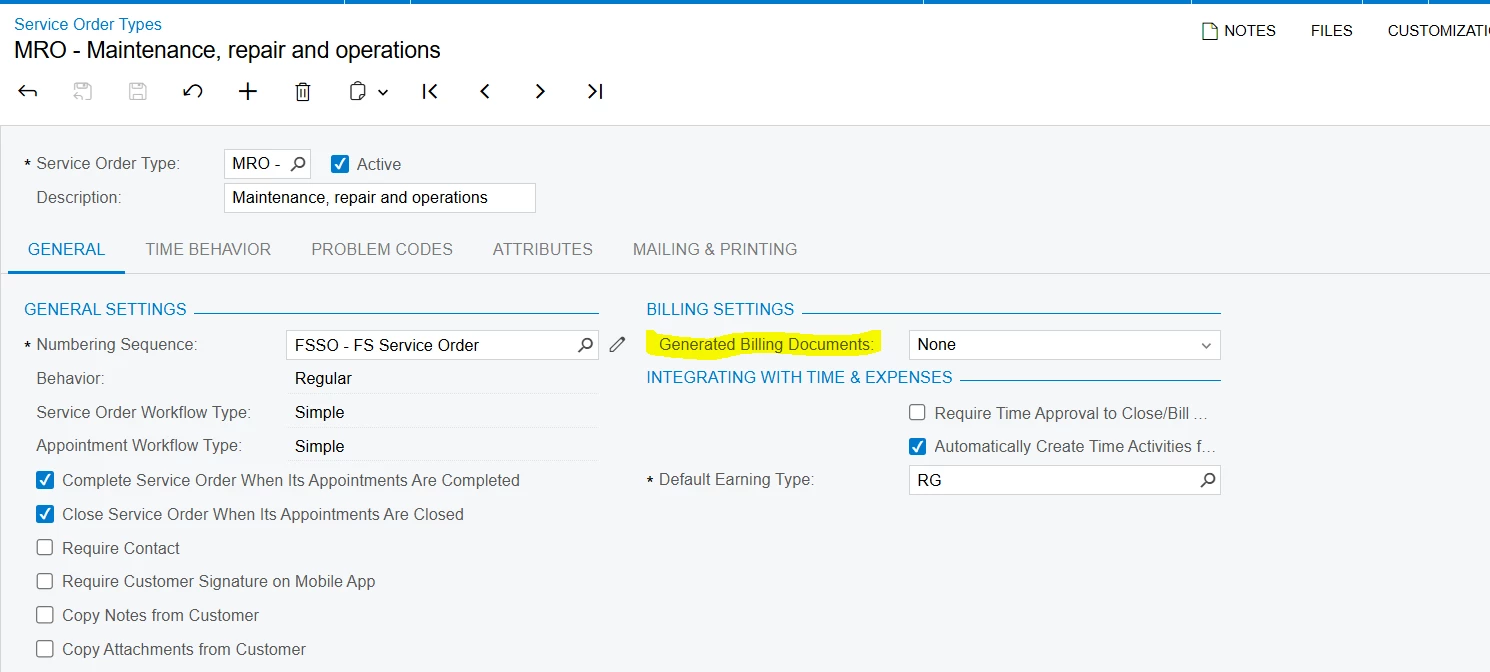
I’m sharing this information since it may be useful for others experiencing the same issue. After investigating the support case, turns out that the issue was related to Service Order Types settings

If the option selected on Generated Billing Documents is either None or AR Documents, the purchase orders functionality is not available.

In your case, it’s possible that the appointment was created first lines were checked for Mark for PO, and afterwards the service order type was modified.


5 replies

DrewNisley
Pro I
Forum|alt.badge.img+3
  • Pro I
  • September 30, 2025

@gowrishankarsk32 Do you have ‘Mark for PO’ set to true?


Forum|alt.badge.img

@gowrishankarsk32 Do you have ‘Mark for PO’ set to true?

Hi ​@DrewNisley,


Yes, 


DrewNisley
Pro I
Forum|alt.badge.img+3
  • Pro I
  • September 30, 2025

@gowrishankarsk32 Are the other fields in that line editable? If not, make sure the line is not cancelled.

Try unchecking ‘Mark for PO’ and rechecking it or see if it works with another item.

I cannot get it to be disabled unless the line is cancelled or ‘Mark for PO’ is false.


vdiaz
Acumatica Moderator
Forum|alt.badge.img+2
  • Acumatica Moderator
  • October 3, 2025

@DrewNisley Hi!

We appreciate you reporting this. Acumatica Support is investigating the issue and will follow up on the case once more details are available.


vdiaz
Acumatica Moderator
Forum|alt.badge.img+2
  • Acumatica Moderator
  • Answer
  • October 22, 2025

@gowrishankarsk32  Hi!

I’m sharing this information since it may be useful for others experiencing the same issue. After investigating the support case, turns out that the issue was related to Service Order Types settings

If the option selected on Generated Billing Documents is either None or AR Documents, the purchase orders functionality is not available.

In your case, it’s possible that the appointment was created first lines were checked for Mark for PO, and afterwards the service order type was modified.