Hi Team,
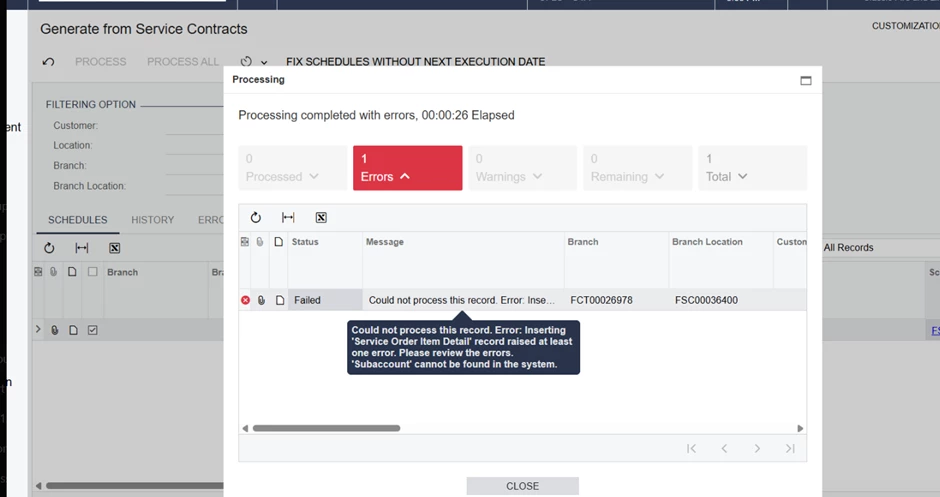
The issue is that they are trying to create a service order from schedule #FSC00036400. By using the following screen:
Hi Team,
The issue is that they are trying to create a service order from schedule #FSC00036400. By using the following screen:
Best answer by vdiaz
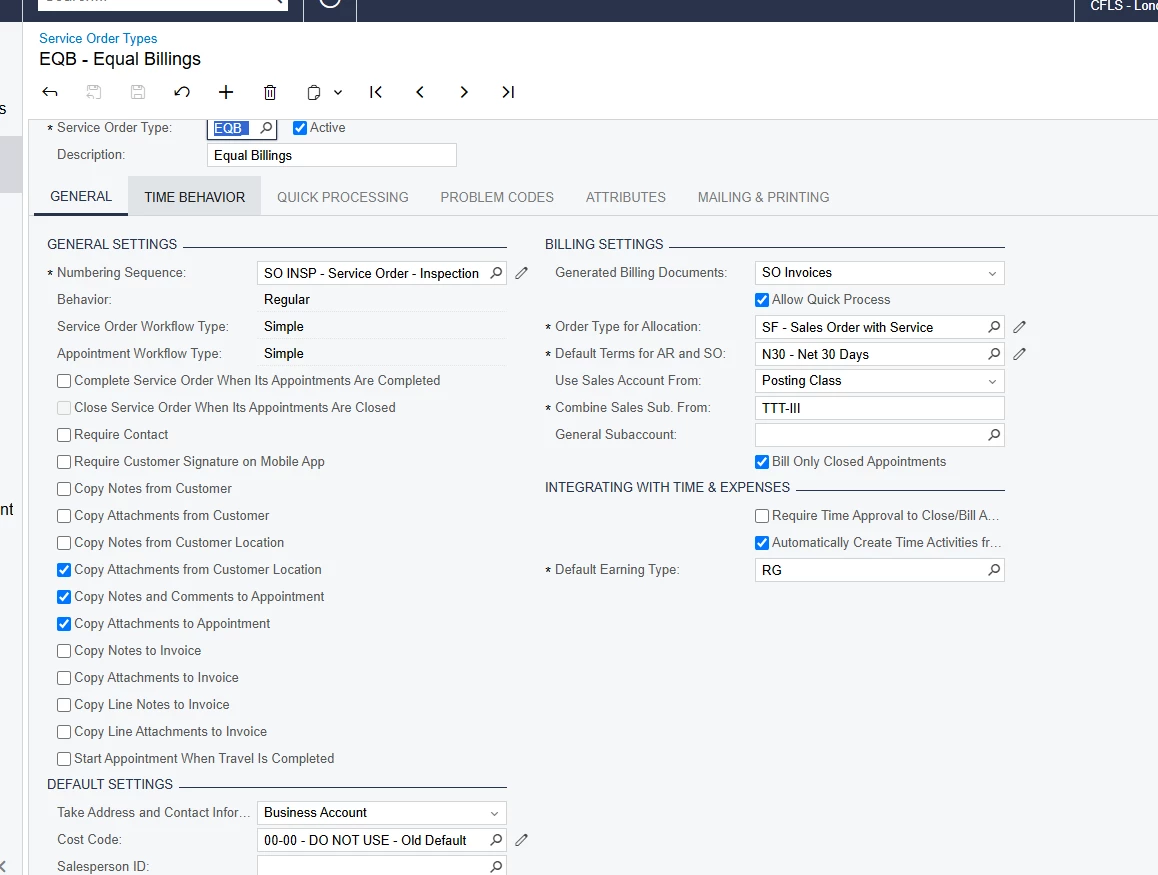
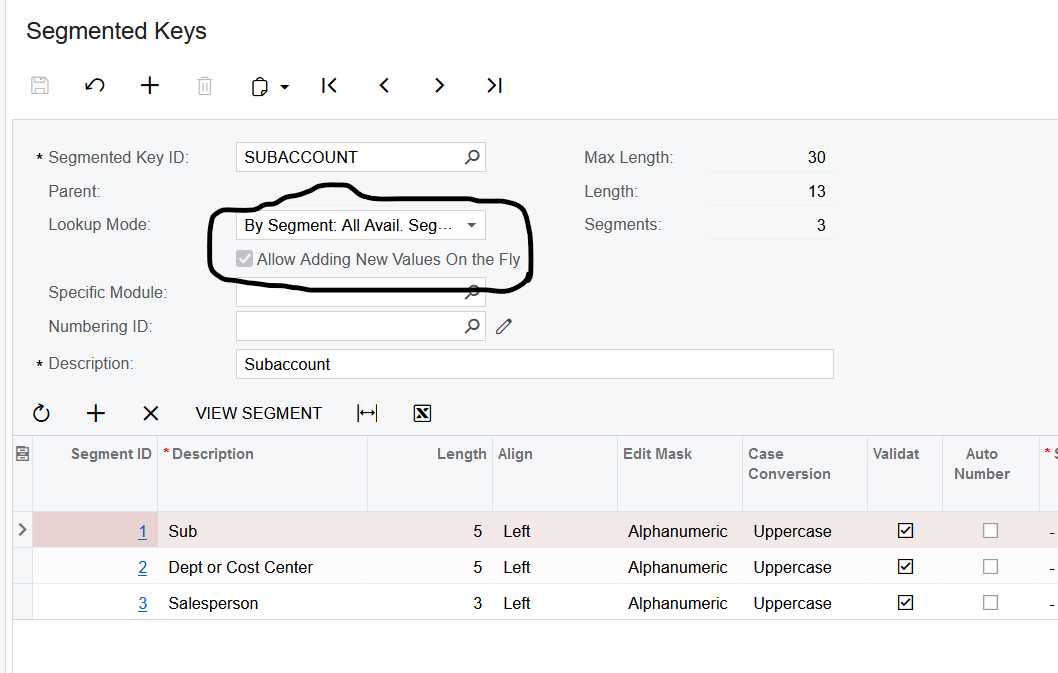
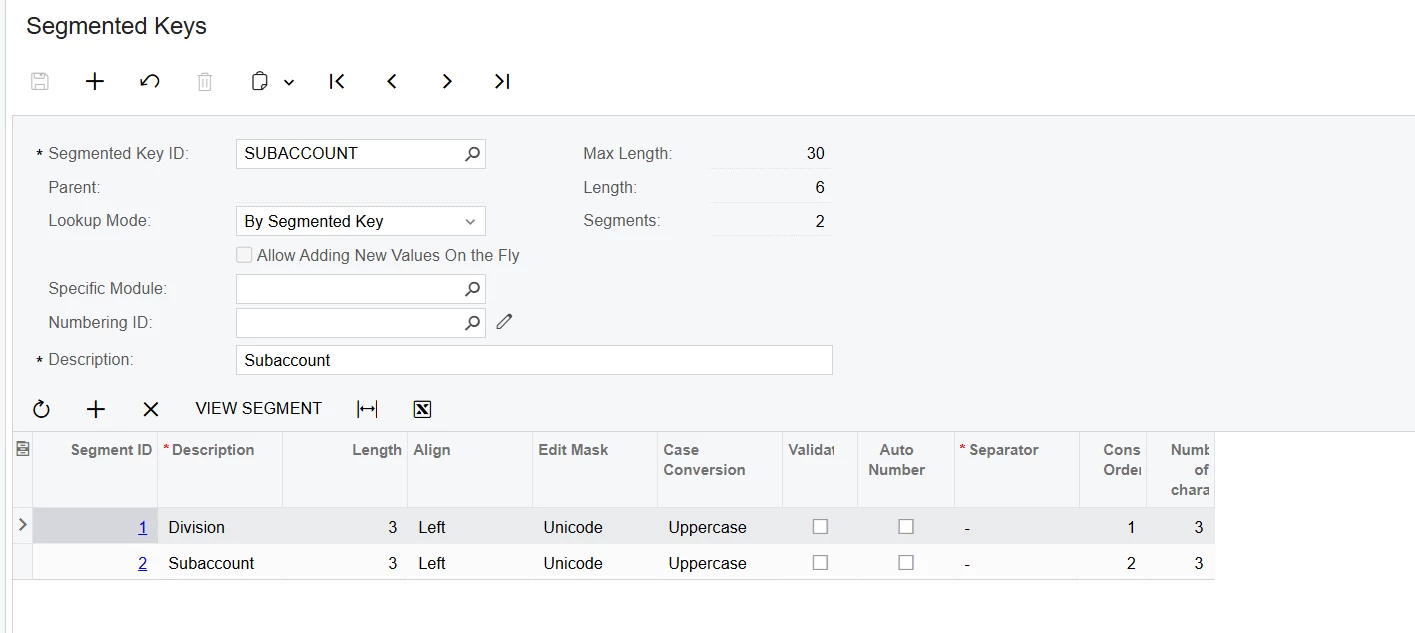
Sometimes the combination selected on the Combine Sales Sub From, will result in a subaccount that hasn’t been created in the system.
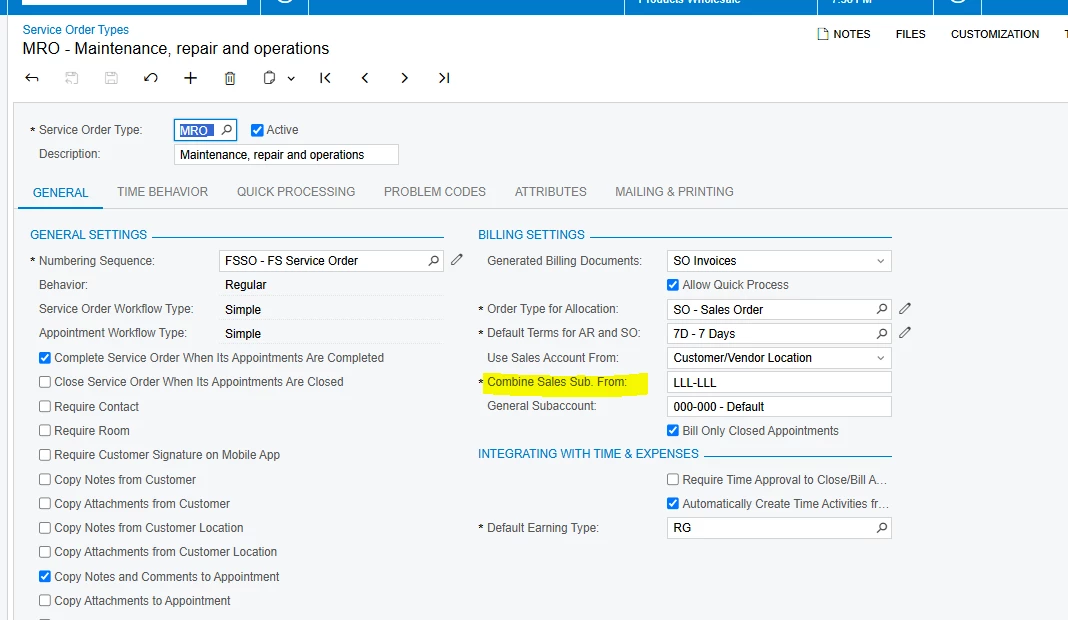
If the subacount is missing on the Subaccounts (GL203000) screen, you can create it. Or select a new combination that does exist in the list of subacount.
From the help:
Combine Sales Sub. From
The rule of composing the subaccount from other subaccounts associated with the records related to the billing document for a service order or appointment of this service order type. (You should make sure that the subaccounts have been defined for the sources of the segments.) To set up the rule, select a segment, press F3, and select the source of the segment value, which is one of the following options:
A: The subaccount associated with the branch location. The subaccount of a branch location is specified on the Branch Locations (FS202500) form, in the General Subaccount box (in the Financial Settings section of the General tab).
C: The subaccount associated with the branch. The subaccount of a branch is specified on the Branches (CS102000) form as follows: in the Sales Sub. box (GL Accounts tab) for an SO or AR document; and in the Expense Sub. box (GL Accounts tab) for an AP bill.
I: The subaccount associated with the inventory item. The subaccount of a non-stock item is specified on the GL Accounts of the Non-Stock Items (IN202000) form as follows: in the Sales Sub. box for an SO or AR document; and in the Expense Sub. box for an AP bill. The subaccount for a stock item or pickup or delivery item is specified on the Stock Items (IN202500) form, in the Sales Sub. box (GL Accounts tab).
L: The subaccount associated with the customer or vendor location. For a customer location, the subaccount is specified on the Customer Locations (AR303020) form in the Sales Sub. box (GL Accounts tab) for an SO or AR document. For a vendor location, the subaccount is specified on the Vendor Locations (AP303010) form in the Expense Sub. box (GL Accounts tab) for an AP bill.
P: The subaccount associated with the posting class. The subaccount of a posting class is specified on the Posting Classes (IN206000) form as follows: in the Sales Sub. box (GL Accounts tab) for an SO or AR document; and in the Expense Sub. box (GL Accounts tab) for an AP bill.
S: The subaccount associated with the salesperson. The subaccount of a salesperson is specified in the Sales Sub. box of the Summary area of the Salespersons (AR205000) form for a sales order or AR document.
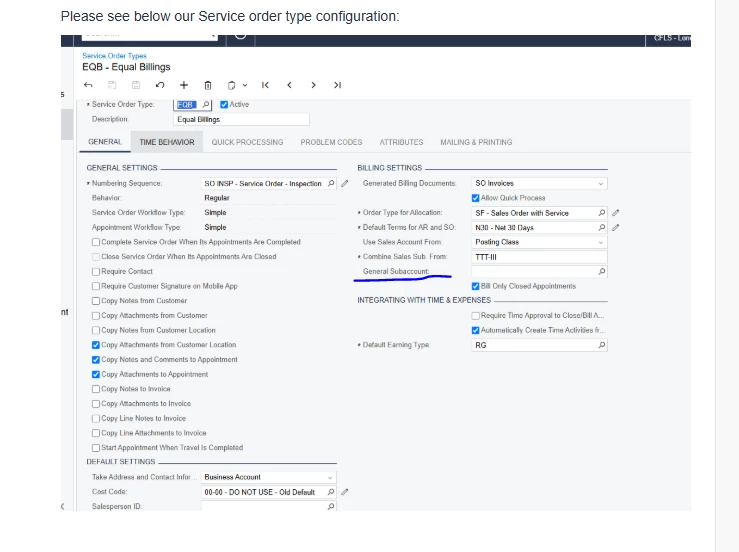
T: The subaccount associated with the service order type. The subaccount of the service order type is specified in the Subaccount box on the current form (also in the Billing Settings section on the General tab).
W: The subaccount associated with the warehouse. The subaccount of a warehouse is specified on the GL Accounts tab of the Warehouses (IN204000) form as follows: in the Sales Sub. box for an SO or AR document; and in the Expense Sub. box for an AP bill.This option appears on the form only if the Multiple Warehouses feature is enabled on the Enable/Disable Features (CS100000) form.
I hope this helps!
No account yet? Create an account
Enter your E-mail address. We'll send you an e-mail with instructions to reset your password.