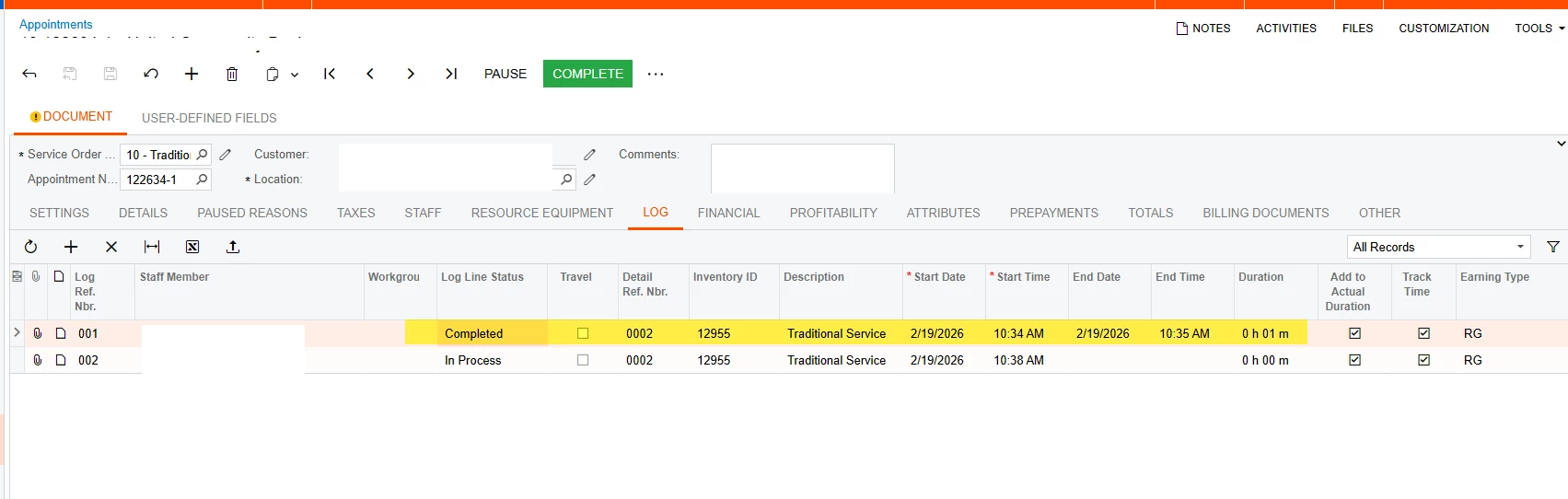
Thanks for the detailed description — and for checking the release notes as well. What you’re seeing in 25R1 is expected, because there was a behavioral change compared to 23R2.
This change was introduced across these builds:
-
2023R1 Update 16 (2023R116)
-
2023R2 Update 11 (2023R211)
-
2024R1 Update 03 (2024R103)
What changed, and why
In earlier versions (including 23R2), the system could create/update Employee Time Activities / Time Cards immediately when an Appointment log was set to Paused.
However, creating time activities for paused logs created downstream issues when the paused time spanned multiple days:
-
If a user paused a log on Appointments (FS300200) and then a related time entry was created/updated on Employee Time Activities (EP307000) or Employee Time Cards (EP406000), and the entry spanned multiple days, the system created a single entry with an incorrect duration.
-
This happened because the Time Spent field on Employee Time Activities / Employee Time Cards does not support multiple days / durations over 24 hours.
-
Even more importantly: if that “long” entry was approved or released, the system was unable to split the time properly (one line per day). In some configurations (depending on Time Behavior settings on the Service Order Type), this blocked users from completing the appointment or completing the log line, because the system tried to insert the split lines at completion time — and was not able if the time is already approved/released.
Result in 25R1
To prevent incorrect long-duration entries and avoid completion-blocking scenarios, the system no longer updates/creates the Employee Time Activity/Time Card immediately upon pause in the same way it did in 23R2. Instead, it updates at a safer point (for example, once the appointment/log is completed and the system can correctly generate/split entries as needed).
There is no need to complete the entire appointment to get the time to flow to time activities, setting the log to complete is enough.
Release note references
This behavior change is documented in the release notes. I’ll include the exact links here: