Answer

How to enable the fields on the Activity screen in Acumatica mobile

  • November 4, 2023
  • 3 replies
  • 588 views

Sagar Greytrix
Captain II
Forum|alt.badge.img+3

Hi Team,

I have added the 'Activity (CR306010 ) Screen' in the Acumatica mobile customization,

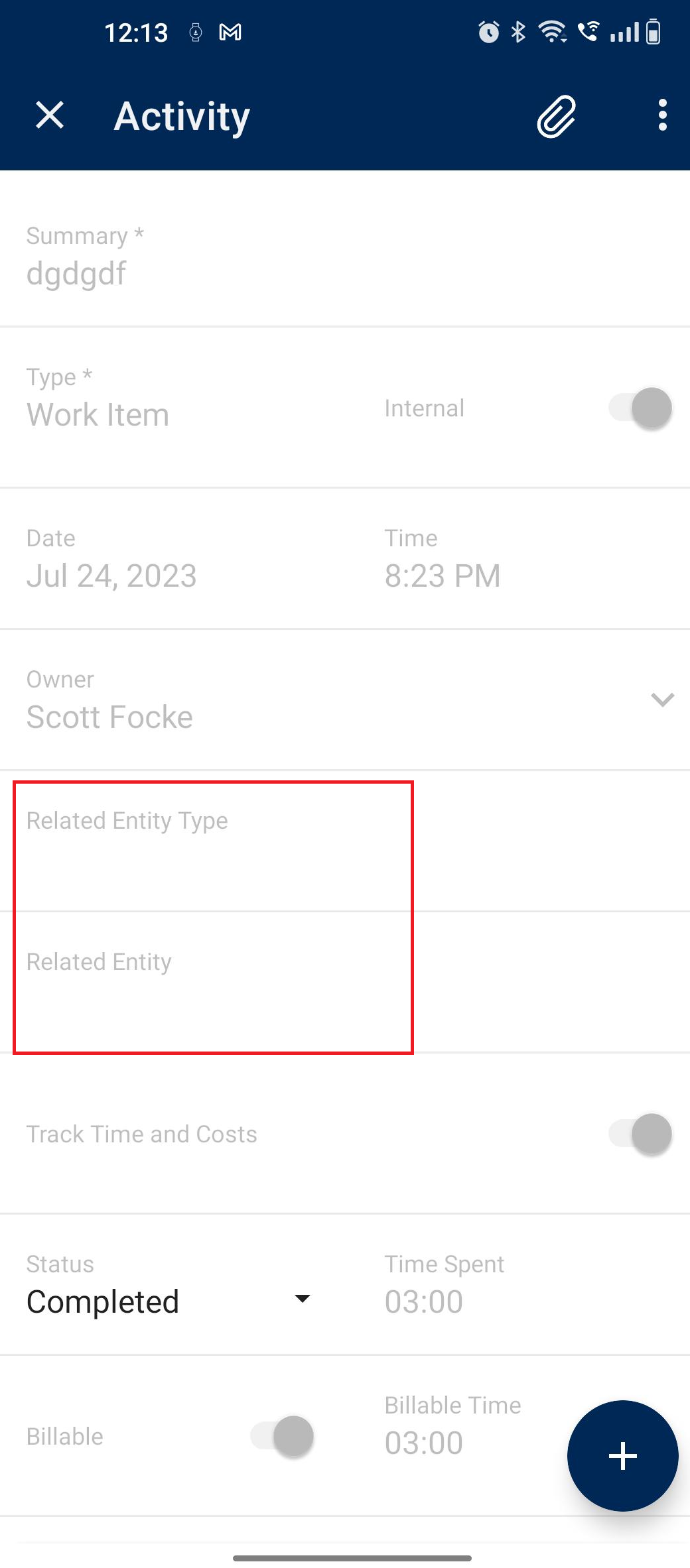
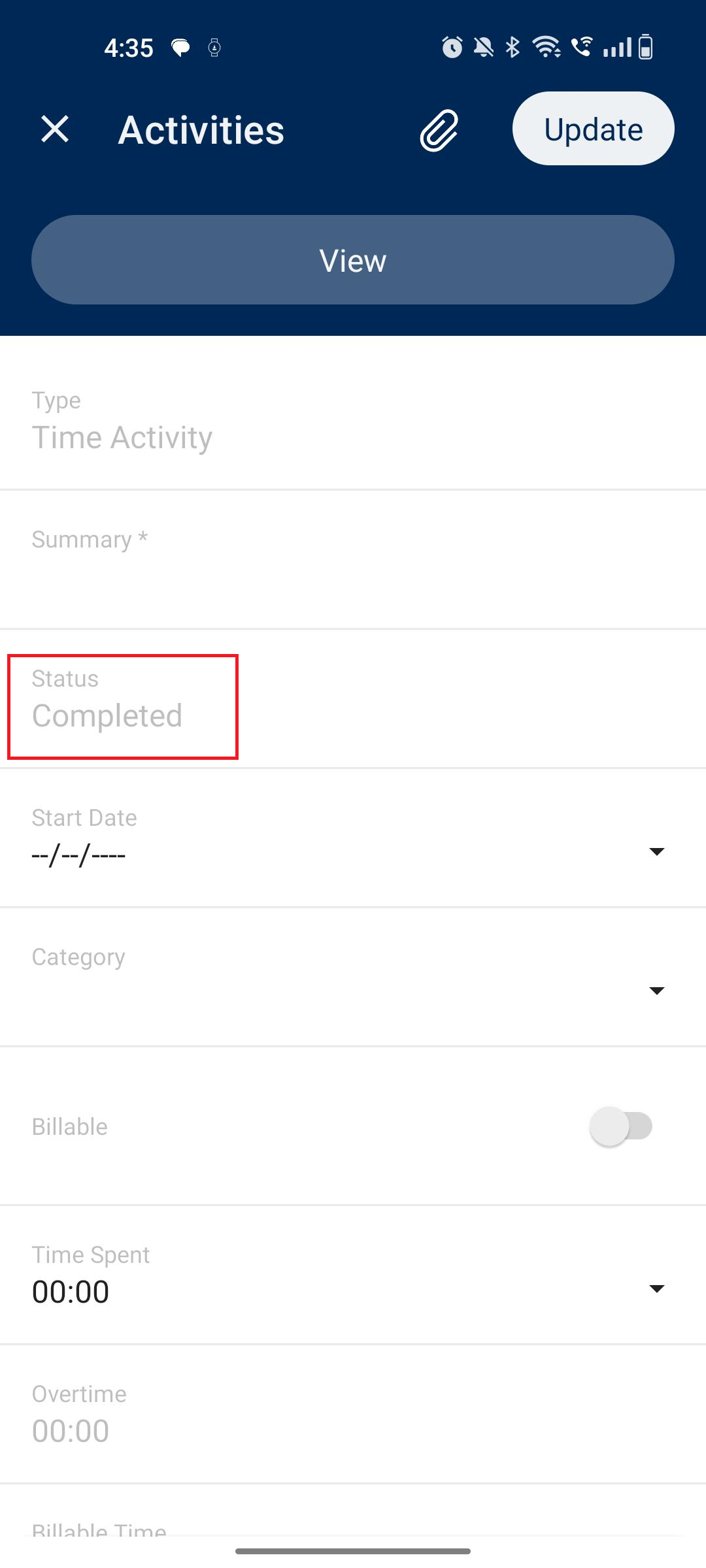
but my issue is that in some fields, I can't add values because they are disabled. Additionally, I am unable to create a new activity in those fields.  only 'complete' is showing in the status field. I have added the code below,

please check it. I have also attached a screenshot and code. Kindly let me know if you have a solution for this.

Update: CR306010 Activity: code

update screen CR306010 {
   
  
  update container "Activities" {
    formActionsToExpand = 2
    containerActionsToExpand = 1
   
    Add containerAction "Insert"
    { icon = "system://Plus"
    behavior = Create }
    
   add recordAction "Insert" {
        behavior = Create
    }
    
    
    }
 
    
    }


Update: MENU Code:

update sitemap { add folder "Activity" {
    type = HubFolder
    isDefaultFavorite = True
    displayName = "Activity"
     icon = "system://Network"  
    add item "CR306010" {
    displayName = "Activity"
    visible = True
    }
    
  }   }

also added activity tab in the project screen code:


update screen PM301000 { add container "Activities" {
    placeBefore container "Balances"
  fieldsToShow = 12
   listActionsToExpand = 1
    formActionsToExpand = 1
    containerActionsToExpand = 1
     
   
  add field "Type"
   add field "RelatedEntityType"
    add field "RelatedEntity"

   
  add field "Summary"
  {
      forceType = "String"
    }
  
  add containerAction "ViewActivity" {
      behavior = Open
      redirect = True
    }
    add field "Status" {
          forceType = "String"
         forceIsVisible = False
        }
  add field "StartDate"
   add field "Category"
  add field "Billable"
   add field "TimeSpent"
  add field "Overtime"
  add field "BillableTime"
  add field "BillableOvertime"
   
   
   add field "Workgroup"
      {
        pickerType = Searchable
      }
   
   
    add field "Owner"
  {
        pickerType = Searchable
        selector {
  fieldsToShow = 1
  add field "Contact"
  add field "ExtKey" {
            forceIsVisible = False
          }
       }
    }
  
   
  add recordAction "ViewActivity" {
      displayName = "View"
      behavior = Record
      redirect = True
    }
   
    add containerAction "Insert" {
      displayName = "Add"
      icon = "system://Plus"
      behavior = Create
    }
   
    attachments {
             }
 

Regards,

Sagar
Best answer by rakshandad31

Hi @sagar07 ,

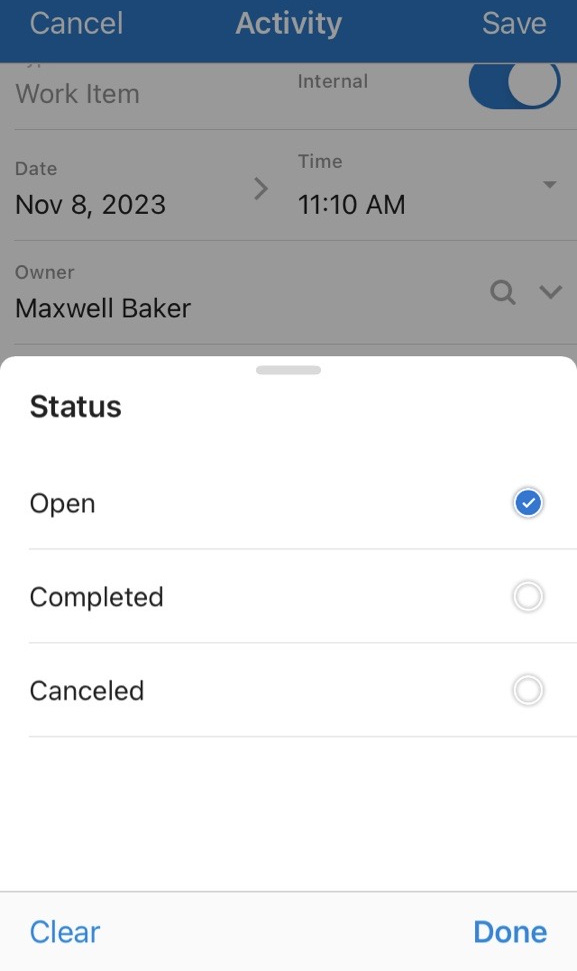
As landing screen for Activities is EP404300 so ,I have added new screen in Mobile Customization as below, On Insert I am able to select other status, Please find screenshot for reference,

add screen EP404300 {  
   add container "Activities" {
   fieldsToShow = 3
   listActionsToExpand = 1
   containerActionsToExpand = 1
   add field "Summary"
   add field "Status"
   add field "Date"  

   add containerAction "CreateNew" 
   {
        icon = "system://Plus"
        behavior = Create
        redirect = True
   } 
}  
}

Hope this helps !!

3 replies

Forum|alt.badge.img+5
  • Jr Varsity II
  • November 5, 2023

Is it showing differently for those Activities in the Web UI? 


I believe it is standard for completed activities to not be editable. I haven’t done much work with mobile but I believe you would need to add the CreateActivity actions to do what you are trying to do, it seems like you are currently only able to view existing(and completed) activities. 


  • Jr Varsity I
  • Answer
  • November 8, 2023

Hi @sagar07 ,

As landing screen for Activities is EP404300 so ,I have added new screen in Mobile Customization as below, On Insert I am able to select other status, Please find screenshot for reference,

add screen EP404300 {  
   add container "Activities" {
   fieldsToShow = 3
   listActionsToExpand = 1
   containerActionsToExpand = 1
   add field "Summary"
   add field "Status"
   add field "Date"  

   add containerAction "CreateNew" 
   {
        icon = "system://Plus"
        behavior = Create
        redirect = True
   } 
}  
}

Hope this helps !!


Glen Martin
Acumatica Moderator
Forum|alt.badge.img+1
  • Acumatica Moderator
  • November 21, 2025

Please see this related Product Idea: