Answer

Field Services-Service Orders

  • December 12, 2023
  • 1 reply
  • 111 views

Forum|alt.badge.img

Hi,

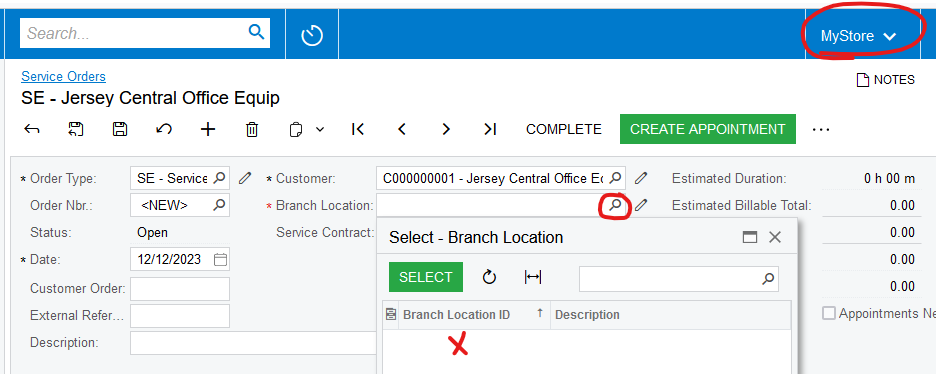
I am configuring Field Services and have a question. When I create a service order and try to select 

a branch location per the screenshot below:
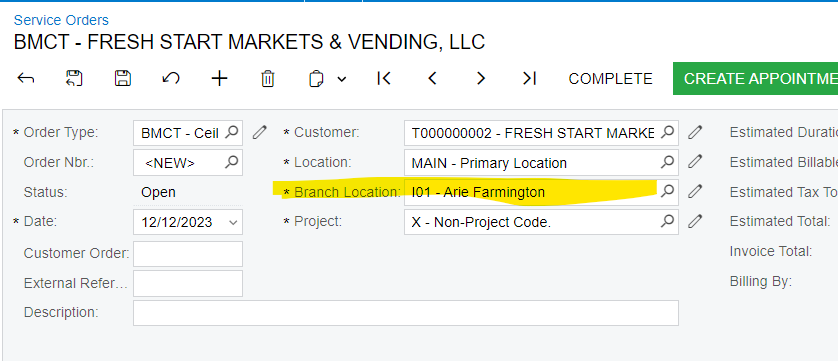
 

It does not display all of the branches to select from under Branch Locations. It only displays the branch that is at the top of the screen. Refer to second screenshot. 


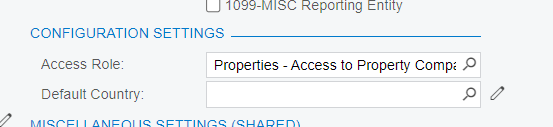
There are company access roles setup under Companies but would that be causing the issue? 
 

Let me know what setting I have to configure so users can select from any Branch Location that was setup under the Service module.

Thank you,

Frances 


Best answer by Laura03

Hello Frances,

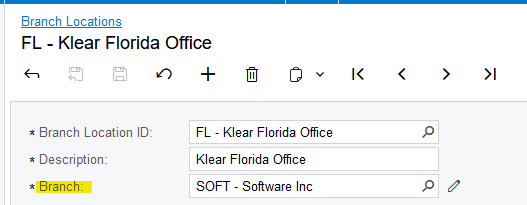
I set up a quick test in my 2023 R2 demo and I can confirm:  Branch Locations as set up in Services module are only visible in the Branch they are connected to in Services module, Branch Locations screen.  It’s not related to Branch Roles, as I have no branch or company roles set up in my demo.

Above Branch Location appears in orders only when SOFT branch is selected

Like you, I see room for improvement!  Please vote for your Idea here

Laura

1 reply

Laura03
Captain II
Forum|alt.badge.img+19
  • Captain II
  • Answer
  • December 12, 2023

Hello Frances,

I set up a quick test in my 2023 R2 demo and I can confirm:  Branch Locations as set up in Services module are only visible in the Branch they are connected to in Services module, Branch Locations screen.  It’s not related to Branch Roles, as I have no branch or company roles set up in my demo.

Above Branch Location appears in orders only when SOFT branch is selected

Like you, I see room for improvement!  Please vote for your Idea here

Laura