Answer

Facing an issue while trying to add a field in Acumatica 25R2.

  • November 21, 2025
  • 3 replies
  • 58 views

Sagar Greytrix
Captain II
Forum|alt.badge.img+3

Hi Team,


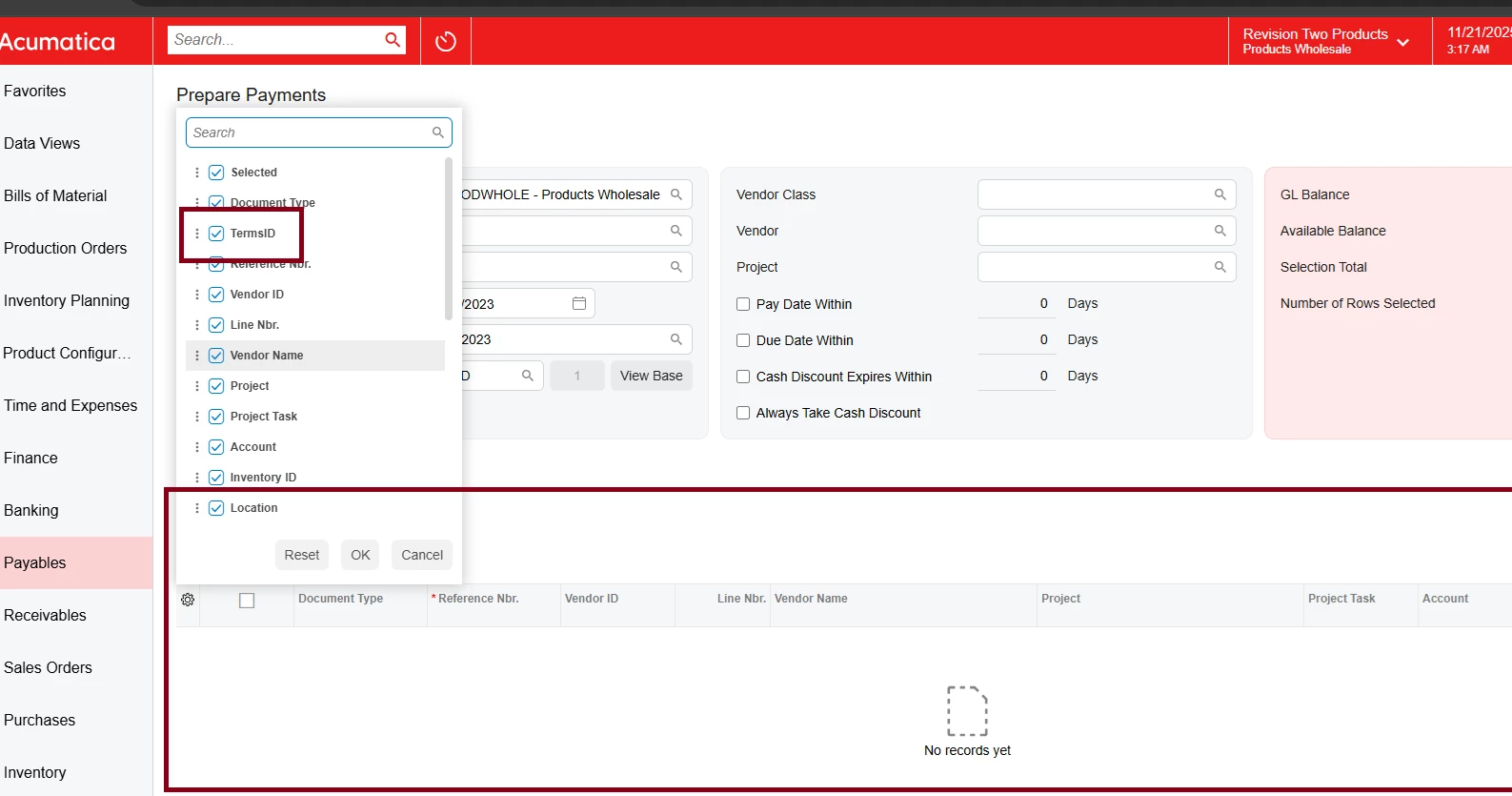
In Acumatica 25R2, I successfully added the Terms field to the "Approve Bills for Payment" screen using the new modern UI. However, when I try to add the same Terms field in the "Prepare Payments" screen, the field does not appear.

Please check the screenshot below. I have tried multiple solutions, but none of them are working.
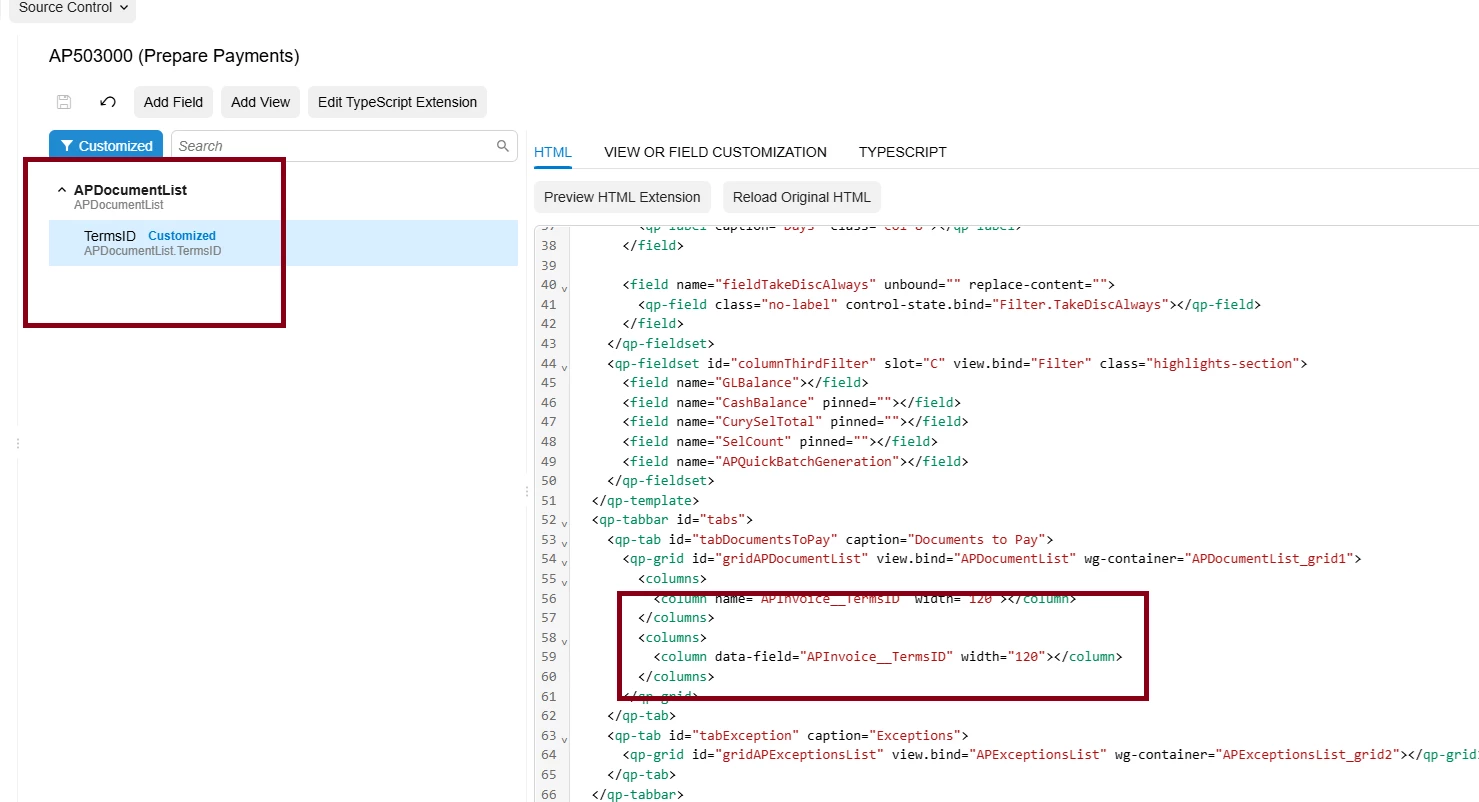
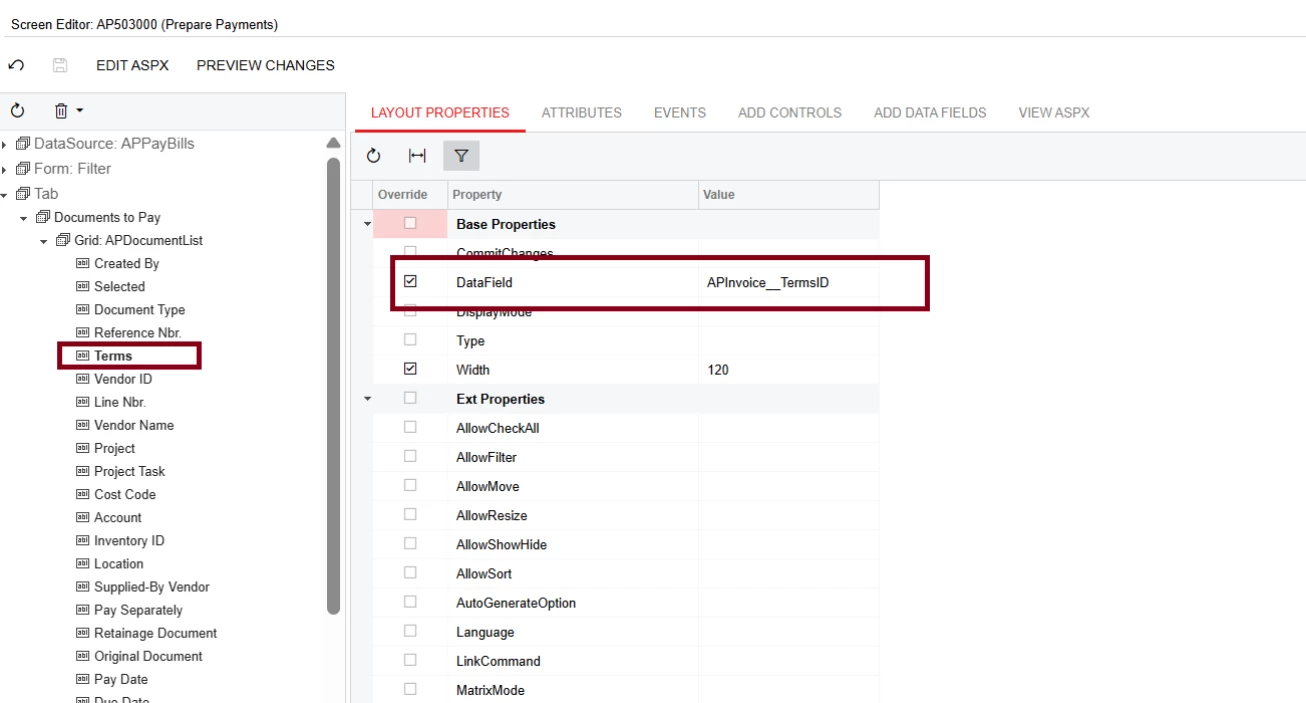


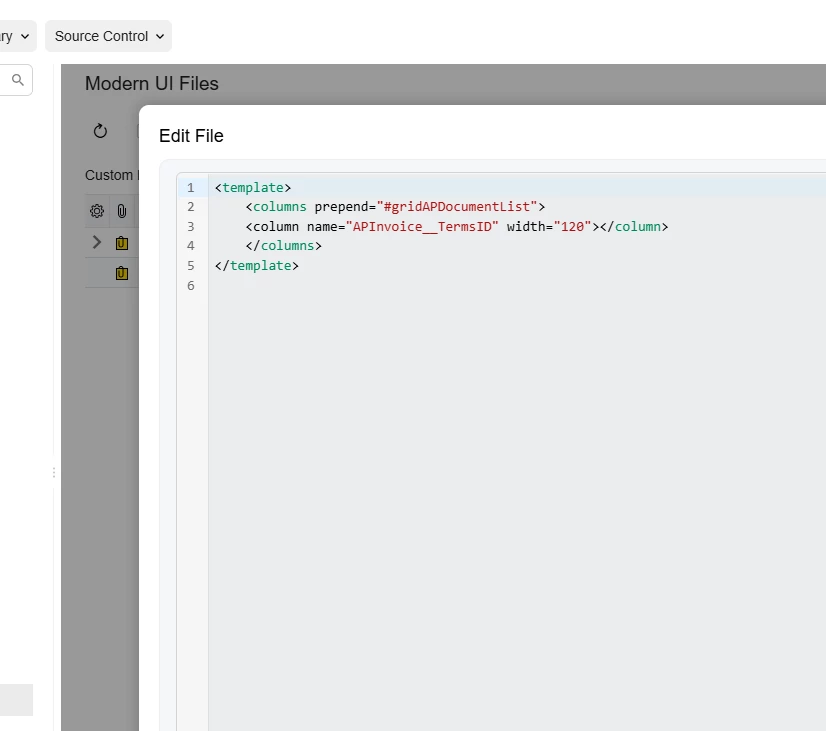
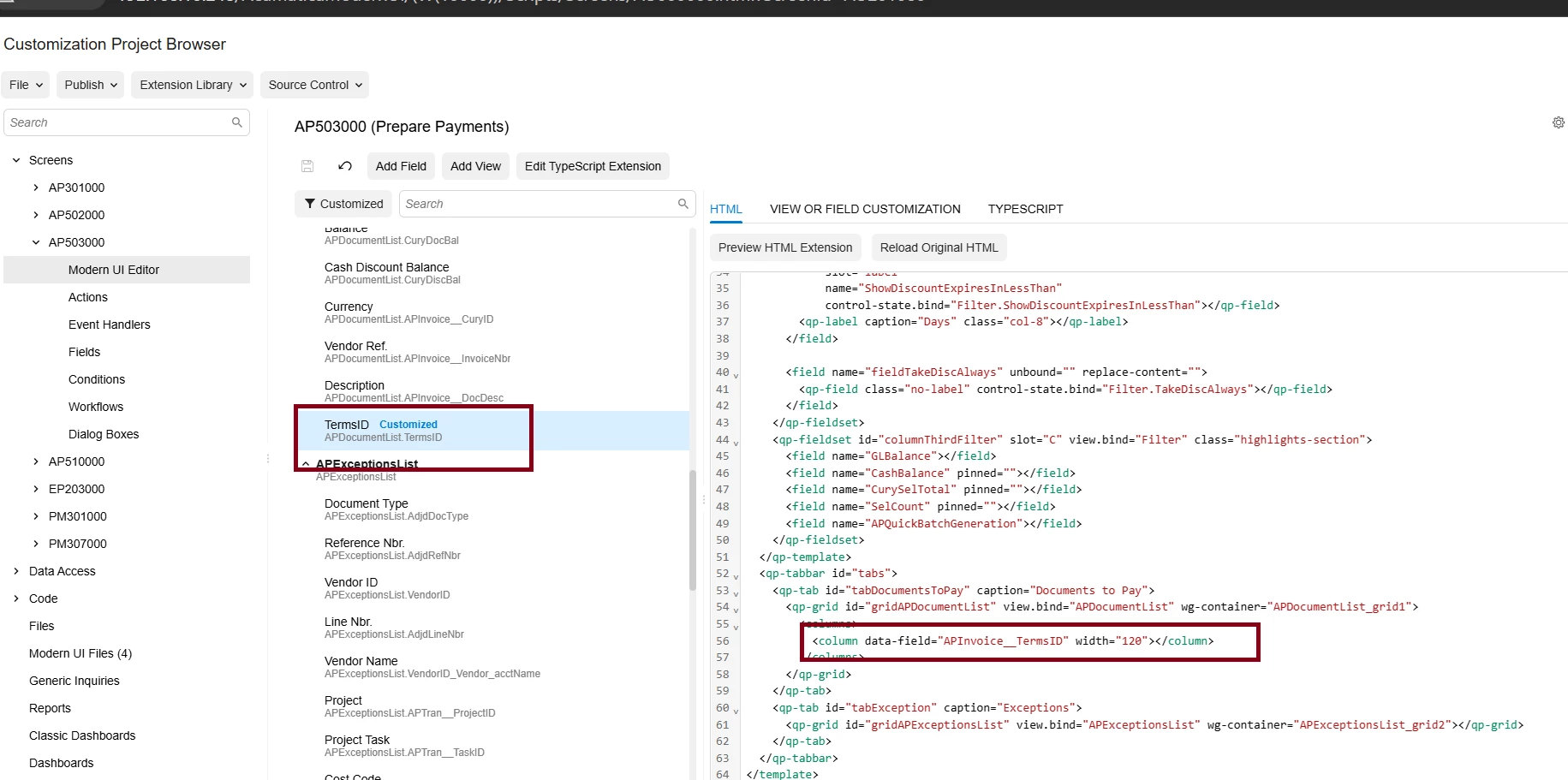
The field is selected, but it is not displayed in the grid. I also tried using different names, such as TermsID and ViewName.TermsID, but neither solution worked.

Can someone assist me with this issue?


Regards,

Sagar

Best answer by darylbowman

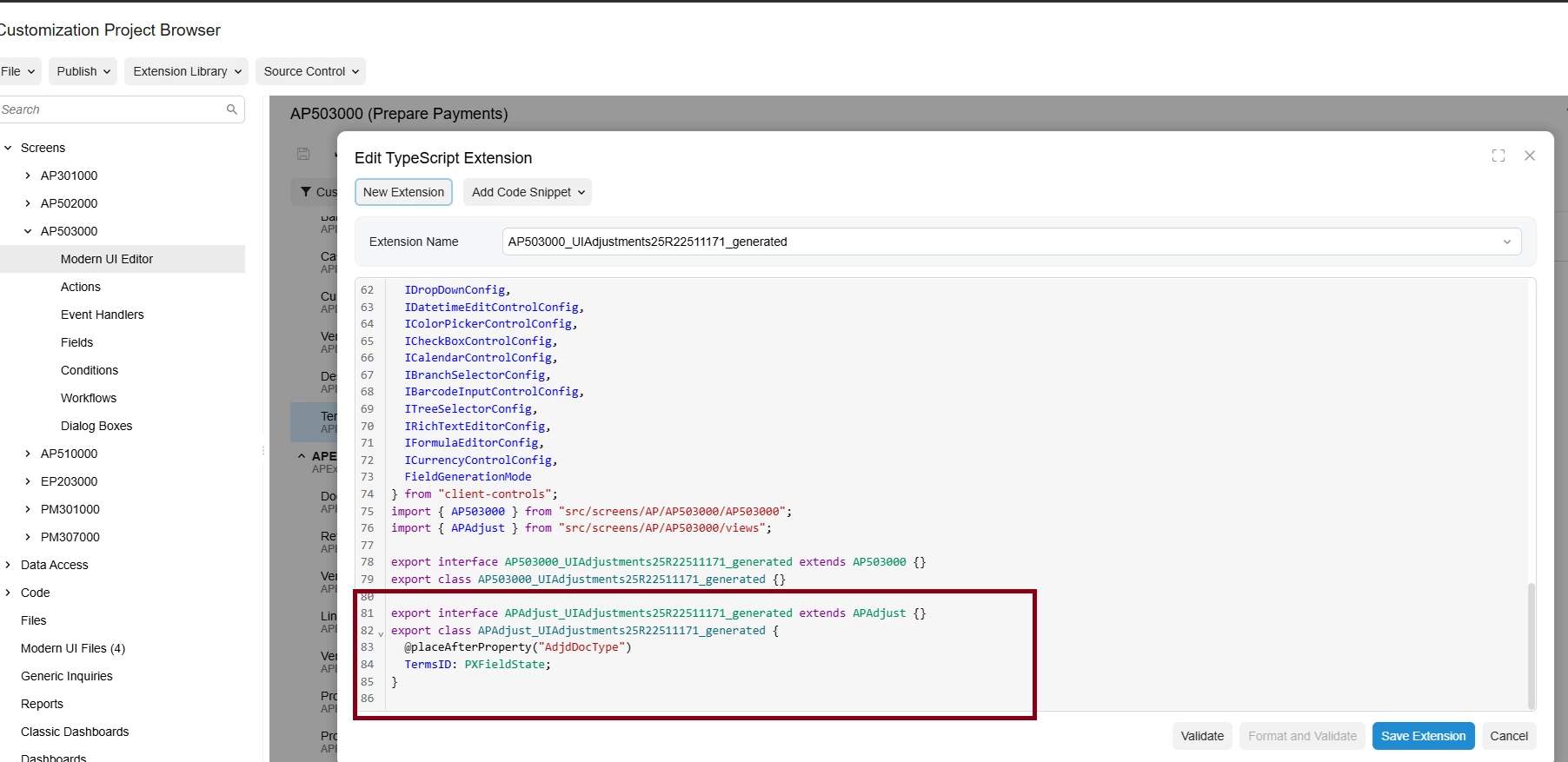
APAdjust doesn’t contain ‘TermsID’ as a field. Have you tried using APInvoice__TermsID as the field instead?

Also, for what it’s worth, you shouldn’t need the HTML column at all. The TypeScript should include it automatically.

3 replies

darylbowman
Captain II
Forum|alt.badge.img+15

The correct way to reorder columns in a grid is to use the @placeAfterProperty or @placeBeforeProperty in the TypeScript extension:

export interface IN301000_SiteStatusLookupResults extends SiteStatusLookupResults { }
export class IN301000_SiteStatusLookupResults {

@placeAfterProperty("ItemClassID")
LocationID: PXFieldState;
}

source


Sagar Greytrix
Captain II
Forum|alt.badge.img+3
  • Author
  • Captain II
  • November 24, 2025

@darylbowman Hi, I tried your solution, but it is not working on this screen. On the other screens, the solution work. Could you please help me understand why this is happening? The issue is with the 'Prepare Payments screen for Terms' field.


darylbowman
Captain II
Forum|alt.badge.img+15
  • Answer
  • November 24, 2025

APAdjust doesn’t contain ‘TermsID’ as a field. Have you tried using APInvoice__TermsID as the field instead?

Also, for what it’s worth, you shouldn’t need the HTML column at all. The TypeScript should include it automatically.