


Hello!
I would like to create an import scenario for 'service orders' that schedules an appointment after the order is created. I get an error message when I add the action command: 'Create an appointment.'
Thank you!
Hello!
I would like to create an import scenario for 'service orders' that schedules an appointment after the order is created. I get an error message when I add the action command: 'Create an appointment.'
Thank you!
Best answer by sweta68
You can utilize the Business event using the GI 'FS3001PL' with the “Record inserted” Trigger condition.
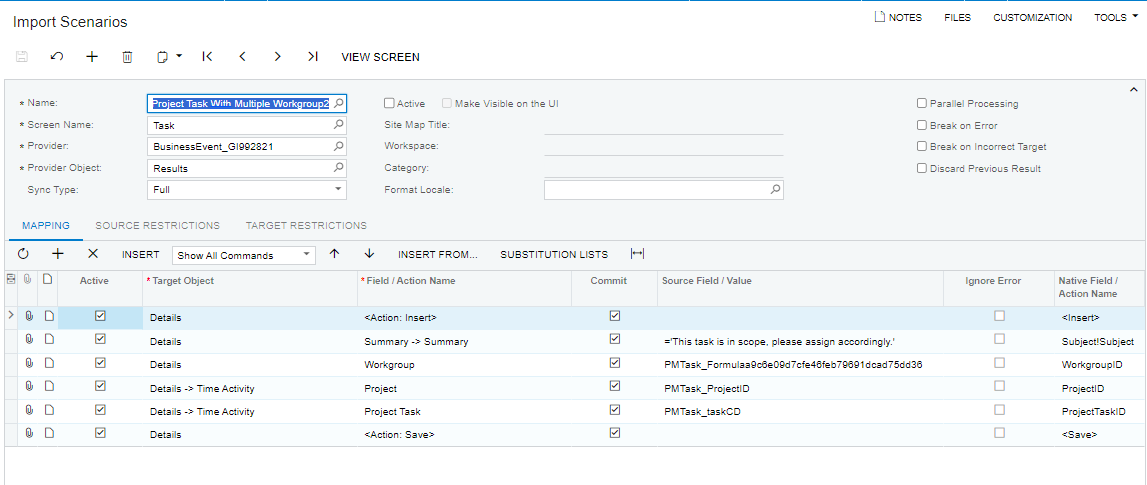
Create new subscriber as the Import scenario, where you use the Appointment (FS300200) screen and do the mapping like attached screenshot with considering as appointment no → ServiceOrderNbr and on second line ServiceOrderNbr → ServiceOrderNbr . Please ensure that you select the "commit changes" checkbox so that it can retrieve the details from the service order. Lastly, save the document.
Regards,
Sweta.
No account yet? Create an account
Enter your E-mail address. We'll send you an e-mail with instructions to reset your password.

