Answer

Visibility and location of action menu items

  • July 8, 2022
  • 3 replies
  • 450 views

Forum|alt.badge.img

Hello,

There are two areas that I have questions about:

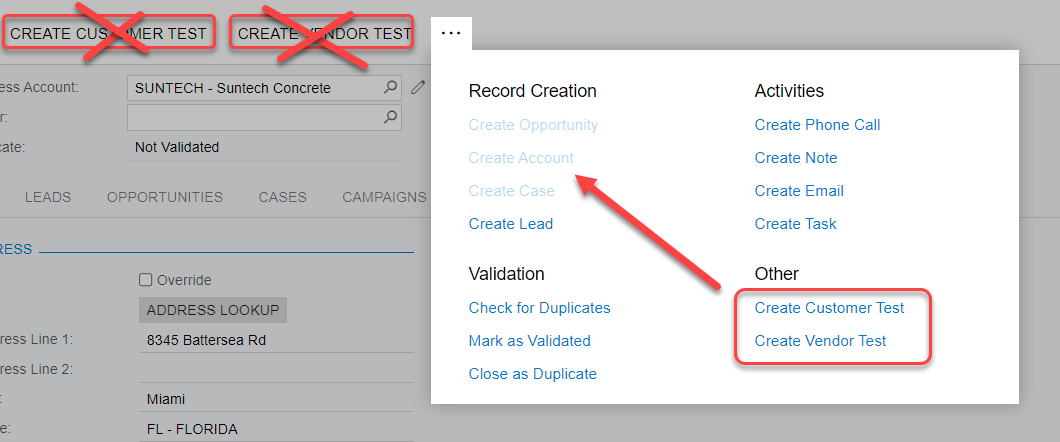
1) My existing code logic locates my two action menu items "CREATE CUSTOMER TEST" and "CREATEVENDOR TEST" in the "Other" section of the "dot dot dot" menu (below). How can I relocate those menu items to the "Record Creation" section?

2) The same code that adds the action menu items to the "dot dot dot" menu also adds the two menu items to the main toolbar menu.
Is there a was to hide the menu items so that they are not visible on the main toolbar menu but still visible in the "dot dot dot" menu?

Thank you in advance.

Ken Severud


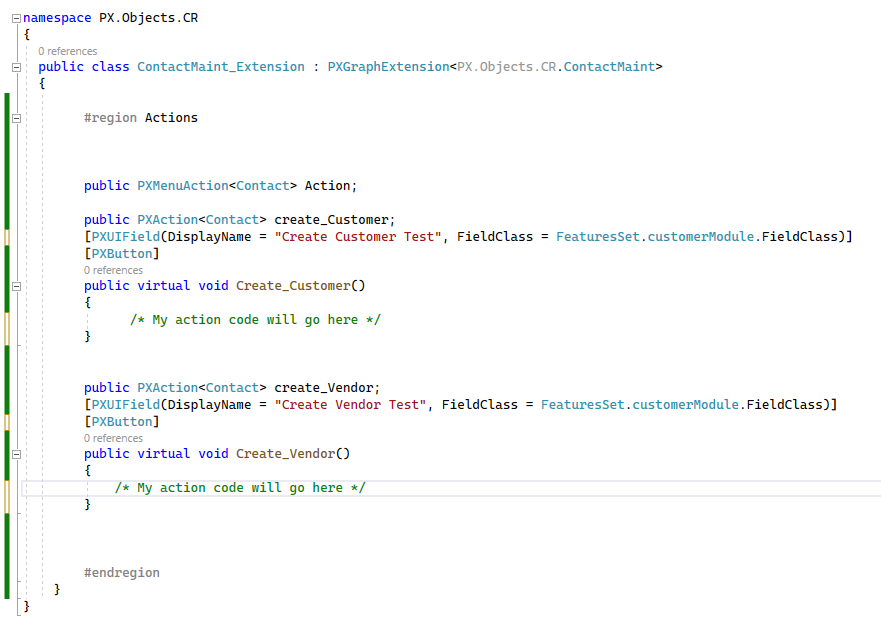
My code behind:


Best answer by Naveen Boga

Hi @kseverud34  You can do this in below two ways.

  1. You can add the below line at the code level for the action.

 public PXAction<SOOrder> TestButton;
        [PXUIField(DisplayName = "Test Button", MapEnableRights = PXCacheRights.Select, MapViewRights = PXCacheRights.Select, Enabled = true)]
        [PXButton(IsLockedOnToolbar = true)]
        public virtual IEnumerable testButton(PXAdapter adapter)
        {
        }


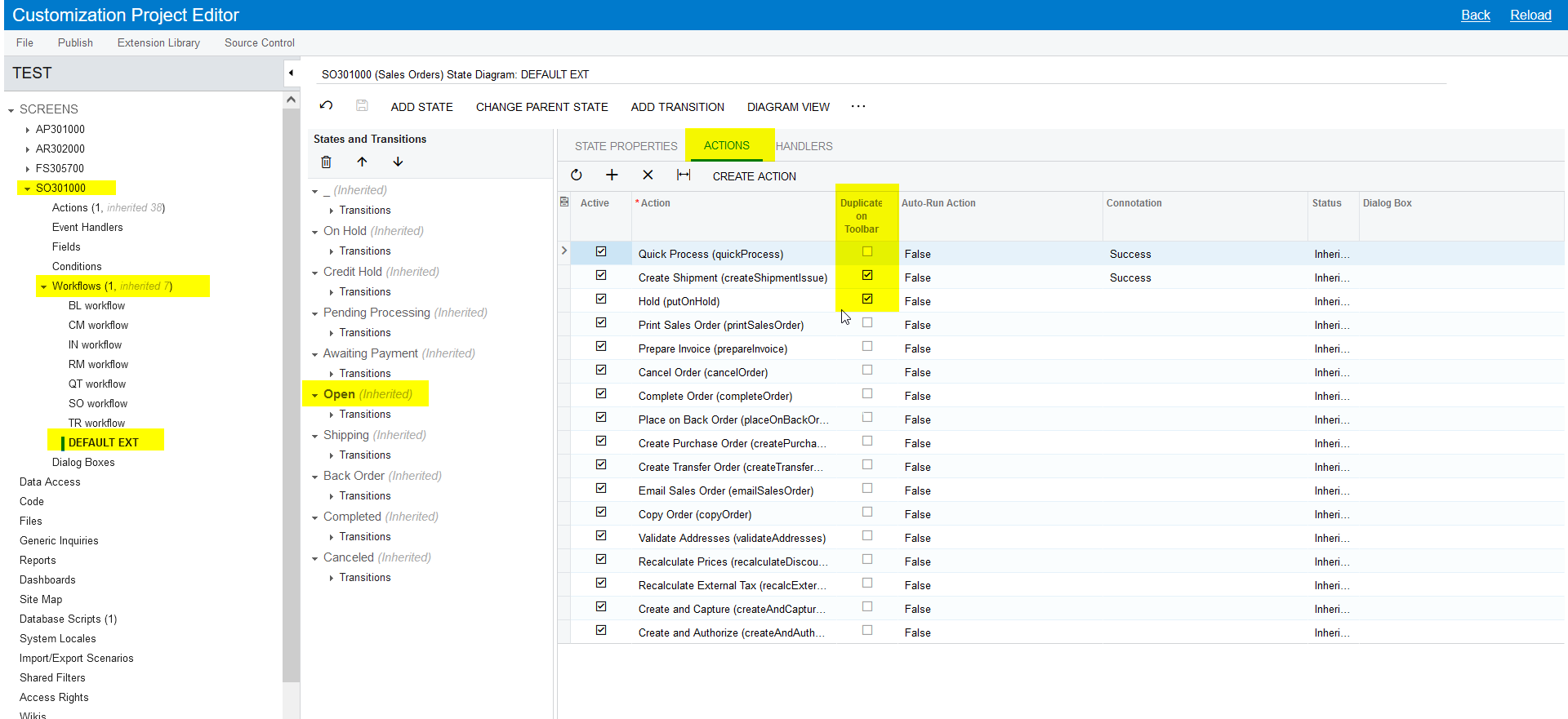
  1. We can also display the button the Toolbar from the workflow automation steps 


3 replies

Naveen Boga
Captain II
Forum|alt.badge.img+19
  • Captain II
  • Answer
  • July 8, 2022

Hi @kseverud34  You can do this in below two ways.

  1. You can add the below line at the code level for the action.

 public PXAction<SOOrder> TestButton;
        [PXUIField(DisplayName = "Test Button", MapEnableRights = PXCacheRights.Select, MapViewRights = PXCacheRights.Select, Enabled = true)]
        [PXButton(IsLockedOnToolbar = true)]
        public virtual IEnumerable testButton(PXAdapter adapter)
        {
        }


  1. We can also display the button the Toolbar from the workflow automation steps 


Forum|alt.badge.img
  • Author
  • Freshman II
  • July 12, 2022

Thank you Naveen!

-Ken Severud


Joe Schmucker
Captain II
Forum|alt.badge.img+3

I have this EXACT question.  The solution by Naveen worked to get rid of the button from the main toolbar.  I find that IsLockedOnToolbar = true seems counter intuitive.  Seems like it should be false.  If you set it to false, it doesn’t show up anywhere.  I never would have thought to set it to true.

I added a tweak to the code to add my button to a custom category as follows:

[PXButton(IsLockedOnToolbar = true, Category = "Attach Quote for ESign")]