Answer

Unable to manually adjust inventory qty

  • January 9, 2025
  • 10 replies
  • 117 views

Forum|alt.badge.img

Hi! I am trying to manually adjust an inventory item to qty zero but keep receiving the following error: 
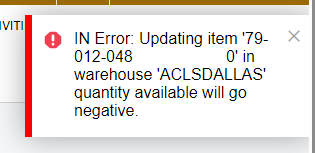
 

I checked that there are no open transactions in the system that has this item. Any idea on why this error shows up?

Thanks!

Best answer by alexx

Do you have multiple warehouses/branches? Do you have the right branch selected for the adjustment?
 

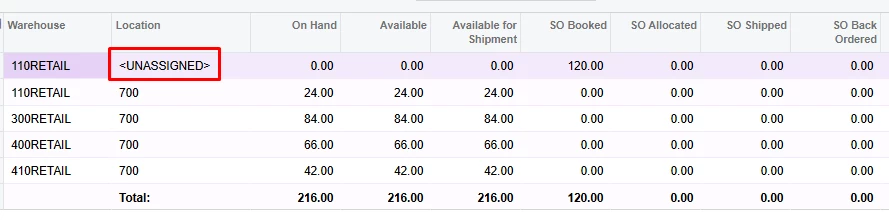
Try going to Inventory Summary. If it shows “<UNASSIGNED>” under Location, that usually means there is a qty sitting on an unfinished transaction somewhere.

Double clicking on that line will direct you to a screen to show you what transactions are not completed.
 

10 replies

Kandy Beatty
Captain II
Forum|alt.badge.img+17
  • Captain II
  • January 9, 2025

HI ​@jzhu 

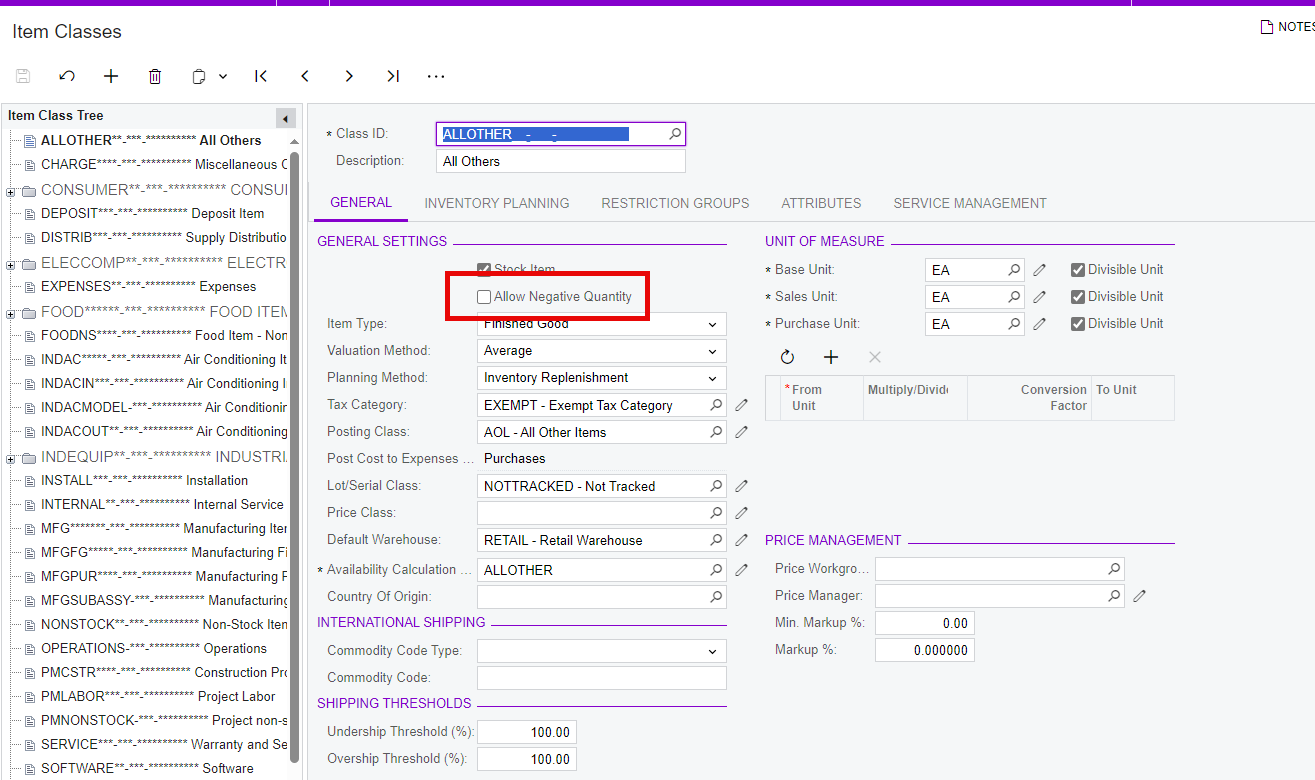
Do you have Allow Negative Qty turned on for the Item Class of that item?


Forum|alt.badge.img
  • Author
  • Semi-Pro III
  • January 9, 2025

Hi ​@Kandy Beatty no the item class is not checked for allow negative quantity. It is weird because none of the item class have it checked and only a few items are experiencing this issue. 


Kandy Beatty
Captain II
Forum|alt.badge.img+17
  • Captain II
  • January 10, 2025

HI ​@jzhu 

What does the Historical Inventory look like for that item?

Are there outstanding purchases or sales against that item?

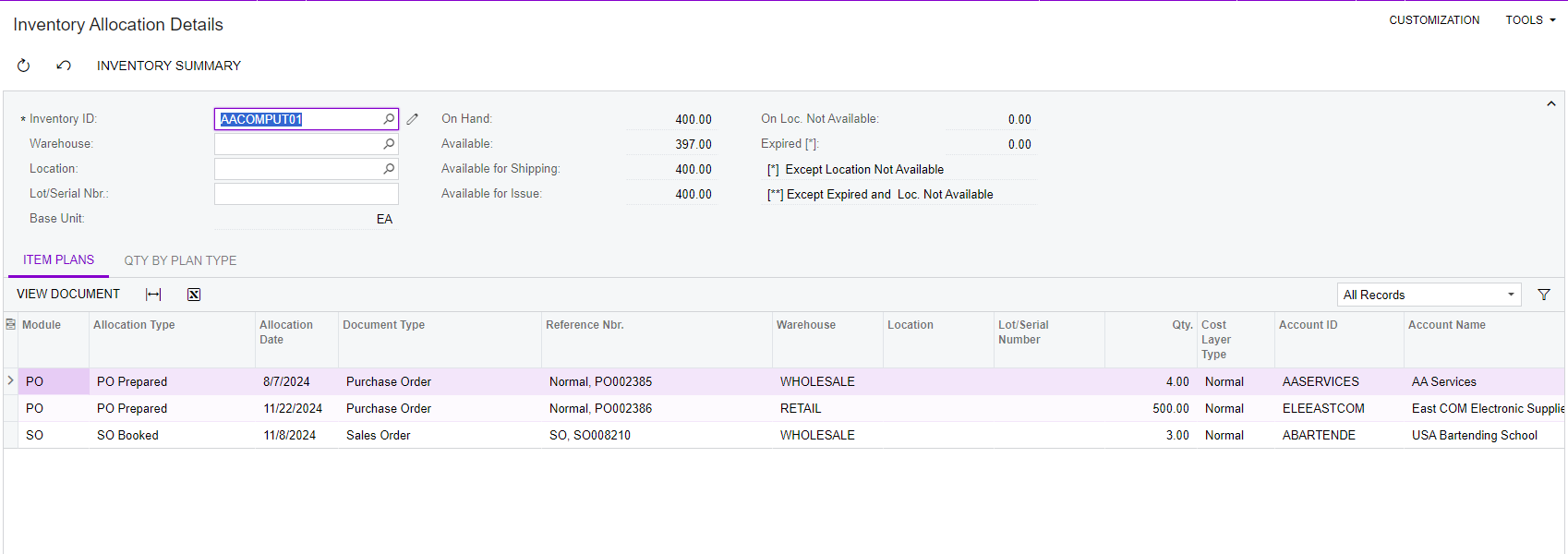
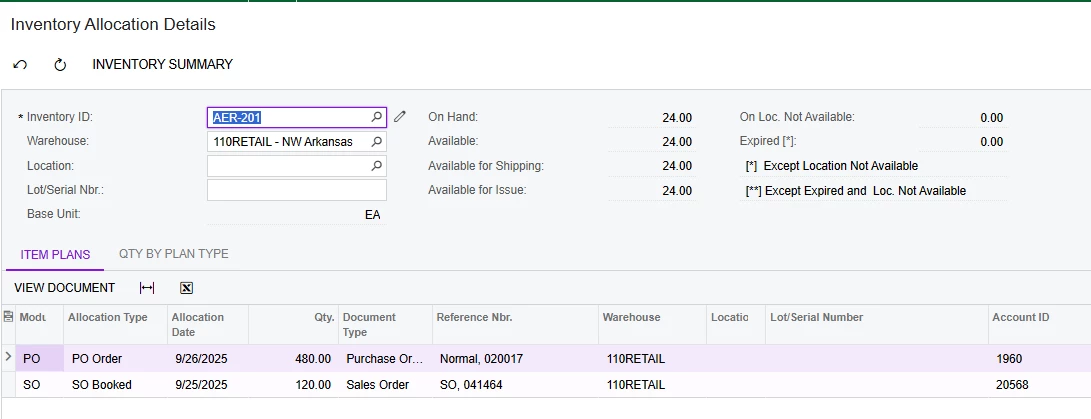
Also, check the Inventory Allocation Details


Forum|alt.badge.img
  • Author
  • Semi-Pro III
  • January 10, 2025

HI ​@Kandy Beatty 

I’ve checked both, there are no outstanding purchases or sales against them shown in Inventory Allocation Details. Inventory Summary shows that this item has an available qty of 2, which is the qty we are trying to adjust to zero. 

I also have a GI that shows all open sales order with line item and could not find the item. Searched in the SOLine and POLine DAC source data and could not find this item on any open order either.


dsimmerly
Pro I
Forum|alt.badge.img+1
  • Pro I
  • January 10, 2025

@jzhu Try to Recalculate Inventory see if this resolves the issue 


Kandy Beatty
Captain II
Forum|alt.badge.img+17
  • Captain II
  • January 10, 2025

@jzhu Try to Recalculate Inventory see if this resolves the issue 

Good call out ​@dsimmerly 


Forum|alt.badge.img
  • Author
  • Semi-Pro III
  • January 13, 2025

HI ​@Kandy Beatty and ​@dsimmerly 

I tried recalculating inventory, and the item shows qty of zero. However, inventory allocation detail shows qty of 2 for the same item. 


Chris Hackett
Community Manager
Forum|alt.badge.img
  • Acumatica Community Manager
  • April 24, 2025

Hi ​@jzhu were you able to find a solution? Thank you!


Forum|alt.badge.img
  • Author
  • Semi-Pro III
  • May 6, 2025

Hi ​@Chris Hackett, no I was not able to find a solution for this. The Allow Qty to be Negative setting does not apply on the Adjustments screen. So in order to adjust this, the qty cannot be less than zero. 


alexx
Jr Varsity II
Forum|alt.badge.img
  • Jr Varsity II
  • Answer
  • September 29, 2025

Do you have multiple warehouses/branches? Do you have the right branch selected for the adjustment?
 

Try going to Inventory Summary. If it shows “<UNASSIGNED>” under Location, that usually means there is a qty sitting on an unfinished transaction somewhere.

Double clicking on that line will direct you to a screen to show you what transactions are not completed.