Question

QTY on Hand by Location Formula

  • November 19, 2025
  • 6 replies
  • 37 views

Forum|alt.badge.img

Hello, 

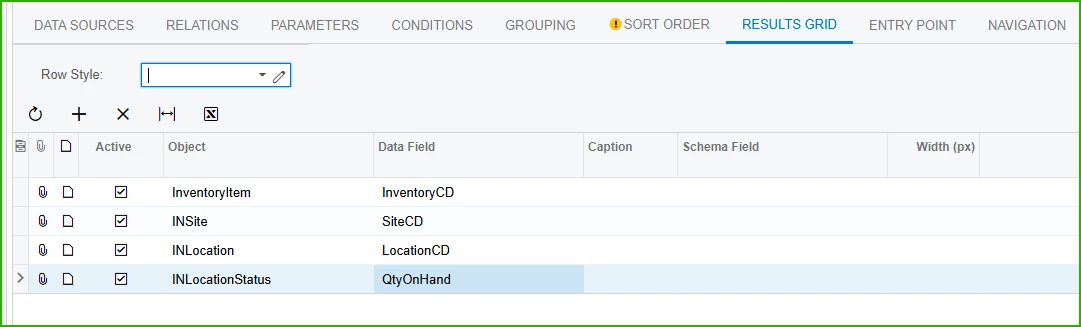
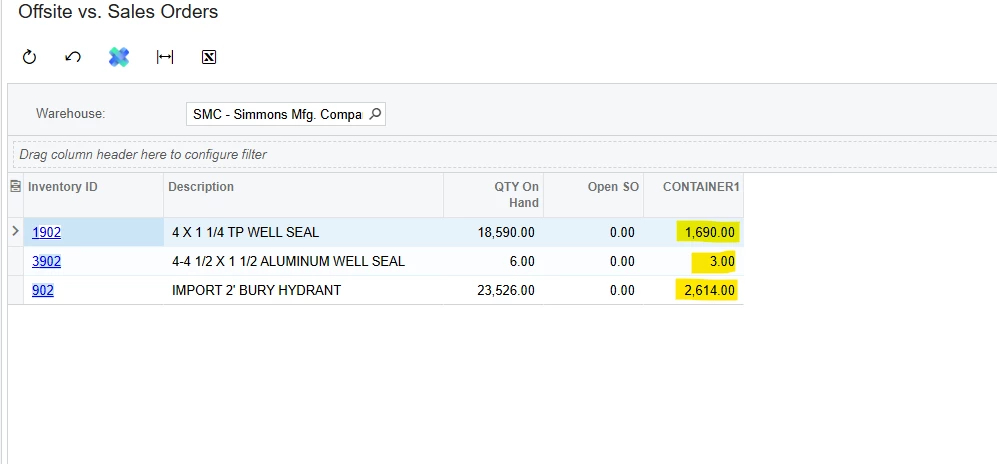
I am trying to create an “On hands” report for our offsite locations. I would like to show each offsite location in a column and to only show the inventory in that location. I wrote my formula as 

=([INLocationStatus.LocationID]=CONTAINER1) but this obviously is not correct as I am seeing the current on hand values across all locations. Any ideas on the formula to use to accomplish this goal? 
 

6 replies

dgodsill97
Varsity I
Forum|alt.badge.img+3
  • Varsity I
  • November 19, 2025

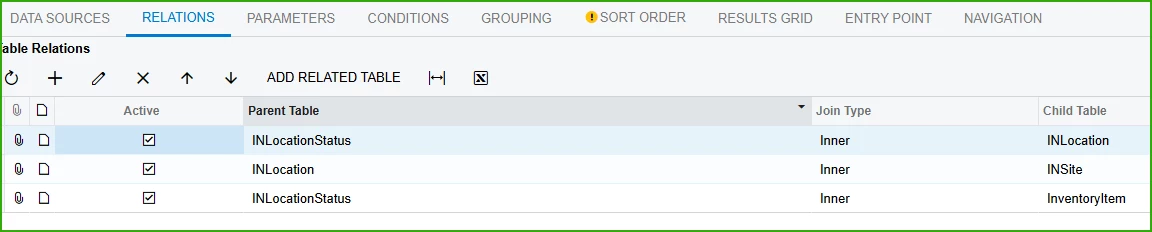
Add SiteID to the join between INLocation and INLocationStatus. INLocation.LocationCD is the selection and both have LocationID as part of the key.


INLocation to INLocationStatus on LocationID = LocationID and SiteID = SiteID.


Forum|alt.badge.img
  • Author
  • Jr Varsity II
  • November 19, 2025

I added that, but still with no luck. I have come up with a solution: 

  1. Each location CD shows a numerical value in the DAC schema browser. For us, CONTAINER1 = 4127
  2. =IIF([INLocationStatus.LocationID]=4127,[INLocationStatus.QtyActual],0)
  3. This works, but shows actual instead of on hand...I am still working out the on-hand formula

dgodsill97
Varsity I
Forum|alt.badge.img+3
  • Varsity I
  • November 19, 2025

Then in your condition, specify the location you want to view or make it a parameter for flexibilty

And the Resulst


Forum|alt.badge.img
  • Author
  • Jr Varsity II
  • November 20, 2025

Then in your condition, specify the location you want to view or make it a parameter for flexibilty

And the Resulst


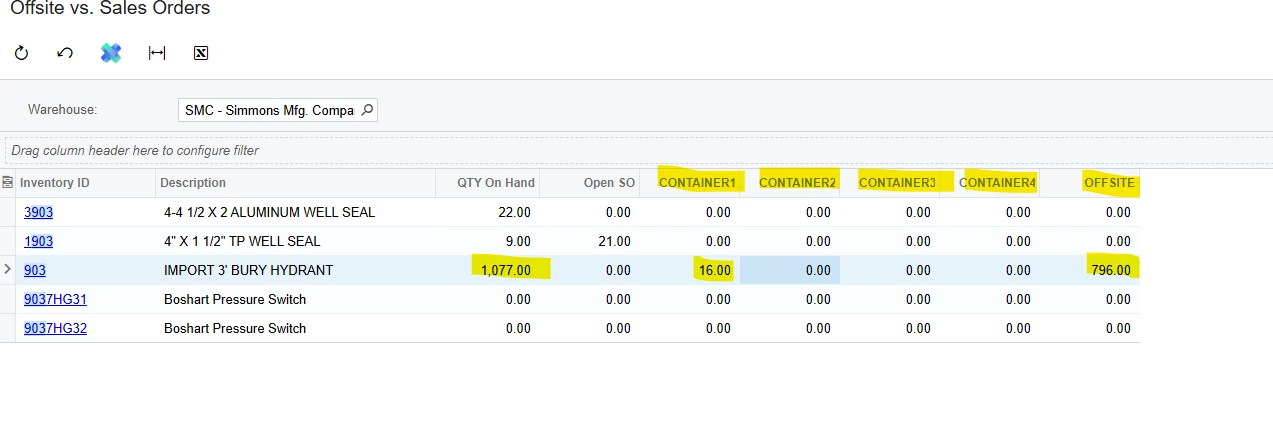
Yes, this is how I have it setup, however, I am going for multiple columns with multiple locations. I have created this so far and it seems to be working: 


Forum|alt.badge.img
  • Author
  • Jr Varsity II
  • November 20, 2025

I added that, but still with no luck. I have come up with a solution: 

  1. Each location CD shows a numerical value in the DAC schema browser. For us, CONTAINER1 = 4127
  2. =IIF([INLocationStatus.LocationID]=4127,[INLocationStatus.QtyActual],0)
  3. This works, but shows actual instead of on hand...I am still working out the on-hand formula


Forum|alt.badge.img
  • Author
  • Jr Varsity II
  • November 20, 2025

I have now created and tested the formula to show the additions of all the offsite locations: 

=Sum(IIF([INLocationStatus.LocationID]=4127 OR [INLocationStatus.LocationID]=4128 OR [INLocationStatus.LocationID]=4129 OR [INLocationStatus.LocationID]=4130 OR [INLocationStatus.LocationID]=4131, [INLocationStatus.QtyActual], 0))


I would like the row to turn red if the formula above is less than SO booked. I tried the formulas below, with no success, any ideas? 

=IIF([INSiteStatus.QtySOBooked] > Sum(IIF([INLocationStatus.LocationID] IN (4127, 4128, 4129, 4130, 4131), [INLocationStatus.QtyActual], 0)), 'red', 'default')

and

=Sum(IIF([INLocationStatus.LocationID]=4127 OR [INLocationStatus.LocationID]=4128 OR [INLocationStatus.LocationID]=4129 OR [INLocationStatus.LocationID]=4130 OR [INLocationStatus.LocationID]=4131, [INLocationStatus.QtyActual], 0)) >[INSiteStatus.QtySOBooked], 'red', 'default')