Answer

Purchase Order line type

  • March 30, 2022
  • 4 replies
  • 647 views

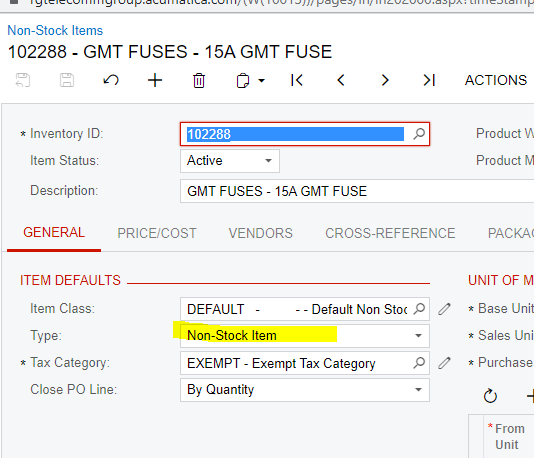
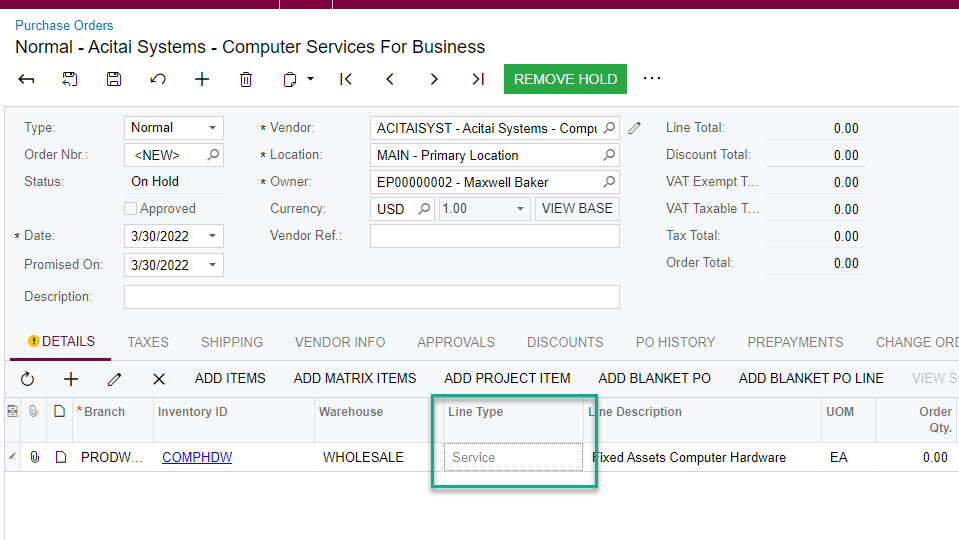
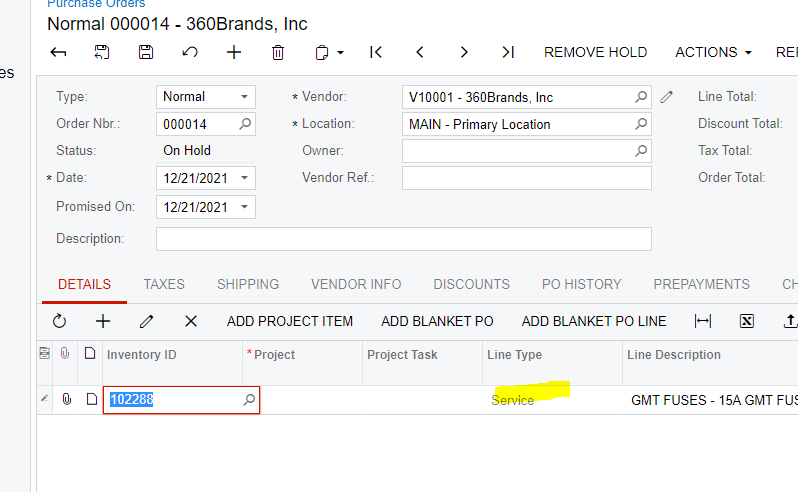
When I create a PO, the line type is always Service and the Item is a Non Stock Item

I am not able to change it

Any idea?
 

Best answer by Kandy Beatty

Thank you, I do not have a warehouse option, so i think it is fine the Service line
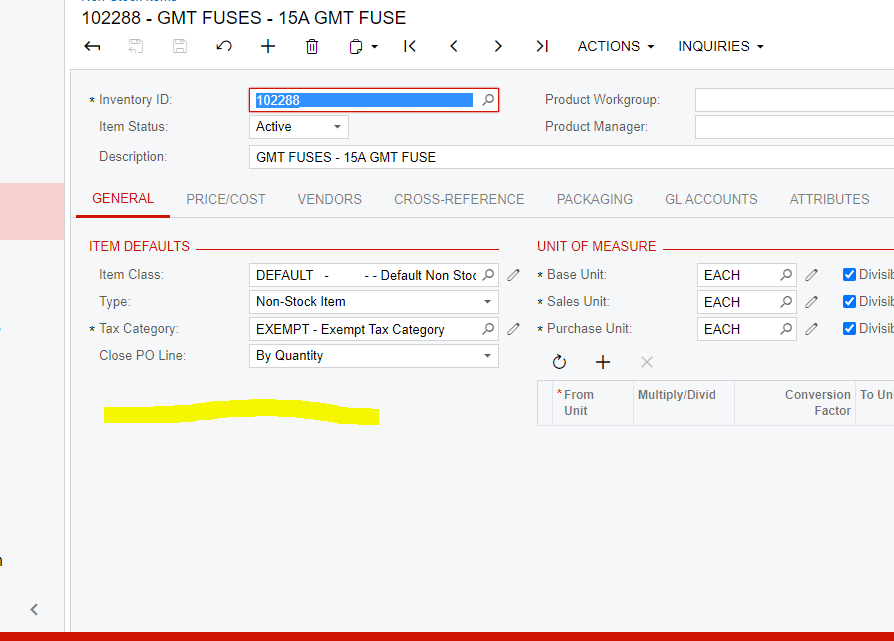
 

If you do not have the full Inventory Module, then you will only be able to use it as a Service type. 

4 replies

Kandy Beatty
Captain II
Forum|alt.badge.img+17
  • Captain II
  • March 30, 2022

Hi @vivian46 

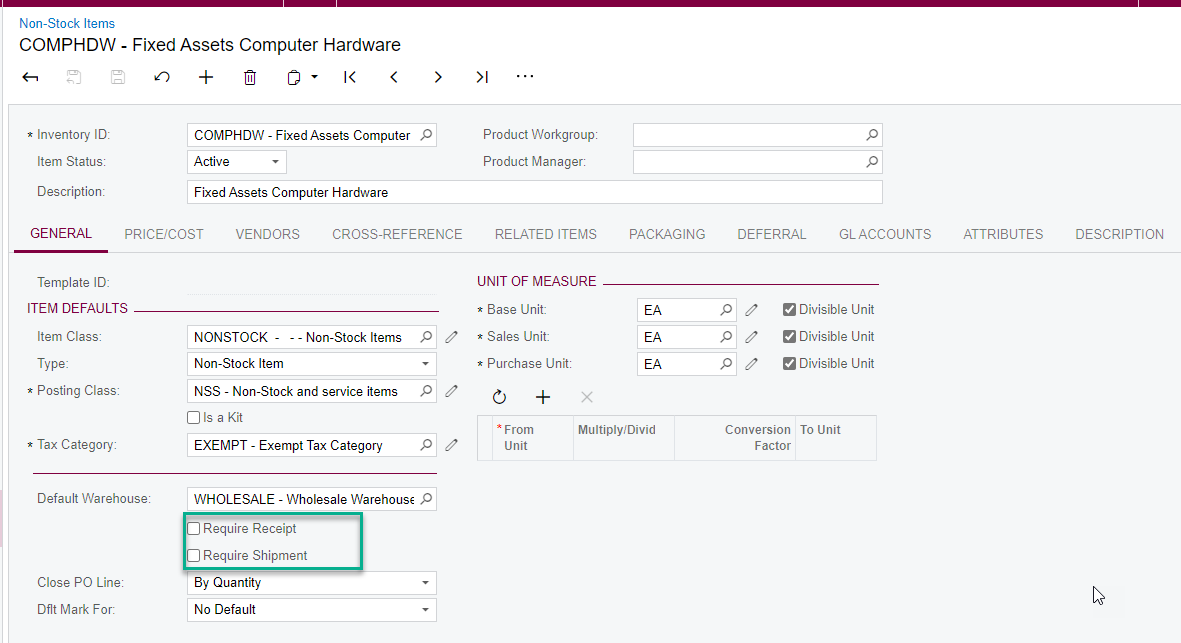
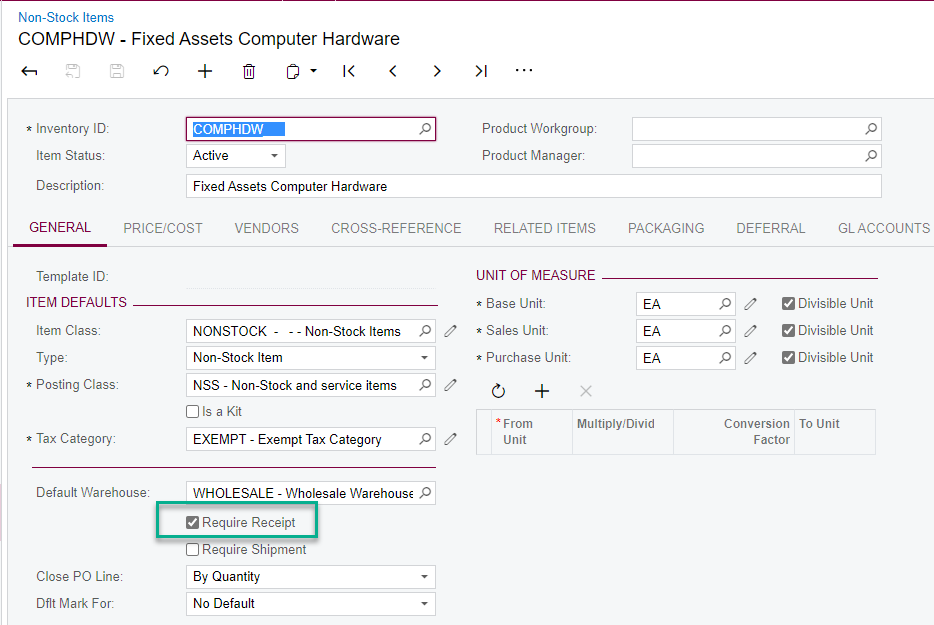
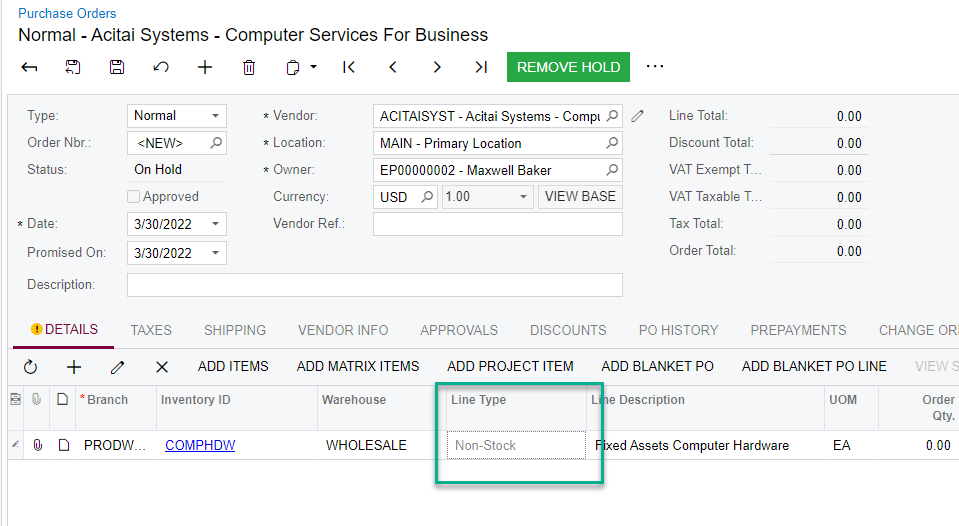
It is driven by how your Non-Stock item is set up. If the Require Receipt is selected, it will show on the Line Type. If it is not selected, it will make the item a Service type. I have created a PO in my local to show you. 


Forum|alt.badge.img
  • Jr Varsity III
  • March 30, 2022

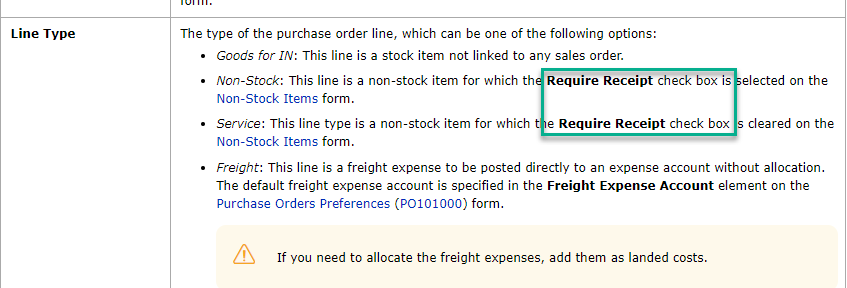
@vivian46, here’s what wiki says about Non-Stock Line Types:

  • Non-Stock: This line is a non-stock item for which the Require Receipt check box is selected on the Non-Stock Items form.
  • Service: This line type is a non-stock item for which the Require Receipt check box is cleared on the Non-Stock Items form.

  • Author
  • Freshman II
  • March 30, 2022

Thank you, I do not have a warehouse option, so i think it is fine the Service line


Kandy Beatty
Captain II
Forum|alt.badge.img+17
  • Captain II
  • Answer
  • March 30, 2022

Thank you, I do not have a warehouse option, so i think it is fine the Service line


If you do not have the full Inventory Module, then you will only be able to use it as a Service type.